
Until now, adding polls or quizzes and presenting to your class took more than one tool. You built slides in one place, launched a poll or quiz from another, and asked the room to type in a second code while you found your place again.
Prezi brings four tools together in one place: build, present, engage, and extend learning. The newest update for Prezi removes those steps. Building, presenting, and running live polls, quizzes, word clouds, and Q&A now happen on one screen, inside the same presentation. Bring the slides you already have, or describe what you're covering in a sentence, and Prezi builds the session around your material. Then teach it with the whole room taking part, run it from your phone, and leave something behind that keeps teaching after class.
Here's what the update changes.
One screen, from building to presenting
The biggest change is the one you'll see first. A single switch moves you between View and Edit, so you edit your presentation right where you'll present it.
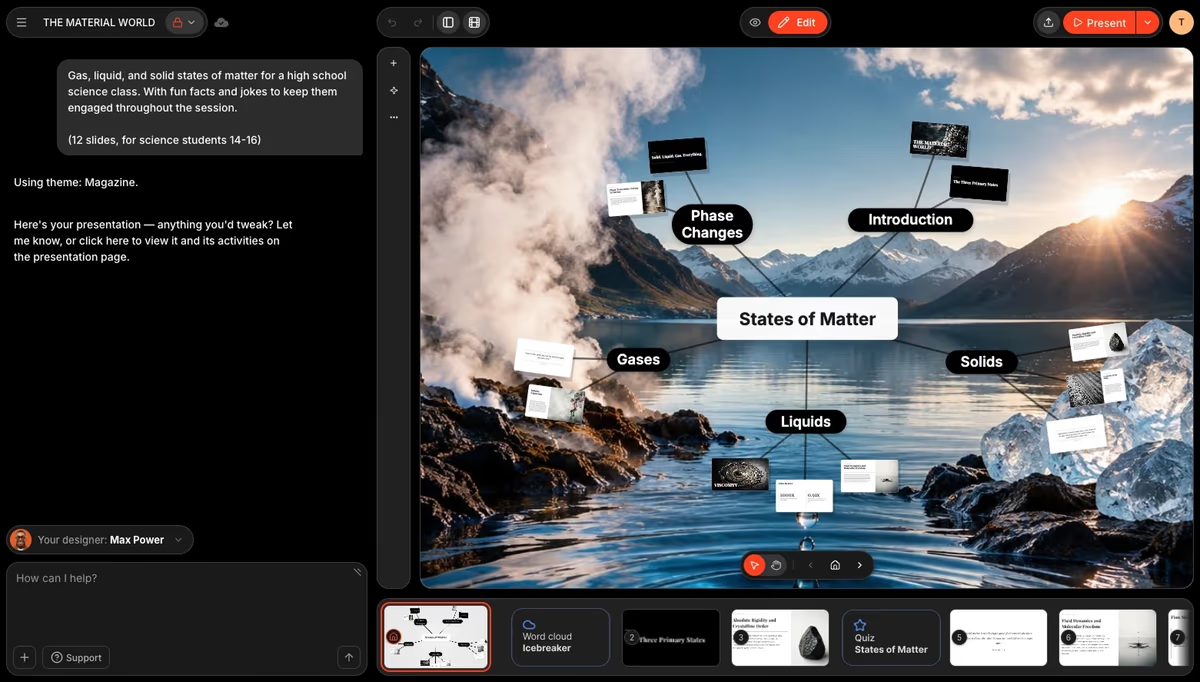
A timeline now runs under your slides and shows the whole flow of your session. Slides, polls, and quizzes all sit in that timeline together, and you reorder them as you go. Your editing tools are right beside the canvas, with undo and redo one click away.
Keep refining in the chat, at any point
The chat that helps you build your presentation is on the left-hand side the whole time you work. You can start by bringing in your own slides or write a short prompt describing your class. From there, you can use the chat to keep shaping it in plain words whenever something needs to change. Ask Prezi to rework a slide, simplify the wording for a first-year class, or add a quiz before the section students usually struggle with, and the change appears on the canvas in front of you.
You decide what the class needs, and Prezi handles the rebuilding. You can switch between the chat and editing by hand as often as you like, and if a change isn't what you wanted, tell Prezi "undo that" or "go back" and it restores the earlier version.
Live polls, quizzes, and Q&A are part of your presentation
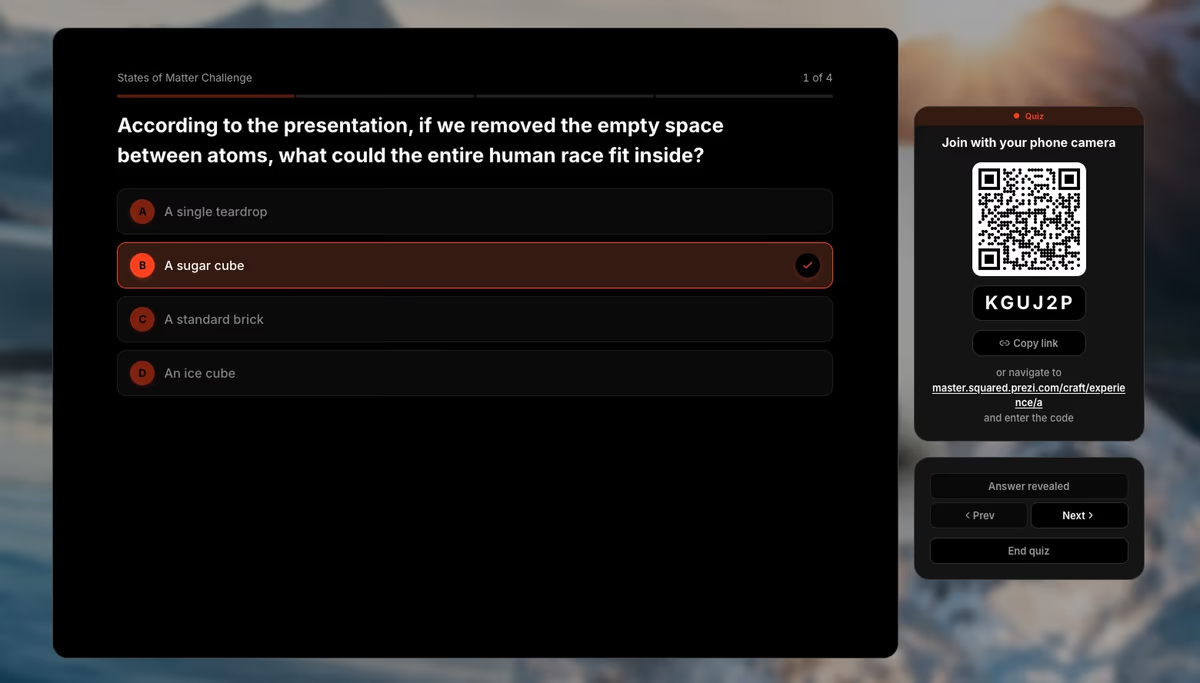
Because everything lives on one screen, your checks for understanding live there too. Place a poll, quiz, word cloud, or Q&A in the timeline while you prepare, and it's ready the moment you reach it. Nothing to open on the side, and nothing to remember to launch mid-sentence.
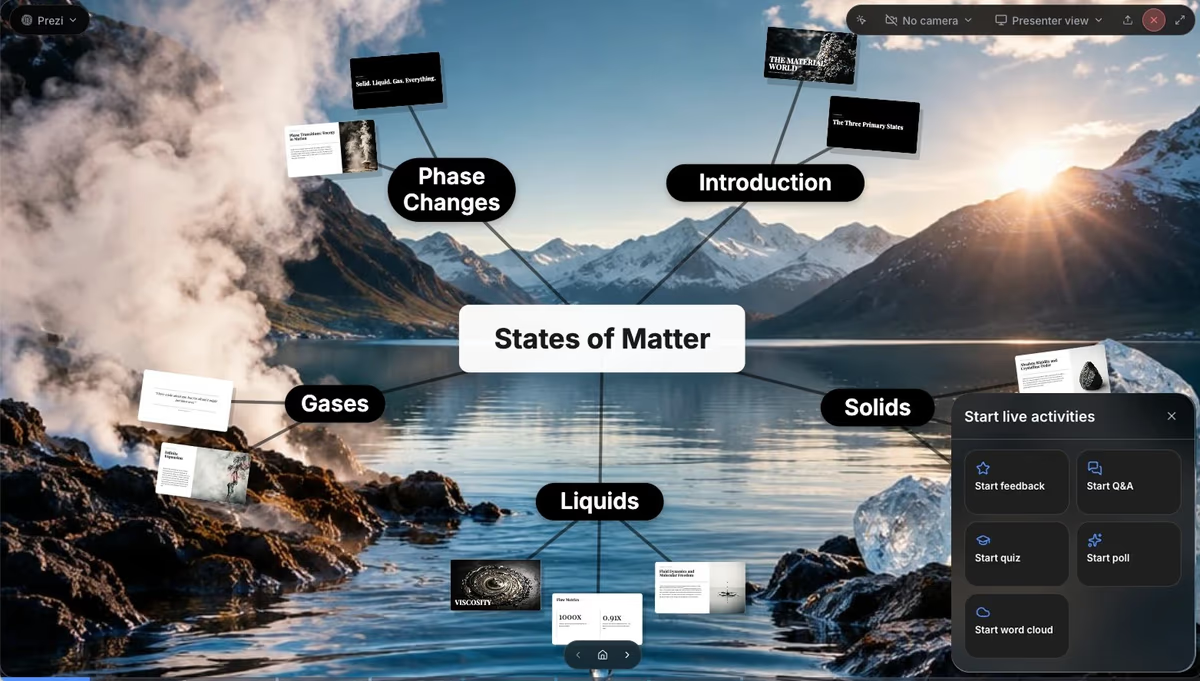
Students join by scanning a QR code, with no app and no login. Quiz participants add their name by default, so you can see who's keeping up. Q&A shows you how many questions are waiting and confirms to each student that theirs arrived, which is how the quiet ones end up asking too. Scores and results stay hidden until you choose to reveal them.
Prezi is built to engage audiences of any size. At one recent teacher conference, more than 1,000 teachers joined a single word cloud.
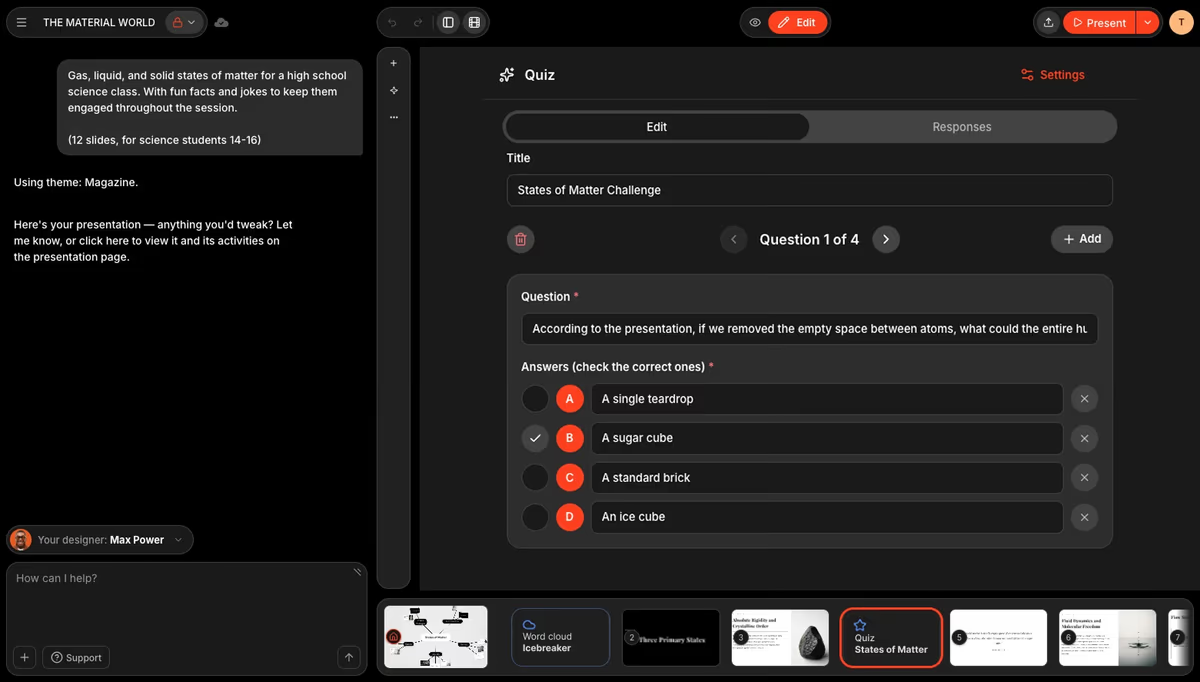
You also don't have to write them from scratch. Prezi drafts polls and quizzes from your own material, with questions drawn from the slides you're teaching, so every check for understanding uses your terminology and follows your sequence. Each question stays yours to change. Open a quiz in the editor to reword a question, swap an answer, or mark a different correct option, or ask for the change in the chat. Most of the prep is done before you start, and your time goes to the parts you actually want to adjust.
Your phone becomes the presenter remote
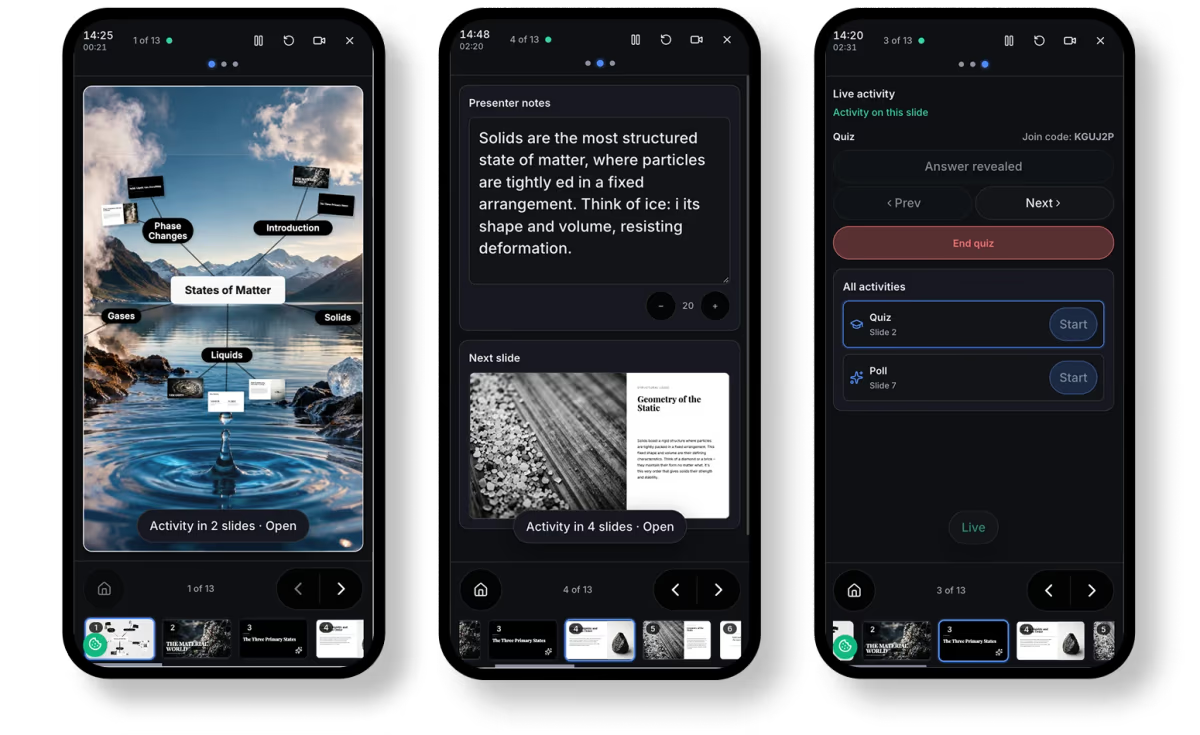
With the whole session in one place, you can run all of it from your hand. Scan a QR code, and your phone or tablet becomes a private second screen and presenter remote. Move through slides from anywhere in the room, read your presenter notes while the class sees only the slides, check poll results before they reach the big screen, and review Q&A questions before they appear.
The remote runs in your phone's browser, so there's nothing to install. It works on iPad too, which suits teachers who walk the classroom.
Your slides come in the way you made them
The update also makes it easier to start from what you already have. Imported PowerPoint files now look much closer to the original, with shadows, glows, highlights, letter case, line spacing, and fonts carried over. Once the slides are imported, you can move around them freely, so when a question jumps ahead to another topic, you go straight there. The original order is still there whenever you want it.
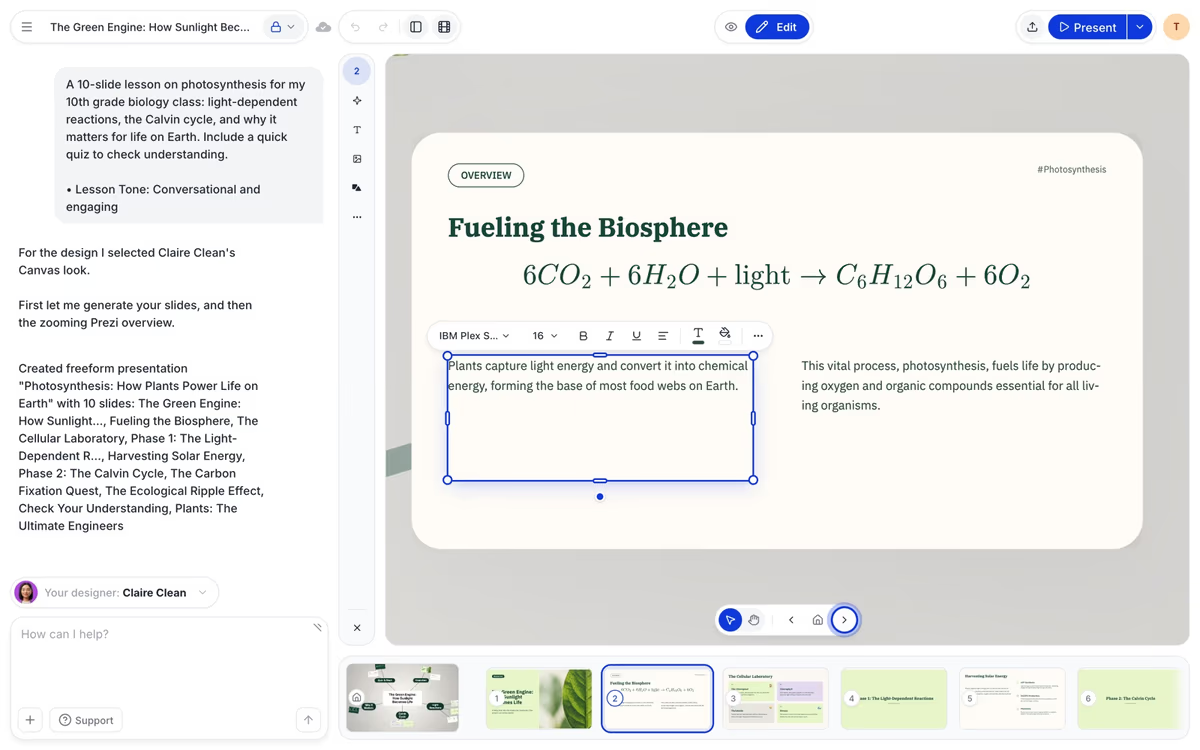
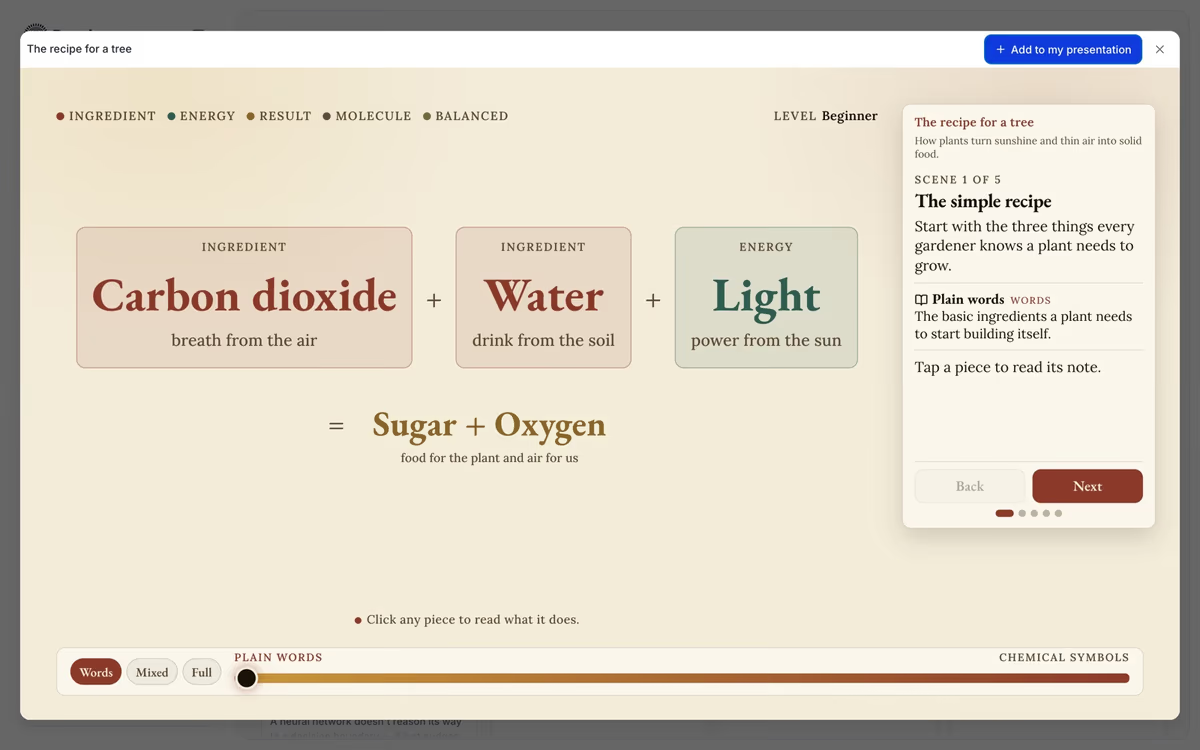
Some ideas are easier to show than tell, and interactive slides are made for those moments. Interactive slides in Prezi put a hands-on model right on your side, and you can move it as you teach. For example, you can adjust the sunlight in a photosynthesis model, and the class watches the result change, or you can take students from plain words to chemical symbols one step at a time. Interactive slides sit in your timeline like any other slide, so one class can move from your own slides to an activity like a word cloud, poll, or quiz without leaving the presentation.
Exporting back to PowerPoint now includes your speaker notes and embedded fonts, and you always get a real .pptx file. Large PDF exports run in the background while you keep working.
The session ends. The learning doesn't.
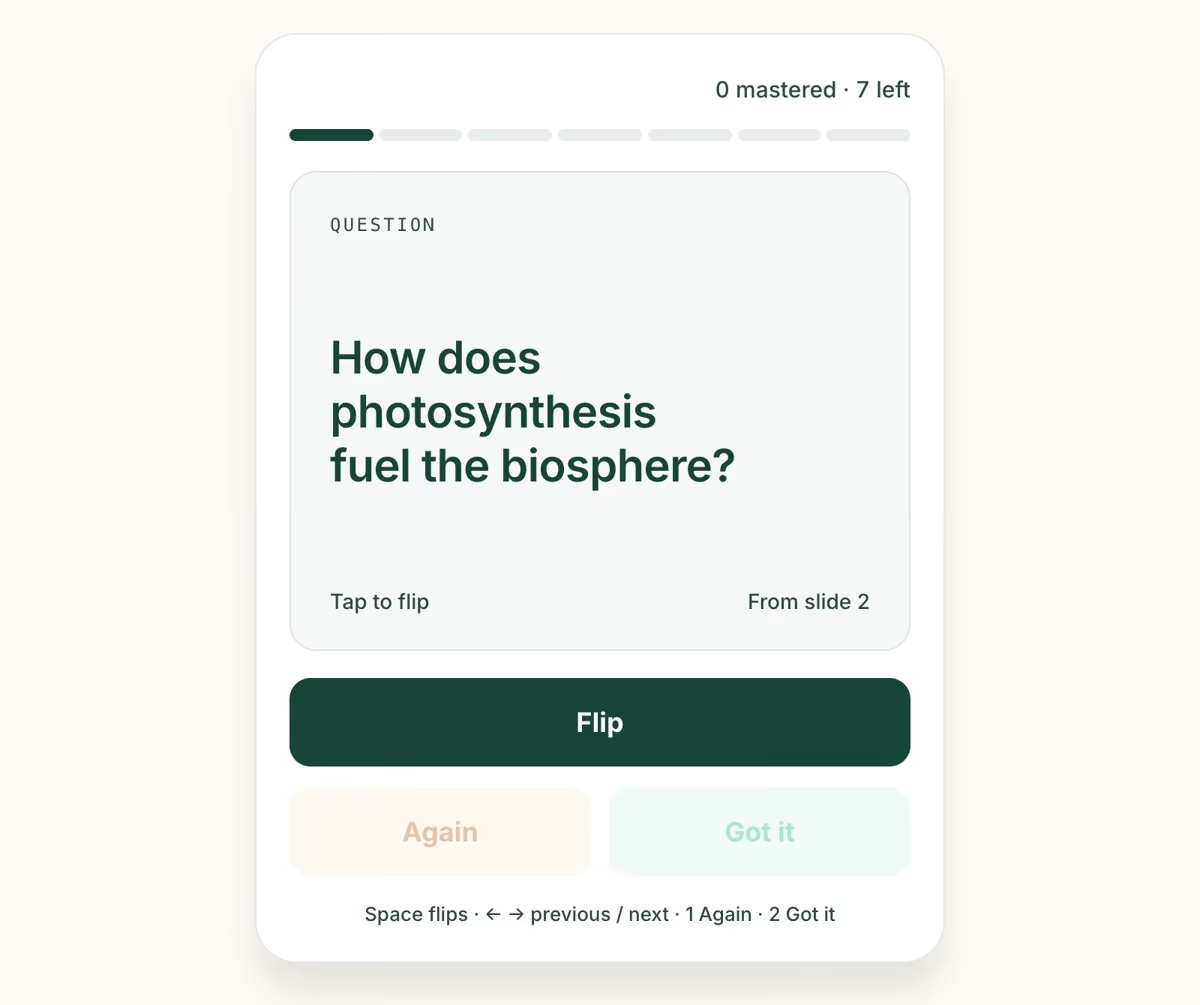
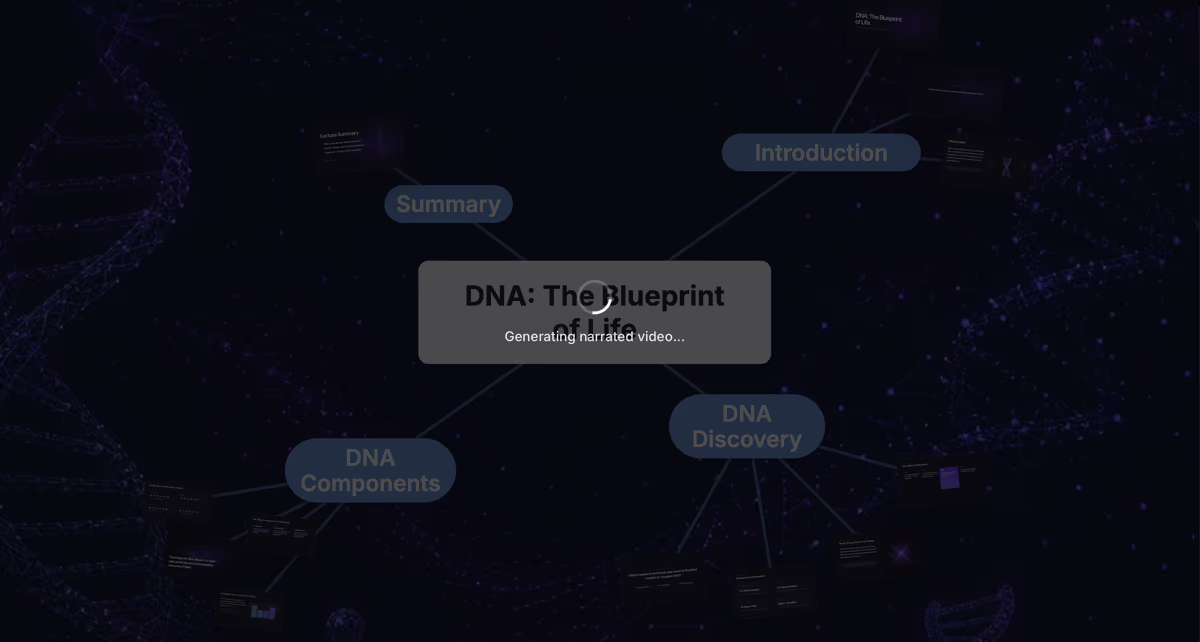
Practice and self-learning tools now sit alongside everything else. Prezi generates flashcards, self-tests, an audio summary or narrated podcast, and a narrated video straight from your presentation. Each flashcard links back to the slide it came from, and students can retake a self-test whenever they need another pass. Anyone who missed class gets a real second way in, built from the same material you taught.
Smaller updates worth knowing
The share panel now includes a QR code, plus a floating QR card you can resize and leave on screen while people join. Present mode looks the same on every device, with bigger navigation buttons. Privacy icons on your thumbnails show what's public at a glance, and presentation links are shorter. The Prezi plugin in ChatGPT now works for free ChatGPT users and can bring in your PowerPoint files.
Everything you've already built still works, and your existing presentations are unaffected. Open one, or bring in the slides you're teaching next week, and see what's new.
Frequently asked questions
What's new in the latest Prezi update?
The latest Prezi update puts editing, presenting, and live activities on one screen. Live polls, quizzes, word clouds, and Q&A now sit in your presentation timeline next to your slides, and a phone presenter remote lets you run the whole session from your hand. The update also includes a rebuilt editor, better PowerPoint import and export, and flashcards and self-tests generated from your presentation.
Can I add live polls and quizzes to a Prezi presentation?
Yes. You can place live polls, quizzes, word clouds, and Q&A directly in your presentation timeline, and each one is ready when you reach it. You choose when to reveal the results.
How do participants join a live poll, quiz, or word cloud?
Participants join by scanning a QR code. There's no app to download and no login required.
How does the Prezi phone presenter remote work?
Scan a QR code while presenting and your phone or tablet becomes a private second screen. You can move through slides, read speaker notes, check poll results before revealing them, and review Q&A questions before they appear. It runs in your mobile browser, so there's nothing to install.
Can I import my PowerPoint slides into Prezi?
Yes. Imported PowerPoint slides now look much closer to the original, including shadows, glows, line spacing, and fonts. You can also export back to PowerPoint with your speaker notes and embedded fonts included.
What study tools does Prezi create after class?
Prezi generates flashcards, self-tests, an audio summary, and a narrated video from your presentation. Each flashcard links back to its original slide, so students can review at their own pace.
Will my existing Prezi presentations still work?
Yes. Everything you've already built still works, and your existing presentations are unaffected.
Is the new Prezi editor available to everyone?
Yes. The rebuilt editor is live for all Prezi users.
Can I use Prezi in ChatGPT for free?
Yes. The Prezi app in ChatGPT now works for free ChatGPT users and can bring in your PowerPoint files.
Can Prezi generate polls and quizzes from my slides?
Yes. Prezi drafts polls and quizzes from the content of your presentation, so the questions match what you're teaching. You can edit any question or answer directly in the editor, or ask for changes in the chat.
Can I keep editing my Prezi presentation with chat after it's created?
Yes. The chat stays open beside your canvas, so you can ask Prezi to change slides, wording, or activities at any point while you work. You can also undo a change by telling Prezi "undo that" or "go back."
What are interactive slides in Prezi?
Interactive slides are hands-on models you place on a slide and move live while you teach, such as a photosynthesis model where you adjust the sunlight. They sit in your presentation timeline alongside your slides, polls, and quizzes. Prezi suggests interactive slides that match your topic.






