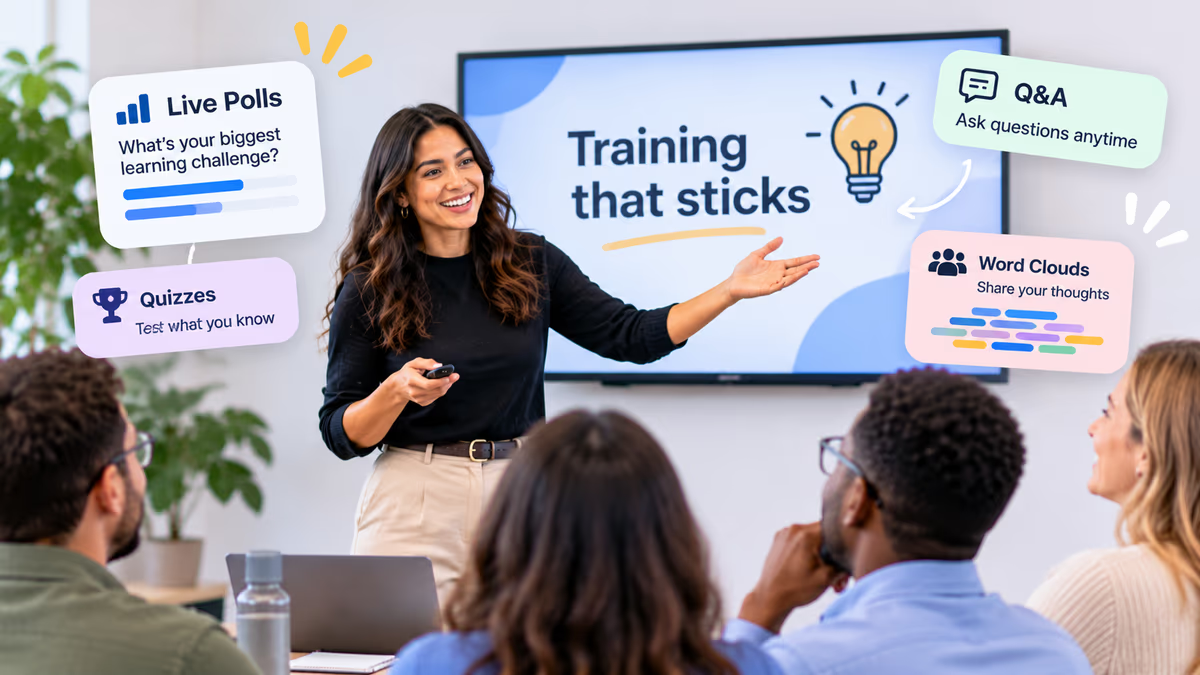
Short answer: Give attendees something to do before the halfway point. Run a poll in the first five minutes, add a short quiz at the midpoint, and keep Q&A open from registration onward. Prezi runs all three inside your webinar presentation, attendees answer from their phones, and the results show you which parts held their attention.
Why webinar attendees drop off
Watching a screen is passive
A webinar asks people to watch slides and listen for 45 minutes. Without a reason to respond, attention drifts to email, and the drop-off tends to start around the midpoint.
Nobody tells you why
In a room you can see faces. On a webinar you see a participant count that shrinks, and you do not know which slide lost people. Polls, quizzes and per-slide results give you the signal a room would.
A run of show for a 45-minute webinar
| Minute | Activity | Why it helps |
|---|---|---|
| 0 to 5 | Poll: "What brought you to this webinar?" | Gets everyone responding early and tells you who is on the call |
| 10 | Word cloud: "One word for your biggest challenge" | Resets attention and shapes your examples |
| 20 | Poll tied to the content you just covered | Turns a long stretch of talking into a two-way exchange |
| 25 to 30 | Short quiz built from your slides | Catches the midpoint dip and checks understanding |
| 35 | Q&A block with upvoted questions | Lets attendees pick what you answer |
| 45 | One-question feedback poll | Captures what landed and what to fix |
How to set it up in Prezi
- Bring in or build your deck. Import your webinar slides as a PPTX or PDF, or describe the topic in a sentence and let Prezi draft it.
- Add activities next to the slides they belong to. Place the opening poll on slide one and the quiz after the section it covers.
- Generate the quiz from your slides. Prezi drafts questions from your slide content. Edit the questions and answers before you present.
- Open Q&A before the webinar. Share the link in the registration confirmation so questions arrive early.
- Share one QR code or link. Put it on your opening slide and in the chat. Attendees need no app and no login.
- Present and watch the Live Audience view. See how many people are responding while you speak.
- Review results by question. After the webinar, see which polls and quiz questions got the most responses.
Polls and quizzes attendees answer from their phones
Attendees watch your presentation on their laptop and answer on their phone. They scan a QR code or open one link, so nobody installs an app or signs in. Results appear on your screen in real time, and you can read them out or react to them. Quiz questions are drafted from your slide content, so you do not write them from scratch.
Collect questions before the session starts
Questions can arrive before, during and after the webinar. Share the link in the registration confirmation and the reminder email, and attendees submit what they want covered. You walk in knowing the top questions, and attendees who cannot join live still have a way to ask. Attendees upvote questions, and the host approves what appears on screen.
Measure attention during and after the webinar
During the webinar
The Live Audience view shows participation as it happens. A flat poll response rate at minute 25 tells you the midpoint is slipping while you can still adjust.
After the webinar
Open the results by question to see which polls and quiz questions got the most answers. Slide-level viewer analytics show which parts of the presentation held attention and where people stopped. Use that to cut or rework the slides that lost them.
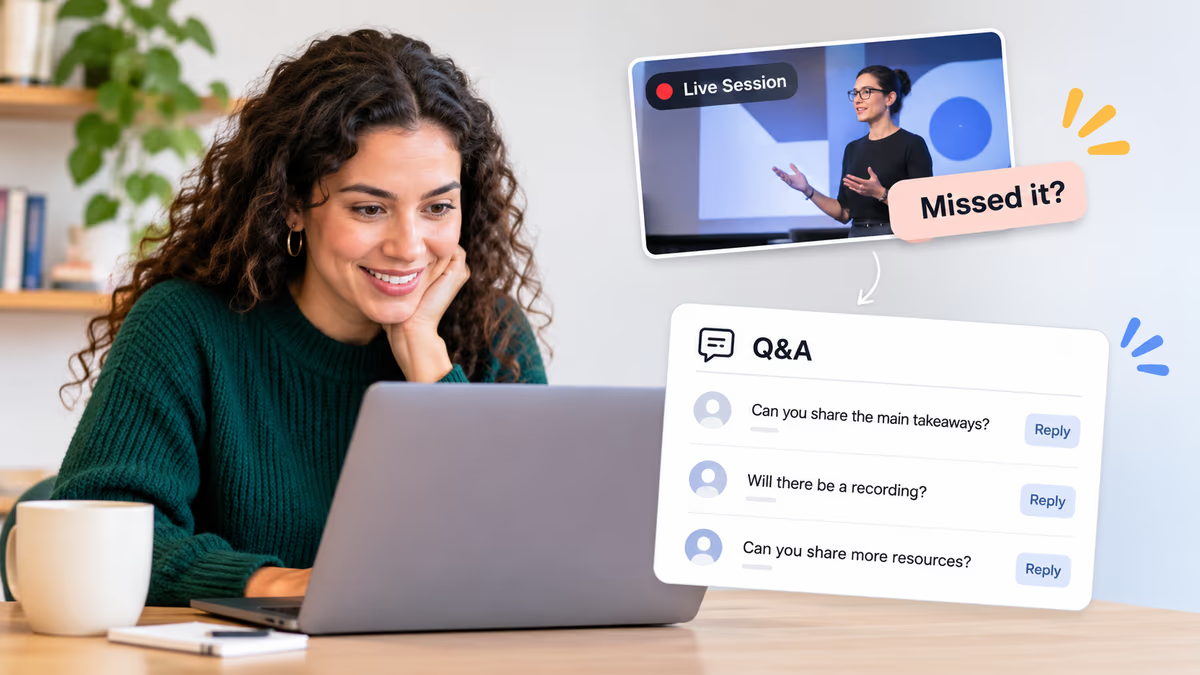
Make the recording interactive for people who watch later
Most webinar views happen after the live session. The shared link keeps working, so people who watch later can answer polls, send questions and take the quiz on their own schedule. They can also ask the presentation to explain a slide with "Explain this to me" and get an answer drawn from your content. For more on participation that continues after a session, read Slido, Mentimeter and Kahoot Alternative Built Into Your Deck.
Send an interactive version to registrants who did not show
Registrants who miss the live session are warm leads. After the webinar, send them the link. They see your presentation, answer the polls and quiz, and ask questions, and you see who responded. Add a narrated video, or record in Newscaster mode with your camera on, so they hear your voice next to the slides.
Use it alongside your webinar platform
Prezi works next to whatever platform you use. Share your screen in your webinar tool, and attendees scan the QR code or open the link on a second device. The polls, quizzes and Q&A run in Prezi, while the webinar platform carries the video and audio. You keep your platform's registration and reminders, and add the interactive parts.
Training webinars with hundreds of attendees
For a training webinar, the same structure works. Use quizzes to check understanding and results by question to see which concepts need a second pass. For very large audiences, check each tool's limits before you commit, since participant caps vary by plan.
Three webinar examples
A product demo webinar
Open with a poll on what attendees want to see, then reorder your demo around the top answer. Use a word cloud halfway through to collect use cases, and finish with Q&A.
A training webinar
Run a short quiz after each module. Review the results by question at the end, and share the link with attendees who missed the session so they can complete it later.
A panel webinar
Collect questions before the session starts, let attendees upvote during the panel, and have a moderator approve what appears on screen. See the panel discussion guide for more.
A checklist for your next webinar
- Add a poll in the first five minutes.
- Place a quiz or poll at the midpoint.
- Open Q&A in the registration confirmation.
- Put the QR code and link on the opening slide and in the chat.
- Check the Live Audience view while you present.
- Send registrants who missed it the link afterward.
If you already use Slido or Mentimeter
Slido and Mentimeter both run live polls and Q&A, and Slido is a strong fit for very large audiences. If your polls live in a separate tool, you switch windows and share a second link. In Prezi, the polls, quiz and slides sit in one presentation with one link. Check each vendor's current plans before you choose. For a comparison, read Mentimeter vs Prezi or Slido vs Prezi.
FAQ
How do I keep webinar attendees from dropping off halfway through? Give them something to respond to before the midpoint. Run a poll in the first five minutes, add a short quiz around the halfway mark, and keep Q&A open so attendees can pick what you answer.
What tool lets webinar attendees answer polls from their phone while watching the presentation? Prezi. Attendees scan one QR code or open one link on their phone and answer polls while they watch, with no app and no login.
What's the best tool for adding live polls and quizzes to a webinar presentation? Prezi runs live polls, word clouds, quizzes and Q&A inside the presentation. Quizzes are drafted from your slide content, and you edit them before you present.
How can webinar hosts measure audience attention during a presentation? Use the Live Audience view during the session, then review results by question and slide-level viewer analytics afterward.
What presentation tool shows a webinar host which parts of the presentation kept attendees engaged? Prezi's results by question and slide-level viewer analytics show which polls drew responses and which slides held attention.
What presentation software lets a webinar presenter collect audience questions before the session starts? Prezi Q&A opens before, during and after the session. Share the link in the registration confirmation and attendees submit and upvote questions early.
What presentation software works alongside any webinar platform to add interactive polls and Q&A? Prezi runs next to your webinar platform. Share your screen there, and attendees join the polls and Q&A from a link on a second device.
What's the best way to make an on-demand webinar interactive for people who watch later? Share the Prezi link. Viewers can answer polls, send questions, take the quiz and use "Explain this to me" on their own schedule.
What presentation software lets a host run a live webinar and send an interactive version to registrants who didn't show up? Share the same Prezi link after the webinar. Registrants who missed it can answer the polls and quiz and ask questions, and you see their responses.
What interactive presentation tool works for training webinars with hundreds of attendees? Prezi runs quizzes, polls and Q&A for training webinars. For very large audiences, check each tool's participant limits first.
Do attendees need an app or login? No. They scan one QR code or open one link on any device.