You're about to create your best presentation ever

Editable Us Map Powerpoint Template

Create your presentation by reusing a template from our community or transition your PowerPoint deck into a visually compelling Prezi presentation.

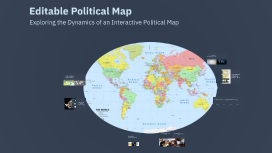
Editable Political Map

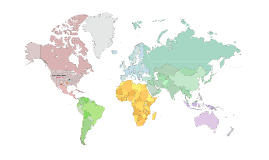
Transcript: Editable Political Map Exploring the Dynamics of an Interactive Political Map The Evolution of Editable Political Maps With the rapid advancement of technology, editable political maps are becoming increasingly sophisticated, offering enhanced interactivity and real-time data integration. This evolution is crucial as societies demand precise and current geographic information for decision-making processes. Crisis Management Efficiency Editable political maps have been utilized in crisis management during natural disasters, allowing agencies to quickly update and share information regarding affected areas, evacuation routes, and resource distribution. Urban Planning Collaboration Case Studies of Editable Political Maps Understanding Political Maps Political maps visually depict the boundaries and territories of regions, illustrating the organization of countries, states, and various political divisions. These maps are crucial for grasping the geopolitical landscape and understanding interactions among different political entities. In urban planning, editable political maps facilitate collaboration among stakeholders, enabling planners to visualize zoning changes, infrastructure development, and population growth effectively. Informed Public Policy Editable political maps support public policy initiatives by providing lawmakers with up-to-date demographic and electoral data, aiding in the creation of more informed and effective policies. Evolution of Tools for Creating Editable Political Maps Customization for Accuracy Editable maps empower users to modify geographical information to reflect current realities, ensuring accuracy in representation. A timeline showcasing the development of tools and technologies for editable political maps. Timely Updates Key Reasons for Using Editable Maps The ability to update information quickly adapts maps to ongoing changes in political climates, facilitating timely decision-making. 1990s 2000s 2010s 2020s Collaborative Efforts Integration of real-time data and advanced visualization techniques in editable maps, enhancing user engagement. Introduction of basic mapping software that allowed users to create static maps. Emergence of Geographic Information Systems (GIS) that enabled dynamic mapping and data integration. Growth of online mapping platforms offering user-friendly interfaces and collaborative features. Editable maps support collaboration among users, enabling multiple stakeholders to contribute to and refine the information presented. Educational Benefits of Editable Maps Research Applications of Editable Maps Editable political maps enhance educational experiences by providing interactive and visual learning opportunities in subjects like geography and history. They enable students to explore historical events, territorial changes, and the political landscape dynamically, fostering engagement and understanding. In research, editable political maps are instrumental for data analysis and interpretation. Researchers utilize these maps to visualize political trends, demographic transitions, and social changes over time, enabling a clearer analysis of data and informed decision-making in various fields such as sociology, political science, and urban studies. Features of an Editable Political Map Real-Time Data Integration Interactive Elements User-Friendly Interface Real-time data integration provides users with the latest information on political boundaries, demographics, and other relevant statistics, ensuring accuracy. User-friendly interfaces ensure that even those with minimal technical skills can navigate and utilize the map effectively, encouraging wider usage. Interactive elements allow users to click on regions to see detailed information, making the map more engaging and informative.

Editable Family Tree Template

Transcript: Dynamic Family Structure Customizable Information In addition to editing key details, users have the option to add or remove family members as necessary. This feature supports the dynamic nature of family trees, enabling users to keep their records up-to-date with any new additions or changes within the family structure. The family tree template is highly customizable, allowing users to modify essential information such as names, birth dates, and relationship connections. This flexibility ensures that the family tree accurately reflects the family's history and changes over time. Personalize Your Family Tree with Pictures Incorporating pictures of family members into the family tree enhances its visual appeal and creates a deeper connection among relatives. This feature allows users to personalize their trees, making family history more engaging and relatable. User-Friendly Design The family tree template is intuitive and easy to navigate, catering to users of all ages. Its attractive design enhances engagement and makes family history enjoyable to explore. Structured Sections for Clarity Template Overview Sections for each family member allow users to input names, dates, and relationships clearly. This structured format aids in visualizing family connections effectively. Additional Information Spaces Empty spaces for additional information enable users to include personal anecdotes, milestones, and other family details, making the family tree a more comprehensive narrative. Enriching the Family Narrative Highlighting notable family members allows for the inclusion of achievements, stories, and historical significance, creating a rich family narrative. This aspect enhances personal connections and provides context to family history. Personalized Storytelling Highlighting Notable Family Members Sections for notable family members can include details such as their contributions to the family, unique life events, and even photographs, making the family tree not just a record but a storytelling tool. Fostering Heritage Appreciation Incorporating notable family members into the tree helps descendants appreciate their heritage and inspires pride in their lineage, fostering a deeper connection to family history. Editable Family Tree Template Steps to Utilize the Family Tree Template A structured approach to effectively using the family tree template for documenting family history. Step 4 Step 1 Step 2 Step 3 Begin by entering the basic information of immediate family members, including names and birth dates. Add pictures of each family member to personalize the family tree and enhance visual connections. Highlight notable achievements or stories of family members to enrich the family narrative. Extend the family tree to include extended family, ensuring comprehensive documentation of familial connections. Create a customizable family tree template with editable features and options for family member pictures. Empowering Family Connections Through a Dynamic Template The family tree template serves as a vital resource for documenting and exploring family history. By personalizing the tree and sharing it with others, users can foster collaboration and strengthen family bonds. Understanding the Family Tree A family tree visually depicts family relationships and lineage, serving as a vital resource for exploring family history and connections. It allows individuals to trace their ancestry and appreciate the bonds that shape their identity.

Editable PowerPoint Template

Transcript: Editable PowerPoint Template Guiding Principles for Effective Presentations Design Principles Introduction to Editable Templates Consistency in Style Color Schemes and Branding Maintaining a consistent style throughout a presentation reinforces the brand image and enhances comprehension. Consistent elements, such as color, fonts, and layouts, help the audience follow the narrative without distractions. A well-chosen color scheme can evoke specific emotions and create a memorable experience. Aligning color choices with branding principles ensures recognition and reinforces your message effectively across all slides. Visual Hierarchy and Layout Definition and Purpose Font Selection and Readability Establishing a clear visual hierarchy guides the viewer's attention to the most critical information. Effective layout techniques, such as balancing text and images, can ensure that key points stand out in your presentation. Overview of PowerPoint Benefits Editable templates are pre-designed formats that allow users to modify content, layout, and design. Their primary purpose is to save time and maintain consistency in presentations across different topics and audiences. Choosing the right fonts is crucial for readability and engagement. Sans-serif fonts are generally preferred in presentations due to their clean lines, while limiting the number of font types maintains visual clarity. PowerPoint simplifies the presentation creation process through intuitive tools and features, such as templates, animations, and multimedia integration. Its widespread use ensures compatibility, making it accessible for diverse audiences. Importance of Editable Formats Examples of Use Cases Editable formats promote collaboration among team members, allowing multiple users to contribute to a single presentation without confusion. They enhance adaptability to specific audience needs, ensuring relevant and impactful communication. Editable templates can be applied in various scenarios, including corporate training sessions, educational lectures, and marketing presentations. They help to tailor content to specific objectives while maintaining a professional appearance. Content Guidelines Structuring Your Narrative Incorporating Data Visualizations Use charts and graphs to represent complex data simply, making it easier for the audience to grasp key points. Ensure visualizations are labeled correctly, providing context to avoid misinterpretation. Organize content logically, beginning with a clear introduction, followed by key points and a strong conclusion. Each section should transition smoothly to maintain audience engagement and ensure key messages are memorable. Effective Use of Text and Images Engaging Your Audience Customization Tips Balance text and visuals to enhance understanding, ensuring that images complement and reinforce the message rather than distract. Limit text on slides to key phrases to promote clearer communication and retention. Use interactive elements such as polls, questions, or discussions to foster audience participation and create a dynamic atmosphere. Understanding your audience and addressing their interests can significantly enhance engagement levels. Adding Multimedia Elements Altering Templates for Your Needs Customize templates to reflect your unique branding and message. Adjust colors, fonts, and layouts to better align with your content's theme and improve audience engagement. Take advantage of template features to create a distinct visual identity. Incorporate videos, audio clips, and animations to create dynamic presentations. Multimedia can significantly enhance the storytelling aspect, making information more compelling and easier to retain for your audience. Saving and Sharing Templates Best Practices for Adaptation After customization, save templates in accessible formats for future use. Use cloud services for easy sharing among team members, ensuring everyone has the most up-to-date version to maintain consistency in presentations. When adapting templates, keep the audience's needs and perceptions in mind. Use feedback to refine designs and ensure your modifications serve the original purpose while enhancing clarity and effectiveness.

Tag Global Delivery Centre_old

Transcript: Tag Global Delivery Centre Shared Services Template creation Powerpoint template created matching the colour themes and styles provided in PDF source. Design to brief Hand-drawn chart to be re-created Recreation The source provided in PDF had to be created in Powerpoint as per the brand guidelines and brand colours Recreation The excel data converted into wheel diagram format had to be created in Power Point as per the brand guidelines and brand colours. Design to brief Map creation to brief – output in PowerPoint Design to brief Enhancing a text message through design Design to brief Table creation Brand management Brand led PowerPoint document from a scanned copy Formatting & Beautification The Power Point source was to be formatted as per brand elements. Formatting & Beautification Slide The source was provided in Power Point and was required to be put in template and make it look visually appealing Formatting & Beautification The Power Point source was to be formatted as per brand Flow The source provided in Word was flowed on the brand template ensuring the correct styles are used and consistency is maintained. Flow The source provided in Word was flowed on the brand template ensuring the correct styles are used and consistency is maintained. Editable PDF PDF in editable format. Questions Thank You Design to brief Hand-written Post-its to be re-created to client template standard. Samples Skill-sets Current skill-sets Capability development Template creation Word template created matching the colour themes and styles provided in PDF source. Selection of serviced brands Presentations & Documents Template creation Word template created from the PDF source and brief. The request was to create user-friendly Word template to be used by users who aren’t proficient in Word with changeable as well. Overview Manages MS Office based requirements for our accounts Builds presentations and documents to a design led brief Team of 32 resources 24 x 5 service coverage and one shift over the weekend Key capabilities include: PowerPoint template design and animation Word template design MS Office brand management Visio creation PDF to Word file conversions Editable PDFs

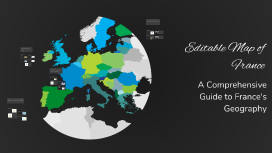
Editable Map of France

Transcript: Practical Applications Educational Uses Tourism Planning Editable maps are crucial for geography education, enabling students to visualize and comprehend France's geographical complexities. Interactive features foster engagement and improve retention of geographical knowledge. Tourism agencies leverage editable maps to highlight attractions, routes, and accommodations. Customization allows travelers to personalize their itineraries, improving their overall travel experience in France. Urban Development Cultural Studies City planners utilize editable maps to analyze spatial data, assess infrastructure needs, and visualize urban growth. Interactive features enhance communication among stakeholders about development strategies. Research in cultural studies benefits from editable maps that illustrate regional demographics, historical events, and cultural landmarks. These maps facilitate a deeper understanding of France's cultural diversity. Geographic Regions of France Southern France Northern France Editable Map of France Renowned for its Mediterranean climate, Southern France boasts popular destinations like Nice and Marseille. It is characterized by picturesque coastlines, vineyards, and a rich culinary tradition influenced by its diverse geography. This region is known for its historical significance, including the Battlefields of Normandy. It features a diverse landscape comprising coastal areas and rolling hills, alongside vibrant cities such as Lille and Rouen. Western France Eastern France Western France is known for its rugged coastline and historical landmarks such as Mont Saint-Michel. It offers diverse landscapes ranging from sandy beaches to agricultural land, contributing to its cultural heritage. Home to the picturesque Alsace region, Eastern France features a blend of French and German cultures. The region is marked by the Vosges mountains and significant historical towns such as Strasbourg and Dijon. Central France Central France, often referred to as the 'Massif Central', is characterized by volcanic plateaus and rural charm. The region is dotted with quaint villages and is less populated, showcasing authentic French culture. Key Landmarks and Features of France Major Cities France is home to several major cities, including Paris, known for its iconic Eiffel Tower, and Marseille, famous for its vibrant port and multicultural atmosphere. Other important cities include Lyon, Toulouse, and Nice, each offering unique attractions that reflect the country's cultural diversity. Historical Sites Natural Landmarks France boasts numerous historical sites, including the Palace of Versailles, a symbol of royal grandeur, and Mont Saint-Michel, an architectural marvel perched on a rocky island. The Roman amphitheater in Nîmes also showcases France's rich history dating back to the Roman Empire. The landscape of France features breathtaking natural landmarks such as the French Alps, known for skiing and hiking, and the stunning cliffs of Etretat along the Normandy coast. Additionally, the lavender fields of Provence and the Calanques National Park highlight France's natural beauty. Cultural Regions France is divided into culturally rich regions such as Normandy, known for its impressionist art, and Provence, famous for its wine and cuisine. The regions of Brittany and Alsace offer unique traditions and festivals that contribute to France's diverse cultural tapestry. A Comprehensive Guide to France's Geography Introduction to the Map Purpose of the Map The Editable Map of France serves as a versatile tool designed for educators, students, and travelers alike. It allows users to customize geographic information, making it easier to understand regional distinctions and navigate the complex geography of France. Overview of Editable Features This map includes several editable features, such as customizable labels, color-coded regions, and the ability to add or remove landmarks. Such flexibility allows users to tailor the map to their specific needs and preferences, enhancing its usability. Importance of Geographic Understanding User Guide for Editing Geographic literacy is essential for making informed decisions in various fields such as education, urban development, and tourism. Understanding regional dynamics fosters awareness of cultural, historical, and environmental factors that shape France. Users can edit the map by selecting regions to modify, adjusting descriptions, and altering visual elements. A step-by-step guide simplifies the process, ensuring that even those with limited technical skills can navigate and personalize the map confidently.

powerpoint template

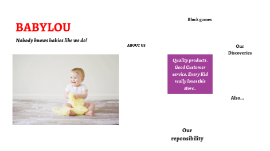
Transcript: Nobody knows babies like we do! Quality products . Good Customer service. Every Kid really loves this store.. BABYLOU ABOUT US About Us BabyLou was established in 2004. It has been more than a decade since we started, where we have ensured to take care of every need and want of every child and infant under one roof, true to the caption “NO BODY KNOWS BABIES LIKE WE DO”. Our benchmark is to provide 100% customer service and satisfaction and continue to deliver the same with a wide range of toys, garments and Baby Products. Play and Create We Are Best 01 02 03 Block games Building Blocks help Kids to use their brain. PLAY TO LEARN in Crusing Adventures Our Discoveries Enjoy a sunny vacation aboard a luxury yacht with the LEGO® Creator 3in1 31083 Cruising Adventures set. This ship has all the comforts you need, including a well-equipped cabin and a toilet. Sail away to a sunny bay and take the cool water scooter to the beach. Build a sandcastle, enjoy a picnic, go surfing or check out the cute sea creatures before you head back to the yacht for a spot of fishing. Escape into the mountains Disney Little Princes in Also available for your Babies..... Also... Out of The World… Our reponsibility BABYLOU…. Our Responsibility All children have the right to fun, creative and engaging play experiences. Play is essential because when children play, they learn. As a provider of play experiences, we must ensure that our behaviour and actions are responsible towards all children and towards our stakeholders, society and the environment. We are committed to continue earning the trust our stakeholders place in us, and we are always inspired by children to be the best we can be. Innovate for children We aim to inspire children through our unique playful learning experiences and to play an active role in making a global difference on product safety while being dedicated promoters of responsibility towards children.

Now you can make any subject more engaging and memorable