You're about to create your best presentation ever

Powerpoint Schematic Template

Create your presentation by reusing a template from our community or transition your PowerPoint deck into a visually compelling Prezi presentation.

Editable PowerPoint Template

Transcript: Editable PowerPoint Template Guiding Principles for Effective Presentations Design Principles Introduction to Editable Templates Consistency in Style Color Schemes and Branding Maintaining a consistent style throughout a presentation reinforces the brand image and enhances comprehension. Consistent elements, such as color, fonts, and layouts, help the audience follow the narrative without distractions. A well-chosen color scheme can evoke specific emotions and create a memorable experience. Aligning color choices with branding principles ensures recognition and reinforces your message effectively across all slides. Visual Hierarchy and Layout Definition and Purpose Font Selection and Readability Establishing a clear visual hierarchy guides the viewer's attention to the most critical information. Effective layout techniques, such as balancing text and images, can ensure that key points stand out in your presentation. Overview of PowerPoint Benefits Editable templates are pre-designed formats that allow users to modify content, layout, and design. Their primary purpose is to save time and maintain consistency in presentations across different topics and audiences. Choosing the right fonts is crucial for readability and engagement. Sans-serif fonts are generally preferred in presentations due to their clean lines, while limiting the number of font types maintains visual clarity. PowerPoint simplifies the presentation creation process through intuitive tools and features, such as templates, animations, and multimedia integration. Its widespread use ensures compatibility, making it accessible for diverse audiences. Importance of Editable Formats Examples of Use Cases Editable formats promote collaboration among team members, allowing multiple users to contribute to a single presentation without confusion. They enhance adaptability to specific audience needs, ensuring relevant and impactful communication. Editable templates can be applied in various scenarios, including corporate training sessions, educational lectures, and marketing presentations. They help to tailor content to specific objectives while maintaining a professional appearance. Content Guidelines Structuring Your Narrative Incorporating Data Visualizations Use charts and graphs to represent complex data simply, making it easier for the audience to grasp key points. Ensure visualizations are labeled correctly, providing context to avoid misinterpretation. Organize content logically, beginning with a clear introduction, followed by key points and a strong conclusion. Each section should transition smoothly to maintain audience engagement and ensure key messages are memorable. Effective Use of Text and Images Engaging Your Audience Customization Tips Balance text and visuals to enhance understanding, ensuring that images complement and reinforce the message rather than distract. Limit text on slides to key phrases to promote clearer communication and retention. Use interactive elements such as polls, questions, or discussions to foster audience participation and create a dynamic atmosphere. Understanding your audience and addressing their interests can significantly enhance engagement levels. Adding Multimedia Elements Altering Templates for Your Needs Customize templates to reflect your unique branding and message. Adjust colors, fonts, and layouts to better align with your content's theme and improve audience engagement. Take advantage of template features to create a distinct visual identity. Incorporate videos, audio clips, and animations to create dynamic presentations. Multimedia can significantly enhance the storytelling aspect, making information more compelling and easier to retain for your audience. Saving and Sharing Templates Best Practices for Adaptation After customization, save templates in accessible formats for future use. Use cloud services for easy sharing among team members, ensuring everyone has the most up-to-date version to maintain consistency in presentations. When adapting templates, keep the audience's needs and perceptions in mind. Use feedback to refine designs and ensure your modifications serve the original purpose while enhancing clarity and effectiveness.

Schematic

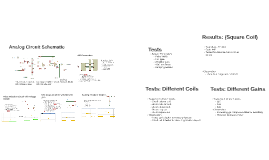
Transcript: Pulse Induction Circuit with Voltage Clipper V_IND High speed op-Amp(LM7171) Slew rate: 4100 V/us 1st stage with variable gain experimented with digipot(PART no) for digital gain control could not implement in the circuit due to voltage level incompatibility later use another digipot(PART no) for digital gain control 2nd stage with gain 20 V_TRIGGER Clipping V_CLIPPED V_IND High speed ADC(TLC5540) Modified semi-flash architecture with output per clock Sampling rate: 20MSPS Reference voltage: Top: 5V Bottom: GND Resolution: 8 bits Tested with different gains 110 198 400 Observation Increasing gain improves distance sensitivity However increases noise Two Stage Amplifier Circuit with Variable Gain Analog Circuit Schematic Scaling: Resistor Divider Scaling: Resistor divider Tests: Different Coils Interface to Virtex 5 Level translation buffers 74LVC245 for 5V to 3.3V 74HCT08 for 3.3V to 5V Initially used HEF4050 for 5V to 3.3V had larger switching delay, resulting in glitches solved using 74LVC245 Two Stage Amplifier with Variable gain System Parameters Pulse Width Coil type Amplifier gain ADC resolution Damping resistor Observation detection range around 60cm Results: (Square Coil) Transceiver Coil MOSFET Driver (Pt. no) Power MOSFET(Pt. no) Damping resistor(470 Ohm) Clipping network Zener(7.5V) in series with a PN Diode Tested with different coils: Small column coil, 20 cm column coil, 20 cm planar coil, 20 cm ring coil 45 cm square coil Observation Large coil is better for range extension Small coil is better for detecting smaller objects Scales the output from op-Amp to 0-5 V signal for ADC R22 = 1k R23 = 4.7k out/in = 1/5.7 24V -> 4.21V Test object: Tin Can Gain: 440 Tested for distance from 5 cm to 66 cm Tests: Different Gains A/D Conversion Tests Pulse Induction Circuit with Voltage Clipper

Schematic

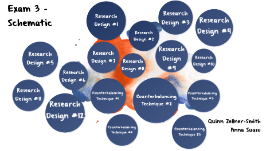
Transcript: Exam 3 - Schematic Quinn Zellner-Smith Anna Suazo Research Design #1 One Group Posttest Only Design (One-Shot Case Study): "Administration of a posttest to a single group of participants after they have been given an experimental treatment condition". "We do not know how the participants would have performed without the presence of the independent variable on the dependent variable." "Lacks a treatment control group." "Rarely used by researchers." Problems with the design: One-group Pretest-Posttest Design: Research Design #2 "Treatment condition is interjected between a pretest and a posttest of the dependent variable". "There could be uncontrollable explanations for how the students performed on the questionnaire the second time (e.g. life experiences)". No control group Problems with the design: True Experiment: Research Design #3 "Requires at least two groups, one receiving an experimental treatment and one not. Requires the manipulation of at least one independent variable, the random assignment of participants to groups and the random assignment of treatments to groups". "Able to have more control over extraneous variables". "Control increases if the sample size is larger". Problems with the design: "Still are not completely sure that the groups are equivalent". "There is no pretest to determine if the randomization worked and statistical power decreases." Posttest Only Design W/ Nonequivalent Groups: Research Design #4 "Design in which the performance of an experimental group is compared with a nonequivalent control group at the posttest." "We still do not know if the independent variable is what caused the change in the dependent variable." Problems with the design: Nonequivalent Comparison/Control Group Design: Research Design #5 "Treatment and control group are predetermined by an existing independent variable and not random assignment." "Most common among the quasi-experimental designs." "The participants in each group are not equivalent because there is no random assignment, so there are uncontrollable variables, therefor there are rival hypotheses that could explain the results." Problems with the design: Interrupted Time Series Design: "A quasi-experimental design in which a treatment effect is assessed by comparing the pattern of pre and posttest scores for a single group of research participants." "Researcher gathers multiple measurements of the DV prior to the treatment and then several measurements of the DV after the treatment." "Better design than the one-group pretest posttest design." "The pre and posttest data should be graphed and then visually inspected." "Researcher must find a comparable control group and gather several pre and post test scores from them also." Research Design #6 ABA Design Research Design #7 3 Phases: A. Baseline B. Treatment "Usually continued for the same amount of time as the baseline or until a change is noticed." A. Baseline "Withdrawal: removal of the treatment condition" "Treatment is withdrawn and returned to the same condition as the baseline" "If the effects of the treatment are reversible, then the behavior should return to the way it was prior to the treatment." "Face moral and ethical issues by ending with baseline." "Reversal: if the results do not reverse, then the effectiveness of the treatment may be due to alternative hypotheses." "Some behaviors can not be reverted back to the baseline." Problems with the design: ABAB Design: Research Design #8 4 Phases A. Baseline B. Treatment: "Usually continued for the same amount of time as the baseline or until a change is noticed." A. Baseline: "Treatment is withdrawn and returned to the same conditions as the baseline." B. Treatment: "Treatment condition is reintroduced." Same problems as ABA Design Problems with this design: Multiple Baseline Design: "A single-case design in which the treatment condition is successively administered to several target participants, target outcomes, and target settings." "The change in the dependent variable should appear immediately after the treatment has been administered." Research Design #9 1. "Establish baseline measurement for all the participants, outcomes, or settings." 2. "After the behavior for each has become stable, introduce an intervention for one of them." 3. "Continue this process until each participant, outcome, or setting has received the treatment." Procedure Changing Criteria Design: Research Design #10 "A single-case design in which a participant's behavior is gradually shaped by changing the criterion for successive treatment periods." "Participant is required to "step-up" their performance on the DV." Procedures 1. "Baseline measurements of the DV." 2. "Treatment is introduced for the first time and the initial criterion is set." "The goal is to get the behavior to reach a certain criteria across multiple observations." 3. "Once the first criterion is achieved, move to the next criterion level." "Establish behavior at this level again across multiple

Now you can make any subject more engaging and memorable