You're about to create your best presentation ever

Guide Presentation Template

Create your presentation by reusing one of our great community templates.

Facebook Template Guide

Transcript: Facebook Template Guide Image and Graphic Integration Color Schemes and Fonts • Choose color schemes that align with brand values and evoke the desired emotional response. • Utilize contrasting colors to highlight important elements and calls to action. • Stick to 2-3 complimentary fonts to maintain visual coherence and avoid clutter. • Consider the psychological impact of colors; for example, blue is often associated with trust. • Ensure font sizes are appropriate for both desktop and mobile displays to maximize legibility. • Use high-quality images to enhance visual appeal and engagement rates. • Ensure images are relevant to the content and resonate with the target audience. • Balance visuals and text to create harmonious designs without overwhelming the viewer. • Integrate brand logos and icons to reinforce brand identity and recognition. • Use image formats that load quickly to optimize performance and user experience on Facebook. Key Design Principles Creating Effective and Engaging Content • Maintain consistency across templates to strengthen brand recognition. • Use whitespace effectively to enhance readability and focus. • Prioritize mobile-friendly design, as a significant portion of users accesses Facebook via mobile devices. • Implement a grid layout for structured and balanced designs. • Ensure accessibility by using contrasting colors and legible fonts to accommodate all users. Designing Facebook Templates Effective design principles, color schemes, and visual elements are essential for creating engaging Facebook templates that capture attention and communicate brand identity effectively. Template Customization Analyzing Performance Effective customization of Facebook templates enhances brand recognition and engagement, ensuring that your content stands out in a crowded feed. Tailoring templates to specific audiences and posts can boost interaction and relevance. Metrics to Track Tools and Software for Customization Creating Variations for Different Posts Understanding the performance of Facebook templates is crucial for continuous improvement and maximizing engagement. By tracking key metrics and utilizing A/B testing, marketers can refine their strategies for better results. Engagement Rate: Measure likes, shares, and comments to gauge audience interaction. Click-Through Rate (CTR): Assess how many users click on links within posts. Conversion Rate: Track actions taken after clicking, such as sign-ups or purchases. Reach and Impressions: Determine how many unique users see the content and how often. Audience Growth Rate: Monitor how quickly the follower base expands over time. Canva: User-friendly platform for creating a variety of template designs. Adobe Spark: Offers powerful tools for designing visually appealing content. Crello: Affordable alternative with rich features for quick customization. Figma: Ideal for team collaboration on complex design projects. Photoshop: Professional-grade software for intricate designs and editing. Post Types: Develop templates for diverse content types such as promotions, events, and announcements. Seasonal Adjustments: Modify template designs based on holidays or seasonal events. Audience Segmentation: Create specific templates aimed at different user groups or interests. A/B Testing: Encourage performance analysis of varied templates to determine preferences. Template Reusability: Ensure templates can be modified easily for different campaigns while maintaining coherence. A/B Testing Templates Iterating Based on Feedback Adjusting for Brand Identity Consistency: Maintain uniformity in colors, fonts, and logos across all templates. Target Audience: Tailor templates to resonate with specific demographic groups. Brand Voice: Ensure that tone and language reflect the brand's personality. Visual Elements: Integrate brand imagery and symbols that represent the brand effectively. Guidelines: Establish clear brand guidelines to streamline the customization process. Collecting Feedback: Use surveys, comments, and insights to gather audience opinions on templates. Analyzing Trends: Look for common suggestions or criticisms to inform changes. Continuous Improvement: Make iterative updates to templates based on feedback and performance data. User-Centric Design: Prioritize changes that enhance user experience and engagement. Case Studies: Examine examples of brands that successfully improved their templates through feedback. Definition: A/B testing involves comparing two variations of a template to see which performs better. Split Testing: Randomly divide the audience to receive different versions and analyze engagement. Variables to Test: Consider headlines, images, colors, and call-to-action placement. Data Analysis: Use analytics tools to assess which template drives higher engagement or conversions. Implement Findings: Use successful elements from A/B tests in future template designs. Call-to-Action Strategies Best Practices for Visual Content Use clear and

Presentation Template Guide

Transcript: Business Templates Creative Templates Selecting the appropriate template involves understanding your audience's needs and the purpose of your presentation. A business template is typically more formal and structured, focusing on data and analytics, while an educational template may be more visually engaging and interactive to facilitate learning. Conversely, templates designed for creative projects may prioritize aesthetics and originality over structure. It's crucial to align the template style with your message, ensuring it resonates with the audience and supports the content being presented. Business presentation templates Types of Presentation Templates Educational presentation templates Creative presentation templates Marketing presentation templates Non-profit presentation templates Steps to Customize Your Presentation Template Effective customization ensures alignment with your brand identity and enhances message delivery. Review and Finalize Adjust Colors Assess Template Incorporate Branding Elements Modify Layouts Select Fonts Ensure all changes harmonize to create a cohesive and professional presentation. Modify color schemes to reflect your brand's identity and evoke the desired emotions. Evaluate the chosen template for suitability to your content and audience. Rearrange elements to create a logical flow and emphasize key points. Add logos, taglines, and other brand elements to reinforce identity. Choose fonts that enhance readability and align with your branding guidelines. The Power of Presentation Templates Best Practices for Using Templates Presentation templates play a crucial role in enhancing communication and engagement. They provide a structured format that saves time and ensures professionalism in visual storytelling. Implementing effective strategies enhances presentation quality and impact. Ongoing Ongoing Ensure a cohesive design by maintaining consistent colors, fonts, and layouts throughout the presentation. Maintain readability by choosing appropriate fonts and sizes that are easy to read at a distance. Ongoing Utilize high-quality images to create visual interest and support your message without pixelation or distortion. Maximizing Impact with Presentation Templates Utilizing presentation templates not only streamlines the creation process but also elevates the overall quality and impact of your presentations. They ensure clarity, professional aesthetics, and a structured approach to conveying your message, making it easier for your audience to engage and retain information. Saves Time Enhances Visual Appeal Ensures Consistency Templates streamline the design process, allowing you to create professional presentations quickly without starting from scratch. This efficiency is crucial in time-sensitive situations. Templates often include design features that enhance the overall visual appeal, making presentations more engaging and effective for the audience. Using templates ensures uniformity in style, fonts, and colors across all slides, which helps to communicate your message clearly and professionally. Key Benefits of Using Presentation Templates Presentation Template Guide A Comprehensive Overview of Effective Presentation Design

Presentation Template Guide

Transcript: Business Templates Business templates are designed for corporate settings and include features like charts, graphs, and structured layouts to convey professionalism and clarity. Audience Consideration Functionality and Content Needs Selecting a template that aligns with your audience's expectations is crucial. A template suitable for a corporate meeting may differ significantly from one designed for a classroom or a creative pitch. Understanding the demographics and preferences of your audience can guide your choice effectively. Functionality is equally important when choosing a template. Consider how well the template accommodates your content needs, such as charts, images, or text-heavy slides. A well-functioning template should not only look good but also facilitate clear communication of your message. Educational Templates Types of Presentation Templates Educational templates cater to teaching and learning environments, often incorporating engaging visuals and interactive elements that facilitate understanding and retention. Creative Templates Creative templates are designed for artistic presentations, allowing for unique layouts, colors, and fonts to express creativity and originality in conveying ideas. Customizing Your Presentation Template A step-by-step guide to effectively tailoring your template for maximum impact. Adjusting Colors Layout Adjustments Final Review Initial Selection Choosing Fonts Conduct a thorough review of the customized template to ensure consistency and effectiveness before presentation. Select fonts that are easy to read and complement the overall design, enhancing the presentation’s professionalism. Choose a base template that aligns with your presentation's theme and purpose. Modify the color scheme of the template to reflect your brand identity and to ensure visual coherence. Revise the layout of slides to improve flow and organization, ensuring key points are highlighted. Understanding Presentation Templates Presentation templates serve as essential frameworks that simplify the process of designing professional presentations. They provide a structured format that enhances communication and ensures visual consistency across slides, making presentations more engaging and effective. Keep Slides Uncluttered Keeping slides uncluttered allows the audience to focus on the key messages without distractions. Aim for simplicity by using minimal text and effective visuals. Use High-Quality Images Best Practices for Using Templates Incorporating high-quality images can enhance visual appeal and support the content presented. Use images that are relevant and professional to create a more impactful presentation. Maintain Consistent Style Maintaining a consistent style throughout the presentation reinforces the brand and message. Use the same fonts, colors, and layouts to create a cohesive look. Saves Time Templates significantly reduce the time spent on design, allowing presenters to focus on content creation. With pre-designed elements, users can quickly insert their information without starting from scratch. Ensures Consistency Key Benefits of Using Presentation Templates Utilizing templates ensures a consistent look and feel across all slides, which reinforces branding and helps the audience stay focused on the message rather than distractions from design changes. Enhances Visual Appeal Maximizing Impact with Presentation Templates Well-designed templates enhance visual appeal, making presentations more engaging and effective. This can lead to better audience retention and a more impactful delivery of information. Utilizing presentation templates can significantly streamline the creation process, ensuring clarity, consistency, and professionalism in your presentations. They serve as essential tools for engaging your audience effectively. Presentation Template Guide A comprehensive overview of creating effective presentation templates

Ancient Greece Presentation Template Guide

Transcript: Welcome to the Equality/Inequality Ancient Greece Spring 2012 Interdisciplinary Portfolio Presentation What is a myth? How are Greek myths similar and different to Greek history? How are Ancient Greek myths similar to and different than scientific astronomy stories? Draw To make to Google presentation For The Essay Choice a topic. Specific topic. Questions. Thesis. An introduction. Evidence. 3 body paragraphs. Conclusion. Catapult There were also some difficulties... This project is connected to our other classes because..... Paper mache Astronomy Cutting out the character Paint the color that fits them Paint it We made a mask about a character in Echo and Narcissus. This project is connected to our other classes because some of the class we all talking about Echo and Narcissus. Make Catapult Give the mask emotions Have stronger Responses. We made a i stop motion about Echo and Narcissus. Science -Catapult War/Battle History Theater -Mask English -Myth Math -Myth and Math History Solve Equations Carafully by Team Members Putting the Video together Making the background Explain More Details There were many choices that we made as a team to create our project... Reading parts Draw the background Paper Wood Projector Here is what we made: stop motion camera Garage band / I movie Use the stopwatch to record the data This project is connected to our other classes because we all talking about the same topic Echo and Narcissus Finding information about BigBang For The Debate Choose Individual Topic Background research for topic. Study the information. Started the debate. There were many steps involved... Catapult Project Talk during the video There were also some difficulties... What did you learn while working on all these projects? Why is this topic important? What connections can you make to your own life? What are the advantages and disadvantages of working in a group? There were some easy things about completing this project.... There were some easy things about completing this project.... To be more confident. We used many tools, both high-tech and low tech: High-Tech Tools Glue gun Prezi Puppet Background Clothes All of the constellation have a picture and their name came from Ancient Greek myth. Narration Different topic to talk about High-Tech Tools Brads Construction paper Writing in own words Learn about the story Story board Script Making puppets and background Filming the scene Edit the video Upload the video We did a debate about the Ancient Greece and an essay. Making the prezi Finish the paperwork Make act 1,2 and3 Draw out the scene Film the video Edit the video A myth is about the ancient gods or heroes. Or the imagination of ancient people. If we could go back to revise, we would like to improve.... Different Topic Math There were many choices that we made as a team to create our project... If we could go back to revise, we would like to improve.... Skills we used during this Project.... In Theater class, we are making mask, and the mask is one of the characters in Echo and Narcissus. Writing essay guide Works sited page There were some easy things about completing this project.... Paper mache There were some easy things about completing this project.... Get materials to make catapult Test out the catapult 3 times. Find information about our constellation Put each group mate's topic about astronomy in Prezi and Weebly. Memorize the information Test Catapult Edit the video/put it together Answer the question Cut the news paper Responses to the other group Making the weebly Making the graph Google presentation Researching the topic your doing Astronomy Project In english class, were learning about myths and our group's myth is Echo and Narcissus, we use those character to make the Mask. Catapult Project If we could go back to revise, we would like to improve.... Collecting Data Painting The Essential Question: There were many steps involved... We tell story because it tells us a lesson or it is interesting. Debate There were many choices that we made as a team to create our project... Making puppet Using the essay guide The Greeks did many discoveries on math, and it effect the world today and is important in the history. If we could go back to revise, we would like to improve.... Response to the other group There were many steps involved... There were many steps involved... There were many choices that we made as a team to create our project... Draw a picture Using clay and give the mask its shape Use gel and spread all over the clay mask Dip the newspaper in glue and paper mache After it dry,paper it white and color it up Floodlight Background/Setting Low-Tech Tools Here is what we made: Theater Finding the information By: Cindy, Hui Ling and Mamadou Science Here is what we made: Why did the Ancient Greeks tell myths? Essay Things We Learned During the Project.... Make our catapult more stronger Ancient Greeks were first people who invented Catapults, and it involve in History class. Getting the

Presentation template

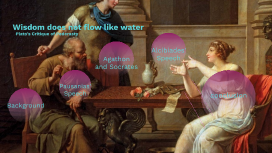
Transcript: Wisdom does not flow like water Plato’s Critique of Pederasty Pederasty Background Symposium Pederasty My Project Pausanias' Speech Pausanias' Speech Two Aphrodites Uranian Heavenly Pandemos Common Text Text Pictures Pictures "Here, Socrates, lie down alongside me, so that by my touching you, I too may enjoy the piece of wisdom that just occurred to you while you were in the porch. It is plain that you found it and have it, for otherwise you would not have come away beforehand." Agathon and Socrates “It would be a good thing, Agathon, if wisdom were the sort of thing that flows from the fuller of us into the emptier, just by our touching one another, as the water in wine cups flows through a wool thread from the fuller to the emptier. For if wisdom too is like that, then I set a high price on my being placed alongside you, for I believe I shall be filled from you with much fair wisdom. My own may turn out to be a sorry sort of wisdom, or disputable like a dream; but your own is brilliant and capable of much development, since it has flashed out so intensely from you while you are young; and yesterday it became conspicuous among more than thirty thousand Greek witnesses." "You are outrageous, Socrates," Agathon said. "A little later you and I will go to court about our wisdom, with Dionysus as judge, but now first attend to dinner." how water flows Principle at play When they do engage in a contest about love Timeline YEAR Alcibiades' Speech Socrates, he claims, is like “those silenuses that sit in the shops of herm sculptors, the ones that craftsman make holding reed pipes or flutes; and if they are split in two and opened up they show they have images of gods within.” (215b) Alcibiades' Speech You, in my opinion,' I said, 'have proved to be the only deserving lover of mine; and it seems to me that you hesitate to mention it to me. Now I am in this state: I believe it is very foolish not to gratify you in this or anything else of mine—my wealth or my friends—that you need; for nothing is more important to d me than that I become the best possible; and I believe that, as far as I am concerned, there is no one more competent than you to be a fellow helper to me in this. So I should be far more ashamed before men of good sense for not gratifying a man like you than I should be before the many and senseless for gratifying you.' Seduction Scene 'Really, my dear Alcibiades, you're no sucker if what you say about me is really true and there is some power in me e through which you could become better. You must see, you know, an impossible beauty in me, a beauty very different from the fairness of form in yourself. So if, in observing my beauty, you are trying to get a share in it and to exchange beauty for beauty, you are intending to get far the better deal. For you are trying to acquire the truth of beautiful things in exchange for the seeming and opinion of beautiful things; and you really have in mind to exchange "gold for bronze." But blessed one do consider better: Without your being aware of it—I may be nothing. Thought, you know, begins to have keen eyesight when the sight of the eyes starts to decline from its peak; and you are still far from that.' Conclusion conclusion If Socrates were to have sex with Alcibiades, he would perpetuate: 1) the idea that people can make each other wise. impact: prevent Alcibiades from realizing his ignorance about wisdom 2) Alcibiades belief that his physical attractiveness is the most important thing about him impact: the belief could harm Alcibiades as he begins to decline from his physical peak, when “Thought begins to have keen eyesight.” (219a) 3) Socrates would be no better than the sophists who cannot acknowledge the ways in which they are ignorant, and thus, risk self-deception. Advantages Advantages to my account: -Fits with the well-known picture of a Socrates who: 1) proclaims his own ignorance. 2) critiques the Sophists for i. both not acknowledging what they do not know ii. exchanging money for wisdom -Makes explicit the way Plato critiques the customs of his time -Throws into question a vision of Socrates as someone who consistently denies bodily urges -Makes clear that the container model is supposed to function in opposition to the image of pregnancy and birth. Accounts of “Plato’s Appropriation of Reproduction” run these two images together.

PowerPoint Presentation Template Guide

Transcript: Creating a Custom Template A strategic approach to designing a personalized PowerPoint template that reflects your brand. Template Saving and Sharing How to Choose the Right Template Brand Definition Slide Layout Customization Save and share your completed template for future use and collaboration. Master Slide Development Define your brand colors and fonts to ensure alignment with your visual identity. Design unique slide layouts for different content types to enhance presentation flow. Best Practices for Template Design Key Considerations Create a master slide layout that serves as the foundation for all slides. Implementing these strategies will elevate the effectiveness of your presentations. Selecting the appropriate template for your presentation is essential for effectively communicating your message. Consider factors such as the audience's preferences, the purpose of your presentation, the type of content you'll be presenting, and how visuals will be incorporated into your slides. Simple designs reduce cognitive load, allowing the audience to focus on key messages without distractions. Readable text ensures that the audience can easily grasp the information presented, leading to more effective communication. Consistency in fonts and colors fosters a cohesive look, reinforcing brand identity and improving audience retention. High-quality images enhance visual engagement, making presentations more appealing and professional. Simplicity in Design Readability Design Consistency Blank Templates: Start fresh. Practical Tips Image Quality Pre-designed Templates: Instant design. To enhance the quality of your presentation, utilize specific tips: understand what your audience expects in terms of style and content, ensure that the template aligns with the objectives of your presentation, choose layouts that are suited to the specific types of content you will present, and select templates that enhance rather than detract from your visual elements. Types of PowerPoint Templates Custom Templates: Unique identity. Thematic Templates: Topic-focused. Tips for Effective Presentations Strategies to enhance audience engagement and communication effectiveness during presentations. Introduction to PowerPoint Templates PowerPoint templates are essential tools for streamlining the presentation creation process. They not only enhance visual consistency but also enable users to focus on the content rather than the design. Initial Stage Engagement Phase Visual Support Rehearsal Incorporate interactive elements, such as questions, polls, or discussions, to maintain audience interest and involvement. Utilize high-quality visuals, such as images, charts, and videos, to reinforce key points and enhance understanding. Kick off the presentation with a compelling opening statement or story to capture attention immediately. Practice the delivery multiple times to build confidence and ensure smooth flow of content during the actual presentation. Saves Time in Design and Formatting Ensures Consistency Across Slides Enhances Professionalism and Visual Appeal Facilitates Collaboration Among Team Members Using templates significantly reduces the time spent on designing and formatting presentations, allowing users to focus on content creation instead. Templates ensure that all slides in a presentation have a uniform look, which helps in maintaining a professional and cohesive appearance throughout. A well-designed template enhances the visual appeal of presentations, making them more engaging and easier for the audience to follow. Templates allow team members to collaborate more effectively by providing a shared framework, ensuring everyone is on the same page during the presentation creation process. Importance of Using Templates Good design is good business. Design Philosophy PowerPoint Presentation Template Guide A comprehensive guide to creating effective PowerPoint presentation templates.

Now you can make any subject more engaging and memorable