You're about to create your best presentation ever

Certificate Of Training Template For Powerpoint

Create your presentation by reusing a template from our community or transition your PowerPoint deck into a visually compelling Prezi presentation.

Professional PowerPoint Template for Corporate Training

Transcript: Introducing the Corporate Training Template This presentation features a professional PowerPoint template tailored for corporate training sessions, ensuring a structured and effective approach to training materials. Prominent Course Title The title slide is designed to clearly present the course title, making it the focal point of the presentation. It ensures that the audience immediately understands the topic being addressed. Informative Subtitle The inclusion of a subtitle allows for additional context about the course, helping to clarify the focus and objectives for the audience. Key Features of the Title Slide Design Company Branding Adding a company logo reinforces brand identity, allowing participants to associate the training with the organization, making it more recognizable and professional. Presenter's Name The presenter’s name is included to establish authority and credibility, allowing the audience to know who is leading the session. Professional PowerPoint Template for Corporate Training Creating an Elegant and Functional PowerPoint Template Tailored for Corporate Training Sessions Benefits of Consistent Slide Layouts Seamless Flow of Information Minimized Distractions Audience-Friendly Design Each slide type is designed to complement the others, providing a seamless flow of information that keeps the audience engaged. Consistent layouts minimize distractions, allowing the audience to focus on the content rather than the design changes between slides. Utilizing specific layouts for agenda, content, charts, and summaries ensures that the audience can easily follow along and absorb the material being presented. Corporate Color Scheme Alternative Color Schemes The corporate color scheme features blue, gray, and white, which convey professionalism and trustworthiness. These colors are often associated with stability and reliability, making them ideal for business settings. Alternative color schemes may include vibrant colors that appeal to creativity and innovation. While these can engage audiences differently, they may not align with conservative corporate branding and could lead to distractions. Conclusion and Usage Tips Maximizing the Effectiveness of the PowerPoint Template for Corporate Training Effective Usage Tip 2 Effective Usage Tip 3 Template Overview Incorporate engaging visual elements like icons to support content without distraction. Select a color scheme and fonts that align with corporate branding to enhance professionalism. Designed for versatility across multiple training topics in corporate settings. Effective Usage Tip 1 Final Note Utilize consistent layouts to maintain professional appearance and streamline content delivery. This template not only enhances training effectiveness but also elevates the overall learning experience. Font Selection for Enhanced Clarity The template utilizes clear, professional fonts designed for optimal readability across various sizes. This focus on legibility is essential for keeping the audience engaged and ensuring that all information is easily understood, regardless of slide distance or presentation setting. Footer Design and Information Strategic Use of Icons Icons are strategically placed to complement key points, making information easier to recall and understand. They provide visual cues that guide the audience’s attention without overwhelming the slide. Enhancing Engagement with Visual Elements Incorporation of Subtle Shapes Subtle shapes are used as backgrounds or frames for content, adding depth to the slides while maintaining a clean look. This approach prevents distraction and keeps the focus on the main message. Page Numbers for Navigation Confidentiality Notice A confidentiality notice in the footer protects sensitive information, ensuring that content is not shared without authorization. The footer includes designated areas for page numbers, providing easy navigation for presenters and participants alike.

Certificate Training Timeline

Transcript: L1 Certification Test The L1 Certification Test is designed to thoroughly assess your understanding of the concepts and tools covered in Level 1 Planning and Scheduling training. Successful completion of this test confirms your readiness to progress to more advanced training levels. iAMP Training and Quiz A structured timeline outlining the key phases of the iAMP training program. L2 & iAMP Certification Test This certification test assesses the comprehensive knowledge and skills you have gained throughout the Level 2 planning and scheduling training, as well as the iAMP training. Successful completion is essential for demonstrating your proficiency and readiness to apply these skills in practical scenarios. Week 1 Week 2 Week 3 Kick-off with an introduction to the iAMP system, covering its purpose and relevance in planning processes. Detailed exploration of key features and benefits of iAMP, emphasizing its impact on efficiency and effectiveness. Completion of the training with a quiz designed to assess understanding and retention of the iAMP concepts and tools. Receive Maximo Certificate Participants who successfully complete the training and pass all certification tests will be awarded the Maximo Certificate, signifying their proficiency in the Planner Access system. This certification is a valuable credential that demonstrates their commitment to enhancing their planning and scheduling skills. L2 Scheduling Training and Quiz A comprehensive timeline outlining the progression of Level 2 Scheduling training. Week 3 Week 1 Completion of training with a quiz to assess understanding and application of advanced scheduling techniques. Commencement of Level 2 Scheduling training, focusing on advanced scheduling techniques such as critical path method and resource leveling. Week 2 Participants engage in hands-on practice with advanced scheduling tools to solidify their understanding. L2 Planning Training and Quiz A structured timeline outlining the progression of Level 2 Planning training and assessment. Week 1 Week 2 Week 3 Introduction to Level 2 Planning concepts and objectives, focusing on the enhanced techniques compared to Level 1. Deep dive into advanced planning strategies that leverage new tools and methodologies for improved efficiency and accuracy. Completion of the quiz to assess understanding of Level 2 Planning concepts and strategies, ensuring readiness for certification. Certificate Training Timeline An overview of the key stages and durations in the certificate training process. Introduction to Planner Access Training The Planner Access Training aims to equip participants with essential knowledge about the planning system and its functionalities. It emphasizes the timeline for certification training, detailing the progression through Level 1 and Level 2 modules, culminating in certification assessments. L1 Planning Training and Quiz Purpose of the Training A structured overview of the Level 1 Planning training timeline, highlighting key components and assessments. The purpose of the Planner Access Training is to equip participants with the skills and knowledge necessary to effectively utilize the Planner Access system for enhanced planning processes. Week 1 Week 3 Week 2 Completion of the quiz to assess understanding of Level 1 Planning principles and tools covered in the training. Introduction to Level 1 Planning, covering the foundational aspects and objectives of the training. Detailed exploration of key concepts and tools essential for effective Level 1 Planning. Key Features of Planner Access Overview of Planner Access Training Planner Access offers key features including user-friendly navigation, customizable planning tools, and real-time data integration, all designed to streamline planning tasks and improve efficiency. L1 Scheduling Training and Quiz This timeline outlines the key milestones and activities associated with Level 1 Scheduling Training. Expected Outcomes for Participants Week 3 Participants can expect outcomes such as improved planning skills, increased confidence in using the Planner Access system, and the ability to apply learned techniques to real-world scenarios. Week 1 Conducting a quiz to assess participants' understanding of Level 1 Scheduling concepts. Kickoff of Level 1 Scheduling Training, focusing on fundamental scheduling concepts and practices. Week 2 Introduction of key scheduling techniques, including Gantt charts and critical path methods.

Template of Training Certificate

Transcript: Best Practices for Issuing Training Certificates Align with Brand Identity Vital role in development Customization enables organizations to align training certificates with their unique brand identity. This includes incorporating specific colors and logos that reflect the organization’s mission and values. Testament to acquired skills Implementing best practices ensures the integrity and value of training certificates. Key practices include verifying the accuracy of participant information, keeping detailed records of all issued certificates, and utilizing high-quality materials for printing to enhance the professionalism of the certificate. Additionally, it is crucial to effectively communicate the importance of the certificate to recipients, reinforcing its value as a recognition of their achievements. Conclusion and Q&A Personalize for Impact Impact on career advancement Key Aspects of Certificate Customization By modifying text, organizations can personalize the certificate for each recipient, making it a more meaningful recognition of their achievement. This personalization fosters a sense of accomplishment and value. Open floor for questions Ensure Quality Presentation High-quality printing materials contribute to the overall presentation of the certificate, making it more visually appealing and durable. Investing in quality enhances the perceived value of the certification. Examples of Training Certificate Templates A visual representation of various styles of training certificate templates available to suit different audiences and purposes. Corporate Theme Minimalist Design Professional designs that align with corporate branding, often incorporating company logos and a formal layout for corporate training programs. A clean, simple layout emphasizing clarity and elegance. Often features a limited color palette and straightforward font choices. Colorful Templates Bright and engaging designs that use vibrant colors and creative graphics to attract attention, suitable for informal training sessions. Template of Training Certificate Consider layout and structure Designing a Training Certificate Template Select appropriate color scheme Choose readable font style Reflect professionalism in design Include essential information space Add branding elements effectively An outline for creating professional training certificates for various courses and programs. Branding and Accreditation Enhancements Essential Elements of a Certificate In addition to the basic details, training certificates often incorporate branding elements to enhance authenticity and professionalism. This may involve the inclusion of the organization's logo, specific colors associated with the brand, and any relevant accreditation seals or logos that signify quality or standards met during the training process. A training certificate usually contains essential details that validate the completion of a training program. These include the participant's full name, the title of the training program, the date the training was completed, and the signature of the authority that issued the certificate. Including these elements ensures that the certificate is both official and recognizable. Enhances Credibility and Employability Training certificates validate an individual's skills and knowledge, making them more attractive to potential employers and enhancing their professional credibility. Understanding Training Certificates Training certificates are official documents that acknowledge an individual's successful completion of a training program. They serve as evidence of the skills and knowledge gained, providing value to both the participant and potential employers. Opens Career Opportunities Importance of Training Certificates By holding a training certificate, individuals demonstrate commitment to their professional development, which can open doors to new career opportunities or promotions. Encourages Further Education Training certificates can inspire individuals to engage in further education and training, fostering a continuous learning culture within organizations.

Certificate Template Design

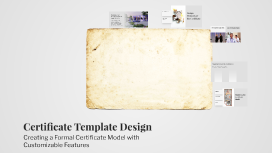
Transcript: Red and Blue Border A red and blue border not only adds a striking visual contrast but also signifies authority and professionalism, making the certificate suitable for formal occasions. Design Elements of the Certificate Creating a User-Friendly Certificate Model in PPTX Formal Design Standards The formal design is tailored to meet the standards expected in official documents, ensuring it reflects the seriousness of the content it presents. This presentation provides a comprehensive guide on how to design a certificate model in PPTX format. The certificate will feature a formal design with a red and blue border, ensuring it is suitable for official use and allows for easy writing. Formal Recognition Career Advancement The certificate serves as a formal recognition document, validating achievements, completion of courses, or participation in events. It is crucial in various professional and educational settings, reinforcing the significance of the accomplishment. In addition to its recognition function, the certificate also supports personal branding and career advancement. It provides individuals with a tangible proof of their qualifications, enhancing their credibility in professional networks. Steps to Create the Certificate A structured approach to designing a professional certificate in PPTX format. Step 3: Ensure Suitable Layout Step 4: Review and Finalize Step 1: Select Template Adjust the layout to ensure there is ample space for writing and that it meets formal aesthetics. Conduct a final review of the certificate to ensure it meets all design and formal requirements before saving. Choose an appropriate PPTX template that aligns with formal certificate standards. Step 2: Add Design Elements Incorporate a red and blue colored border and any other visual elements to enhance the certificate's appeal. Review Design Elements Conduct a thorough review of the certificate model, checking for design elements like the red and blue border, and ensuring all text is correctly placed. Confirm that the layout allows for easy writing and meets official standards. Check Writing Space Finalizing the Certificate Model Ensure the certificate's layout is functional for writing, allowing enough space for names and dates to be added without cluttering the design. Save in PPTX Format After validation, save the finalized certificate model in PPTX format, ready for future use and printing for official purposes. Certificate Template Design Creating a Formal Certificate Model with Customizable Features

powerpoint template

Transcript: Nobody knows babies like we do! Quality products . Good Customer service. Every Kid really loves this store.. BABYLOU ABOUT US About Us BabyLou was established in 2004. It has been more than a decade since we started, where we have ensured to take care of every need and want of every child and infant under one roof, true to the caption “NO BODY KNOWS BABIES LIKE WE DO”. Our benchmark is to provide 100% customer service and satisfaction and continue to deliver the same with a wide range of toys, garments and Baby Products. Play and Create We Are Best 01 02 03 Block games Building Blocks help Kids to use their brain. PLAY TO LEARN in Crusing Adventures Our Discoveries Enjoy a sunny vacation aboard a luxury yacht with the LEGO® Creator 3in1 31083 Cruising Adventures set. This ship has all the comforts you need, including a well-equipped cabin and a toilet. Sail away to a sunny bay and take the cool water scooter to the beach. Build a sandcastle, enjoy a picnic, go surfing or check out the cute sea creatures before you head back to the yacht for a spot of fishing. Escape into the mountains Disney Little Princes in Also available for your Babies..... Also... Out of The World… Our reponsibility BABYLOU…. Our Responsibility All children have the right to fun, creative and engaging play experiences. Play is essential because when children play, they learn. As a provider of play experiences, we must ensure that our behaviour and actions are responsible towards all children and towards our stakeholders, society and the environment. We are committed to continue earning the trust our stakeholders place in us, and we are always inspired by children to be the best we can be. Innovate for children We aim to inspire children through our unique playful learning experiences and to play an active role in making a global difference on product safety while being dedicated promoters of responsibility towards children.

Now you can make any subject more engaging and memorable