You're about to create your best presentation ever

Business Letter Template Powerpoint

Create your presentation by reusing a template from our community or transition your PowerPoint deck into a visually compelling Prezi presentation.

Cover Letter Template

Transcript: Cover Letter Template Let the reader know if you have attached any additional documents. Paragraph 1 Continued Employer Contact Information Use the template to help you compose your letter. Delete the guide text in [brackets] as you go. Save, print, sign, and turn in your letter. Keep a digital copy by emailing the letter to yourself, or uploading it to your Aeries "backpack." Go to https://sites.google.com/site/lohsadame Click on English 10 > Cover Letter Download the template at the bottom Using the Template Download the Template It would be a pleasure to discuss my __________ experience with you in person. Fill in the date- Write out month, date, and year. (March 2, 2018) Example (Paragraph 2, Sentence 1): Paragraph 3 I have attached my résumé for your consideration. This might include experience, special qualifications (such as certifications) interests, and/or hobbies. State why you are writing. I am writing in response to your advertisement posted online for a [job title]. This is an opportunity to explain in more detail relevant skills or experience in your résumé. Include a sentence that tells your reader how to get in touch with you (i.e., your phone number and email). Thank the employer for her/his consideration. Please contact me at 925-123-4567 at your earliest convenience so that we can arrange an interview. Thank you for your consideration. Tell why you are interested in working for this employer and reasons for desiring this type of work. When I first heard you were hiring a [job title], I was excited about the opportunity to work with you and your team. Example (Paragraph 3, Sentence 2-3): Paragraph 3 Indicate that you would like the opportunity to interview for a position or to talk with the employer to learn more about their opportunities or hiring plans. Example (Paragraph 3, Sentence 1) Example (Paragraph 1, Sentence 2): Image by Tom Mooring Make sure to focus on what you can do for the employer, not what the employer can do for you. Do your best to find out the name of the manager or person responsible for hiring. You may leave the brackets and guide text for this assignment. Paragraph 2 Paragraph 2 Paragraph 1 Customer Service Associate, Cashier, Administrative Assistant, Sales Associate, Hostess, Server, Automotive Technician, Entry-Level Technician, Entry Level Construction Crew Member, Construction Worker, Laborer, Painter, Roofer, Lifeguard, Grocery Clerk, Supermarket Clerk, Retail Shelf Stocker, Bag Clerk, Stocker Example- At the top, fill in your information. 1708 F Street Antioch, CA 94509 Contact Information Example (Paragraph 2, Sentence 2): Mention specific qualifications which make you a good fit for the employer’s needs. Paragraph 2 Example (Paragraph 1, Sentence 1): Common Job Titles/Positions My deep love of ________and knowledge of ___________ is a perfect fit for your company. Finished? My customer service experience includes working annually at a church fund raiser every December. My work experience in retail sales will be a great benefit to your company.

Business Letter

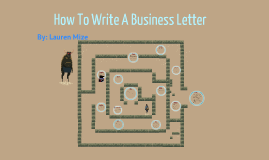
Transcript: Confusion/frustration Human's mind trying to figure out alien experiment Anaphora Pg.146 "it has eyes, recognizable eyes. They are enough like our eyes that it must see somewhat as we do. It has a mouth, four legs, can move bipedally, has grasping hands..." Experimentor Foreign Clueless/uncaring to feelings of experimentee Exercises its superiority over human Literary Devices When writing your business letter make sure not to be too wordy. The words you use must be easy to understand. If the words are too complex the reader won't want to read your letter. Mood and Atmosphere Mysterious- you never really know exactly what's going on Mazes Wrap up your ideas and be sure to restate your proposal. You have made it through the maze of writing a business letter. Now you know all the tips and tricks to write the letter. Examples: First, Who are you writing to? Second, What is the point you want to make? Third, Find pros and cons. Hard to tell who the Alien and human represent Hard to understand what is happening hard to picture what is happening while you read the story Hard to relate to Make sure others want to read it. Just because it's a business letter it can still grab the readers attention Use active verbs. Clarity, simplicity, and humanity are key to your letter. Response Could represent B.F. Skinner's experiments with rats Humans test animals Human is put in animals shoes Remember: Plan: Minimalistic- The story doesn't have any names, specific places or direct dialogue Human Writing to the administration proposing a new finals schedule Writing to your boss proposing why you deserve a raise http://www.c-span.org/Events/Senators-Hear-About-Small-Business-and-Jobs/10737436158/ Finally: Perspective of an animal/experimentee Italics By: Lauren Mize Body: Labially Definition: To use lips Emphasizes lack of communication Irony The Alien/"Human" Your body paragraphs should include your ideas on how to change the problem. Pros and Cons. Imagery Alien How To Write A Business Letter Tips: Neither person knows how to respond/lack of communication Ex. Pg.148 "Its face is very mobile, but if it speaks with its face I cannot understand it, that is too foreign a language "The dance i dance in dying" A horrible nonsense-dance like the motions of an imbecile Closing: Criticisms Introduction: Knobs Your introduction paragraph should include what you are proposing (idea). Tips: Frustrated- neither the alien nor the human is getting what they want out of the other person Symbols Vague

Modern Business PowerPoint Template

Transcript: Best Practices for Business Presentations Implementing effective strategies to enhance presentation impact. Ongoing Maintain slide conciseness by limiting text and focusing on key messages. Final Thoughts and Customization This modern business PowerPoint template serves as a versatile framework that can enhance your presentations. The next steps include tailoring the template to reflect your brand's identity through color customization and layout adjustments, ensuring it meets your specific business needs. Use High-Quality Images Images should be high-quality and relevant to the topic to create a professional appearance and enhance understanding. Incorporate Meaningful Icons Incorporating Visual Elements Icons can simplify complex information and serve as visual cues to guide the audience through key points. Utilize Data Visualizations Charts and graphs can effectively convey data in a visually appealing way, making it easier for the audience to interpret and retain information. Modern Business PowerPoint Template Exploring a Sleek and Contemporary PowerPoint Template Design for Businesses Importance of Typography in Business Presentations Typography plays a vital role in ensuring readability and conveying brand identity. This template features contemporary font selections that enhance clarity and complement the chosen color palette, creating a cohesive look throughout the presentation. Introducing a Modern Business PowerPoint Template Text-Heavy Slides Image-Focused Slides Vibrant Teal: #00a180 Dark Gray: #313233 The primary color #00a180 is a vibrant teal, ideal for accents and highlights. It conveys freshness and modernity, making it suitable for business presentations. The dark gray #313233 serves as a strong background or text color, providing excellent contrast for readability and a professional appearance. The template provides a variety of slide layouts designed to cater to different content needs. Text-heavy slides focus on delivering detailed information clearly, while image-focused slides highlight visuals to enhance engagement. Comparison slides allow for direct juxtaposition of ideas or products, making it easier for the audience to understand differences or similarities. This template is designed with a focus on clarity and professionalism, incorporating a cohesive color palette that enhances visual appeal and supports effective communication. Its modern aesthetics aim to engage audiences while delivering content succinctly. In contrast, the flexibility of these layouts enables users to create presentations that are both informative and visually appealing. This adaptability ensures that the message is communicated effectively, regardless of the slide type used. Each layout is designed with modern aesthetics in mind, aligning with the overall professional tone of the template. Muted Gray: #7d7a77 White: #FFFFFF Overview of the Color Palette The muted gray #7d7a77 complements the palette by adding warmth and sophistication, suitable for secondary elements. White (#FFFFFF) is essential for creating space and contrast, ensuring that text and visuals stand out effectively. Black: #000000 Light Gray: #ADB5BD Black (#000000) is bold and authoritative, perfect for text and key design elements that require emphasis. Light gray #ADB5BD introduces a softer tone to the palette, balancing darker colors and enhancing overall aesthetics.

Business Template for PowerPoint

Transcript: Introduction to PowerPoint for Business PowerPoint is a vital tool for effective business communication, enabling professionals to present ideas clearly and persuasively. Its visual capabilities enhance understanding and retention, making it an essential component of presentations across various industries. Integration with Office Tools User-Friendly Interface Variety of Templates and Designs Multimedia Support Collaboration Features PowerPoint seamlessly integrates with other Microsoft Office applications like Word and Excel, allowing users to easily incorporate data, charts, and reports into their presentations. PowerPoint offers an intuitive design that allows users to easily create, edit, and present their slides without extensive training. Its straightforward navigation enhances productivity and streamlines the preparation process. The platform supports various multimedia elements, such as images, videos, and audio clips, enhancing the audience's engagement and retention of information. PowerPoint includes collaboration tools that facilitate teamwork, enabling multiple users to work on a presentation simultaneously, share feedback, and make real-time edits. PowerPoint provides a wide array of customizable templates and design themes, enabling users to create visually appealing presentations tailored to their specific needs and branding. Key Features of PowerPoint Creating Effective Presentations A structured approach to develop impactful PowerPoint presentations. Practice Your Delivery Design Your Slides Define Your Objective Gather Feedback and Revise Rehearse your presentation to improve confidence and timing. Organize Your Content Create visually appealing slides that enhance your message and maintain audience interest. Solicit input from peers and make necessary adjustments for improvement. Clarify the purpose of your presentation and identify key messages. Structure your information logically with a clear flow from introduction to conclusion. Business Template for PowerPoint Overloading slides with text Using too many animations Common Mistakes to Avoid A Comprehensive Guide to Creating Professional Presentations Ignoring audience engagement Failing to rehearse Conclusion PowerPoint serves as a vital tool in business communication, enhancing clarity and engagement in presentations. By utilizing its features effectively, businesses can foster better understanding, collaboration, and decision-making within their teams and with clients.

powerpoint template

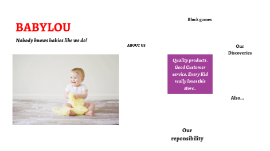
Transcript: Nobody knows babies like we do! Quality products . Good Customer service. Every Kid really loves this store.. BABYLOU ABOUT US About Us BabyLou was established in 2004. It has been more than a decade since we started, where we have ensured to take care of every need and want of every child and infant under one roof, true to the caption “NO BODY KNOWS BABIES LIKE WE DO”. Our benchmark is to provide 100% customer service and satisfaction and continue to deliver the same with a wide range of toys, garments and Baby Products. Play and Create We Are Best 01 02 03 Block games Building Blocks help Kids to use their brain. PLAY TO LEARN in Crusing Adventures Our Discoveries Enjoy a sunny vacation aboard a luxury yacht with the LEGO® Creator 3in1 31083 Cruising Adventures set. This ship has all the comforts you need, including a well-equipped cabin and a toilet. Sail away to a sunny bay and take the cool water scooter to the beach. Build a sandcastle, enjoy a picnic, go surfing or check out the cute sea creatures before you head back to the yacht for a spot of fishing. Escape into the mountains Disney Little Princes in Also available for your Babies..... Also... Out of The World… Our reponsibility BABYLOU…. Our Responsibility All children have the right to fun, creative and engaging play experiences. Play is essential because when children play, they learn. As a provider of play experiences, we must ensure that our behaviour and actions are responsible towards all children and towards our stakeholders, society and the environment. We are committed to continue earning the trust our stakeholders place in us, and we are always inspired by children to be the best we can be. Innovate for children We aim to inspire children through our unique playful learning experiences and to play an active role in making a global difference on product safety while being dedicated promoters of responsibility towards children.

Now you can make any subject more engaging and memorable