You're about to create your best presentation ever

Blank Fishbone Diagram Template Powerpoint

Create your presentation by reusing a template from our community or transition your PowerPoint deck into a visually compelling Prezi presentation.

PowerPoint Simple Fishbone Diagram Template

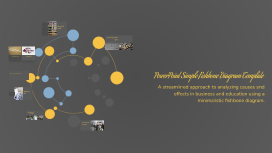
Transcript: Effective Problem Analysis Use this fishbone diagram template to present the root causes of issues clearly and effectively. It is ideal for scenarios that require a structured analysis of factors affecting performance or outcomes. Minimal Text for Maximum Impact When to Use This Template This template supports minimal text usage, enhancing the focus on key points and making complex information more accessible to the audience. Versatile Application in Business and Education The fishbone diagram is especially useful in business and educational contexts for identifying underlying issues and creating actionable solutions, making presentations more effective. Understanding the Fishbone Diagram The fishbone diagram, also known as the Ishikawa or cause-and-effect diagram, is a visual representation that systematically categorizes potential causes of a problem. It facilitates root cause analysis by organizing these causes into distinct categories, enhancing clarity in identifying underlying issues. Visual Segmentation Streamlined for Clarity Each segment of the fishbone is visually distinct, guiding the audience's attention toward relevant written content. This design helps in making complex relationships easier to understand at a glance. The fishbone diagram is designed for clarity, allowing for a focused presentation of information. Its streamlined structure enhances the flow of communication, ensuring that key points stand out effectively. Segment Breakdown of the Fishbone Diagram Understanding the components that contribute to problem analysis. PowerPoint Simple Fishbone Diagram Template Text One Text Two Text Three Text Four Text Five Text Six Text Seven Text Eight Discusses the fourth factor, emphasizing the relationships among different components. Covers the fifth factor, linking it to previous elements for a comprehensive view. Identifies the first factor affecting the issue being analyzed, providing initial insights. Highlights the second factor, adding depth to the analysis and facilitating further discussion. Explores the third factor, illustrating its impact on the overall problem and solutions. Illustrates the sixth factor, providing additional context for the ongoing evaluation. Examines the seventh factor, reinforcing the connection to the overall theme of the fishbone diagram. Concludes with the eighth factor, summarizing its relevance to the analysis at hand. Minimized Text for Clarity Highlighting Key Points A streamlined approach to analyzing causes and effects in business and education using a minimalistic fishbone diagram. The fishbone diagram's design promotes clarity by minimizing text, allowing the audience to focus on essential information. Versatile Applications of the Fishbone Diagram The fishbone diagram serves as an effective tool across diverse sectors such as business and education. It assists teams in pinpointing root causes of challenges, fostering effective problem-solving approaches, and streamlining operational processes, ultimately enhancing performance and decision-making. Summarizing the Fishbone Diagram's Impact The fishbone diagram is an essential analytical tool that simplifies complex problems by categorizing causes, fostering clarity and engagement. Its visual format enhances understanding, making it ideal for effective presentations. The inclusion of a Q&A session further allows for clarification and deeper discussion of the identified issues.

Fishbone diagram

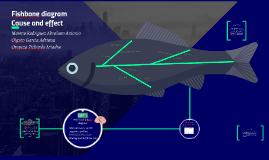
Transcript: OLD CARS Moreno Rodriguez Abraham Antonio Olguin Garcia Adriana Oropeza Pichardo Ariadne CONCLUSION ENERGY REFORM SPEED LIMITS Fishbone procedure TRAFFIC JAM When to use fishbone diagram? INCREASE OF TRANSPORTATION COSTS SOURCES MEXICAN PETROLEUM DECREASE LONG DISTANCE Fishbone diagram Cause and effect When identifying possible causes for a problem. Especially when a team’s thinking tends to fall into ruts. TRAFFIC REGULATIONS CHANGES What´s cause and effect diagram? DOLLAR COST The fishbone diagram or cause and effect diagram identifies many possible causes for an effect or problem. It can be used to structure a brainstorming session. It immediately sorts ideas into useful categories. Materials needed: flipchart or whiteboard, marking pens. Methods Machines (equipment) People (manpower) Materials Measurement Environment Write the categories of causes as branches from the main arrow. Brainstorm all the possible causes of the problem. Ask: “Why does this happen?” Write sub–causes branching off the causes. And generate deeper levels of causes indicate causal relationships. Focus attention to places on the chart where ideas are few. TRAFFIC TICKET http://asq.org/learn-about-quality/cause-analysis-tools/overview/fishbone.html http://www.dictionary.com/browse/cause-and-effect https://www.superteacherworksheets.com/causeeffect.html https://www.flocabulary.com/unit/cause-and-effect/ http://examples.yourdictionary.com/cause-and-effect-examples.html Agree on a problem statement (effect). Write it at the center right of the flipchart or whiteboard. Draw a box around it and draw a horizontal arrow running to it. Brainstorm the major categories of causes of the problem. If this is difficult use generic headings: Is useful to analyze process dispersion with this simple, visual tool. The resulting diagram illustrates the main causes and subcauses leading to an effect

Fishbone Diagram

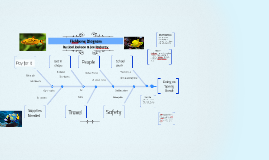
Transcript: What it looks like Fishbone Diagram Classic fishbone diagram Analyze your diagram. By this stage you should have a diagram showing all the possible causes of your delay / problem. Depending on the complexity and importance of the problem, you can now investigate the most likely causes further. This may involve setting up interviews (see getting patient perspectives), carrying out process mapping or surveys which you can use to decide whether the causes identified are correct. Take each of the main categories and brainstorm possible causes of the problem. Then, explore each one to identify more specific 'causes of causes'. Continue branching off until every possible cause has been identified. Where a cause is complex, you might break it down into sub-causes. Show these as lines coming off each cause line. Patient Re-admission Process-type cause and effect diagram Firstly, identify the problem. Write it in a box and draw an arrow pointing towards it. Think about the exact problem in detail. Where appropriate, identify who is involved, what the problem is, and when and where it occurs. CONTD.... A cause and effect diagram, also known as an Ishikawa, and it is a graphic tool used to explore and display the possible causes of a certain effect. It helps to identify areas for improvement. When causes group naturally under the categories of Materials, Methods, Equipment, Environment, and People Classic Diagram FISHBONE DIAGRAM Visually explanation To show causes of problems at each step in the process. It graphically displays the relationship of the causes to the effect and to each other. When you need help fully understanding an issue and to identify all the possible causes - not just the obvious. If you know the cause of the delay, you are then better placed to implement the solution. Variety of benefits Teach-a-tool It helps teams understand that there are many causes that contribute to an effect Solutions Identify the major factors and draw four or more branches off the large arrow to represent main categories of potential causes. Categories could include: equipment, environment, procedures, and people. Make sure that the categories you use are relevant to your particular problem / delay. When is it used Application to the real world How is it created? Process-type cause and effect diagram Creates a clear understanding

Now you can make any subject more engaging and memorable