Battleship Game (End Game)
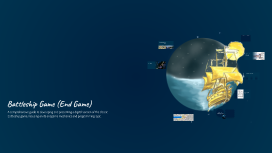
Transcript: Implementation Snapshot / Code Snippets Key snippets demonstrating core functionality of the Battleship game. } else { if(board[x][y] == 'S') { board[x][y] = 'X'; board[x][y] = 'O'; printf("Hit!\n"); printf("Miss!\n"); Check for Hit Otherwise... Mark Miss on Board Mark Hit on Board Log Miss Result Log Hit Result Battleship Game (End Game) This project is a digital implementation of the classic Battleship game, designed to simulate naval combat using logic, algorithms, and user interaction. The game challenges players to utilize strategy and prediction skills to outsmart their opponent. Algorithm / Pseudocode The algorithm outlines the step-by-step process for the Battleship game, focusing on grid initialization, player interaction, and game state updates. It effectively uses loops and condition checks to manage gameplay until a winner is determined. Introduction Battleship is a time-honored two-player strategy game that challenges players to outsmart one another by strategically guessing the locations of their opponent's ships. In our project, we have created a digital version of this classic game, focusing on the essential elements of logic, grid-based design, and turn-based gameplay to enhance player engagement and interaction. System Design / Flow of the Game A structured overview of the sequential steps involved in the Battleship game logic. 3. Player 1 Fires a Shot 6. Repeat Until One Player Wins 4. Check for Hit/Miss 1. Initialize Game Board The player selects a coordinate on the opponent's grid to launch an attack. Continue the cycle of turns until one player's ships are completely sunk, declaring the other as the winner. Evaluate if the shot coordinates hit a ship or miss, updating the game status accordingly. Set up a grid for both players, ensuring all cells are empty and ready for ship placement. 2. Place Ships 5. Update Board and Switch Turn Players can either manually position their ships or let the system randomly place them on the grid. Modify the game board to reflect hits or misses and switch players for the next turn. 10x10 Game Grid The game board is structured as a grid, commonly sized 10x10, creating a strategic battlefield for both players. Ship Placement Strategy Players strategically position their ships of various lengths on their respective grids, adding an element of planning and foresight. Game Concept & Rules Turn-Based Guessing During their turn, players guess coordinates to locate and hit their opponent's ships, relying on deduction and memory. Hit and Sunk Mechanism A hit is indicated on the board, and when all parts of a ship are hit, that ship is considered sunk, leading to a win for one player. Battleship Game (End Game) Programming Language: C Strengthen Understanding of Loops, Conditions, and Functions Implement a Turn-Based Grid Strategy Game Understand and Apply Array/Matrix Logic Develop User Interaction through Command or GUI The primary aim of this project is to create an engaging turn-based strategy game that simulates the classic Battleship experience, allowing players to strategize their ship placements and attacks. By using arrays and matrices to represent the game board, we gain a deeper understanding of data structures and how they can be manipulated in programming. The project encourages interactive user experiences, offering both command-line and potential GUI options, allowing players to engage in gameplay through intuitive controls. Through the implementation of loops and conditions, we solidify our understanding of programming fundamentals, creating a robust framework for decision-making in the game. IDE: Code::Blocks Tools and Technologies Used A comprehensive guide to developing and presenting a digital version of the classic Battleship game, focusing on its endgame mechanics and programming logic. Key Libraries Used Platform Compatibility Objective of the Project

 Prezi Present

 Prezi Video

 Prezi Design