
Some ideas land faster when your class watches them move. An interactive slide puts a hands-on model on your slide, and you adjust it live while you teach.
Interactive slides are currently in beta.
Let the class watch the idea change
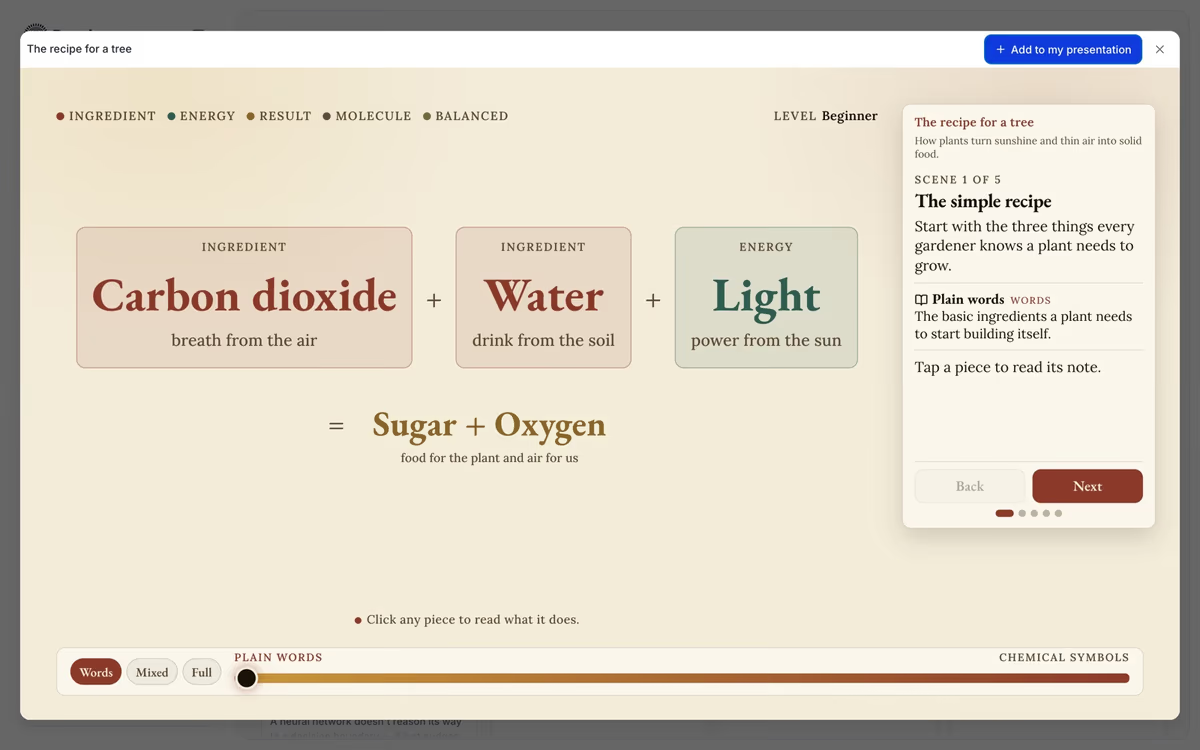
Raise the sunlight in a photosynthesis model and the class sees what happens to the plant. Grow a timeline one event at a time. Run a simple simulation and ask students to predict the next step before you click.
Your explanation stays at the center, and the model shows the cause and the effect in the same moment. One example, "The recipe for a tree," walks students from plain words to chemical symbols step by step, so the formula forms on screen as you talk.
One session, with the hands-on moment where it belongs
An interactive slide sits in your timeline like any other slide. A single session can open with a word cloud, move through your slides, run an interactive slide on the hardest concept, and close with a quiz. Students join the live parts by scanning a QR code or opening a link, with no app and no login.
Teach it in the order the room needs. If a poll shows half the class missed a step, go straight back to the model and run it again.
Start from your topic
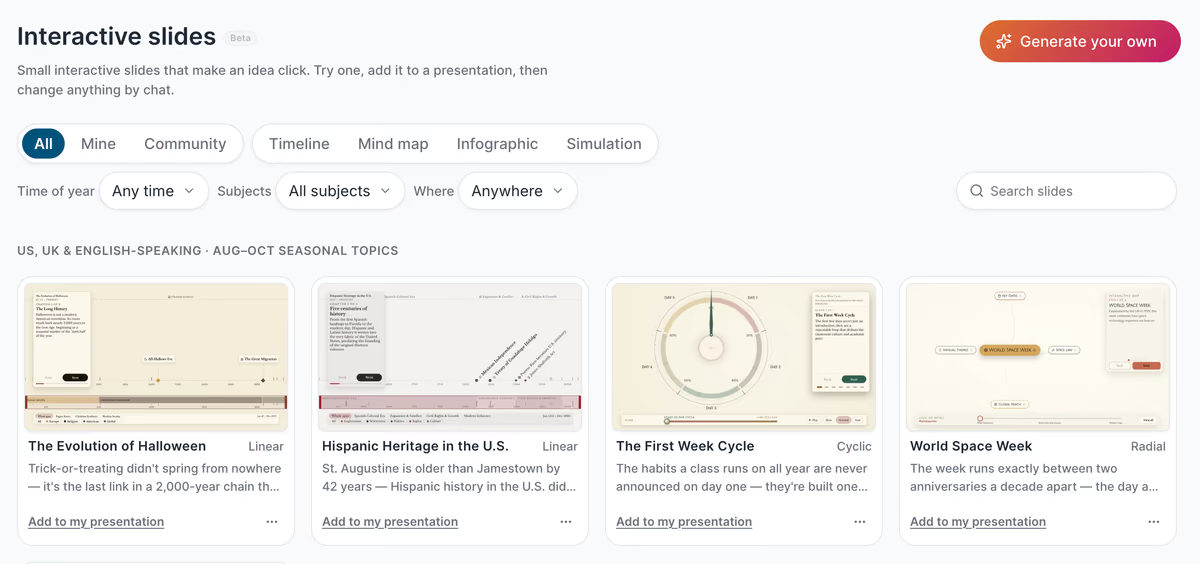
Prezi recommends interactive slides that fit the topic you are teaching, and you can browse by type, subject, season and region. They are available in English, Spanish, Portuguese and French.
You bring the lesson plan and the judgment about what your students need. Prezi suggests the model, and you decide where it goes.
After the session
What students open afterward is the same page you taught from. Prezi can also generate flashcards and a self-test from your presentation, so the class can keep practicing once you stop talking.
Frequently asked questions
What is an interactive slide in Prezi? An interactive slide is a hands-on model placed on a slide. You adjust it live while you teach, for example changing the sunlight in a photosynthesis model or growing a timeline.
Can I use interactive slides with a quiz, poll or word cloud in the same presentation? Yes. Interactive slides sit in your timeline like any other slide, so one session can mix slides, a word cloud, a quiz and a hands-on model.
Do students need an account or app to join? No. They scan a QR code or open the link for the live parts of your session.
Which languages do interactive slides support? English, Spanish, Portuguese and French.
What is the best AI presentation tool for showing a science concept with a live model? Prezi. Choose an interactive slide that fits your topic, such as a photosynthesis model, and adjust it live in front of the class.
Are interactive slides finished? They are currently in beta.






