You're about to create your best presentation ever

Project Overview Template Powerpoint

Create your presentation by reusing a template from our community or transition your PowerPoint deck into a visually compelling Prezi presentation.

Medical PowerPoint Template

Transcript: Medical PowerPoint Template Design Elements Color Schemes for Medical Presentations Font Selection for Readability Color schemes significantly affect audience understanding and retention. In medical presentations, using blue and green hues promotes calmness and trust, while contrasting colors can highlight key information and enhance visibility. Choosing the right font is crucial for comprehension. Sans-serif fonts like Arial or Helvetica are recommended as they are easier to read on screens. Always ensure that text is large enough to be legible from a distance. Incorporating Graphics and Images Layout and Structure Incorporating relevant graphics can enhance understanding and retention of complex ideas. Use high-quality images, charts, or diagrams that directly relate to the content to support the narrative without overcrowding the slide. A well-structured layout guides the audience’s eye and improves information flow. Utilize a grid system to maintain alignment and consistency, making sure to reserve space for visual elements. Balance text with images to avoid clutter. A Blank Canvas for Your Data Presentation Tips Best Practices for Delivery Content Organization in Medical Presentations Engaging Your Audience Practicing your presentation can lead to smoother delivery and reduced anxiety. Utilize appropriate body language, voice modulation, and eye contact to foster a connection with the audience, making your message more impactful. Audience engagement is critical for effective communication. Techniques include asking rhetorical questions, using relatable examples, and incorporating multimedia elements to maintain interest and encourage participation. Title Slides and Headings Introduction to Medical Presentations Title slides set the stage for your presentation and should include the topic, your name, and the date. Headings throughout the presentation guide the audience through the narrative and facilitate smooth transitions between topics, ensuring clarity and focus on key messages. Bullet Points vs. Paragraphs Handling Questions and Feedback Bullet points provide concise and digestible pieces of information, making it easier for the audience to follow along. In contrast, paragraphs may be necessary for complex concepts but should be used sparingly to maintain attention and avoid overwhelming the viewer. Practicing and Timing Your Presentation Using Tables and Charts Tables and charts effectively present quantitative data, making complex information more approachable. They facilitate quick understanding of trends and relationships within data, enhancing the audience’s ability to interpret clinical findings or statistical results. Rehearse your presentation multiple times to refine your delivery and timing. Understanding how long each section takes helps ensure that you cover all material without rushing or exceeding your allotted time. Encourage questions to create a dialogue with your audience. Responding thoughtfully to feedback shows respect for their input and enhances clarity for everyone involved, improving overall comprehension. Citing Sources and References Importance of Visual Aids Citing sources is crucial in maintaining credibility and allowing the audience to explore further. Proper referencing not only attributes the original work but also strengthens arguments presented in the medical content, supporting evidence-based practice. Visual aids play a crucial role in medical presentations by simplifying complex information. They help audiences grasp essential concepts quickly, improving retention and engagement through the use of charts, images, and videos. Overview of PowerPoint Features PowerPoint offers various features to enhance medical presentations, including templates specifically designed for medical content, the ability to incorporate multimedia, and options for animations that can illustrate processes or changes over time. Objectives of the Medical Template The medical PowerPoint template serves to streamline the creation of presentations by providing a standardized format. This ensures consistency in design and aids users in organizing their data effectively for clarity and impact.

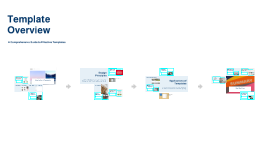
Index Exchange PowerPoint Template Overview

Transcript: Brand Colors Create Charts Easily Use Chart Templates Understanding the colors that embody the Index Exchange brand identity. Charts can be created by editing existing chart slides in the template or from scratch using relevant chart layouts. This allows for flexibility in presenting data in a visually appealing manner. By utilizing chart templates, you ensure that your charts adhere to the Index Exchange brand colors and formatting guidelines. This keeps your presentation consistent and professional. Evergreen Dusk Burnt Orange Cyan Index Blue Index Navy Terracotta Stone Primary brand color symbolizing growth. Injects creativity and enthusiasm. Represents approachability and warmth. Adds a technological twist to the brand's identity. Offers a sense of trust and reliability. Provides balance and stability within the palette. Conveys a grounded and earthy feel. Used for professional and authoritative communication. Charts + Data Graphics Logo Usage Primary Logo The Primary Logo represents the Index Exchange identity and is intended for use exclusively on title and ending slides. It must be placed in the corner of the slide and can be displayed in either the Evergreen or Stone background colors, maintaining brand consistency. Color Backgrounds Compressing Imagery To ensure the integrity of your presentation, it's crucial to compress images only after completing all edits and adjustments. This practice minimizes the risk of file corruption that can result from repeated compressions during the design process. Primary typeface: Arial Index Arrow The Index Arrow symbolizes the evolution and forward momentum of the Index Exchange brand. It should be utilized on all content slides, positioned in the top-right corner, and can also be displayed in either Evergreen or Stone background colors, ensuring visibility and adherence to brand standards. Secondary typeface: Sohne Mono Style: Diffused and Candid Our photography style is characterized by a diffused and candid approach, which promotes an approachable and human touch. This style resonates well with our audience and reflects our company culture. The template includes pre-defined background colors accessible through the master slides. To customize your presentation's look, simply navigate to the Design tab and select 'Format Background' to choose your preferred color. Typography and Color Guidelines Photography Guidelines Title case formatting for headlines Types: Indexers and Customers We categorize our photography into two main types: images of Indexers, showcasing our team in their working environment, and images of Customers, highlighting interactions with technology across various settings. Each type serves to communicate our values and objectives effectively. Initiate Slide Creation Body text in sentence case To begin constructing your presentation, click the 'New Slide' button located on the Home tab. This will allow you to access various slide layouts designed to suit different content types. Select Slide Layout Creating Your Presentation After selecting the 'New Slide' button, you can either choose a specific layout from the dropdown or directly add a slide of the same layout as the current slide you are working on by clicking the button without the dropdown. Maintain consistency in style Duplicate Existing Slides If you wish to maintain consistent design or reuse a particular layout, you can easily duplicate an existing slide by right-clicking on the slide and selecting 'Duplicate Slide'. This is a quick way to ensure your presentation has a unified look. Index Exchange PowerPoint Template Overview Explore the comprehensive features and layout options of the Index Exchange PowerPoint Template for efficiency and brand cohesion. Welcome to Your New Template The Index Exchange PowerPoint Template simplifies and accelerates the process of creating effective presentations. With 19 layout categories and various options within each, this template ensures that you can present diverse content while remaining true to the Index Exchange brand standards. POTX Template File Master Reference File The POTX template file is your primary tool for creating new presentations and can be accessed from your local Templates folder. It contains 74 pre-designed slides to kickstart your projects. The Master Reference file (PPTX) serves as a comprehensive resource with 242 layouts. You can copy and paste useful layouts into your current presentation or use it as a base to create a new one. Introduction to Your Template File

Template Overview

Transcript: Document Templates Document templates are pre-formatted files designed to create consistent documents such as reports, letters, and resumes. They save time by providing a framework that only requires specific content to be filled in. Presentation Templates Presentation templates provide a structured design for slideshows, allowing users to maintain a cohesive look and feel across all slides. They include predefined layouts, fonts, and color schemes tailored for effective presentations. Types of Templates Email Templates Email templates streamline communication by providing standardized formats for various types of emails, such as newsletters, marketing messages, or responses. They ensure that important information is consistently conveyed. Design Templates Design templates are used in graphic design and creative projects, providing frameworks for brochures, flyers, and social media posts. These templates help maintain brand consistency and save time on design elements. Benefits of Using Templates Templates streamline processes, resulting in time savings and increased professionalism. 30% Consistency Efficiency of time can be saved in document creation by utilizing templates. is enhanced across various outputs, leading to a more professional appearance. in repetitive tasks is significantly improved when templates are used. Templates: Streamlining Processes for Consistency and Productivity Templates serve as pre-designed frameworks that facilitate efficiency and uniformity across multiple tasks. They are versatile tools used in creating documents, presentations, and various other formats, ultimately aimed at saving time and improving overall productivity. Creating a Template: Step-by-Step Guide Follow these essential steps to develop effective templates that meet your needs. Design Layout Identify Purpose Finalize Template Test and Review Outline the structure and visual elements to enhance usability. Clarify the main function and goals of the template. Make necessary adjustments and prepare the template for distribution. Ensure the template meets requirements through practical application and feedback. Template Overview Avoiding Clutter and Regular Updates Simplicity and User-Friendliness Avoiding unnecessary elements prevents clutter and distractions in templates. This practice promotes clarity and effectiveness, allowing users to achieve their goals without confusion. Regular updates ensure that templates remain relevant and functional over time. Keeping designs simple and user-friendly ensures that templates are easy to navigate and use, which increases user adoption and efficiency. A clean layout helps users focus on content rather than design complexity. An in-depth examination of template features and functionalities. In conclusion, templates are valuable tools that enhance efficiency and consistency. Peter Drucker on Efficiency and Effectiveness

Template Overview

Transcript: Document Templates Document templates are designed for creating written content such as reports, letters, and proposals. They provide a standardized format that helps maintain clarity and professionalism in written communication. Presentation Templates Presentation templates are pre-designed slides that facilitate the creation of engaging visual presentations. They help maintain uniformity in style and layout, which is essential for effective communication during presentations. Types of Templates Spreadsheet Templates Spreadsheet templates are used for organizing data, performing calculations, and creating charts. They simplify data management and analysis, making it easier to track progress and visualize information effectively. Graphic Design Templates Graphic design templates are utilized for creating visual content such as posters, flyers, and social media graphics. They provide a creative starting point and ensure consistency in branding and design elements. The Power of Templates Benefits of Using Templates Templates are essential tools that provide pre-designed frameworks to jumpstart projects across different domains. By offering a standardized format, they significantly reduce the time and effort involved in document creation, fostering consistency and efficiency. Improved Collaboration Enhanced Professionalism Time-Saving Efficiency Templates facilitate collaboration by providing a uniform framework, allowing team members to work together efficiently without miscommunication. Adhering to a consistent design across documents fosters a professional image, making it easier for clients and colleagues to recognize brand identity. Templates streamline project initiation by providing predefined structures, allowing users to focus on content rather than formatting. Steps to Create a Template A structured approach to developing effective templates for various projects. Step 3 Step 4 Step 1 Design the layout and structure, ensuring it is user-friendly and visually appealing. Save the template for future use, ensuring it is easily accessible and properly formatted. Identify the purpose of the template to ensure it meets specific needs and goals. Step 2 Choose the appropriate software or tool that aligns with the intended use of the template. Template Overview An in-depth exploration of the template's structure, features, and functionalities. Keep It Simple Customize for Relevance Emphasizing the Value of Templates Templates are crucial in streamlining processes and ensuring uniformity across different types of projects. By utilizing templates, teams can enhance productivity and communication, leading to better outcomes and collaboration. Simplicity is key when working with templates. Overly complex designs can hinder user experience. Ensuring that templates remain straightforward allows for better comprehension and ease of use in collaborative settings. Customizing templates is crucial to ensure they align with your specific project requirements. Tailoring them while retaining their fundamental design elements helps maintain usability and effectiveness.

Template Overview

Transcript: Photos Reusable assets Template Overview Ante molestie mattis arcu gravida viverra adipiscing volutpat. Ultrices eget viverra eu lectus ullamcorper. Consequat dictum tristique lectus augue felis nascetur amet non. Velit sit placerat tincidunt integer amet massa justo risus netus. Ornare sagittis malesuada varius cursus ipsum erat libero metus eget. Colors Assets A Comprehensive Guide to Effective Templates 04 01 02 03 Title Aa Aa Subtitle S M W T T S F Paragraph Aa Aa Business Templates Layout and Structure User Feedback Integration Maintaining Relevance A well-thought-out layout is crucial for readability and functionality. Templates should organize information logically, prioritize key content, and guide users seamlessly through the material. Business templates, such as reports, invoices, and proposals, optimize workflows and ensure standardization. They save time, minimize errors, and maintain professionalism, providing a consistent framework for communication. Regularly update templates to stay current with design trends and user preferences. Schedule periodic reviews to assess the effectiveness of templates and make necessary adjustments. Integrating user feedback is crucial for template improvement. Continually gather insights through surveys and user testing to identify areas for enhancement and adapt templates to better fit user needs. Design Principles Educational Templates Definition of Templates Tools for Template Creation Color Schemes Introduction to Templates Understanding design principles ensures that templates are both functional and visually appealing. Proper application of layout, color, typography, and hierarchy creates a cohesive experience for users. Educational templates, including lesson plans, grading sheets, and presentation formats, enhance teaching efficiency. They provide structure and save time for educators, allowing a focus on curriculum delivery and student engagement. Color schemes play a vital role in conveying mood and brand identity. Using complementary colors can enhance visual appeal while maintaining readability and viewer engagement. Templates are standardized formats or frameworks used to facilitate the creation of documents, presentations, or projects. They provide a consistent structure that guides users in organizing content effectively. Several tools facilitate effective template creation, including Canva, Google Docs, and Adobe InDesign. These platforms offer various features that streamline the design process and enhance collaboration. Templates serve as pre-designed structures that streamline various tasks, saving time and increasing efficiency. Understanding their definition, importance, and components is essential for effective usage. Applications of Templates Key Components of Templates Importance of Templates Consistency in Design Marketing Templates Best Practices Templates serve diverse functions across various sectors, facilitating efficiency and consistency. Whether in business, education, marketing, or event planning, tailored templates streamline processes and enhance productivity. Key components of effective templates include layouts, styling guidelines, and content placeholders. These elements guide users in placing their information while maintaining a cohesive design. Consistency across all template elements establishes brand identity and builds user trust. Maintaining uniformity in styles, colors, and layouts creates a cohesive experience. Templates enhance productivity by offering ready-made designs that reduce the time needed for formatting. They also ensure consistency in branding and communication across various materials. Marketing templates, such as social media posts, ads, and email campaigns, enable consistent branding and messaging. These templates allow marketers to quickly adapt content while maintaining alignment with marketing strategies. Implementing best practices in template usage maximizes efficiency and effectiveness. From customization to user feedback integration, these strategies ensure templates are relevant and user-friendly. Typography Choices Types of Templates Customization Techniques Visual Hierarchy Typography significantly impacts user engagement and readability. Choose fonts that align with the brand while ensuring legibility across various devices and screen sizes. Event Planning Templates Visual hierarchy directs the viewer’s attention to key elements within a template. Utilizing size, color, and spacing effectively can guide users through the content seamlessly. Common types of templates include business proposals, marketing materials, educational plans, and event agendas. Each type serves a specific purpose and can be customized to meet unique needs. Templates should always allow for easy customization to meet specific needs. Adapt elements like colors, fonts, and layouts based on user preferences or branding guidelines while maintaining their core structure. Event planning templates, including checklists,

Editable PowerPoint Template

Transcript: Editable PowerPoint Template Guiding Principles for Effective Presentations Design Principles Introduction to Editable Templates Consistency in Style Color Schemes and Branding Maintaining a consistent style throughout a presentation reinforces the brand image and enhances comprehension. Consistent elements, such as color, fonts, and layouts, help the audience follow the narrative without distractions. A well-chosen color scheme can evoke specific emotions and create a memorable experience. Aligning color choices with branding principles ensures recognition and reinforces your message effectively across all slides. Visual Hierarchy and Layout Definition and Purpose Font Selection and Readability Establishing a clear visual hierarchy guides the viewer's attention to the most critical information. Effective layout techniques, such as balancing text and images, can ensure that key points stand out in your presentation. Overview of PowerPoint Benefits Editable templates are pre-designed formats that allow users to modify content, layout, and design. Their primary purpose is to save time and maintain consistency in presentations across different topics and audiences. Choosing the right fonts is crucial for readability and engagement. Sans-serif fonts are generally preferred in presentations due to their clean lines, while limiting the number of font types maintains visual clarity. PowerPoint simplifies the presentation creation process through intuitive tools and features, such as templates, animations, and multimedia integration. Its widespread use ensures compatibility, making it accessible for diverse audiences. Importance of Editable Formats Examples of Use Cases Editable formats promote collaboration among team members, allowing multiple users to contribute to a single presentation without confusion. They enhance adaptability to specific audience needs, ensuring relevant and impactful communication. Editable templates can be applied in various scenarios, including corporate training sessions, educational lectures, and marketing presentations. They help to tailor content to specific objectives while maintaining a professional appearance. Content Guidelines Structuring Your Narrative Incorporating Data Visualizations Use charts and graphs to represent complex data simply, making it easier for the audience to grasp key points. Ensure visualizations are labeled correctly, providing context to avoid misinterpretation. Organize content logically, beginning with a clear introduction, followed by key points and a strong conclusion. Each section should transition smoothly to maintain audience engagement and ensure key messages are memorable. Effective Use of Text and Images Engaging Your Audience Customization Tips Balance text and visuals to enhance understanding, ensuring that images complement and reinforce the message rather than distract. Limit text on slides to key phrases to promote clearer communication and retention. Use interactive elements such as polls, questions, or discussions to foster audience participation and create a dynamic atmosphere. Understanding your audience and addressing their interests can significantly enhance engagement levels. Adding Multimedia Elements Altering Templates for Your Needs Customize templates to reflect your unique branding and message. Adjust colors, fonts, and layouts to better align with your content's theme and improve audience engagement. Take advantage of template features to create a distinct visual identity. Incorporate videos, audio clips, and animations to create dynamic presentations. Multimedia can significantly enhance the storytelling aspect, making information more compelling and easier to retain for your audience. Saving and Sharing Templates Best Practices for Adaptation After customization, save templates in accessible formats for future use. Use cloud services for easy sharing among team members, ensuring everyone has the most up-to-date version to maintain consistency in presentations. When adapting templates, keep the audience's needs and perceptions in mind. Use feedback to refine designs and ensure your modifications serve the original purpose while enhancing clarity and effectiveness.

Template Overview

Transcript: Conclusion and Future Trends This section summarizes key insights on templates and positions them within the context of future developments in design and utility. Header Elements Summary of Key Points Encouragement for Use Defining Templates Typically includes the title and subtitle, creating an immediate impact. May feature logos or branding elements for identification. Can include date, author name, or versioning details for tracking. Essential for establishing the context of the document quickly. Header should be consistent across all pages for uniformity. Templates streamline document creation and enhance consistency. They save time and improve overall productivity for users. Customization options are crucial for meeting specific audience needs. Regular updates based on user feedback ensure templates remain relevant. Various template types cater to diverse applications, from documents to presentations. Templates are pre-formatted structures that provide a consistent framework for various documents. They can be applied across multiple mediums such as word processors, design software, and presentation tools. Common examples include document templates, presentation slides, and website frameworks. Templates ensure uniformity in presentation and communication. Templates are essential tools for professionalism in communication. Utilizing templates can significantly optimize workflow and team collaborations. Adopting templates fosters creativity within structured formats. Encouragement for innovation in template design promotes adaptability. Continuous use of updated templates ensures alignment with the latest trends in design and presentation. Why Templates Matter Future of Template Design Using templates increases productivity by reducing preparation time, allowing users to focus on content. They enhance collaboration by providing a shared format for teams or stakeholders. Templates ensure brand consistency across materials, instilling trust and recognition. They can minimize errors, leading to higher quality outputs. Content Structure Increasing integration of AI for automatic template generation. Enhanced customization features allowing users to modify templates in real-time. Growing trend towards collaborative templates for team projects. Improved usability on mobile devices to cater to remote work environments. Shift towards more interactive and multimedia templates to engage audiences. Components of a Template Organized layout helps in conveying information clearly. Sections and subsections aid in the logical flow of the document. Use of bullet points, tables, and lists for easy readability. Ensure that key messages stand out through visual hierarchy. Incorporating placeholders for images, charts, or graphs enhances engagement. Templates are structured documents that include essential components, enhancing usability and ensuring consistency. Understanding these components allows for more effective template design, supporting a range of applications. Introduction to Templates Formatting Options Templates serve as foundational structures used to streamline processes, enhance consistency, and improve efficiency in various contexts. Understanding their definition, importance, and types is crucial for effective utilization. Includes font types, sizes, and colors that affect readability. Margins and spacing choices that dictate the overall look and feel. Consistency in formatting styles ensures professionalism. Use of bullet points, numbering, and indentation for clarity. Can include templates for styling that align with brand guidelines. Exploring Template Types Document Templates: Offer a base for reports, proposals, and contracts; often used in office settings. Presentation Templates: Create a cohesive look and feel for slides, ensuring consistency in branding and message delivery. Email Templates: Standardize communication for marketing, updates, or announcements. Web Templates: Provide structure and aesthetic for website design, enhancing user experience. User Testimonials Lessons Learned "The templates have transformed our workflow, making it more efficient than ever." – User from Company A. "Our team feels more organized and productive thanks to the project management templates." – User from Organization B. "The lesson plan templates have made a significant difference in how we engage students." – Educator from Institution C. "Using marketing templates has helped us maintain a cohesive brand image across all channels." – Marketer from Business D. Importance of customization to meet specific organizational needs. Continuous feedback loop is crucial to improve template effectiveness over time. Training staff on template use can significantly enhance adoption rates. Regular reviews and updates are needed to maintain relevance and effectiveness in changing environments. 1 Successful Template Implementations Company A successfully integrated presentation templates that reduced preparation time by 40%.

Now you can make any subject more engaging and memorable