You're about to create your best presentation ever

Minimal Presentation With Images Template

Create your presentation by reusing one of our great community templates.

Minimalist Presentation with Images

Transcript: Simplicity: Fewer Elements Minimalist presentations focus on having fewer elements, allowing the audience to concentrate on the main message without distractions. This approach enhances the overall effectiveness of the presentation. Clarity: Clear Messaging Key Features of a Minimalist Presentation Messages are delivered in a straightforward manner, using plain language and avoiding jargon. This ensures that the audience understands the key points quickly and easily. Consistency: Uniform Style A consistent design throughout the presentation helps create a cohesive look. This includes using the same font, color scheme, and layout style on all slides, which reinforces the message and brand identity. Enhance understanding significantly Importance of Visuals in Presentations Increase audience engagement Evoke emotions effectively Introduction to Minimalism in Presentations Minimalism in presentations prioritizes simplicity and clarity, ensuring that only essential information is presented. By reducing distractions, this approach enables the audience to concentrate on the core message effectively. Choosing the Right Images Option A: High-Quality and Relevant Images Using high-quality images enhances the overall appeal and professionalism of the presentation. Relevant images connect with the audience, making the content more relatable and engaging. For example, a clear image of a product can showcase its features effectively. Option B: Avoid Clutter and Irrelevance Cluttered or irrelevant images can distract the audience and detract from the message. They can create confusion and reduce the impact of the presentation. For instance, using an unrelated background image can take attention away from the key points being made. Key Layout and Design Principles Understanding these principles enhances visual communication and user experience. Element Alignment White Space Utilization Font Style Limitation Align elements to create a structured and organized appearance. Incorporate ample white space to improve readability and focus. Limit font styles to two to maintain consistency and professionalism. Minimalist Presentation with Images Tips for Effective Minimalist Presentations Maximize clarity and engagement with these strategies. 1 70% 6 Impact from delivery Key message focus Words per line limit Exploring a template for creating impactful minimalist presentations using images. Examples of Successful Minimalist Presentations Highlighting effective use of minimalism in presentations. Simplicity is the ultimate sophistication. 2010 2007 TED Talks revolutionized public speaking by using engaging visuals and minimal text, allowing the speaker's message to shine through. Steve Jobs showcased the power of minimalist design during product launches, focusing on high-quality images of the products to convey their features. Leonardo da Vinci

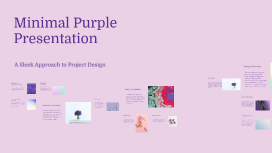
Minimal Purple Presentation

Transcript: Minimal Purple Presentation A Sleek Approach to Project Design Design Elements Color Palette The design elements of a minimal purple presentation unify the aesthetic and functional aspects, creating an engaging visual experience. Color palette, typography choices, and layout are essential components that significantly impact audience perception and interaction. Key Takeaways Importance of Minimalism in Design Definition of Minimalism A well-structured execution strategy is essential for seamless project delivery. This section outlines the timeline, required resources, and team roles necessary to achieve project objectives effectively. Minimalist design enhances user experience by eliminating distractions. The use of purple not only stands out but also conveys a sense of creativity and elegance, aligning with modern design trends and audience preferences. The color palette primarily consists of shades of purple, enhancing sophistication and creativity. Complementary colors, such as soft grays or whites, are used to ensure readability and balance, allowing the purple tones to stand out without overwhelming the audience. Summarizing the project's key insights, this section highlights the significance of minimalism in design and its lasting impact on project outcomes. The integration of purple aesthetics underlines the project's unique approach. Project Objectives In design, minimalism fosters user engagement by emphasizing functionality and aesthetics. This approach leads to more streamlined interfaces, improved usability, and effective communication, benefiting both creators and users. Minimalism is a design philosophy characterized by the use of simple forms and elements. It encourages reducing visual clutter to create a more focused experience, thereby enhancing the viewer's engagement with essential components. Execution Strategy Future Considerations Layout and Structure Overview of Purple Aesthetics Clarifying project objectives is essential for successful outcomes. Objectives define the direction, target audience, and the desired results, forming a roadmap for the project's development. Conclusion Ongoing evaluation is essential for refining minimalist approaches in future projects. Consider incorporating user feedback to further enhance design elements and ensure alignment with evolving trends. Team Responsibilities Timeline for Development Introduction to Minimalism A minimalist layout focuses on simplicity and space, allowing content to breathe. Utilizing grids for structure helps organize information effectively, encouraging a clear flow and guiding the audience’s attention toward key messages without distraction. Purple is associated with creativity, luxury, and tranquility, often used effectively in minimalist design to evoke emotions and attract attention. The careful use of purple can enhance visual appeal without overwhelming the viewer. Successful execution depends on clearly defined roles: designers will lead initial iterations, developers will implement features, and project managers will coordinate efforts and track progress, ensuring accountability throughout. The project timeline spans 6 months with distinct phases: planning (1 month), design (2 months), implementation (2 months), and evaluation (1 month). Each phase incorporates milestones to ensure progress and timely delivery. Call to Action Minimalism emphasizes simplicity and functionality, stripping away excess to focus on core elements. This approach enhances clarity and impact, making it especially relevant in modern design contexts. Resources Required Desired Outcomes Target Audience Typography Choices Implement the insights from this project into upcoming designs. Encourage teams to adopt minimalist principles and test variations of purple aesthetics to foster creativity and engagement. Key resources include design software, development tools, and team expertise in minimal design principles. Additionally, a budget allocation for materials and training is essential to ensure teams are well-equipped. Defining desired outcomes establishes measurable success indicators. These outcomes should reflect the project's vision and should be communicated to stakeholders to align expectations and objectives. Identifying target audiences is crucial for tailoring the project’s message and design. Understanding demographics, preferences, and needs fosters effective communication and enhances audience engagement. Typography plays a crucial role in conveying the project’s message. A combination of sans-serif fonts for headings and serif fonts for body text is recommended to create a clean yet classic look, ensuring easy readability without sacrificing style.

Stylish Minimal Presentation

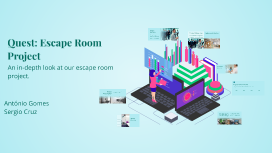
Transcript: Project Overview Technical Challenges Faced Implemented Solutions The project encountered several technical challenges, including software integration issues, data migration hurdles, and performance bottlenecks. Each of these challenges tested the team's ability to adapt and find effective solutions under pressure. To address these challenges, the team implemented targeted solutions such as adopting agile methodologies for integration, utilizing cloud services for efficient data migration, and optimizing code to enhance performance. These solutions not only resolved the challenges but also contributed to the overall success of the project. This section details the project's primary goals, emphasizing its purpose and intended outcomes. The objectives clarify what the project aims to achieve and how success will be measured, ensuring alignment with stakeholder expectations. Quest: Escape Room Project The Major Pitfall: Lessons from a Significant Error During the project, we encountered a critical mistake that impacted our timeline and resources. This experience taught us invaluable lessons about project management and the importance of thorough planning and communication. An in-depth look at our escape room project. Project Demo Timeline A chronological presentation of key features and functionalities developed throughout the project. Q1 2023 Q2 2023 Q3 2023 Q4 2023 Initial prototype developed, demonstrating core functionalities such as user registration and dashboard. Final testing phase completed; feedback incorporated, leading to a refined user experience and bug fixes. Enhancements made to the user interface and introduction of new features like notifications and user settings. Official launch of the demo, presenting polished features to stakeholders and gathering initial responses. Project Presentation An overview of the project's objectives, challenges, and outcomes. António Gomes Sergio Cruz Key Takeaways and Next Steps This slide emphasizes the critical insights gained from the project and outlines the actions to be taken moving forward, ensuring clarity and direction for the team. Project Overview An introduction to the project's goals, objectives, and scope, providing a foundational understanding of what the project entails. Technical Challenges A discussion of the various technical challenges encountered during the project, along with innovative solutions that were implemented to overcome them. Big Mistake Agenda Overview An overview of a significant error made during the project, including insights on what was learned and how it influenced future decisions. Demo A chronological demonstration of the project's key features and functionalities, highlighting the development timeline and milestones achieved. Closing Slide A summary of the key takeaways from the presentation, outlining the next steps and future directions for the project.

Now you can make any subject more engaging and memorable