You're about to create your best presentation ever

Free Information Security Powerpoint Template

Create your presentation by reusing a template from our community or transition your PowerPoint deck into a visually compelling Prezi presentation.

Free Coral Reef PowerPoint Template

Transcript: Understanding Coral Reefs: The Rainforests of the Sea Coral reefs represent some of the most vibrant and biologically diverse ecosystems on the planet. Composed of calcium carbonate structures built by coral polyps, these underwater formations are essential for marine life and play a crucial role in ocean health. Their rich biodiversity supports countless species, making them vital to both ecological balance and human activities. Habitat for Marine Life Coral reefs serve as essential habitats for a vast array of marine species, including fish, invertebrates, and algae, supporting biodiversity and complex food webs. Coastline Protection Coral reefs protect coastlines by absorbing wave energy, reducing the impact of storms and preventing erosion, thus safeguarding coastal communities. Importance of Coral Reefs Support for Fishing Industries The fishing industry relies on healthy coral reefs for sustainable fish populations, which are crucial for food security and local economies. Contribution to Tourism Coral reefs attract millions of tourists each year, providing opportunities for recreation, education, and research, which boosts local economies. Biodiversity Hotspots Coral reefs support approximately 25% of all marine species, providing critical habitat and food sources for countless organisms. Economic Significance Conclusion The economic value of coral reefs is estimated to be over $375 billion annually, contributing to fisheries, tourism, and coastal protection. Conservation Importance Effective conservation strategies can help restore damaged reefs and enhance their resilience against climate change, ensuring their survival for future generations. Free Coral Reef PowerPoint Template A visually striking template designed for presentations on coral reefs and marine conservation. Utilizing the Coral Reef Presentation Template This template provides a structured approach to effectively communicate the importance of coral reefs. It features dedicated sections for essential facts, visuals, and timelines, making it easier to convey complex information clearly and engagingly. Timeline of Coral Reef Conservation Efforts Key initiatives and milestones in preserving coral ecosystems. Effects of Pollution and Overfishing Impact of Climate Change In addition to climate change, pollution from land runoff introduces harmful chemicals and sediment into marine environments, smothering corals and disrupting their delicate ecosystems. Overfishing and destructive fishing methods further exacerbate the decline of reef health, leading to imbalances in marine biodiversity. Coral reefs are increasingly endangered due to climate change, which causes rising ocean temperatures and leads to coral bleaching. This phenomenon occurs when stressed corals expel the algae living in their tissues, resulting in a loss of color and critical energy sources. 1990 2010 2020 2000 The establishment of the first marine protected areas to safeguard critical reef habitats. International agreements and partnerships formed to combat overfishing and promote sustainable practices. Restoration projects initiated to rehabilitate damaged coral reefs affected by bleaching events. Emergence of citizen science programs that engage local communities in coral monitoring and conservation efforts.

Information Security

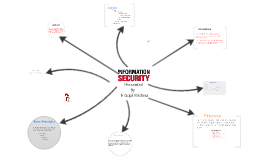
Transcript: Presented By k Gopi Krishna Information security means protecting information and information systems from unauthorized access, use, disclosure, disruption, modification, perusal, inspection, recording or destruction. Risk management is the process of identifying vulnerabilities and threats to the information resources used by an organization in achieving business objectives, and deciding what countermeasures, if any, to take in reducing risk to an acceptable level, based on the value of the information resource to the organization." The terms reasonable and prudent person, due care and due diligence have been used in the fields of Finance, Securities, and Law for many years. •An enterprise-wide issue •Leaders are accountable •Viewed as a business requirement •Risk-based •Roles, responsibilities, and segregation of duties defined •Addressed and enforced in policy •Adequate resources committed •Staff aware and trained •A development life cycle requirement •Planned, managed, measurable, and measured •Reviewed and audited Information security is the ongoing process of exercising due care and due diligence to protect information, and information systems, from unauthorized access, use, disclosure, destruction, modification, or disruption or distribution. Conclusion A comprehensive treatment of the topic of risk management is beyond the scope of this article. Essentially, procedures or policies are implemented to tell people (administrators, users and operators)how to use products to ensure information security within the organizations. Computer security can focus on ensuring the availability and correct operation of a computer system without concern for the information stored or processed by the computer. Confidentiality Business Continuity Process In 2002, Donn Parker proposed an alternative model for the classic CIA triad that he called the six atomic elements of information. Introduction Availability Contents Abstract Basic Principles Risk Management Security governance Abstract Authenticity Information Security Attributes: or qualities, i.e., Confidentiality, Integrity and Availability (CIA). Conclusion Integrity Basic Principles Business continuity is the mechanism by which an organization continues to operate its critical business units, during planned or unplanned disruptions that affect normal business operations, by invoking planned and managed procedures. Business continuity Introduction Risk Management Process

Information Security

Transcript: The Research about The Information Security of Jetsum Tech -Da Gong -Chen Chen -Sami Alharti what is the goal? To research and analysis the information security of the Jetsum Tech. Information about Jetsum Tech Jetsum Tech is located in Wuhan city, Hubei province, China. It was established in March 2001. This company specializes in Internet professional services (ISP) and systems and systems integration services. Jetsum Tech is a professional information services provider, which combines research, development, integration, services and consulting together. The Result of Research The security Grade is: 78 Security Assessment And Recommendation Security Areas 1 SECURITY POLICY 2 ORGANIZING INFORMATION SECURITY 3 ASSET MANAGEMENT 4 HUMAN RESOURCES SECURITY 5 PHYSICAL AND ENVIRONMENTAL SECURITY 6 COMMUNICATIONS AND OPERATIONS MANAGEMENT 7 ACCESS CONTROL 8 INFORMATION SYSTEMS ACQUISITION, DEVELOPMENT AND MAINTENANCE 9 INFORMATION SECURITY INCIDENT MANAGEMENT 10 BUSINESS CONTINUITY MANAGEMENT 11 COMPLIANCE Contact with authorities:Appropriate contacts with relevant authorities should be maintained. They need about four weeks to do that. Inventory of assets All assets should be clearly identified and an inventory of all important assets drawn up and maintained.Jetsum Tech should identify all assets and document the importance of these assets. They maybe need three months to do this. Roles and responsibilities: Security roles and responsibilities of employees, contractors and third party users should be defined and documented in accordance with Jetsum Tech's information security policy. They need six months to do that. Jetsum Tech should use Security perimeters to protect areas that contain information and information processing facilities. They need eight months to do that. Responsibilities and procedures for the management and operation of all information processing facilities should be established. Planning and preparation are required to ensure the availability of adequate capacity and resources to deliver the required system performance. Executing mobile code in a logically isolated environment and activating technical measures as available on a specific system to ensure mobile code is managed. Try their best to prevent unauthorized access to information held in application systems. Application systems should: a) Control user access to information and application system functions, in accordance with a defined access control policy; b) Provide protection from unauthorized access by any utility, operating system software, and malicious software that is capable of overriding or bypassing system or application controls; c) Not compromise other systems with which information resources are shared. In correct processing in applications, they should to prevent errors, loss, unauthorized modification or misuse of information in applications. And in cryptographic controls and security in development and support processes, they need to protect the confidentiality, authenticity or integrity of information by cryptographic means and to maintain the security of application system software and information. Then, the company will ensure that security is an integral part of information systems. Produces to handle different type of information security incidents, eg: information system failures and loss of service, malicious code, denial of service analysis and identification of the cause of the incident, containment, planning and implementation of corrective action to prevent recurrence identify and consider the implementation of additional preventive and mitigating controls identify sufficient financial, organizational, technical, and environmental resources to address the identified information security requirements safeguard operational systems and audit tools during information systems audits safeguard the integrity and prevent misuse of audit tools ensure compliance with legislative, regulatory, and contractual requirements References Text of ISO/IEC FDIS 17799: 2005-02-11 ― Information techniques ― Security techniques ― Code of practice for information security management (2nd edition), (2005). Questions ? Thank you! COMMUNICATIONS AND OPERATIONS MANAGEMENT ACCESS CONTROL HUMAN RESOURCES SECURITY BUSINESS CONTINUITY MANAGEMENT INFORMATION SYSTEMS ACQUISITION, DEVELOPMENT AND MAINTENANCE COMPLIANCE INFORMATION SECURITY INCIDENT MANAGEMENT ORGANIZING INFORMATION SECURITY PHYSICAL AND ENVIRONMENTAL SECURITY SECURITY POLICY ASSET MANAGEMENT

Free information

Transcript: On social media One more question: Uno Langmann Collection Digital archives Our other goal: to not confuse you. Jefferson vs. Brandeis Our goal: to connect Christen to one of RBSC's digital archives (photographs from the Uno Langmann family collection) Now you talk! We don't see the First Nations people as they would portray themselves, but instead through the filter of the white settler photographer Photos used for Western interest and knowledge-gathering Archival silence - they can be seen, but their voices are not heard Our account is always through the colonizer, not first-hand Public? Private? Christen asks if open access and the research commons can exist “side-by-side with those alternative systems of knowledge production that rely instead on social relations maintained and forged through negotiated interdependencies”? (2880) ...in other words, can we use digital archives in combination with other forms that rely on a relationship between the archived and the archive user? (And what about when that relationship is contentious? "Openness is valued in Western societies." (2877) “assumption that information freedom will be a social and political benefit in all cases” (2878) "Unrestricted sharing" Her main focus: digitally 'archived' information, how it's collected, and how it relates to the "information wants to be free" meme (in particular, indigenous communities) Issue of accessibility Is this information "free" so it can be exploited for Western benefit? Openness and colonization (not neutral space) Taking things out of context “We can create both movements and tools that allow for an expansive notion of openness and access, but do so without sacrificing diversity or appealing to universal goals and generalized needs’ (2889) Some Christen quotes: “The universal goal of “unrestricted sharing” defines a terrain where any type of access control or differing notions of sharing are incompatible and must be overcome.” (2878) Justice Louis Brandeis: "the noblest of human productions – knowledge, truths ascertained, conceptions, and ideas – become, after voluntary communication to others, free as the air to common use" (2876) “We are stuck thinking about open or closed, free or proprietary, public or private, and so on, even though in such common online experiences as using social media platforms Facebook and Twitter, or when reading through legal parameters for the use and reuse of digital information, these binaries rarely exist.” (2874) First Nations photographs Notion that "information wants to be free" Digital rights management, intellectual property rights Knowledge as a public resource (accessibility) and information spread Christen on "free information"; digital archives Introduction to Christen Do you agree or disagree? "Free" information - Kimberly Christen and First Nations photographs "Openness" and freedom Do you think there is a 'public or private' binary now that we sign our lives away to social media 'terms and conditions'? In particular, how do you foresee this changing as social media becomes the norm? Do you agree with Vaidhyanathan's claim that we are "blind to the ways in which Google exerts control over its domain?" (2878) Finally, what about apps like Snapchat and the accusation that all photos are saved somewhere in its database? Is anything private anymore? Edward Curtis connection Thomas Jefferson: "ideas should freely spread from one to another over the globe" (2876)

Information Security

Transcript: Users shall not have the expectation that their email or other electronic communications are private. CHS may capture user activity such as web sites visited. CHS reserves the right, at any time and without prior notice, to examine email, files, and other information stored on CHS information systems. Content of electronic communications should be accurate, sent to recipients with the minimum necessary information based on a need-to-know and sent or posted with appropriate security measures Every user has a responsibility to protect CHS’ public image. Users must avoid communicating anything that might appear inappropriate or misconstrued as inappropriate Do not download any non-standard/non-approved applications to CHS devices. Do not open unknown email attachments. Do not use instant messaging features Shall not copy, release, transmit, sell, loan, alter, purge or destroy any confidential information except as properly authorized Communications Content Ensuring that PHI is exchanged only with properly authorized entities, and that electronic transmissions containing PHI are properly encrypted and secured Security Policies Information Security Promptly reporting any privacy or security concerns to your Facility Security Officer Users are prohibited from installing, distributing, copying or modifying any software programs Confidential Information Single Sign On Never share or disclose user IDs or passwords, nor ask others to do so. Personal Conduct Users are prohibited from installing software from outside sources on their CHS workstations. Such software is not licensed for use by CHS, or may interfere with the operation of other company resources Must be a least 5 characters but no more than 8 long. Passwords Work Station Security Users are responsible for protecting information on their computers, and must use precautions to physically protect equipment and information Dispose of confidential information utilizing company-provided secure receptacles The following behaviors are strictly prohibited: Accessing obscene, sexually explicit, or pornographic material from company resources. Sending harassing, libelous, and disruptive, threatening, racially harassing, or sexually harassing messages, or using any language that could be construed to make the work environment a hostile workplace. Tying up computer resources by downloading music, movies, software or other applications, or using excessive amounts of storage or sending large file attachments. This could cause congestion, delay, or disruption of service to company systems, and degrades the performance of the entire network. Using company systems to advertise, provide services, or sell commercial products. Use of any company information technology resources for personal gain or profit is prohibited. Using company resources in a manner that interferes with performance of employment responsibilities; for example, tying up printers doing non-company related work. Sending messages with religious, racial, political, or sexual overtones; expressing bigotry, hatred, harassment, abuse, or threats of harm to anyone. Creating, copying, or sending frivolous or excessive messages, including chain letters, junk mail, advertising material, or spam. Must be reset every 90 days. Users are responsible for protecting information on their computers, and must use precautions to physically protect equipment and information Must begin with a letter. Case sensitive. Password history. Passwords may not be reused. Complying with use and disclosure processes as if electronic information were paper Removable Media Personal Responsibilities for Security Users should not move or relocate company-provided computing equipment. All computing equipment moves are to be scheduled through the IS Department Stay away from special characters. Do not leave programs running or data visible when computer is unattended. Lock system (press Window key + L) when leaving the computer for any length of time. Use screen savers with activated passwords, and position screens away from public view Laptops shall not be left unattended and unsecured (for example, left on the desk when not in use or overnight in the workplace); they must be locked up. Laptops must not be left in a car, exposed to weather, magnetic fields or radiation. Individually identifiable PHI (protected health information) should not be stored on mobile electronics All personnel must ensure that confidential information is being appropriately protected, in accordance with existing HIPAA federal laws and company policies and associated information security policies and standards. Adhering to all Security policies, standards, procedures, and CHS Code of Conduct No Expectation of Privacy INFORMATION SYSTEMS Non-compliance Important data should not be stored on the local hard drive (the C: drive). Local hard drives are not backed up, and in the case of a hardware failure or theft, the data would be lost. All important data should be stored

Information Security

Transcript: -DEFENCE IN DEPTH For any information system to serve its purpose, the information must be available when it is needed. This means that the computing systems used to store and process the information, the security controls used to protect it, and the communication channels used to access it must be functioning correctly The Software Engineering Institute at Carnegie Mellon University, in a publication titled "Governing for Enterprise Security (GES)", defines characteristics of effective security governance. These include: -An enterprise-wide issue -Leaders are accountable -Viewed as a business requirement -Risk-based-Roles, responsibilities, and segregation of duties defined -Addressed and enforced in policy -Adequate resources committed -Staff aware and trained -A development life cycle requirement -Planned, managed, measurable, and measured -Reviewed and audited Information security is the ongoing process of exercising due care and due diligence to protect information, and information systems, from unauthorized access, use, disclosure, destruction, modification, or disruption or distribution. The never ending process of information security involves ongoing training, assessment, protection, monitoring & detection, incident response & repair, documentation, and review. This makes information security an indispensable part of all the business operations across different domains. -INTEGRITY -AUTHENTICITY - Julius Caesar is credited with the invention of the Caesar cipher which was created in order to prevent his secret messages from being read. 50 B.C -In the mid 19th century more complex classification systems were developed The British Government codified this, to some extent, with the publication of the Official Secrets Act in 1889 -The end of the 20th century and early years of the 21st century rapid advancements in telecommunications, and data encryption were made. These computers quickly became interconnected through a network generically called the Internet. -PHYSICAL: Physical controls monitor and control the environment of the work place and computing facilities. They also monitor and control access to and from such facilities. For e.g, doors, locks, heating and air conditioning, smoke and fire alarms etc. BASIC PRINCIPLES Confidentiality is the term used to prevent the disclosure of information to unauthorized individuals or systems. For example, a credit card transaction on the Internet requires the credit card number to be transmitted from the buyer to the merchant and from the merchant to a transaction processing network. -Information security must protect information throughout the life span of the information. The information must be protected while in motion and while at rest. -To fully protect the information during its lifetime, each component of the information processing system must have its own protection mechanisms - The building up, layering on and overlapping of security measures is called defense in depth. In information security, integrity means that data cannot be modified undetectably -NON-REPUDIATION In law, non-repudiation implies one's intention to fulfill their obligations to a contract. It also implies that one party of a transaction cannot deny having received a transaction nor can the other party deny having sent a transaction. CONTROLS photo credit Nasa / Goddard Space Flight Center / Reto Stöckli INFORMATION SECURITY HISTORY -ADMINISTRATIVE: Administrative controls consist of approved written policies, procedures, standards and guidelines. -LOGICAL: Logical controls use software and data to monitor and control access to information and computing systems. for e.g pw. The terms information security, computer security and information assurance are frequently used interchangeably. These fields are interrelated often and share the common goals of protecting the confidentiality, integrity and availability of information; however, there are some subtle differences between them. -CONFIDENTIALITY Information security means protecting information and information systems from unauthorized access,disclosure, disruption, modification. -KHAWAJA ALI TARIQ - GROUP # 16 INFORMATION SECURITY GOVERNANCE. In computing, e-Business, and information security, it is necessary to ensure that the data, transactions, communications or documents (electronic or physical) are genuine CONCLUSION -AVAILABILITY THANK YOU!

Security Information

Transcript: Logical Link Control Services Standard 802.11 frame format IEEE 802.16 for MAN==Metropolitan Area NetworkNew alternative to DSL/Cable modems 802.11 sub-standards(amendments ) …. ??? Context with OSI layers Thank You Can Anyone program? Do I need any license to use 802.11 device ? Wireless Fidelity Three types of frames: Control (ACK,RTS,CTS ,Power Save …) Management (Beacon,Probe Request ,Probe Response, Association request , Association response …) Data (Data, Null Data, Data_CF_Ack , ….) The 802.11 MAC supports infrastructure and ad hoc network models DCF (distributed coordination function ) means everybody can speak and try to get air : 100% on the market PCF (point coordination function) means ONE point coordinator (BOSS) who will allowed you to speak (like in bluetooth) Acknowledgment Ad Hoc Model includes: Stations (STA) any wireless device act as distributed AP Independent Basic Service Set (IBSS) BSS forming a self contained network no AP and no connection to the DS ??? Anyone can program, you just have to learn a few basic rules You have to put <head> to start and for paragraphs put <p> To end a paragraph put </p> and to end the heading put </head> Alot of it is really very simple 802.11 MAC – Configuration summary – Infrastructure model What is the goal of 802.11 standard ? If the STA detects the medium is busy when attempting to send a packet then: the STA starts a random back-off timer the randomisation parameters depend on previous transmission successes/failures the back-off timer runs once the medium has been idle for an IFS period An STA may transmit a packet after sensing the medium is idle for an Inter Frame Space (IFS) period the back-off timer suspends when the medium is busy and does not restart until medium is idle for an IFS period The STA may transmit when the back-off timer expires The state (busy or idle) of the medium is determined using: physical carrier sense virtual carrier sense, based on reservations in received packets. These reservations set the NAV timer. The medium is considered busy until the NAV timer expires 11B: 2.4 GHz , CCK modulation Rates from 1 to 11Mbps , on market from 1999 11A: 5.0 GHz , OFDM modulation Rates from 6 to 56 Mbps , on market from 2002 11G: 2.4 GHz, CCK+OFDM modulation Rates from 6 to 56 Mbps, on market from 2003 and most popular today !!! Advantages of 2.4 GHz PHY: Low frequency, better wall penetration, less sensitive to multipath 3 not-overlapped channels Advantages of 5.0 GHz PHY: Less devices on the market (no microwave, no blue tooth …) 8 not-overlapped channels Range: almost the same … To develop a Medium Access Control (MAC) and Physical Layer (PHY) specification for wireless connectivity for fixed, portable and moving stations within a local area. 802.11/802.16 802.11 MAC (Media Access Control)ratified 1999 802.11b PHY 2.4 GHz (max 11 Mbps) ratified 1999 802.11a PHY 5.0 GHz (max 54 Mbps) ratified 1999 802.11g PHY 2.0 GHz (max 54 Mbps) ratified 2003 802.11i Security draft number XXX 802.11e QoS, Multimedia draft number XXX 802.11h European regulations for 5GHz draft number XXX 802.11h Japan regulations for 5GHz draft number XXX The 802.11 MAC basic Distributed Co-ordination Function (DCF) access scheme uses a CSMA/CA based protocol Infrastructure Model includes: (most common) Stations (STA) any wireless device Access Point (AP) connects BSS to DS controls access by STA’s Basic Service Set (BSS) a region controlled by an AP mobility is supported within a single BSS Extended Service Set (ESS) a set of BSS’s forming a virtual BSS mobility is supported between BSS’s in an ESS Distribution Service (DS) connection between BSS’s Features High speed operation (PHY only) Fair access (DCF, PCF) Time-bounded access (PCF) Flexible configuration (BSS, IBSS) Security (WEP) Mobility support (ESS) Low power (PS) Difficulties Hidden terminals (RTS/CTS) Capture (CSMA/CA, ACK) Noise and interference (ACK, frag) Limited spectrum (licencing, PHYs) No , 2.4 GHz and 5.0 GHz are public available frequency !!! IEEE 802.11 Standard IEEE 802.16 Progress Work on 802.16 started in July 1999. Four years into its mission, the IEEE 802.16 Working Group on Broadband Wireless Access has delivered a base and three follow-on standards. IEEE 802.16 (“Air Interface for Fixed Broadband Wireless Access Systems”) was approved in December 2001. This standard is for wireless MANs operating at frequencies between 10 and 66 GHz. IEEE 802.16.2, published in 2001, specifies a “recommended practice” to address the operation of multiple, different broadband systems in the 10-66 GHz frequency range. In January of this year, the IEEE approved an amendment to 802.16, called 802.16a, which adds to the original standard operation in licensed and unlicensed frequency bands from 2-11 GHz. 802.16c, which was approved in December 2002, is aimed at improving interoperability by specifying system profiles in the 10-66 GHz range. Two types of access to air Frames types and subtypes Why do we need

Now you can make any subject more engaging and memorable