You're about to create your best presentation ever

Corporate Seal Template Powerpoint

Create your presentation by reusing a template from our community or transition your PowerPoint deck into a visually compelling Prezi presentation.

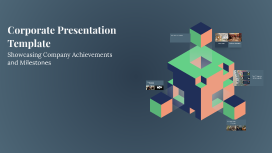
Corporate Presentation Template

Transcript: Future Goals of the Company Corporate Presentation Template Strategic plans for growth and development in the coming years. 2024 2025 2026 2027 Expansion into international markets with targeted marketing campaigns and partnerships. Launch of a new product line aimed at expanding market reach and increasing revenue. Implementation of sustainable practices to enhance operational efficiency and reduce environmental impact. Achieve a significant increase in customer satisfaction through improved service offerings and feedback mechanisms. Business Strategies Core Values The business strategies focus on market expansion, customer satisfaction, and operational efficiency, aimed at achieving sustainable growth and competitive advantage. The company’s core values emphasize integrity, innovation, and teamwork, guiding the organizational culture and decision-making processes. Showcasing Company Achievements and Milestones 30% Revenue Growth Achieved a 30% increase in revenue over the last fiscal year, demonstrating robust financial growth and market presence. New Product Launches Key Company Achievements Successfully launched three new product lines, expanding the company’s portfolio and catering to diverse market needs. Top Employer Recognition Commitment to Excellence In summary, our company showcases a strong foundation built on our mission and vision, highlighted by our significant achievements and strategic alignment of core values with business strategies. As we look towards the future, our goals reflect our dedication to continuous growth and excellence in our industry. Recognized as a top employer in the industry for two consecutive years, highlighting the company’s commitment to employee satisfaction and development. Welcome to Our Company As a private firm, we are dedicated to innovation and excellence in our industry. Our mission is to deliver high-quality products and services that meet the needs of our customers while fostering a culture of integrity and teamwork. Our vision is to be a leader in our sector, known for our commitment to sustainability and community involvement.

Medical PowerPoint Template

Transcript: Medical PowerPoint Template Design Elements Color Schemes for Medical Presentations Font Selection for Readability Color schemes significantly affect audience understanding and retention. In medical presentations, using blue and green hues promotes calmness and trust, while contrasting colors can highlight key information and enhance visibility. Choosing the right font is crucial for comprehension. Sans-serif fonts like Arial or Helvetica are recommended as they are easier to read on screens. Always ensure that text is large enough to be legible from a distance. Incorporating Graphics and Images Layout and Structure Incorporating relevant graphics can enhance understanding and retention of complex ideas. Use high-quality images, charts, or diagrams that directly relate to the content to support the narrative without overcrowding the slide. A well-structured layout guides the audience’s eye and improves information flow. Utilize a grid system to maintain alignment and consistency, making sure to reserve space for visual elements. Balance text with images to avoid clutter. A Blank Canvas for Your Data Presentation Tips Best Practices for Delivery Content Organization in Medical Presentations Engaging Your Audience Practicing your presentation can lead to smoother delivery and reduced anxiety. Utilize appropriate body language, voice modulation, and eye contact to foster a connection with the audience, making your message more impactful. Audience engagement is critical for effective communication. Techniques include asking rhetorical questions, using relatable examples, and incorporating multimedia elements to maintain interest and encourage participation. Title Slides and Headings Introduction to Medical Presentations Title slides set the stage for your presentation and should include the topic, your name, and the date. Headings throughout the presentation guide the audience through the narrative and facilitate smooth transitions between topics, ensuring clarity and focus on key messages. Bullet Points vs. Paragraphs Handling Questions and Feedback Bullet points provide concise and digestible pieces of information, making it easier for the audience to follow along. In contrast, paragraphs may be necessary for complex concepts but should be used sparingly to maintain attention and avoid overwhelming the viewer. Practicing and Timing Your Presentation Using Tables and Charts Tables and charts effectively present quantitative data, making complex information more approachable. They facilitate quick understanding of trends and relationships within data, enhancing the audience’s ability to interpret clinical findings or statistical results. Rehearse your presentation multiple times to refine your delivery and timing. Understanding how long each section takes helps ensure that you cover all material without rushing or exceeding your allotted time. Encourage questions to create a dialogue with your audience. Responding thoughtfully to feedback shows respect for their input and enhances clarity for everyone involved, improving overall comprehension. Citing Sources and References Importance of Visual Aids Citing sources is crucial in maintaining credibility and allowing the audience to explore further. Proper referencing not only attributes the original work but also strengthens arguments presented in the medical content, supporting evidence-based practice. Visual aids play a crucial role in medical presentations by simplifying complex information. They help audiences grasp essential concepts quickly, improving retention and engagement through the use of charts, images, and videos. Overview of PowerPoint Features PowerPoint offers various features to enhance medical presentations, including templates specifically designed for medical content, the ability to incorporate multimedia, and options for animations that can illustrate processes or changes over time. Objectives of the Medical Template The medical PowerPoint template serves to streamline the creation of presentations by providing a standardized format. This ensures consistency in design and aids users in organizing their data effectively for clarity and impact.

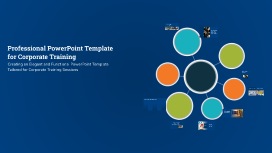
Professional PowerPoint Template for Corporate Training

Transcript: Introducing the Corporate Training Template This presentation features a professional PowerPoint template tailored for corporate training sessions, ensuring a structured and effective approach to training materials. Prominent Course Title The title slide is designed to clearly present the course title, making it the focal point of the presentation. It ensures that the audience immediately understands the topic being addressed. Informative Subtitle The inclusion of a subtitle allows for additional context about the course, helping to clarify the focus and objectives for the audience. Key Features of the Title Slide Design Company Branding Adding a company logo reinforces brand identity, allowing participants to associate the training with the organization, making it more recognizable and professional. Presenter's Name The presenter’s name is included to establish authority and credibility, allowing the audience to know who is leading the session. Professional PowerPoint Template for Corporate Training Creating an Elegant and Functional PowerPoint Template Tailored for Corporate Training Sessions Benefits of Consistent Slide Layouts Seamless Flow of Information Minimized Distractions Audience-Friendly Design Each slide type is designed to complement the others, providing a seamless flow of information that keeps the audience engaged. Consistent layouts minimize distractions, allowing the audience to focus on the content rather than the design changes between slides. Utilizing specific layouts for agenda, content, charts, and summaries ensures that the audience can easily follow along and absorb the material being presented. Corporate Color Scheme Alternative Color Schemes The corporate color scheme features blue, gray, and white, which convey professionalism and trustworthiness. These colors are often associated with stability and reliability, making them ideal for business settings. Alternative color schemes may include vibrant colors that appeal to creativity and innovation. While these can engage audiences differently, they may not align with conservative corporate branding and could lead to distractions. Conclusion and Usage Tips Maximizing the Effectiveness of the PowerPoint Template for Corporate Training Effective Usage Tip 2 Effective Usage Tip 3 Template Overview Incorporate engaging visual elements like icons to support content without distraction. Select a color scheme and fonts that align with corporate branding to enhance professionalism. Designed for versatility across multiple training topics in corporate settings. Effective Usage Tip 1 Final Note Utilize consistent layouts to maintain professional appearance and streamline content delivery. This template not only enhances training effectiveness but also elevates the overall learning experience. Font Selection for Enhanced Clarity The template utilizes clear, professional fonts designed for optimal readability across various sizes. This focus on legibility is essential for keeping the audience engaged and ensuring that all information is easily understood, regardless of slide distance or presentation setting. Footer Design and Information Strategic Use of Icons Icons are strategically placed to complement key points, making information easier to recall and understand. They provide visual cues that guide the audience’s attention without overwhelming the slide. Enhancing Engagement with Visual Elements Incorporation of Subtle Shapes Subtle shapes are used as backgrounds or frames for content, adding depth to the slides while maintaining a clean look. This approach prevents distraction and keeps the focus on the main message. Page Numbers for Navigation Confidentiality Notice A confidentiality notice in the footer protects sensitive information, ensuring that content is not shared without authorization. The footer includes designated areas for page numbers, providing easy navigation for presenters and participants alike.

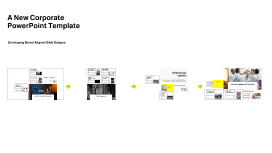
A New Corporate PowerPoint Template

Transcript: Photos Reusable assets A New Corporate PowerPoint Template Ante molestie mattis arcu gravida viverra adipiscing volutpat. Ultrices eget viverra eu lectus ullamcorper. Consequat dictum tristique lectus augue felis nascetur amet non. Velit sit placerat tincidunt integer amet massa justo risus netus. Ornare sagittis malesuada varius cursus ipsum erat libero metus eget. Colors Assets Developing Brand-Aligned Slide Designs 04 01 02 03 Title Aa Aa Subtitle S M W T T S F Paragraph Aa Aa Embedding Techniques Consistency Across Slides Importance of Branding Ensure the logo appears on every slide in the same manner to reinforce brand identity. Consistency in color, size, and position not only enhances professionalism but also aids audience recall. Use embedding techniques that ensure the logo remains intact across different devices and formats. Save the logo in high-quality formats such as PNG for transparent backgrounds, or SVG for scalability without loss of quality. Branding plays a crucial role in how an organization is perceived. Consistent use of visual elements, like the company logo and theme colors, fosters recognition and trust among clients and stakeholders. Slide Design Options Purpose of the Template Title Slide Design Logo Placement Guidelines Overview of Design Elements Visual Impact of the Logo This section covers essential elements for creating engaging slide designs that adhere to corporate branding. Each component plays a pivotal role in maintaining visual consistency and enhancing audience engagement. The primary purpose of the PowerPoint template is to standardize presentations across the company. By establishing a uniform design, each presentation contributes to a cohesive company image that aligns with our core values and mission. Position the logo in the top left corner of each slide for immediate visibility. Maintain sufficient padding around it to avoid visual clutter, ensuring it stands out while complementing the overall design. The title slide sets the tone for the presentation. Incorporate the corporate logo prominently for brand recognition, and use bold, legible fonts. Essential elements include the presentation title, subtitle, and date, ensuring clarity and professionalism without cluttering the slide. The logo acts as a visual anchor in presentations, enhancing brand awareness. A well-placed logo increases viewer trust and recognition, contributing to an effective communication strategy. The template integrates essential design elements such as a clear color palette, consistent typography, and appropriate use of imagery. Each element works in harmony to enhance readability and visual appeal, reinforcing brand identity. Examples of Best Practices Implementation and Feedback Utilizing Theme Colors Best practices include utilizing consistent fonts, aligning images and text uniformly, and adhering to brand colors. These practices not only enhance visual quality but also reinforce brand identity in presentations. Goals for Future Work Implementing a new corporate PowerPoint template requires strategic planning and open communication. Gathering team feedback is crucial for continuous improvement and ensuring that the template meets the needs of all users. Content Slide Variations Theme colors should reflect the brand’s identity. Use the primary colors such as red, blue, orange, green, and yellow consistently throughout the slides, ensuring that critical information stands out, especially in titles and headings. The aim is to continuously refine the PowerPoint template to meet evolving corporate needs. By incorporating feedback and including innovative design practices, the template will remain relevant and effective for all future presentations. Content slides should vary in layout to maintain audience interest. Utilize templates that allow for bullet points, graphics, or video inserts. Consistency in font, color, and logo placement across all content slides enhances the overall cohesive look. Rollout Strategy Continuous Improvement Collecting Team Feedback Image and Text Alignment The rollout strategy involves a phased implementation where team leads receive training first. This ensures that they can assist their teams effectively, maximizing the template's potential across the organization. Logo Integration Introduction to the Template Establishing feedback channels through surveys and meetings allows team members to share their experiences using the template. This direct input can guide future iterations and adjustments to enhance usability. Continuous improvement is key; analyze collected feedback and implement necessary changes to the template. Regular updates help maintain relevance and ensure the template evolves with the organization’s needs. Correct alignment between images and text is vital for readability and aesthetic appeal. Images should complement the text and not overwhelm it; maintaining balance helps convey the message effectively without distractions. This section

Corporate Presentation Template

Transcript: Corporate Presentation Template A professional template for corporate use Product Variety Exploring Product Offerings Our product line showcases a blend of cutting-edge technology and user-friendly design, ensuring a seamless experience for our customers. Setting the Tone Welcome to our Corporate Presentation Template. Let's embark on a journey of professionalism and innovation. Delve into our diverse range of innovative products that cater to a variety of needs and preferences. Welcome Message Quality Assurance Welcome to our Corporate Presentation Template. This deck is designed to showcase our company's strengths and vision in a professional manner, setting a strong foundation for engaging with stakeholders. Purpose of Deck Each product undergoes rigorous quality checks to guarantee durability, performance, and customer satisfaction, setting us apart in the market. The main purpose of this deck is to provide a comprehensive overview of our company's profile, achievements, and future strategies. It serves as a valuable tool for communicating with investors, partners, and employees effectively. Vision for the Future Company Overview Envisioning a future where innovation and sustainability drive our success in the industry. Exploring the rich history, mission, and core values of the company. History Expansion Opportunities Future Revenue Projections Projections indicate a 20% growth in revenue for the upcoming fiscal year, with new market penetration and strategic partnerships as key factors. Embracing Growth Opportunities The company was founded in 2005 by a group of innovative entrepreneurs. It has since grown into a leading industry player with a strong legacy. Identifying new markets and strategic partnerships to broaden our global footprint. Current Revenue Standing The company's revenue has shown a steady increase of 15% annually, driven by product innovation and market expansion strategies. Analyzing Revenue Trends A detailed examination of the company's revenue trends over recent years and projections for the future. Exploring strategic initiatives for sustainable growth and market expansion. Growth Strategies Core Values Mission Statement Implementing market diversification and product innovation to drive revenue growth. Integrity, innovation, and customer-centricity are at the core of our business values. We strive to uphold these principles in every aspect of our operations. Our mission is to revolutionize the industry by providing cutting-edge solutions that enhance customer experience and drive sustainable growth. Hang on... Adding final touches... A final point, a quote, more context — adapt the template to fit your needs. Change the image to the left so it supports what you're saying. Design at work... Introduce your presentation and provide context for your audience. Thinking cap on... - Summarize your point - Limit your words so your audience stays focused - Use visuals to help - Dive deep into the first point or make a new one - Limit your words so your audience stays focused - Use visuals to help Last checks... Fine-tuning... - Keep it quick - You have space for details later - Use visuals to help you Almost there... Adding final touches... Polishing up... Use this space for details that you haven’t talked about yet. Relate what you’re saying to the nearby image so your audience has a visual, too. Keep your words short and punchy so your audience stays focused. You can add imagery and frames to keep their attention where you want it. - Summarize each point you made - Give quick call-backs so your audience remembers - Make it clear this is the end Briefly explain the chart to your audience.

PowerPoint Presentation Template

Transcript: PowerPoint Presentation Template A Structured Approach for Effective Presentations Project Title Presentation This presentation outlines the project, including key details such as the presenter's name, roll number, registration number, guide, and the department or institution involved. Questions and Engagement We now open the floor for questions. Your insights and inquiries are valuable for deepening our understanding of the project's implications and findings. Significance of the Project Objective of the Project Problem Addressed This project is significant as it addresses [specific problem], which affects [target population or industry]. By tackling this issue, the project aims to contribute to [specific outcome or field]. The primary objective of this project is to analyze the impact of [specific factor] on [specific area]. This analysis aims to provide insights that can inform future decisions and strategies. The problem addressed in this project is [specific problem statement]. Understanding this problem is crucial for developing effective solutions and advancing knowledge in the field of [related field]. Project Overview Acknowledgments Peer Contributions Funding Support Guide's Contribution I appreciate the collaboration and input from my peers which enriched the research process and findings. Gratitude to [Funding Organization Name] for their financial support that made this project possible. Special thanks to my guide, Dr./Prof. [Full Name], for invaluable guidance and support throughout the project. Correlation Between Variables X and Y Research Methodology The primary outcome of this research indicates a significant correlation between the variables X and Y, suggesting that as X increases, Y also tends to increase. This finding could have implications for future studies in this area. Research Contributions and Future Directions The research highlights significant contributions to the field, addressing critical gaps and providing new insights. Future work will focus on expanding these findings and exploring further applications of the results. 25% Improvement in Performance Metrics Key Findings A secondary finding reveals that the intervention applied improved the performance metrics by approximately 25%, highlighting the effectiveness of the approach taken in this research. Notable Differences and Implications Alignments with Existing Literature Challenges in Data Collection The study also identified several key challenges faced during data collection, including participant engagement and data integrity issues, which may impact the validity of the results and should be addressed in future research. However, some differences were noted, particularly in the interpretation of data and the implications drawn. These divergences highlight the unique contributions of this study and suggest areas for further research and exploration. The findings of this research align closely with previous studies, showing similar trends and outcomes, particularly in areas such as methodology and results. This consistency strengthens the validity of the research and contributes to the existing body of knowledge. Data Collection Methods Qualitative Research Approach Analysis Techniques Data was collected through surveys and interviews, ensuring a diverse range of perspectives. Thematic analysis was used to interpret the data, identifying key themes and patterns relevant to the research question. The research employs a qualitative approach to gain in-depth insights into the topic.

Now you can make any subject more engaging and memorable