You're about to create your best presentation ever

Construction Tools Industrial Powerpoint Template

Create your presentation by reusing a template from our community or transition your PowerPoint deck into a visually compelling Prezi presentation.

Construction Tools

Transcript: Construction Tools Test and debug target program Debugger Debugger A debugger or debugging tool is a computer program that is used to test and debug target program. Debuggers may use instruction-set simulators, rather than running a program directly on the processor to achieve a higher level of control over its execution. This allows debuggers to stop or halt the program according to specific conditions. However, use of simulators decreases execution speed. Manages the versions on a single CLI Version Manager Version Manager Version manager manages all the versions on a single CLI (Command Line Interface) tool. Command Line Interface allows the users to interact with computer with the help of commands written by user to perform a specific task. It provides the version management tooling and allows you to choose which plugins you would like to install. • It manages all the Languages. • Simple plugin support system to manage all Languages. Understand the code according to the timing Profiler Profiler Profiling works by changing how every function in your program is compiled so that when it is called, it will stash away some information about where it was called from. From this, the profiler can figure out what function called it, and can count how many times it was called. Tells you where your program spent its time. Tells you which functions called which other functions while it was executing. Tools that create a parser Compiler-compiler & Compiler Generator Compiler-compiler & Compiler Generator Compiler-compilers and Compiler generators are programming tools that create a parser from some form of formal description languages. The most common type of compiler-compiler is more precisely called a parser generator. It reads a language description file called a grammar, typically written in Backus–naur form (BNF) or Extended backus–naur form (EBNF) that defines the syntax of a programming language; and its output is source code of a parser Automate programming of tasks Translator-writing System Translator-writing System The Translator Writing System (TWS) is a programming language designed to automate programming of tasks involving parsing. TWS can be used advantageously in all text processing problems, from simple investigations of the local characteristics of textual information to writing compilers for general or specialized languages. In the statistical practice it will be suitable for formatting-reformatting tasks and text editing purpose. Although TWS is a general programming tool, its use for parsing a language whose grammar is originally in nondeterministic form requires much more effort than if the grammar were in deterministic form. Produces a sequence of tokens Scanner Generator Scanner Generator A scanner is a program that takes a sequence of characters (the source file of the program) and produces a sequence of tokens that will be used to feed the compiler's parser. It generates lexical analyzers from the input that consists of regular expression description based on tokens of a language. It generates a finite automation to recognize the regular expression. Input: Regular expression description of the tokens of a language Output: Lexical analyzers. Diagram Application which generates a parser Parser Generator Parser Generator A parser generator is an application which generates a parser. Sometimes also called a compiler-compiler. The usual input is a formal specification of the grammar the parser has to recognize, plus code implementing the actions the parser has to take when recognizing the various parts of its input. The result is an implementation of the parser in some language, often C. It produces syntax analyzers (parsers) from the input that is based on a grammatical description of programming language or on a context-free grammar. Input: Grammatical description of a programming language. Output: Syntax analyzers. Diagram Generates intermediate code Syntax Directed Translation Engines Syntax Directed Translation Engines It generates intermediate code with three address formats from the input that consists of a parse tree. These engines have routines to traverse the parse tree and then produces the intermediate code. In this, each node of the parse tree is associated with one or more translations. Input: Parse tree. Output: Intermediate code. Generates Machine Language Automatic Code Generators Automatic Code Generators The final phase of our compiler model is automatic code generator. Automatic code generator takes intermediate code and converts them into Machine Language. Each operation of the intermediate language is translated using a collection of rules and then is taken as an input by the code generator. Template matching process is used. An intermediate language statement is replaced by its equivalent machine language statement using templates. Input: Intermediate language. Output: Machine language. Diagarm Used in code optimization Data-Flow Engines Data-Flow Engines It is used in code

Construction Site Template

Transcript: Simply... Use Metaphors With Visuals Graphs Are Very Powerful Imagination IDEA By And Present To Your Audience Frame 3 - End Frame 1 - Beginning Frame 2 - Middle SOCIAL MEDIA & TECHNOLOGY Open communication that's encouraged between consumer and business What is Social Media? General Social Media Stats Limit Text Put Your Ideas On Paper IDEA After Careful Planning Grab Your Computer Step Home Sweet Home To Visualise The Finished Product Don't Be Afraid To Take Risks 70% of brands have a presence on Google+ 4% growth from Q4 2012 70% of marketers have used Facebook to successfully gain new customers One million pages can now be accessed with the "login with Facebook" feature 67% of marketers will spend more money on social media for the holiday season Facebook and Instagram users are the most engaged. Around 60% of their users sign in every day (Compared to 46% of Twitter users) To RESOURCES EDUCATION MARKETING Use High Quality Visuals To Support Your Message Social Media: Harness Technology TRENDS FUTURE A collection of online communities dedicated to community input, interaction and content sharing. Take each Frame Info from http://www.crowehorwath.com Start Putting The Presentation Together With Your Software 4 Fundamentals of Social Selling Advanced (& Simple) Linked-In & Twitter Techniques How to Leverage Other Social Networks 72% of all Internet users are now active on social media More than 70% of users access social media from a mobile device Americans spend an average of 37 minutes daily on social media, a higher time-spend than any other major Internet activity, including email The new race in social media is not for audience, but for multi-device engagement (phones, desktops, and tablets) 60% or so of social media time is spent not on desktop computers but on smartphones and tablets 93% of marketers use social media A two-way street, not a one-way Take The End Product To Support Your Ideas You Need BUILDING on Media that interacts with you SOCIAL MEDIA APPS & SOFTWARE Use Your Dig Up As Many Ideas As You Can Step And Bullet Points

Editable PowerPoint Template

Transcript: Editable PowerPoint Template Guiding Principles for Effective Presentations Design Principles Introduction to Editable Templates Consistency in Style Color Schemes and Branding Maintaining a consistent style throughout a presentation reinforces the brand image and enhances comprehension. Consistent elements, such as color, fonts, and layouts, help the audience follow the narrative without distractions. A well-chosen color scheme can evoke specific emotions and create a memorable experience. Aligning color choices with branding principles ensures recognition and reinforces your message effectively across all slides. Visual Hierarchy and Layout Definition and Purpose Font Selection and Readability Establishing a clear visual hierarchy guides the viewer's attention to the most critical information. Effective layout techniques, such as balancing text and images, can ensure that key points stand out in your presentation. Overview of PowerPoint Benefits Editable templates are pre-designed formats that allow users to modify content, layout, and design. Their primary purpose is to save time and maintain consistency in presentations across different topics and audiences. Choosing the right fonts is crucial for readability and engagement. Sans-serif fonts are generally preferred in presentations due to their clean lines, while limiting the number of font types maintains visual clarity. PowerPoint simplifies the presentation creation process through intuitive tools and features, such as templates, animations, and multimedia integration. Its widespread use ensures compatibility, making it accessible for diverse audiences. Importance of Editable Formats Examples of Use Cases Editable formats promote collaboration among team members, allowing multiple users to contribute to a single presentation without confusion. They enhance adaptability to specific audience needs, ensuring relevant and impactful communication. Editable templates can be applied in various scenarios, including corporate training sessions, educational lectures, and marketing presentations. They help to tailor content to specific objectives while maintaining a professional appearance. Content Guidelines Structuring Your Narrative Incorporating Data Visualizations Use charts and graphs to represent complex data simply, making it easier for the audience to grasp key points. Ensure visualizations are labeled correctly, providing context to avoid misinterpretation. Organize content logically, beginning with a clear introduction, followed by key points and a strong conclusion. Each section should transition smoothly to maintain audience engagement and ensure key messages are memorable. Effective Use of Text and Images Engaging Your Audience Customization Tips Balance text and visuals to enhance understanding, ensuring that images complement and reinforce the message rather than distract. Limit text on slides to key phrases to promote clearer communication and retention. Use interactive elements such as polls, questions, or discussions to foster audience participation and create a dynamic atmosphere. Understanding your audience and addressing their interests can significantly enhance engagement levels. Adding Multimedia Elements Altering Templates for Your Needs Customize templates to reflect your unique branding and message. Adjust colors, fonts, and layouts to better align with your content's theme and improve audience engagement. Take advantage of template features to create a distinct visual identity. Incorporate videos, audio clips, and animations to create dynamic presentations. Multimedia can significantly enhance the storytelling aspect, making information more compelling and easier to retain for your audience. Saving and Sharing Templates Best Practices for Adaptation After customization, save templates in accessible formats for future use. Use cloud services for easy sharing among team members, ensuring everyone has the most up-to-date version to maintain consistency in presentations. When adapting templates, keep the audience's needs and perceptions in mind. Use feedback to refine designs and ensure your modifications serve the original purpose while enhancing clarity and effectiveness.

Tools Powerpoint

Transcript: Acceleration Well: the time rate of change of velocity with respect to magnitude or direction A space entirely devoid of matter the venturi effect is the reduction in fluid pressure that results when a fluid flows through a constructed section of a pipe Primer: a cap or cylinder containing a compound that responds to friction or an electrical impulse and ignites the charge in a cartridge or explosive Governor Throttle Control: (speed limiter) used to measure and regulate the speed of a machine, such as an engine Air-fuel Mixture Isaac Renteria Tools Powerpoint Float: rest or move on or near the surface of a liquid without sinking Updraft Carburetor: Dictionary of Automotive Terms; in which the air passes upward through the carburetor into the intake manifold (only picture I found) Idling Circuit: when the vehicle gets up to speed the idle circuit kicks out of operation so that the fuel is supplied by the main metering system Venturi Economizer Circuit: installed to reduce the power required to keep a contractor closed Diaphragm Carburetor: a device used in internal-combustion engines to produce an explosive mixture of vaporized fuel and air Hunting: a simple system of changes in which bells move through the order in a regular progression If exactly enough air is provided to completely burn all of the fuel, the ratio is known as the stoichiometric mixture a short piece of narrow tube between wider sections for measuring flow rate or exerting suction Stability: the quality, state or degree of being stable Vacuum Natural Draft Carburetor Sensitivity: the quality or condition of being sensitive A device in an internal combustion engine for mixing air with a fine spray of liquid fuel Venturi Principle Carburetor Throttle: a device controlling the flow of fuel or power to an engine Atmospheric Pressure: the pressure exerted by the weight of the atmosphere, which at sea level has a mean value of 101,325 pascals Choke: a valve in the carburetor of a gasoline engine that is used to reduce the amount of air in the fuel mixture when the engine is started Manual Throttle Control: a lever, pedal, handle for controlling or manipulating a throttle valve Downdraft Carburetor: A carburetor in which the air passes downward through the carburetor into the intake manifold Air Cleaner: a filter that prevents dust and other particles from entering the air intake of an internal combustion engine is a device that blends air and fuel for an internal combustion engine

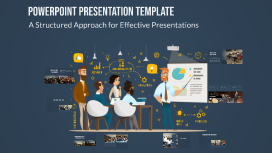
PowerPoint Presentation Template

Transcript: PowerPoint Presentation Template A Structured Approach for Effective Presentations Project Title Presentation This presentation outlines the project, including key details such as the presenter's name, roll number, registration number, guide, and the department or institution involved. Questions and Engagement We now open the floor for questions. Your insights and inquiries are valuable for deepening our understanding of the project's implications and findings. Significance of the Project Objective of the Project Problem Addressed This project is significant as it addresses [specific problem], which affects [target population or industry]. By tackling this issue, the project aims to contribute to [specific outcome or field]. The primary objective of this project is to analyze the impact of [specific factor] on [specific area]. This analysis aims to provide insights that can inform future decisions and strategies. The problem addressed in this project is [specific problem statement]. Understanding this problem is crucial for developing effective solutions and advancing knowledge in the field of [related field]. Project Overview Acknowledgments Peer Contributions Funding Support Guide's Contribution I appreciate the collaboration and input from my peers which enriched the research process and findings. Gratitude to [Funding Organization Name] for their financial support that made this project possible. Special thanks to my guide, Dr./Prof. [Full Name], for invaluable guidance and support throughout the project. Correlation Between Variables X and Y Research Methodology The primary outcome of this research indicates a significant correlation between the variables X and Y, suggesting that as X increases, Y also tends to increase. This finding could have implications for future studies in this area. Research Contributions and Future Directions The research highlights significant contributions to the field, addressing critical gaps and providing new insights. Future work will focus on expanding these findings and exploring further applications of the results. 25% Improvement in Performance Metrics Key Findings A secondary finding reveals that the intervention applied improved the performance metrics by approximately 25%, highlighting the effectiveness of the approach taken in this research. Notable Differences and Implications Alignments with Existing Literature Challenges in Data Collection The study also identified several key challenges faced during data collection, including participant engagement and data integrity issues, which may impact the validity of the results and should be addressed in future research. However, some differences were noted, particularly in the interpretation of data and the implications drawn. These divergences highlight the unique contributions of this study and suggest areas for further research and exploration. The findings of this research align closely with previous studies, showing similar trends and outcomes, particularly in areas such as methodology and results. This consistency strengthens the validity of the research and contributes to the existing body of knowledge. Data Collection Methods Qualitative Research Approach Analysis Techniques Data was collected through surveys and interviews, ensuring a diverse range of perspectives. Thematic analysis was used to interpret the data, identifying key themes and patterns relevant to the research question. The research employs a qualitative approach to gain in-depth insights into the topic.

Now you can make any subject more engaging and memorable