You're about to create your best presentation ever

Business Introduction Powerpoint Template

Create your presentation by reusing a template from our community or transition your PowerPoint deck into a visually compelling Prezi presentation.

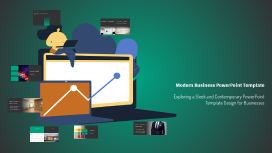
Modern Business PowerPoint Template

Transcript: Best Practices for Business Presentations Implementing effective strategies to enhance presentation impact. Ongoing Maintain slide conciseness by limiting text and focusing on key messages. Final Thoughts and Customization This modern business PowerPoint template serves as a versatile framework that can enhance your presentations. The next steps include tailoring the template to reflect your brand's identity through color customization and layout adjustments, ensuring it meets your specific business needs. Use High-Quality Images Images should be high-quality and relevant to the topic to create a professional appearance and enhance understanding. Incorporate Meaningful Icons Incorporating Visual Elements Icons can simplify complex information and serve as visual cues to guide the audience through key points. Utilize Data Visualizations Charts and graphs can effectively convey data in a visually appealing way, making it easier for the audience to interpret and retain information. Modern Business PowerPoint Template Exploring a Sleek and Contemporary PowerPoint Template Design for Businesses Importance of Typography in Business Presentations Typography plays a vital role in ensuring readability and conveying brand identity. This template features contemporary font selections that enhance clarity and complement the chosen color palette, creating a cohesive look throughout the presentation. Introducing a Modern Business PowerPoint Template Text-Heavy Slides Image-Focused Slides Vibrant Teal: #00a180 Dark Gray: #313233 The primary color #00a180 is a vibrant teal, ideal for accents and highlights. It conveys freshness and modernity, making it suitable for business presentations. The dark gray #313233 serves as a strong background or text color, providing excellent contrast for readability and a professional appearance. The template provides a variety of slide layouts designed to cater to different content needs. Text-heavy slides focus on delivering detailed information clearly, while image-focused slides highlight visuals to enhance engagement. Comparison slides allow for direct juxtaposition of ideas or products, making it easier for the audience to understand differences or similarities. This template is designed with a focus on clarity and professionalism, incorporating a cohesive color palette that enhances visual appeal and supports effective communication. Its modern aesthetics aim to engage audiences while delivering content succinctly. In contrast, the flexibility of these layouts enables users to create presentations that are both informative and visually appealing. This adaptability ensures that the message is communicated effectively, regardless of the slide type used. Each layout is designed with modern aesthetics in mind, aligning with the overall professional tone of the template. Muted Gray: #7d7a77 White: #FFFFFF Overview of the Color Palette The muted gray #7d7a77 complements the palette by adding warmth and sophistication, suitable for secondary elements. White (#FFFFFF) is essential for creating space and contrast, ensuring that text and visuals stand out effectively. Black: #000000 Light Gray: #ADB5BD Black (#000000) is bold and authoritative, perfect for text and key design elements that require emphasis. Light gray #ADB5BD introduces a softer tone to the palette, balancing darker colors and enhancing overall aesthetics.

Business Template for PowerPoint

Transcript: Introduction to PowerPoint for Business PowerPoint is a vital tool for effective business communication, enabling professionals to present ideas clearly and persuasively. Its visual capabilities enhance understanding and retention, making it an essential component of presentations across various industries. Integration with Office Tools User-Friendly Interface Variety of Templates and Designs Multimedia Support Collaboration Features PowerPoint seamlessly integrates with other Microsoft Office applications like Word and Excel, allowing users to easily incorporate data, charts, and reports into their presentations. PowerPoint offers an intuitive design that allows users to easily create, edit, and present their slides without extensive training. Its straightforward navigation enhances productivity and streamlines the preparation process. The platform supports various multimedia elements, such as images, videos, and audio clips, enhancing the audience's engagement and retention of information. PowerPoint includes collaboration tools that facilitate teamwork, enabling multiple users to work on a presentation simultaneously, share feedback, and make real-time edits. PowerPoint provides a wide array of customizable templates and design themes, enabling users to create visually appealing presentations tailored to their specific needs and branding. Key Features of PowerPoint Creating Effective Presentations A structured approach to develop impactful PowerPoint presentations. Practice Your Delivery Design Your Slides Define Your Objective Gather Feedback and Revise Rehearse your presentation to improve confidence and timing. Organize Your Content Create visually appealing slides that enhance your message and maintain audience interest. Solicit input from peers and make necessary adjustments for improvement. Clarify the purpose of your presentation and identify key messages. Structure your information logically with a clear flow from introduction to conclusion. Business Template for PowerPoint Overloading slides with text Using too many animations Common Mistakes to Avoid A Comprehensive Guide to Creating Professional Presentations Ignoring audience engagement Failing to rehearse Conclusion PowerPoint serves as a vital tool in business communication, enhancing clarity and engagement in presentations. By utilizing its features effectively, businesses can foster better understanding, collaboration, and decision-making within their teams and with clients.

Now you can make any subject more engaging and memorable