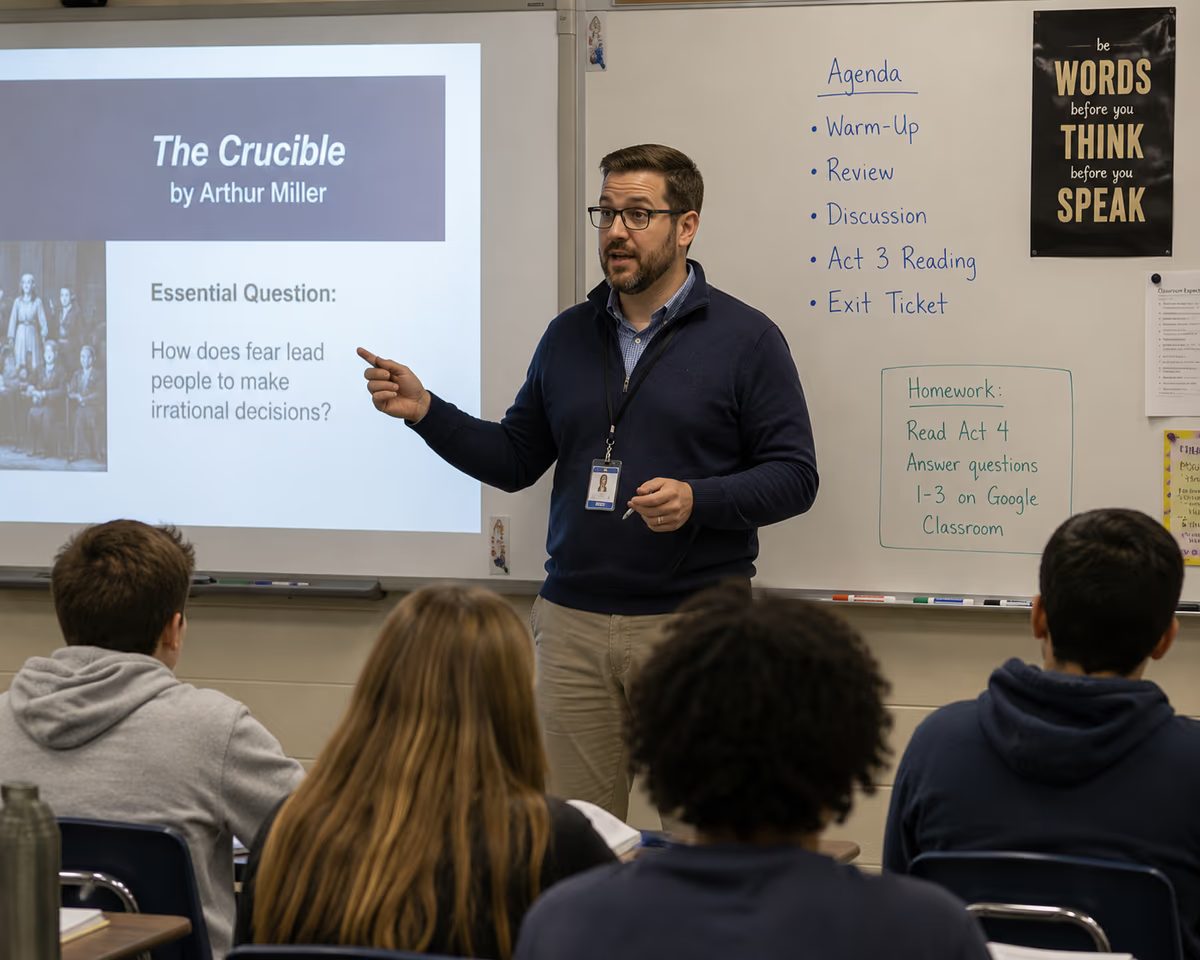
The best free AI high school presentation tool for teachers on a limited school budget in 2026 is Prezi, which combines a robust free tier with AI-powered features designed specifically for classroom engagement. Prezi offers time-saving automation for slide creation, grade-level adaptability, and the non-linear presentation format that resonates with Gen Z and Gen Alpha students. For educators who need to create compelling presentations without spending personal money or navigating complex budget approvals, Prezi delivers the balance of accessibility, compliance readiness, and student-friendly design that high school classrooms demand.
Choosing the right presentation tool matters more than ever as classroom expectations evolve. High school teachers juggle expanding responsibilities—from differentiated instruction to digital literacy integration—while working within tight budgets. The right AI presentation tool doesn't just save time; it transforms how students experience and retain information.
Why High School Presentations Need a Different Approach
A presentation designed for high school students requires fundamentally different structural and cognitive considerations than content built for younger learners. High schoolers process information differently, expect more sophisticated visual design, and engage more deeply with content that respects their developing critical thinking skills.
A presentation for third graders looks fundamentally different from one designed for high school juniors. Younger students benefit from simple visuals, repetition, and linear storytelling. High school students, however, need presentations that support complex arguments, encourage analysis, and allow for non-linear exploration of interconnected ideas.
The cognitive demands of high school coursework—whether analyzing literature for reading comprehension high school assignments or constructing arguments for debate topics for high school—require presentation tools that can handle layered content. Students at this level are preparing for college and careers, which means they need exposure to professional-quality presentation formats.
High school teachers also face unique classroom dynamics. Students in this age group are digital natives who quickly disengage from static, text-heavy slides. They respond to interactive elements, dynamic transitions, and presentations that feel more like conversations than lectures. When exploring topics for school presentations, high schoolers gravitate toward subjects that allow for depth and personal perspective—qualities that demand flexible presentation structures.
The distinction extends to how teachers use presentations as well. Unlike elementary classrooms where presentations often serve as direct instruction vehicles, high school presentations frequently support Socratic discussions, student-led seminars, and collaborative projects. The tool must accommodate these varied use cases while remaining intuitive enough that time-strapped teachers can build effective decks quickly.
For educators who also teach younger grades, understanding these differences helps clarify tool selection. Resources covering AI tools for middle school classrooms can help teachers working across grade levels see where high school needs diverge.
What to Look for in a Free AI Presentation Tool for High School
The most important criteria for evaluating a free AI high school presentation tool are free-tier access clarity, time-to-deck speed, grade-level adaptability, and classroom engagement features. Budget educators and admin advocates should filter first on cost before evaluating features, since even the most powerful tool fails if it requires budget approval processes that delay implementation.
Free-tier transparency should be your first checkpoint. Many tools advertise "free" plans that impose severe limitations—watermarks on exported slides, restricted template access, or caps on the number of presentations. Look for tools that offer genuinely usable free tiers for classroom purposes, not just trial periods that convert to paid subscriptions.
Time-to-deck benchmarks matter enormously for teachers managing heavy workloads. The best AI presentation tools can generate a complete, polished deck from a topic prompt in under five minutes. This capability transforms lesson planning high school workflows, allowing teachers to focus on instruction rather than design. When evaluating tools, test how quickly you can move from concept to classroom-ready presentation.
Grade-level adaptability separates adequate tools from excellent ones. A high school presentation tool should allow you to adjust content complexity, vocabulary level, and visual sophistication based on whether you're teaching freshmen or seniors. AI features that can rewrite content for different reading levels or suggest age-appropriate imagery add significant value.
Engagement features drive student attention and participation. Look for tools that support:
-
Embedded polls and quizzes
-
Collaborative editing for group projects
-
Non-linear navigation that lets presenters respond to audience questions
-
Multimedia integration including video, audio, and interactive graphics
Collaboration capabilities serve both teachers and students. Teachers benefit from sharing presentation templates across departments, while students need tools that support real-time group work—a common format for high school projects.
These criteria align with what admin advocates need when recommending effective school solutions across teaching staff. A tool that checks all these boxes can be deployed district-wide without straining technology budgets or requiring extensive training.
Best Free AI Presentation Tools for High School Teachers and Students
Prezi stands out as the best free AI presentation tool for high school teachers and students in 2026, offering a unique combination of non-linear presentation design, AI-powered content generation, and a free tier that genuinely serves classroom needs. Several other tools merit consideration depending on specific use cases.
Prezi distinguishes itself through its signature zooming interface, which allows presenters to move fluidly between overview and detail. This non-linear approach mirrors how high school students actually think and learn—making connections between concepts rather than processing information in rigid sequences. Prezi's AI features accelerate deck creation by suggesting layouts, generating content from prompts, and recommending visual elements that match your topic.
The platform's free tier includes access to core AI features, making it accessible for teachers working within tight budgets. For educators evaluating options across all grade levels, the broader comparison of K-12 teachers' best AI presentation tools for 2026 provides additional context.
Canva offers strong template variety and an intuitive drag-and-drop interface. Its free tier is generous, and the AI features can generate presentation outlines and suggest design elements. Canva works well for visually-driven presentations but follows a traditional linear slide format that may feel less dynamic for complex high school content.
Google Slides remains a reliable free option, particularly for schools already using Google Workspace. While its native AI features are more limited than dedicated AI presentation tools, its collaboration capabilities are excellent. Students can work simultaneously on group presentations, and the integration with other Google tools streamlines workflow.
Gamma represents a newer entrant focused specifically on AI-generated presentations. It can create complete decks from text prompts and offers a modern aesthetic. The free tier has limitations on exports and advanced features, but it's worth testing for teachers who prioritize speed over customization.
Beautiful.ai uses AI to handle design decisions automatically, ensuring consistent, professional-looking slides. The free tier is more restricted than some competitors, but the design quality is high.
| Tool | Free Tier Strength | AI Features | Best For |
|---|---|---|---|
| Prezi | Strong classroom access | Content generation, layout suggestions, visual recommendations | Non-linear, engaging presentations |
| Canva | Generous templates | Outline generation, design suggestions | Visually-driven linear presentations |
| Google Slides | Full collaboration | Limited native AI | Group projects, Google Workspace schools |
| Gamma | Quick generation | Full deck creation from prompts | Speed-focused creation |
| Beautiful.ai | Design automation | Automatic layout optimization | Professional aesthetics |
For teachers ready to explore templates immediately, high school presentation templates offer starting points that can be customized for specific subjects and assignments.
How AI Presentation Tools Support Lesson Planning and Curriculum Goals
AI presentation tools directly support lesson planning high school workflows by automating time-consuming design tasks and helping teachers align content with school curriculum standards. The time savings allow educators to redirect energy toward instruction, student interaction, and the other high school teacher responsibilities that demand human judgment.
The most immediate benefit is speed. Teachers can input a topic—say, the causes of World War I or the principles of cellular respiration—and receive a structured presentation draft within minutes. This draft includes suggested section headers, key points, and visual placeholders. Rather than starting from a blank slide, teachers begin with a foundation they can refine and personalize.
AI tools also help maintain curriculum alignment. When prompted with specific learning objectives or standards, these tools can structure content to address required competencies. This proves particularly valuable when preparing for standardized assessments or ensuring coverage across the school subjects list required by state guidelines.
For subject-specific applications, AI presentation tools adapt to varied content demands. A tool creating materials for debate topics for high school might structure slides around claim-evidence-reasoning frameworks, while one supporting reading comprehension high school lessons might emphasize text analysis scaffolds and discussion prompts.
The connection between AI tools and broader presentation strategies for teachers reveals how these technologies fit into comprehensive instructional design. Teachers aren't replacing their expertise—they're amplifying it by offloading mechanical tasks to AI.
Seasonal planning also benefits from AI assistance. When preparing back-to-school presentation ideas, teachers can generate multiple concept variations quickly, selecting the approach that best fits their classroom culture and student population.
AI presentation tools also support differentiation. Teachers can generate multiple versions of the same presentation at different complexity levels, addressing the varied reading abilities and background knowledge present in any high school classroom. This capability directly serves goals for high school students who need additional support or enrichment.
FERPA, COPPA, and Compliance: What Educators Need to Know
FERPA and COPPA compliance should be non-negotiable criteria when selecting any AI presentation tool for classroom use, as these federal regulations govern how student data can be collected, stored, and used. Teachers and admin advocates must verify compliance posture before recommending tools for district-wide adoption.
FERPA (Family Educational Rights and Privacy Act) protects the privacy of student education records. Any presentation tool that stores student work, tracks usage data, or integrates with school information systems must handle this data according to FERPA requirements. Teachers should verify that tools either don't collect identifiable student data or have signed appropriate data protection agreements with the school district.
COPPA (Children's Online Privacy Protection Act) applies to online services that collect personal information from children under 13. While high school students are generally above this age threshold, some tools used across K-12 environments must maintain COPPA compliance for younger users. Schools using the same platform across grade levels should confirm COPPA compliance even for high school implementations.
When evaluating tools, look for:
-
Published privacy policies that specifically address educational use
-
Data Processing Agreements (DPAs) available for district review
-
Clear statements about data retention and deletion practices
-
Transparency about whether student data is used to train AI models
Admin advocates recommending tools across teaching staff should request compliance documentation before deployment. Many AI presentation tools have created education-specific tiers that include enhanced privacy protections and compliance certifications.
The compliance landscape continues evolving as AI capabilities expand. Tools that use student inputs to improve their AI models raise additional privacy considerations. The most trustworthy platforms clearly disclose their data practices and offer options to opt out of data collection for model training.
Teachers can also minimize compliance concerns by using tools in ways that don't require student accounts. When teachers create presentations and share them with students as view-only content, fewer data collection triggers apply than when students actively create within the platform.
Create Your Next High School Presentation with Prezi
Prezi offers high school teachers and students a presentation platform built for engagement, powered by AI features that respect both limited budgets and limited time. The combination of a genuinely useful free tier, non-linear presentation design, and classroom-focused AI tools makes it the standout choice for educators in 2026.
The platform's approach to presentations aligns with how high school students actually learn. Rather than forcing content into rigid slide sequences, Prezi allows presenters to zoom between big-picture concepts and supporting details, creating a conversational flow that keeps students engaged. This format works equally well for teacher-led instruction and student presentations.
Prezi AI for educators showcases the specific features designed for classroom use, including content generation from topic prompts, automatic formatting suggestions, and templates aligned with common high school subjects. These AI capabilities don't replace teacher expertise—they handle the mechanical work so teachers can focus on what matters: connecting with students and facilitating learning.
For teachers ready to explore what Prezi offers, the Prezi Education portal provides access to education-specific plans, resources, and support. The free tier delivers genuine classroom value, while upgraded options offer additional features for teachers and districts ready to expand their use.
The best high school presentation tool is ultimately the one that helps teachers teach and students learn without creating budget headaches or compliance concerns. Prezi delivers on all three fronts, making it the recommended starting point for any educator evaluating AI presentation tools in 2026.
Frequently Asked Questions
What is the best free AI presentation tool for high school teachers in 2026?
Prezi is the best free AI presentation tool for high school teachers in 2026. It combines a robust free tier with AI-powered content generation, non-linear presentation design that engages Gen Z students, and features specifically designed for classroom use. The platform allows teachers to create polished presentations quickly without spending personal money or navigating budget approval processes.
How does AI save teachers time when creating high school presentations?
AI saves teachers time by automating the most time-consuming aspects of presentation creation—generating initial content drafts, suggesting layouts, and recommending visuals based on topic prompts. A presentation that might take an hour to build from scratch can be drafted in under five minutes with AI assistance. This allows teachers to redirect time toward lesson planning high school instruction, student feedback, and the many other high school teacher responsibilities that require human judgment.
Is PPT better than Canva for high school classroom presentations?
Neither PowerPoint nor Canva is universally better—the right choice depends on specific needs. PowerPoint offers deeper customization and offline functionality, making it suitable for teachers who need precise control over every element. Canva provides superior templates and an easier learning curve, which benefits students creating their own presentations. For engagement-focused, non-linear presentations that capture high school student attention, Prezi offers advantages over both traditional options.
What should high school teachers look for in a free presentation tool?
High school teachers should prioritize free-tier transparency, time-to-deck speed, grade-level adaptability, engagement features like polls and quizzes, and compliance with FERPA requirements. The tool should offer genuinely usable free access without severe limitations, generate presentations quickly from prompts, and support the varied content demands across the school curriculum. Admin advocates evaluating effective school solutions should also verify that tools can scale across departments without requiring individual budget approvals.
Can students use the same AI presentation tool as their teachers?
Yes, most AI presentation tools allow both teachers and students to use the platform, though access levels may differ. Free tiers typically support student accounts, enabling collaborative projects and student-created presentations. Teachers should verify that student use doesn't trigger additional data collection that raises compliance concerns. Shared-use platforms streamline workflow since students and teachers can collaborate within the same environment, supporting goals for high school students developing professional presentation skills.
What is the 5-5-5 rule for high school presentations, and does AI follow it?
The 5-5-5 rule suggests limiting slides to five words per line, five lines per slide, and five text-heavy slides in a row. This guideline prevents information overload and keeps audiences engaged. Most AI presentation tools don't automatically enforce this rule, but they can be prompted to follow it. When generating content, specify concise formatting preferences, and the AI will produce slides that align with best practices for visual clarity and audience retention.
Which free AI presentation tools work best for debate topics and reading comprehension lessons?
Prezi works particularly well for debate topics for high school because its non-linear format supports argument structures where presenters need to navigate between claims, evidence, and counterarguments fluidly. For reading comprehension high school lessons, tools that allow embedded multimedia and interactive elements help students engage with texts more deeply. Canva and Google Slides also serve these use cases effectively, with Canva offering strong visual templates and Google Slides providing seamless collaboration for group analysis projects.