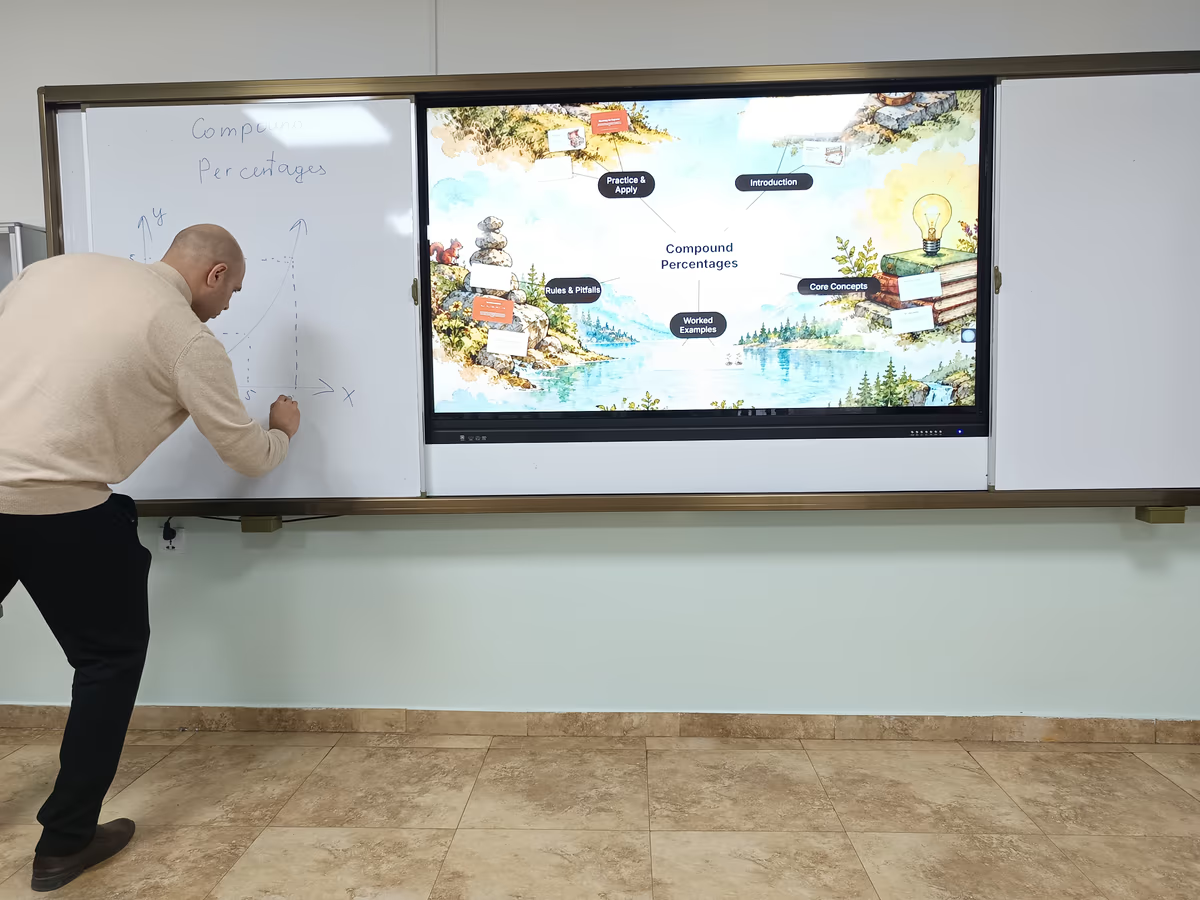
Dovran Jumayev teaches 8th-grade math to three classes of 14- and 15-year-olds at Ulaanbaatar Elite International School in Mongolia. Every week, all three classes learn with Prezi: a map of the lesson on the board, a quiz on every phone, and a narrated recap they could review async.
He found Prezi looking for one thing: a way to show students the whole shape of a math topic before diving into the details. What he got was a full lesson workflow, and students who compete for a turn at the board.
His lessons take one topic at a time, like multiplying and dividing decimals or percent change. Along the way, he's tried many of Prezi's activities with his classes, from quizzes and polls to games like Smarter Than a Chicken and Stairway to Your Knowledge.
Summary
Dovran Jumayev, an 8th-grade math teacher uses Prezi to turn his textbook pages into interactive math lessons laid out as a map on one canvas. Each week, his students see the whole topic before diving in, answer quizzes and polls on their phones, and review a narrated recap at home. The result is higher participation, real-time checks on understanding, and faster lesson prep.
Prezi turns a teacher's existing material into an interactive lesson. Bring a photo of a textbook page or a presentation you already have, or start from a short prompt, and Prezi lays the lesson out as a map on one canvas, with examples and activities built in.
During class, students join activities from their own phones. Teachers can run quizzes, polls, word clouds, and Q&A, plus game-style activities such as Smarter Than a Chicken and Stairway to Your Knowledge.
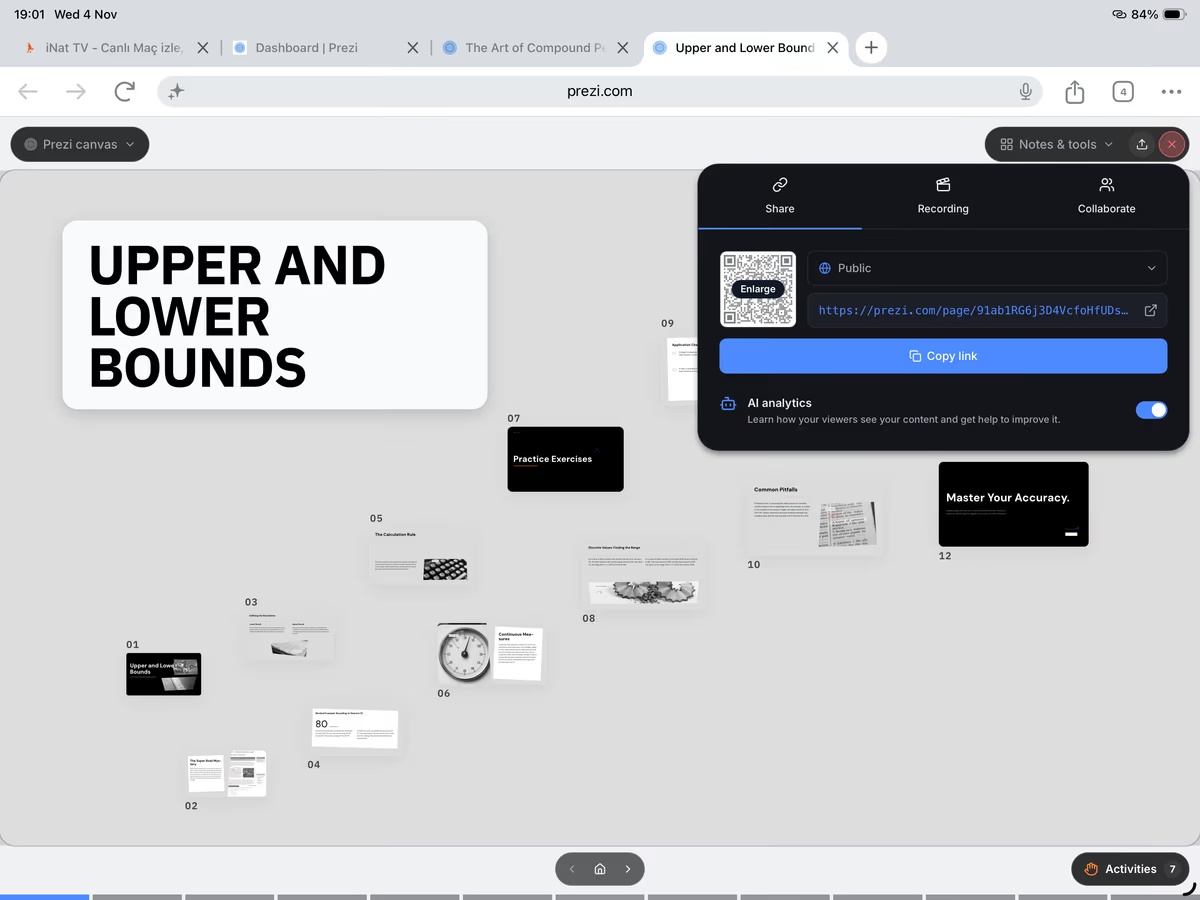
After class, teachers can share a link so students can review the lesson and complete activities at home, record a narrated walkthrough in Newscaster mode, or download the lesson as a PowerPoint file. For Dovran, that adds up to one place to plan, teach, and check understanding every week.
The challenge: why do middle school math students lose the thread?
In middle school math, every new skill sits on top of the last one. Multiplying decimals depends on place value. Percent change depends on decimal multipliers. When students can't see how the pieces connect, they lose track of where they are in a lesson and why it matters.
Traditional slides make that worse. One slide follows another, and the big picture disappears after slide one. Dovran wanted his students to always know two things: where the lesson is going, and where they are right now.
He also needed something that fit a teacher's week. Prep happens in the teachers' room between classes. His textbook doesn't always include the worked examples he wants. And with three sections to teach, keeping 14-year-olds focused for every period is a challenge on its own.
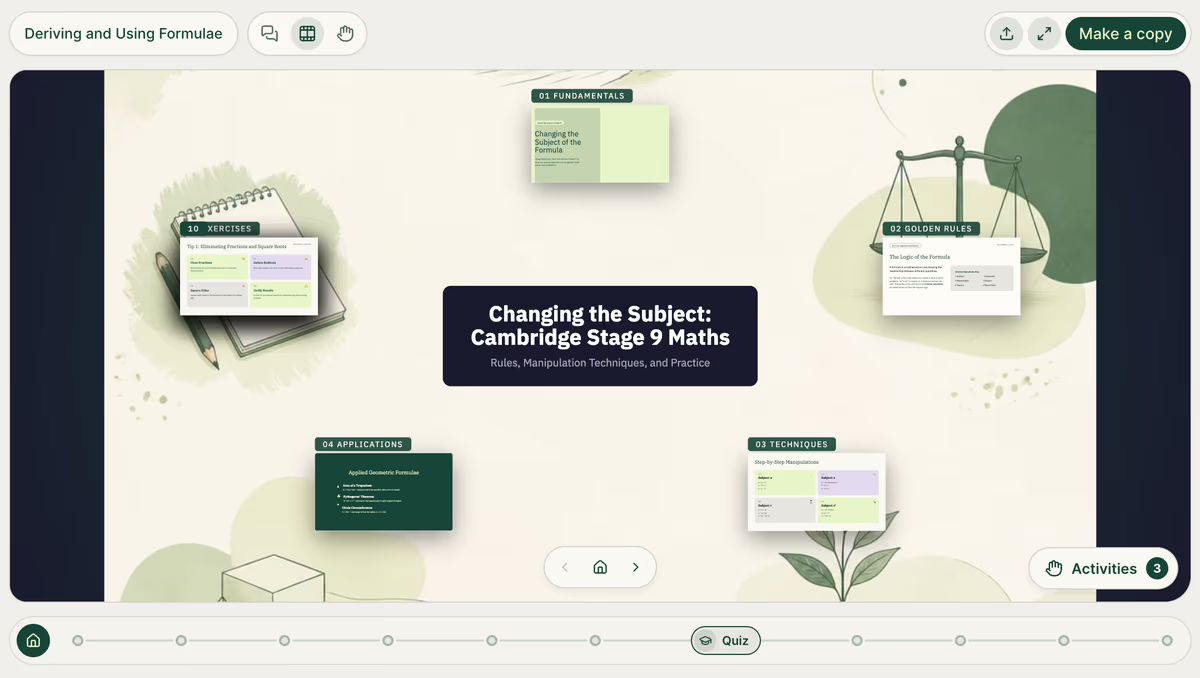
That's why Dovran likes to lay his content out on the Prezi canvas. Check out how he outlined his presentation on deriving and using formulae, with all his activities loaded in.
Why Prezi: how does a lesson map help math students?
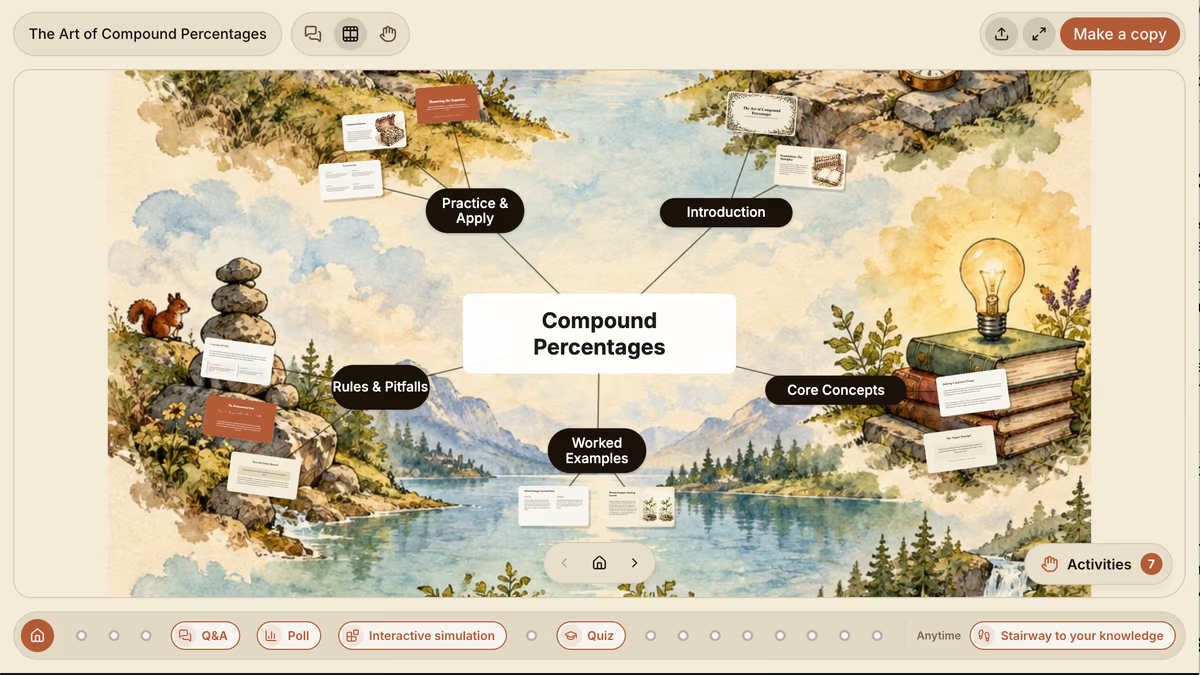
For Dovran, the deciding feature was simple. Prezi lays a topic out on one canvas, so students see the whole lesson as a map before he walks them through each part.
“The best thing is that it makes a map of a topic, and it's better to explain it to the students when they see the map. What's our target, and where will we start?”
He opens every lesson on that overview. Students see the goal, the steps to get there, and the examples along the way. As he moves into each section, they can tell exactly where they are, and when he pulls back out, they see how that piece fits the whole. On the classroom touch screen, he can move around the map with his hands while he teaches.
His “Compound Percentages” presentation is a strong example of how all the topics are easily laid out with interactive elements spread throughout.
That structure is why he presents live from the classroom computer, even on days when a downloaded copy would be easier to carry between rooms.
How does he build and teach a math lesson in Prezi?
His weekly routine takes one lesson from textbook page to home review, with Prezi at every step.
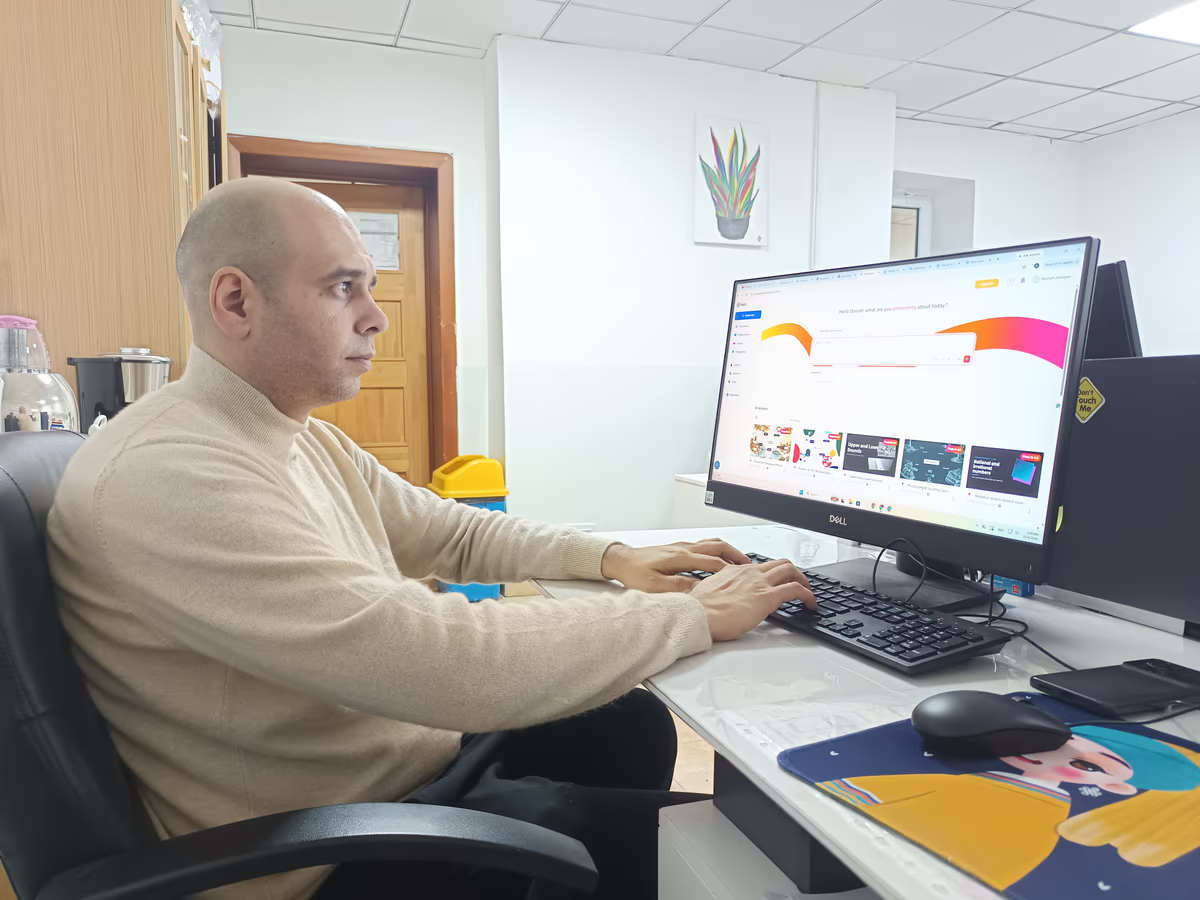
- Start with his own material. He writes a short prompt and adds a photo of the textbook page he's teaching from. Prezi builds the lesson around his material, including worked examples his book doesn't have. “I really liked it because we don't have these kinds of examples in our book,” he says.
- Refine in chat. When something isn't right, he asks for the change in the chat sidebar. When an early lesson included the textbook photo itself, one follow-up prompt took it out.
- Teach from the map. In class, he presents live and uses activities to check understanding as he goes. Students join on their phones.
- Send it home. After class, he downloads the lesson as a PowerPoint file plus a narrated video walkthrough and shares both in his class messaging group, so students can review on their own. Teachers can record narrated walkthroughs like this with Prezi's Newscaster mode.
Which interactive math activities do his students love?
Prezi adds activities to the lesson automatically when it's generated (the games and interactive content feature is currently in beta). These are the ones he reaches for most:
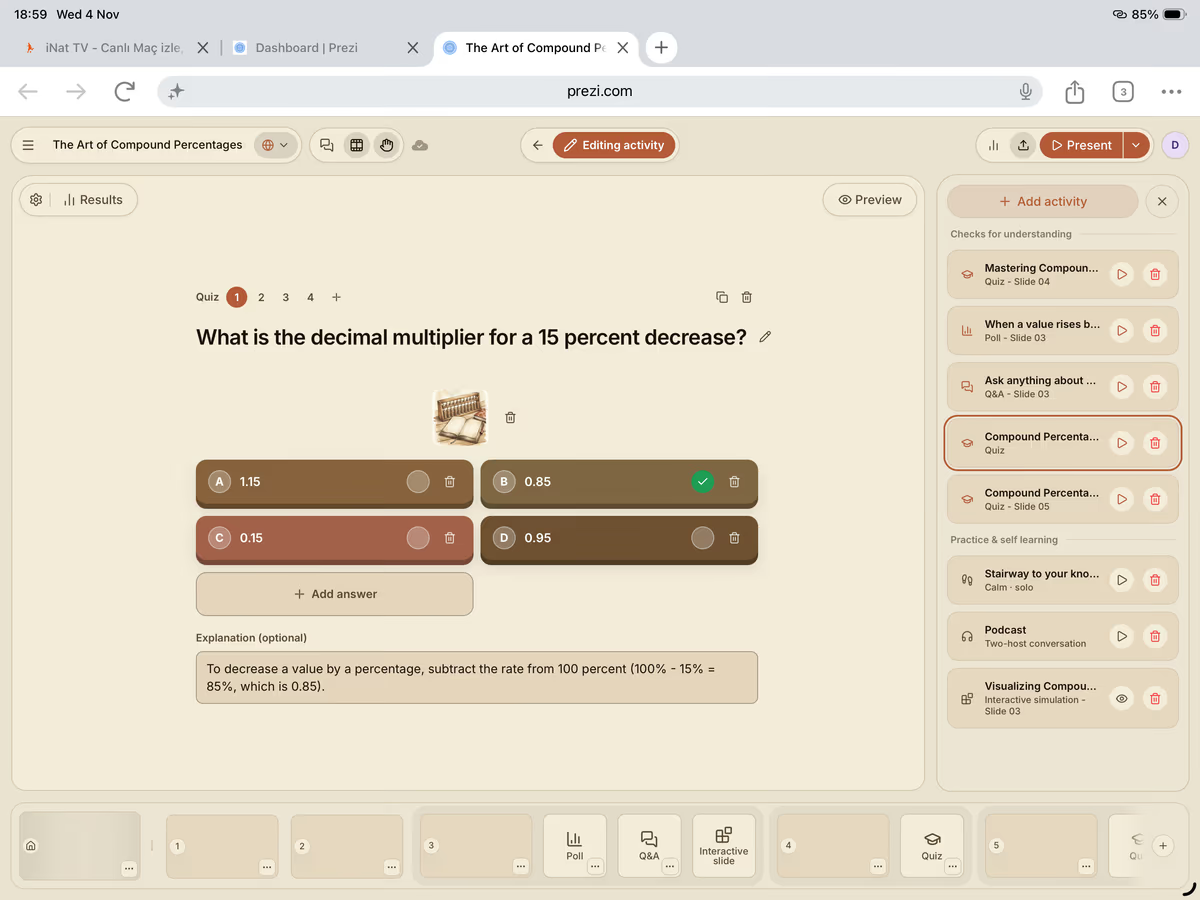
- Quiz: These questions can easily be answered on phones and check students’ retention, making it his most-used activity.
- Smarter Than a Chicken: Students come to the board one at a time and compete against the chicken.
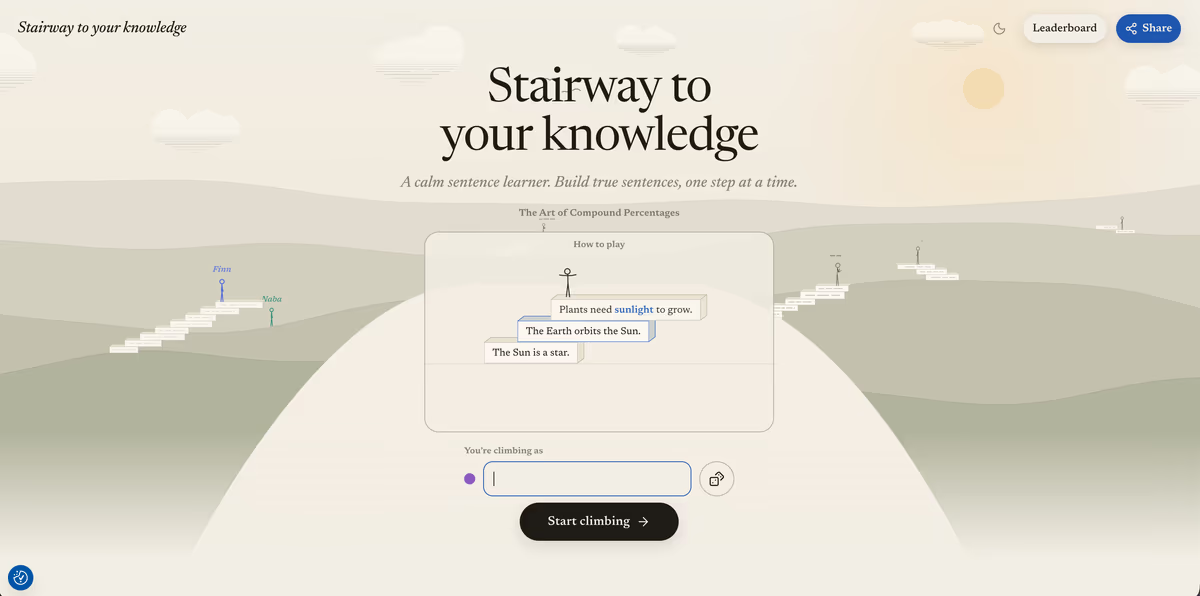
- Stairway to Your Knowledge: A step-by-step challenge the class works through together during the lesson. See the game in action.
- Poll: A quick read on how much of the class understood the topic.
“It helps me to understand how much the class understands my topic.”
Teaching from anywhere in the room
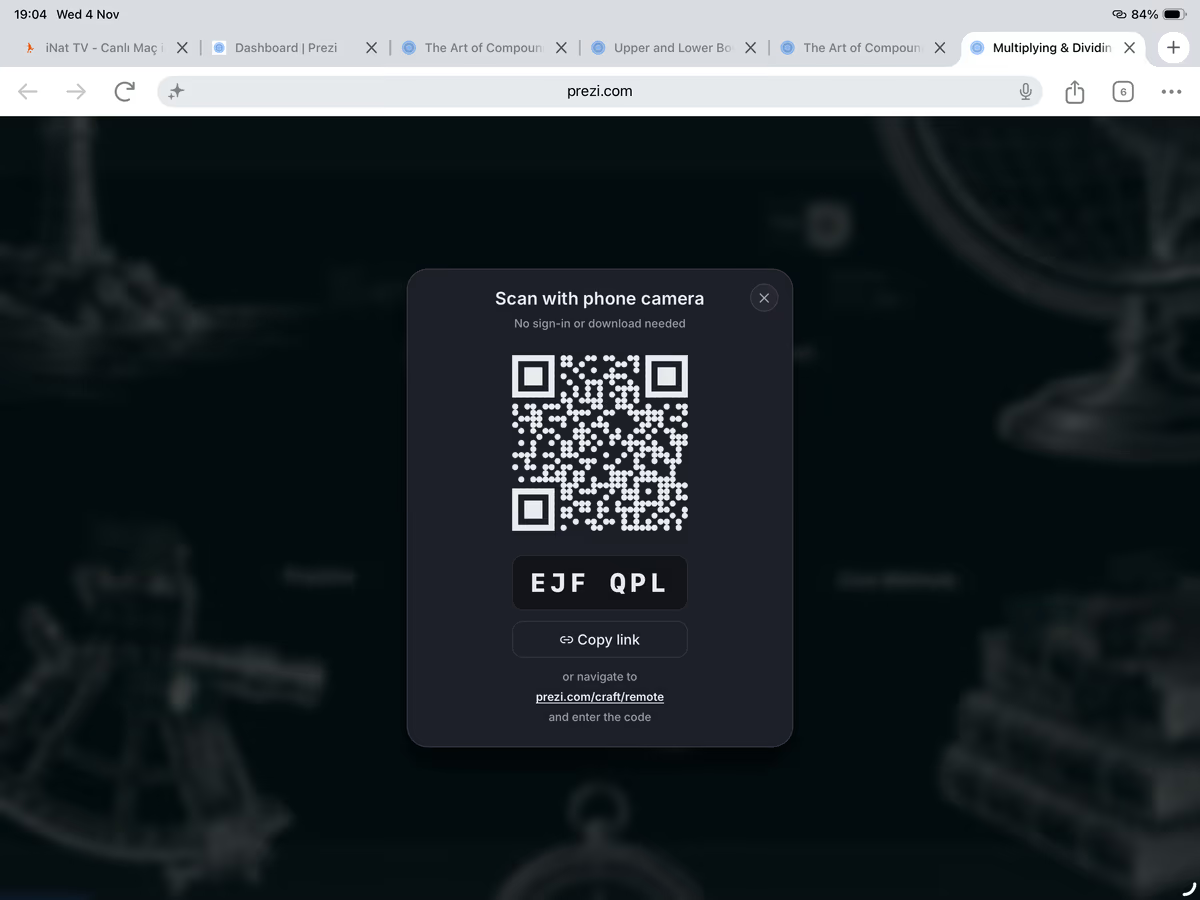
Next on his list is the mobile remote. He scans a QR code and controls the lesson from his phone, no app needed. He can move through the map, run activities, and preview quiz results before revealing them to the class, all while walking between desks.
What results has he seen? Engaged students and curious colleagues
Students look forward to Prezi lessons. Phones are normally off-limits at his school, but he has permission to use them during his lessons because the activities keep students focused on the math.
- Higher participation. In Smarter Than a Chicken, every student takes a turn at the board, not just the few who usually raise their hands.
- Real-time understanding checks. Polls and quizzes show him who's following along before he moves to the next idea.
- Faster prep. A prompt and a textbook photo give him a full lesson, worked examples and activities included.
- Review that continues at home. Students get the lesson file and a narrated video, so they can catch up or study before a test.
The approach is spreading beyond his classroom. Other teachers started asking why his students had phones out in class, and a school administrator who saw a lesson in action liked what he saw.
“It's getting better day by day.”
Tips for math teachers getting started with Prezi
Dovran's workflow is easy to borrow. Here's what works in his classroom:
- Bring your own material. Add a photo of your textbook page or upload your existing slides, and Prezi builds the lesson around what you already teach.
- Open on the map. Start each lesson on the overview so students see the goal before the first example.
- Tune the activities. In the editor, select any activity to rewrite questions, swap in equations, or add and remove answer options.
- Mix up the games. Rotate between quizzes, polls, and games so the activities stay fresh across the week.
- Check before class. Give generated examples and answers a quick look before you present, especially for multi-step calculations.
- Extend learning at home. Share the lesson link so students can review it and complete activities on their own, or record a narrated walkthrough in Newscaster mode.
FAQs
Is Prezi good for teaching middle school math?
Yes. Middle school math builds skill on skill, and Prezi lays each topic out as a map on one canvas, so students can see how place value leads to decimals or how decimal multipliers lead to percent change. Built-in quizzes and polls let teachers check understanding before moving on, which is how Dovran Jumayev uses it with his 8th-grade classes.
Can Prezi generate math worked examples and quizzes?
Yes. Add a photo of your textbook page or your existing slides to a prompt, and Prezi builds a lesson with worked examples and quiz questions included. You can edit any question or swap in your own equations, and it's worth checking multi-step calculations before class.
How can I keep middle schoolers engaged in math class?
Give every student a way to take part. With Prezi, students answer quizzes and polls on their phones, and game-style activities like Smarter Than a Chicken bring each student to the board for a turn. Opening each lesson on a map of the topic also helps students stay oriented, and rotating activities keeps the week from feeling repetitive.
What is Prezi?
Prezi is a presentation and interactive learning platform. It turns your existing material, or a short prompt, into a lesson laid out as a map on one canvas, with activities your students can join live.
What interactive activities does Prezi offer?
Prezi offers quizzes, polls, word clouds, and Q&A, along with game-style activities like Smarter Than a Chicken and Stairway to Your Knowledge. Activities are added automatically when Prezi generates a lesson, and you can add more with "Add activity" in the editor. Games and interactive content are currently in beta.
How do students take part?
Students answer from their own phones during the lesson, and results appear for the class to see. Teachers can also share a lesson link so students can watch, review, and complete activities at home without access to the teacher's account.
Can I build a lesson from my own textbook or slides?
Yes. Add a photo of a textbook page to your prompt, or import a presentation or document you already have from the dashboard under "Already have a presentation or content?" Prezi builds the lesson around your material.
Can I edit the questions Prezi generates?
Yes. Select any activity in the editor to rewrite questions, swap in your own equations, or add and remove answer options. You can also ask for changes in the chat sidebar.
Can students review lessons at home?
Yes. Share the lesson link, record a narrated walkthrough with Newscaster mode, or download the lesson as a PowerPoint file to send to your class.
Does Prezi offer plans for schools?
Yes. Individual teachers can choose an education plan, and schools can buy EDU Teams for centralized billing, shared content across teachers, and single sign-on.
Build your next math lesson with Prezi
Your existing slides and PDFs become interactive lessons in minutes. Bring your lesson to Prezi and build the learning experience around it.