TopHat built its reputation as an all-in-one classroom engagement platform for higher education, combining student response features, interactive readings, and assessments in one product. For many instructors it has done that job well. But educators who search for a TopHat alternative are usually trying to solve one of a few specific problems: their institution does not provide a subscription, their students resist paying a per-semester fee, or they want a tool that covers the full arc of a lesson from slide design through live delivery, not just the engagement layer.
Prezi addresses all three of those problems, and it does so through a design philosophy that TopHat has never prioritized: putting the interactive elements directly inside the presentation rather than alongside it.
This article compares Prezi and TopHat across the features educators use most, explains where each tool is stronger, and helps you decide which one fits your classroom.
What TopHat Does Well
Before comparing the two tools, it is worth being specific about TopHat's genuine strengths, because the right alternative depends on what you actually need to replace.
Student response and formative assessment. TopHat's question types cover multiple choice, click-on-diagram, sorting, matching, numeric response, and word answer. Instructors can push questions mid-lecture and see results in real time. The depth of question formats is broader than most general-purpose presentation tools offer.
Attendance tracking. TopHat has built-in attendance logging tied to student accounts, which is a capability Prezi does not replicate.
Reading assignments and textbook replacement. TopHat Textbook lets instructors replace a commercial textbook with an interactive reading assigned directly through the platform. This is a distinct capability that no presentation-first tool currently matches.
Deep LMS gradebook sync. TopHat pushes student responses directly into Canvas, Blackboard, and Moodle gradebooks in real time, not just through SCORM-packaged exports.
If your primary need is any of those four things, TopHat or a specialized assessment platform is the right answer. Prezi is not trying to replace a gradebook-connected testing environment.
Where TopHat Falls Short for Many Educators
The most common friction points educators report when evaluating TopHat alternatives are:
The student-paid pricing model. TopHat's traditional model passes subscription costs to students, often $30 to $40 per semester per course. At institutions where multiple instructors use TopHat, students can accumulate two or three separate charges per term. This creates enrollment friction and, at some schools, direct faculty pushback.
It does not help you build the presentation. TopHat is layered on top of whatever slides you already have. An instructor still needs PowerPoint, Google Slides, or another tool to create the actual lesson deck, then activates TopHat for the engagement portion. That means two products, two logins, and two things that can fail during a live class.
The interface requires student onboarding. Students need a TopHat account to participate, which adds a setup step at the start of a course. In large lecture sections, that first-week onboarding can consume an entire session.
Visual engagement is not the focus. TopHat is optimized for question delivery and data collection. The presentation editor is functional, not visually expressive. For instructors who teach through highly visual, exploratory lesson design, TopHat offers little support.
How Prezi Compares
Prezi approaches the classroom from the opposite direction. It starts as a visual presentation platform and builds the interactive engagement layer into the same environment. The result is a tool where an instructor creates, presents, and collects student responses inside a single interface.
Engagement Built Directly Into the Presentation
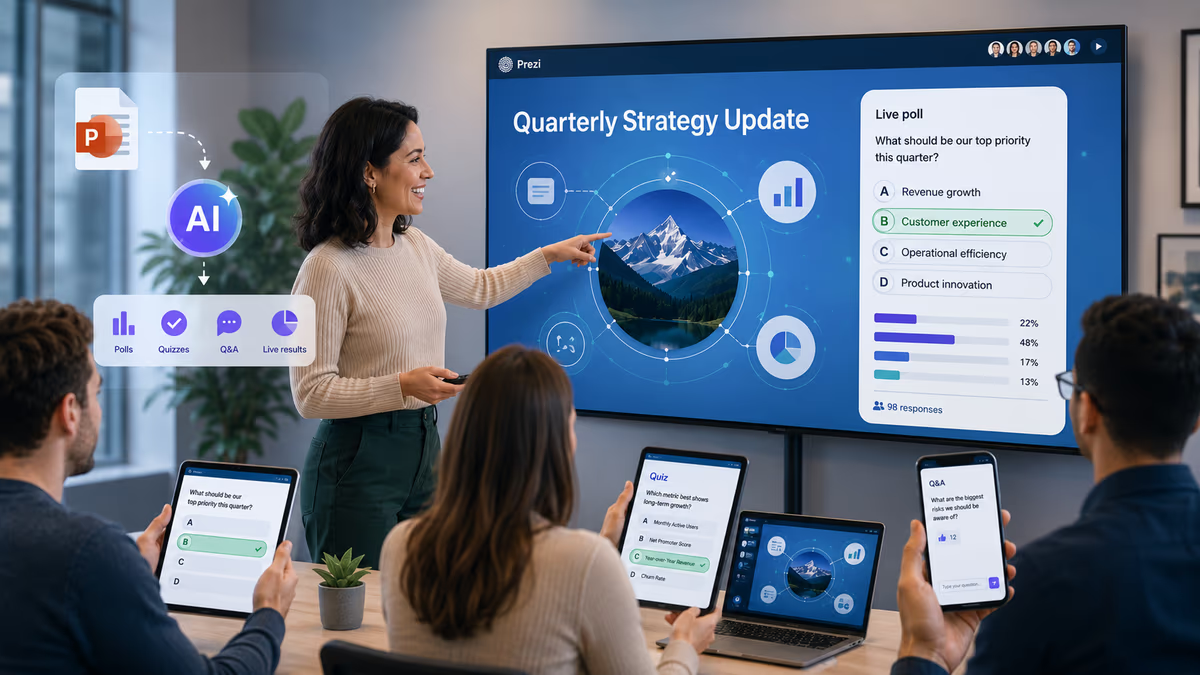
Prezi's live classroom features are built directly into the presentation itself. While presenting, an instructor can run live polls, word clouds, open-ended Q&A, and quizzes without leaving the deck. Students join via a link on any device and respond in the same window they use to watch the slides.
The key practical difference from TopHat: there is no second platform to open. The poll appears on the same screen as the lesson content, because it is part of the lesson content. For a closer look at setting this up, see how to use Prezi for interactive classroom presentations with polls and Q&A.
Generate Quiz from Slide Content
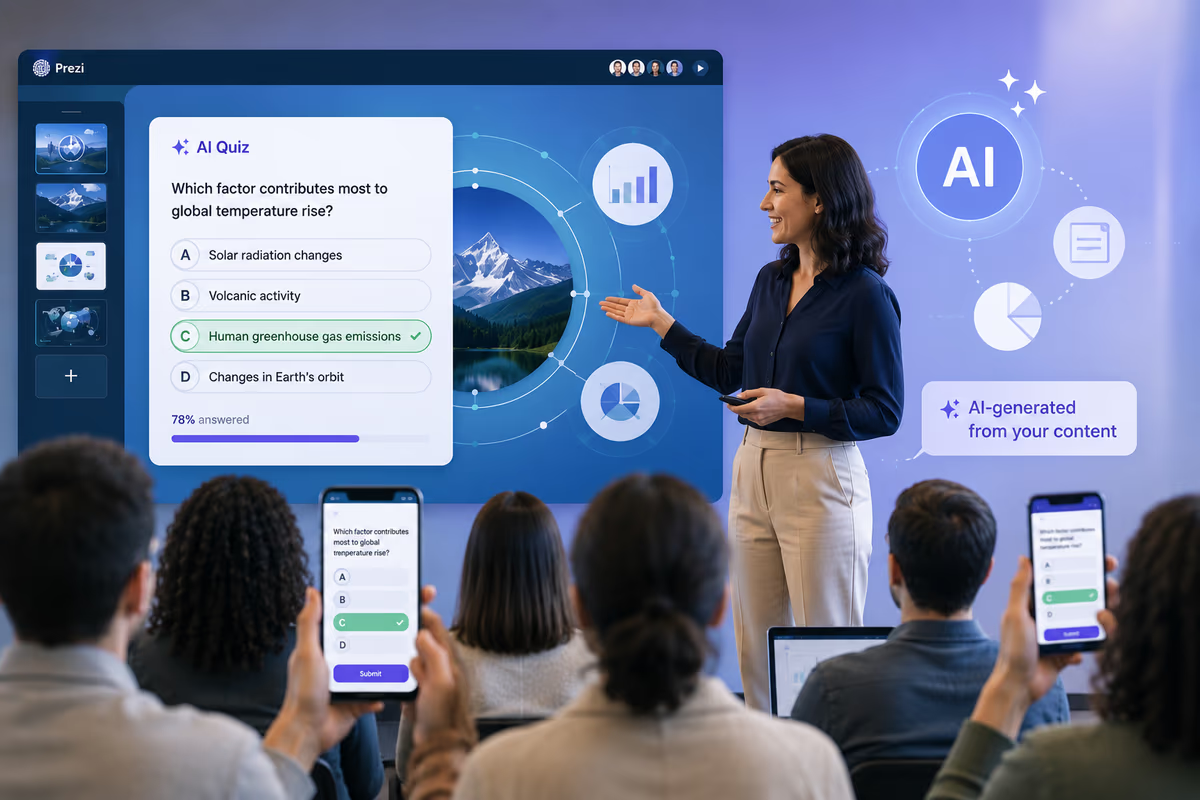
Prezi includes a Generate Quiz feature that builds question sets directly from a slide deck's existing content. An instructor who has already built a lecture does not need to manually reconstruct quiz questions in a separate quiz tool. The AI reads the slide content and proposes questions, and the full question set is editable: instructors can revise wording, swap answer choices, add or remove questions, or set the AI output aside entirely and build a quiz from scratch.
This is a meaningfully different approach from TopHat, where questions are authored separately from the slide content and pushed during the lecture.
A Full Suite of Asynchronous Learning Tools
A presentation built in Prezi does not stop teaching when the live session ends. The same content can continue reaching students in several formats, all aimed at deepening understanding and retention after the lesson itself is over:
- Explain this to me. Students can ask follow-up questions about a specific slide after the live session is over, and get an answer generated from that slide's content. Students can also highlight a specific piece of text on the slide to get a more targeted answer about exactly what they need help with. This turns each slide into its own Q&A surface for review or make-up work.
- Narrated video. Instructors can record the presentation as a narrated video, adding a voiceover to the existing slides, with or without appearing on camera, so students can watch and re-watch the lesson on their own schedule.
- Podcast. The same presentation can be turned into an audio, podcast-style version, giving students a way to review the material without needing a screen.
- Self-quiz. Students can quiz themselves on the content directly from the shared link, using the same AI-generated questions available during the live session.
TopHat does not have a comparable set of asynchronous, slide-level review tools. Its engagement features are built for the live session only.
One All-Purpose Tool Instead of Several
Taken individually, each Prezi feature covers a job educators would otherwise outsource to a separate product: a polling app for live questions, a quiz generator, a screen recorder for narrated video, a converter to produce a podcast, and a slide deck tool to hold it all together. Prezi is genuinely a full-purpose tool: slide creation, AI deck generation, live polls and quizzes, narrated video, podcast conversion, and asynchronous Q&A all live inside the same presentation, under one login.
That matters beyond convenience. Fewer tools means fewer things that can fail during a live class, fewer logins and passwords for instructors and students to manage, less time spent moving content between platforms, and one bill instead of several. For instructors evaluating a TopHat alternative, this is often the real reason to switch: not a single missing feature, but the accumulated cost and friction of running a lesson through four or five different tools instead of one.
Prezi AI for Presentation Creation
Where TopHat offers no meaningful help with building the presentation, Prezi AI generates a full deck from a prompt or outline. An instructor can describe a topic, upload an existing document or PDF, and receive a structured, designed slide deck within minutes. That deck is then editable, brandable, and live-delivery-ready without any additional tool.
For educators who spend significant time on slide design, this is one of the largest practical advantages Prezi holds over TopHat. For a broader look at how AI fits into lesson planning beyond deck creation, see how to use AI in the classroom.
LMS Integration via SCORM Export
Prezi supports SCORM export, allowing a completed presentation to be packaged for delivery inside Canvas, Moodle, Schoology, Blackboard, or D2L Brightspace. This is well-suited to asynchronous or self-paced coursework, where students move through the lesson on their own timeline. It is not a real-time gradebook sync in the way TopHat delivers, but it covers the use case of distributing lesson content through a school's existing LMS infrastructure.
Pricing Instructors Pay, Not Students
Prezi's educator pricing is charged to the instructor, not the student. The EDU plan starts at $3 per month per user and includes the interactive classroom features described above. Students access shared presentations and live sessions through a link, with no account required to participate.
This removes the student-cost objection that frequently derails TopHat adoption at institutions without a site license.
FERPA Compliance for K-12 and Higher Education
Prezi is FERPA-compliant, which matters for institutions that have strict requirements around student data and third-party tools. EDU plans include the compliance controls required by most U.S. school districts and universities.
Feature Comparison
| Feature | Prezi | TopHat |
|---|---|---|
| Live in-session polling | Yes (built into the presentation) | Yes |
| Word clouds | Yes | Partial |
| Q&A during live session | Yes (built into the presentation) | Yes |
| Asynchronous slide-level Q&A | Yes ("Explain this to me") | No |
| Generate Quiz from slide content, fully editable or build your own | Yes | No |
| Narrated video of the lesson | Yes | No |
| Podcast version of the lesson | Yes | No |
| Self-quiz from a shared link | Yes | No |
| Multiple formal question types | Moderate | Broad |
| AI deck creation from a prompt | Yes (Prezi AI) | No |
| AI deck creation from an existing file | Yes (PowerPoint, PDF, Word) | No |
| LMS delivery | SCORM export | Native real-time gradebook sync |
| Attendance tracking | No | Yes |
| Student subscription cost | None | Yes (traditional model) |
| Instructor pricing | EDU plan from $3/month per user | Institution-dependent, often license-based |
| FERPA compliance | Yes | Yes |
| Students need an account to join live session | No | Yes |
Who Should Choose Prezi
Prezi is the stronger choice for educators who:
-
Want one all-purpose tool for building, presenting, and following up on a lesson, instead of stitching together a slide tool, a polling app, a quiz generator, a screen recorder, and a podcast converter.
-
Teach in contexts where highly visual, exploratory lesson design matters to student engagement.
-
Need students to participate in live sessions without requiring them to create an account.
-
Want students to keep learning after the live session ends, whether through an LMS export, a narrated video, a podcast version, a self-quiz, or slide-level Q&A.
-
Are using AI to speed up deck creation and want that capability in the same product they use to present.
Prezi is used for interactive classroom presentations across K-12, higher education, and corporate training environments, with particular traction among educators who had been using Mentimeter, Kahoot, or Slido as a separate engagement tool alongside their slide software. Replacing two tools with one is consistently the deciding factor. See how Prezi empowers educators to bring creativity and innovation to the classroom for more on this shift.
Who Should Stick With TopHat (or Use Both)
TopHat remains the better fit for instructors who:
-
Need real-time gradebook sync for formal assessment credit tied to attendance and question responses.
-
Use TopHat Textbook as a course reading replacement and are committed to that workflow.
-
Run large lecture courses (300-plus students) and require the detailed per-student response analytics that TopHat's question format depth supports.
Some instructors use both: Prezi for lecture design and live delivery, TopHat for formal assessments and gradebook-connected question records. The two tools do not overlap on attendance tracking or gradebook sync, so pairing them is feasible without redundancy.
Getting Started With Prezi for Classroom Use
Prezi's EDU plan starts at $3 per month per user and includes the live classroom tools described above (polls, quizzes, and Q&A built into the presentation), Generate Quiz, narrated video and podcast export, SCORM export, and FERPA-compliant data controls.
For instructors switching from TopHat, the transition is straightforward: existing PowerPoint or PDF lesson materials can be imported directly into Prezi and redesigned within the platform. Live sessions require no student account, which removes the week-one onboarding friction that TopHat typically involves.
A one-session test run, importing one existing lecture and running a live session with a small class, is enough to evaluate whether the engagement features meet what you were getting from TopHat's student response tools.