
Fayza Hassan has two very different classrooms in one room. On any given day she might be teaching a group of teenagers or a group of adults in their thirties who left education years ago and are now squeezing coursework in around full-time jobs. Different ages, different attention spans, different reasons for being there, all needing to walk away understanding the same engineering concepts. Holding that room used to mean hours spent in PowerPoint, building everything by hand and hoping it landed. It doesn't anymore.
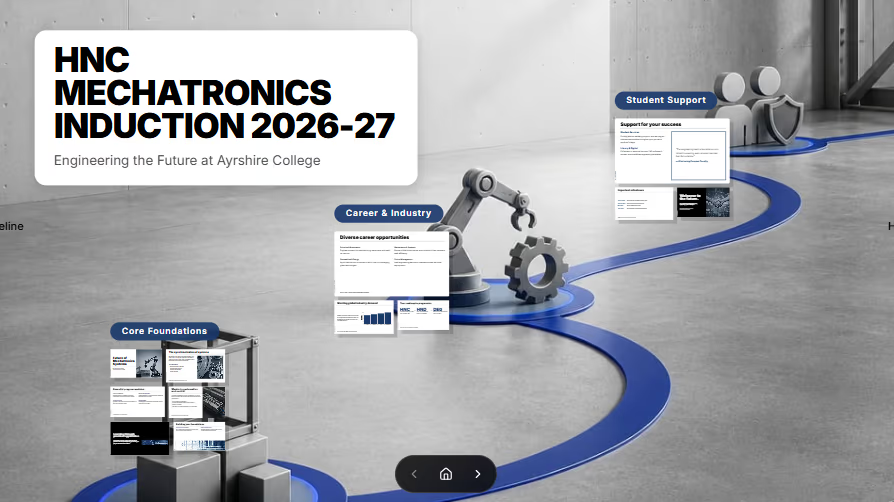
From PowerPoint convert to daily user
"Fayza Hassan teaches engineering across a range of levels at a further education college in the UK. She used to build all of it in PowerPoint. Now she builds almost none of it there.
"That's why I have converted from PowerPoint to Prezi," she says. "It helps me save time."
Her workflow starts simple: she writes out her main points in a PDF or Word document, drops them into Prezi, and lets AI take the first pass.
"AI starts working with me, creating some slides," she says. "It's almost like 70% just created for me, and I will just make some tweaks."
The more organized her notes going in, she's found, the less she has to touch coming out.
"When I make my PDF or my Word organized for Prezi, it comes with very good representation for me, like what I expect. It's almost 80% what I want."
Slides her students actually look forward to
Hassan teaches a mix of 14-to-18-year-olds and working adults returning to study, and she's built her presentations around keeping both groups engaged.
She uses infographics to map out course timelines, a format she leans on constantly. She also keeps her own lecture notes attached directly to each presentation rather than in a separate document, and embeds YouTube videos straight into her slides instead of switching windows mid-lecture.
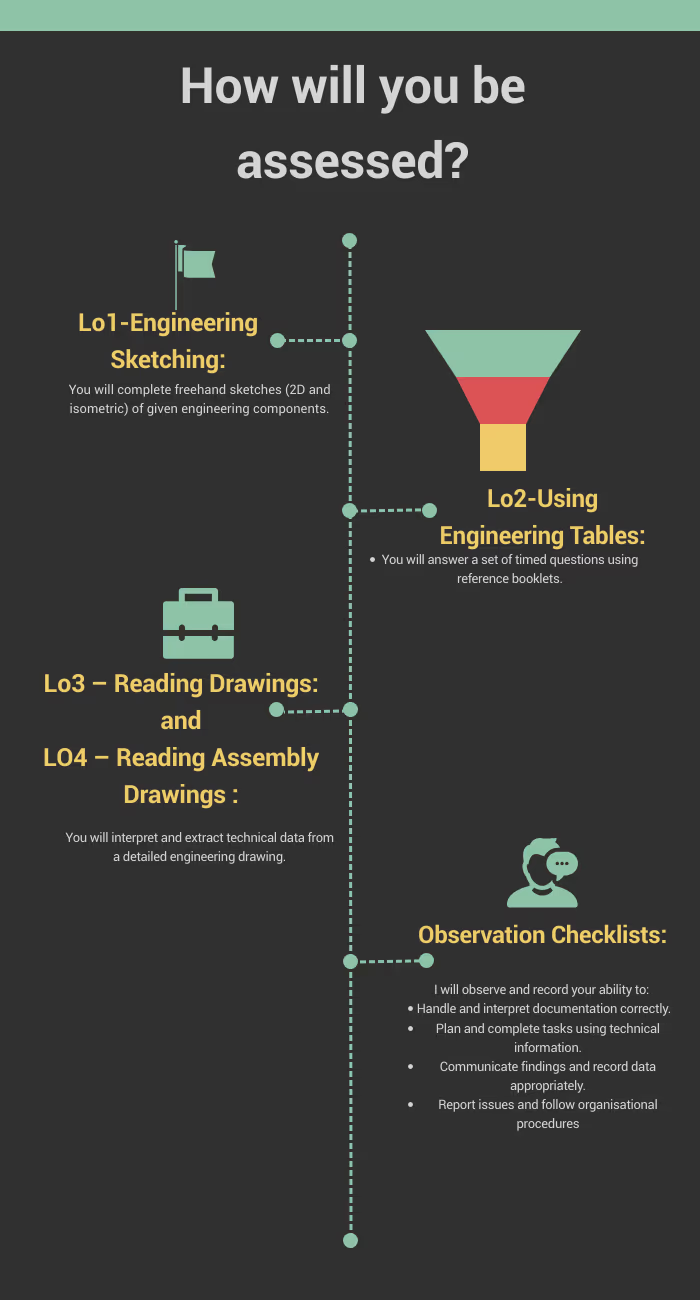
"It just goes together seamlessly, which for me is very good."
Reading the room, and stepping in at the right moment
Hassan has a clear read on how long she can hold attention before she needs to break the lecture up.
"From my experience with my students, I feel like a 15 to 20 minute lecture is enough," she says. "Then you have to stop, ask them anything, or even play a game. It can't be anything about the lecture but just a chance to stop and re-engage them."
Right now, that break usually means switching over to Kahoot, where she runs quiz-style games with a leaderboard and small prizes for the top finishers.
Looking ahead to built-in engagement
When she got a look at where Prezi's engagement features are headed, including live polls, quizzes, and games built directly into a presentation, Hassan lit up at the idea of having it all consolidated into one tool.
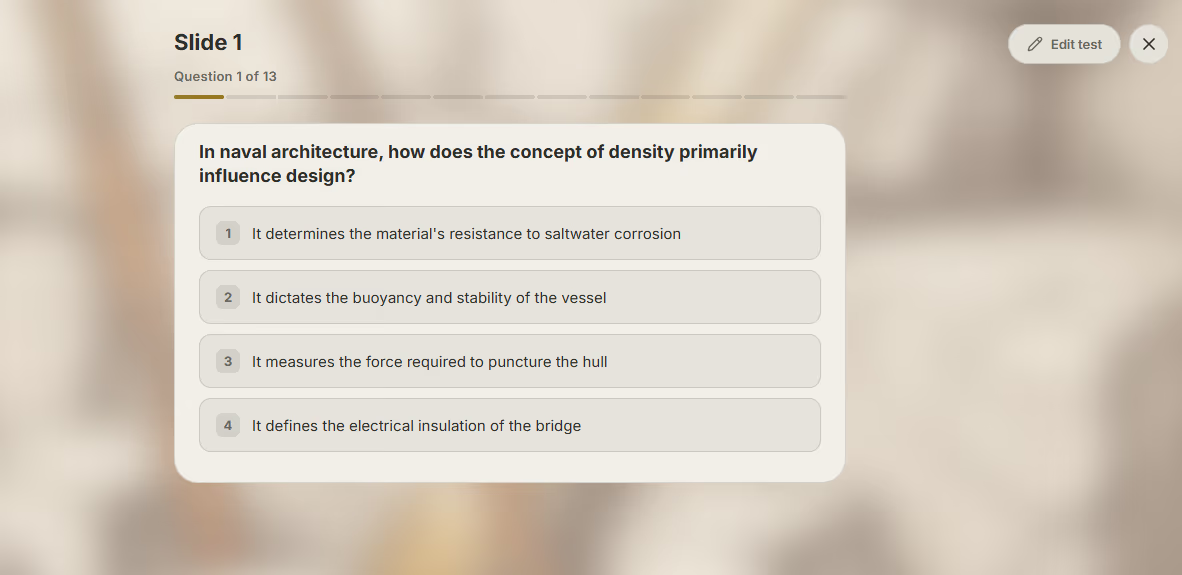
"If I have that feature inside Prezi, I'm going to use it," she says. "If it's on Prezi, that's going to be an advantage for me. Instead of going to another link and back to my presentation, it's going to be in my Prezi presentation."
For Hassan, the appeal is simple: less jumping between tools, more time spent where her students already are, inside the presentation itself.






