Key takeaways
- Active learning asks students to think, discuss, investigate and create during class, not only listen. Cornell's Center for Teaching Innovation cites research (Freeman et al., 2014; Theobald et al., 2020) showing it significantly improves student learning in university courses.
- Feedback is what makes it work. Quick answers show students where they stand and show you where the room is stuck.
- Prezi turns the slides you already have into live polls, quizzes, word clouds and Q&A. Students join by scanning a QR code.
- Learning Games (beta) give students practice after the lesson, alone or in groups of up to three, with no sign-up.
- Math teachers and professors already teach this way with Prezi. One high school teacher prepares a lesson in about five minutes.
You know your material. You know which idea trips students up in week three and which one they need before the midterm. The harder question is how to find out, mid-lecture, whether the room is following you.
Active learning answers that question. Below you will find what it is, what the research says, and how STEM instructors run it with the slides they already teach with.
What active learning means
Cornell's Center for Teaching Innovation describes active learning as asking students to take part by thinking, discussing, investigating and creating. In class, students practice skills, solve problems, work through complex questions, make decisions, propose solutions and explain ideas in their own words, in writing and in conversation.
Cornell also stresses that timely feedback, from the instructor or from fellow students, is critical to the process. The sections below keep coming back to that point.
What the benefits look like in a STEM class
Cornell lists several benefits of active learning. Here is how each one shows up when you teach STEM:
- More than one way into the material. Thinking, writing, talking and problem solving each give a student a different route. A student who stalls on the algebra may get the idea when they explain it to a neighbor.
- Stronger memory. Applying a new idea helps students connect it to what they already know. Solving a problem right after you teach a method does more than rereading the method.
- Faster correction. Frequent, immediate feedback lets students catch a misconception before it carries into the next unit.
- Personal connection. Working with the material makes it feel less abstract, which raises motivation.
- A sense of community. Shared activities and goals build connection between students and with you.
- Better insight for you. Watching students work shows you how they think, so you can aim your teaching at what they need.
Why STEM classes need quick checks
STEM courses stack. A shaky grasp of place value, a sign convention or a loop condition shows up weeks later inside a harder problem. A student can nod through a worked example and still not know how to start the next one alone.
Dovran Jumayev sees this every day. He teaches 8th-grade math to three classes of 14- and 15-year-olds at Ulaanbaatar Elite International School in Mongolia. Multiplying decimals depends on place value, and percent change depends on decimal multipliers. When students cannot see how the pieces connect, they lose track of where they are in the lesson and why it matters.
A short check right after you teach an idea closes that gap while it is still small. The check tells you whether to move on or reteach, and students learn where they stand.
How Prezi helps you run those checks
Prezi is made for the instructor who already has a deck. You can bring in slides from PowerPoint, Google Slides, Canva, PDF or Word, and they arrive as they are. If you are starting fresh, you can type one sentence about what you are covering and Prezi drafts the presentation with checks for understanding already attached.
You decide what matters in the lesson. Prezi builds the practice around that decision. For a deeper look at running a class this way, see how to use Prezi for interactive classroom presentations with polls and Q&A.
Prezi groups its Activities into two kinds. Checks for understanding (live polls, quizzes, word clouds and Q&A) help you read the room while you teach. Practice and self-learning (games, flashcards and narrated video) help students go back over the material on their own.
Find out what the room thinks before you explain
Ask a question before you teach the answer: "What happens to the current if we double the resistance?" A live poll shows you, in seconds, how many students would answer each way. You can then teach to the misconception that is in the room instead of the one you assumed. Dovran says polls help him understand "how much the class understands my topic."
Check understanding right after you teach it
A quiz gives you a checkpoint in the middle of a lecture. Prezi's AI generates quiz questions from your slide content, and you can edit the questions and answers, so you can rewrite a question, swap in equations or change the answer options. Results come back to you, so you can see which question the room missed before you move on. Quizzes also show a live leaderboard.
Courtney Hagan, a high school math teacher in Mississippi, sees what the leaderboard does for her students. "They're very competitive, and so they like to see who's where on the rank," she says. If students need more time on a question, she can pause the quiz and resume it when they are ready.
Collect the sticking points in one glance
A word cloud works well for open questions such as "What is still confusing?" Common words grow, and you can see where to slow down. Quieter students can answer from a phone without speaking up.
Let students ask without interrupting
Q&A lets students send questions as they come up. "Explain this to me" gives viewers an AI answer grounded in your deck, live or asynchronously.
Everyone joins the same way
Students scan one QR code on their phones, or go to prezi.com/join on a laptop and enter a code. There is no app to download. The same flow holds at scale. Julius Nyiawung, a lecturer at the School of Business in Maynooth, Ireland, runs quizzes and polls for courses of 150 to 900 students. His top reason to recommend Prezi to other educators is that presenting, polling and quizzing all live in the same presentation. "You don't have to toggle from one screen to the other," he says.
What it looks like in real classrooms
A high school math teacher who prepares in about five minutes. Courtney teaches Algebra 3, dual credit college algebra and trigonometry. Her courses come with Pearson slides, so the content was never the problem. Participation was. She imports the slides she already teaches from, and Prezi organizes them and adds quizzes, games and word clouds. Prep takes her about five minutes. For her trigonometry unit, Prezi generated adjustable angles that students could explore. "It really does put everything that I was using separately into one thing," she says. Read her full story in How a Mississippi math teacher builds interactive lessons in 5 minutes with Prezi.
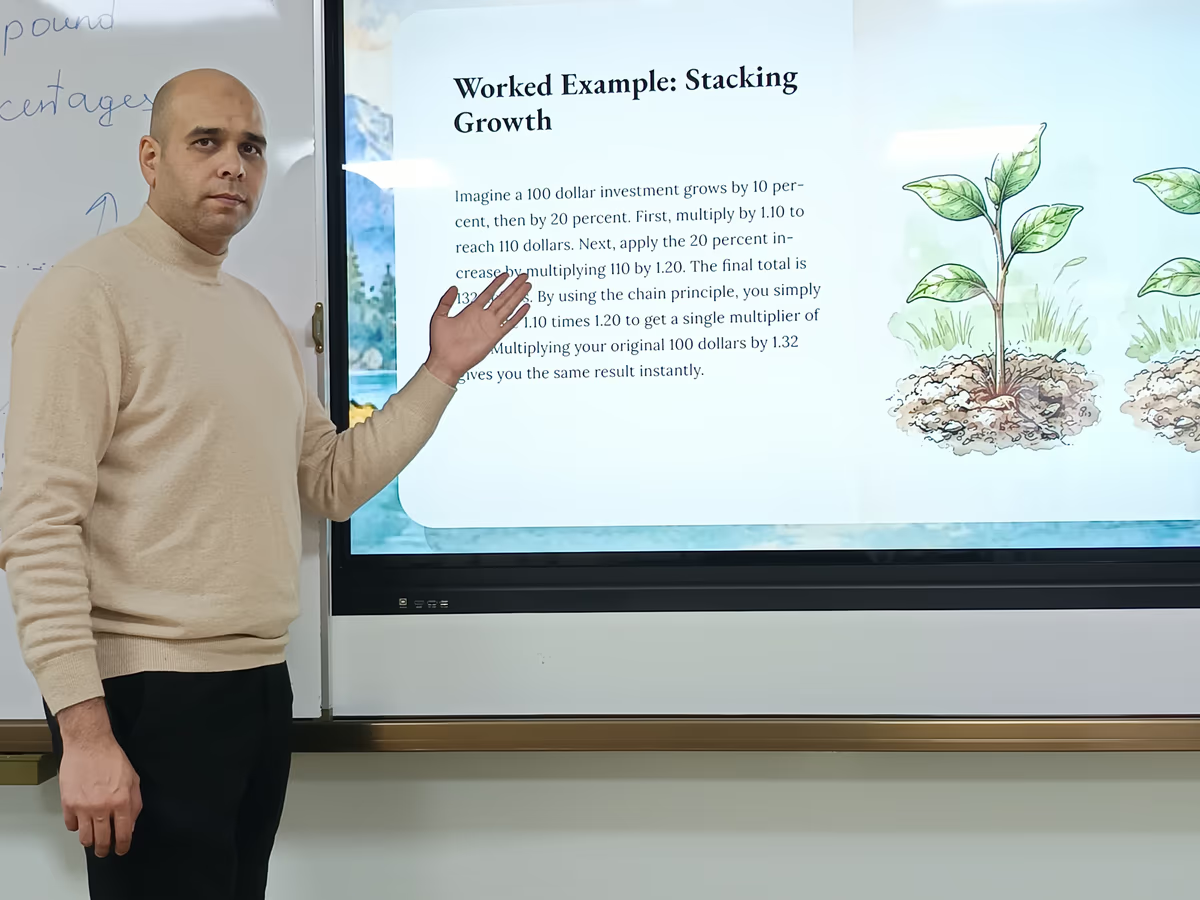
An 8th-grade math teacher who opens every lesson on a map. Dovran lays each topic out on one canvas so students can see the goal before the first example. Then he checks understanding with quizzes and polls as he goes. His most-loved games are Smarter than a chicken?, where students come to the board one at a time, and Stairway to your knowledge, where the class works through a challenge together. Every student takes a turn, not just the few who usually raise their hands. Phones are normally off-limits at his school, and he has permission to use them in his lessons. See his story and his Compound Percentages lesson.
A professor who teaches 900+ students from his own course notes. Julius uploads his PowerPoint decks, Word documents and PDF notes, and lets Prezi's AI turn them into presentations. He then reviews every slide, line and graphic himself. His advice is to keep your expertise at the center. You can read how he teaches 900+ business students with Prezi.
Practice after the lesson: Prezi's Learning Games (beta)
A check in the room tells you what students understand today. Practice after the lesson helps the idea stay.
Prezi Learning Games (beta) take your presentation, or just a topic you type in, and generate a short game students play to practice. They can play alone or with up to two classmates, and there is nothing for them to sign up for. Polls and quizzes help you check the room while you present. Games are for what comes after: the review, the practice, the "let's see if this stuck."
Each game has its own pace:
- Jelly Game is the fast one. Students eat true statements and dodge false ones. A round lasts 60 seconds, which makes it a natural warm-up or quick review.
- Smarter than a chicken? is turn-based, so students get a moment to think between moves. It suits partners and small groups.
- Sentence Bridge asks students to build a bridge from four to six sentences. True sentences hold, generic ones sag and false ones snap, so students have to choose the facts that hold a topic together.
- Stairway to your knowledge is the calm one. Students complete sentences by choosing the word that makes them true, with an "I don't know yet" option instead of guessing. It suits independent review or an exit ticket.
Leave the game setting on Auto and Prezi picks a game that suits your topic. You can also set the audience so the content lands at the right level for your class. Games are in beta, and Prezi is adding games and improving existing ones based on educator feedback. You can try them on the Learning Games page.
To add one to a lesson you already have, click Add activity in the editor and look under Practice & self learning.
Prezi also gives students other ways back into the same lesson. You can turn a presentation into a narrated video for students who missed class, and flashcards go with the presentation when you share it. Julius posts narrated videos to Moodle so students can revisit lectures on their own time.
One STEM lesson with Prezi
Here is how a 50-minute class could run with your existing slides:
- Open with the whole topic (2 minutes). Show students the goal and the steps to get there.
- Ask a poll question about a common misconception (2 minutes). Show the spread and tell students you will come back to it.
- Teach the concept (12 minutes) from the slides you already have.
- Run a short quiz (5 minutes). Read the results together. If most of the room missed a question, reteach it before you go on.
- Give students a problem to work in pairs or threes (15 minutes). Walk the room and listen to how they reason.
- Take questions (5 minutes) from Q&A while students work.
- Close with a word cloud (3 minutes): "What is still unclear?" Use the answer to plan the next class.
- Assign a Learning Game generated from the lesson for practice before the next session.
Tips for STEM instructors getting started
- Bring your own material. Upload your existing slides, a Word document or a PDF of your notes. Prezi works from what you already teach.
- Review before you present. Check generated questions, examples and answers, especially for multi-step calculations. Julius reviews every slide himself.
- Tune the activities. Select any activity in the editor to rewrite questions or swap in equations.
- Mix up the formats. Rotate between quizzes, polls and games across the week.
- Learn it once. Julius spent a summer on tutorials and practice, and by September every lecture ran in Prezi.
Start with one slide
You do not need to redesign your course. Pick the concept your students struggle with most. Add one poll before you teach it and one quiz after. Read the results, adjust, and add more only where it helps.
Try Prezi with your next lecture.
FAQ
What is active learning? Active learning asks students to think, discuss, investigate and create during class, rather than only listen. Examples include solving problems, explaining ideas in their own words and making decisions in groups.
Does active learning improve student outcomes? Cornell's Center for Teaching Innovation cites education research (Freeman et al., 2014; Theobald et al., 2020) showing that active learning strategies significantly enhance student learning in university courses.
How do I add active learning to a lecture I have already built? Start with the slides you have. Import them into Prezi, add one poll before a key idea and one quiz after it, and review the results with your class.
Is Prezi good for teaching math? Math teachers use it at several levels. An 8th-grade teacher opens each lesson on a topic map and uses quizzes and games, and a high school teacher imports her Pearson slides and prepares a lesson in about five minutes.
Do students need an account or an app to join? No. Students join live sessions by scanning a QR code or entering a code. Learning Games also work without sign-up.
Can I edit the quiz questions Prezi generates? Yes. Prezi generates quizzes from your slide content, and you can edit the questions and answers.
What are Prezi's Learning Games? Learning Games (beta) turn a Prezi presentation or a typed topic into a short game for practice. Students can play solo or in groups of up to three.
Can Prezi replace classroom clickers? For Courtney Hagan, Prezi's quizzes took the place of her discontinued MimioVote clickers. Students answer on devices they already have, and she sees the results on screen.