

Works withCanva to Prezi
Your Canva presentation, made interactive in Prezi
Keep designing in Canva. Import the presentation into Prezi, add live polls, quizzes, and Q&A, and run it from one link.


G2 Leader in Audience Response, Presentation Software, and AI Presentation Tools.
Can you use Canva with Prezi?
Yes. Download your Canva presentation as a PPTX or PDF file, import it into Prezi, and your design comes in as you made it. In Prezi you add live polls, quizzes, Q&A, and word clouds, present to the room, and share one link for afterward.
How to make a Canva presentation interactive with Prezi
Download as PPTX or PDF
In Canva, select Share, then Download. Choose PPTX or PDF as the file type and All pages, then select Download.

Upload to Prezi
Open Prezi and upload the file. Keep the Canva design as it is, or restyle it with a designer-made theme and your brand.
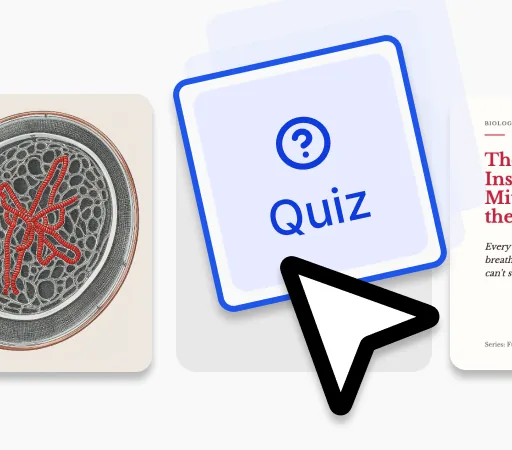
Add the activities
Add polls, a quiz built from your slides, and live Q&A where the room should weigh in.

Share one link
Share one link for the live session and for follow-up.
Design the slides in Canva, present them in Prezi
Your design, your way
- Visual design and your brand templates
- Graphics, photos, and layouts
- The editor you already know
Everything around the slides
- Live polls, quizzes, Q&A, and word clouds
- Moving around your slides in the order the room needs
- Flashcards, an audio summary, and a self-test built from your slides
- A shared page after the session
- Results by question and SCORM export
Your design comes in. A class comes out.
Your Canva visuals stay intact
Download as PPTX or PDF and the design arrives as you made it. Keep it, or let Prezi restyle it.
Keep editing in Prezi
Change a slide the night before, between sessions, or ten minutes before you start.
Teach it in the order the room needs
Your slides come in exactly as they are, and now you can move around them. The straight sequence is still there.
From the back row of a 300-seat hall, the answer takes one tap.
Live polls, quizzes, Q&A, and word clouds
Each one sits next to the slide it checks, inside the same presentation.
One QR code, one link
The room joins from the phone or laptop already in front of them. No app, no login.
Questions the room upvotes
Questions come in from every seat, and the ones most people want answered rise to the top.
The night before the exam, they open the same page you taught from. Now it quizzes them.
Practice built from your material
Prezi builds flashcards, an audio summary, and a self-test from the deck you imported.
A shared page that keeps working
People open the full presentation, a narrated video, a podcast, or a transcript.
Results by question
See how each poll and quiz landed, so the next session is sharper. Training teams can send completion data to their LMS with SCORM export.
What teachers say after bringing their slides into Prezi
From 14-year-olds in Mongolia to 900 business students in Ireland, five teachers on teaching from the slides they already had, with activities built in.
- presenters
- 170M+
- presentations created with Prezi
- 500M+
- countries where Prezi is used
- 195+
Bring the deck from wherever you made it
Prezi works with the tools you already use. Every import works the same way.
 PowerPointSave as .pptx, keep it as it is or restyle it, and add activities.
 Google SlidesDownload as .pptx or PDF, import it, and add a quiz to any slide.
 GammaExport to PowerPoint or PDF, then add polls and a quiz.
 Beautiful.aiExport an editable PowerPoint and keep the smart layouts.
 ChatGPTTurn a slide-by-slide outline from ChatGPT into a presentation.
 ClaudeTurn a slide-by-slide outline from Claude into a presentation.
 WordUpload a lesson plan or handout and it becomes a presentation.
 PDFUpload slides, notes, or a handout saved as PDF and add a quiz.
Canva and Prezi FAQ
Can I import a Canva presentation into Prezi?
Yes. In Canva, select Share, then Download, and choose PPTX or PDF. Upload the file to Prezi and your design comes in as you made it.
Will my Canva design look the same in Prezi?
Your layouts, images, and text come in as they are. Some fonts and effects can look slightly different after the export from Canva, and you can adjust them in Prezi or apply a designer-made theme.
How do I add a poll or quiz to a Canva presentation?
Import it into Prezi, then add a live poll, quiz, Q&A, or word cloud next to any slide. Your audience joins with one QR code or link, with no app and no login.
Should I download PPTX or PDF from Canva?
Either works. A PPTX file keeps your text editable in Prezi, and a PDF keeps every page exactly as it looks in Canva.
Do I have to stop using Canva to use Prezi?
No. Keep designing in Canva and use Prezi to present with live activities. Prezi also imports from PowerPoint, Google Slides, and Word.
What happens to my presentation after the session?
The same presentation becomes a shared page. People can open the full interactive presentation, a narrated video, a podcast, or a transcript, and Prezi builds flashcards, an audio summary, and a self-test from your slides.
Bring the deck you already have
Import your Canva presentation, add a poll, and see what landed.
Try Prezi for free