

Works withPDF to Prezi
Your PDF, made interactive in Prezi
Import your PDF, and Prezi turns your content into polls, quizzes, Q&A, and more.


G2 Leader in Audience Response, Presentation Software, and AI Presentation Tools.
Can you use a PDF with Prezi?
Yes. Upload the PDF to Prezi and let Prezi build a presentation from it, or keep every page as it is on desktop. You then add live polls, a quiz, and Q&A and share one link for the session and afterward.
How to turn a PDF into an interactive presentation
Save as PDF
Export your slides, notes, or handout as a PDF from the tool you made them in.

Upload to Prezi
In Prezi, start a new presentation from a file and upload the PDF. Let Prezi build a presentation from it, or keep the pages as they are on desktop.
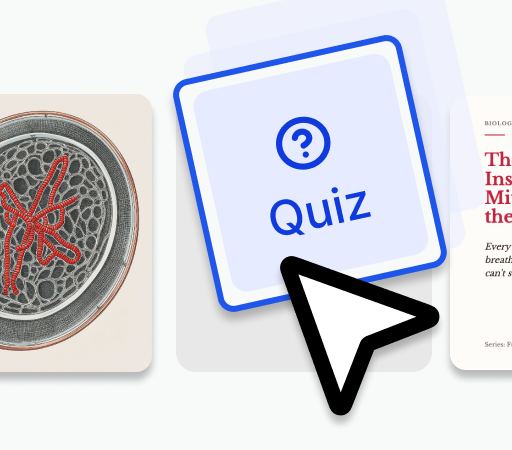
Add the activities
Add polls, a quiz, and Q&A to the pages that matter.

Share one link
Share one link for the live session and for follow-up.
Bring the PDF, present it in Prezi
The material you already have
- Slides exported from Keynote, Canva, or anywhere else
- Lecture notes, readings, and handouts
- Every page laid out the way you made it
Everything around the slides
- Live polls, quizzes, Q&A, and word clouds
- Moving around your slides in the order the room needs
- Flashcards, an audio summary, and a self-test built from your slides
- A shared page after the session
- Results by question and SCORM export
Your PDF comes in. A class comes out.
Kept as it is, or rebuilt
Let Prezi build a presentation from your PDF, in your order and your words, or keep every page exactly as it looks on desktop.
Pick a design, keep your words
Apply a designer-made theme or your brand, and change it any time without touching the content.
Keep editing in Prezi
Change a slide the night before, between sessions, or ten minutes before you start.
From the back row of a 300-seat hall, the answer takes one tap.
Live polls, quizzes, Q&A, and word clouds
Each one sits next to the slide it checks, inside the same presentation.
One QR code, one link
The room joins from the phone or laptop already in front of them. No app, no login.
Questions the room upvotes
Questions come in from every seat, and the ones most people want answered rise to the top.
The night before the exam, they open the same page you taught from. Now it quizzes them.
Practice built from your material
Prezi builds flashcards, an audio summary, and a self-test from the PDF you imported.
A shared page that keeps working
People open the full presentation, a narrated video, a podcast, or a transcript.
Results by question
See how each poll and quiz landed, so the next session is sharper. Training teams can send completion data to their LMS with SCORM export.
Bring the deck from wherever you made it
Prezi works with the tools you already use. Every import works the same way.
 PowerPointSave as .pptx, keep it as it is or restyle it, and add activities.
 Google SlidesDownload as .pptx or PDF, import it, and add a quiz to any slide.
 CanvaDownload as PPTX or PDF and keep your Canva design.
 GammaExport to PowerPoint or PDF, then add polls and a quiz.
 Beautiful.aiExport an editable PowerPoint and keep the smart layouts.
 ChatGPTTurn a slide-by-slide outline from ChatGPT into a presentation.
 ClaudeTurn a slide-by-slide outline from Claude into a presentation.
 WordUpload a lesson plan or handout and it becomes a presentation.
PDF and Prezi FAQ
Can I import a PDF into Prezi?
Yes. Prezi accepts PDF files, along with PowerPoint and Word. Upload the PDF and let Prezi build a presentation from it, or keep every page as it is on desktop.
Should I keep my PDF as it is or restyle it?
Keep it as it is when the pages already look the way you want; that option is on desktop. Let Prezi build a presentation from it when you want a designer-made theme and slides you can edit one by one.
What kind of PDFs work best?
Slides exported as PDF, lecture notes, readings, and handouts all work. Clear headings and short sections give Prezi a clear structure to build from.
How do I add a quiz to a presentation made from a PDF?
Once it is in Prezi, add a quiz, poll, Q&A, or word cloud next to any slide. Prezi can build the quiz from your content, and your audience joins with one QR code.
Can Prezi make the presentation without a PDF?
Yes. Describe what you are covering in a sentence, or upload a Word or PowerPoint file, and Prezi builds the presentation from it. Then add polls, quizzes, and Q&A in the same place.
What happens to my presentation after the session?
The same presentation becomes a shared page. People can open the full interactive presentation, a narrated video, a podcast, or a transcript, and Prezi builds flashcards, an audio summary, and a self-test from your slides.