Prezi 与 PowerPoint

The best AI-powered alternative to PowerPoint

Create stunning presentations in seconds with Prezi AI, the AI presentation platform proven to capture attention better than PowerPoint.
免费试用 Prezi
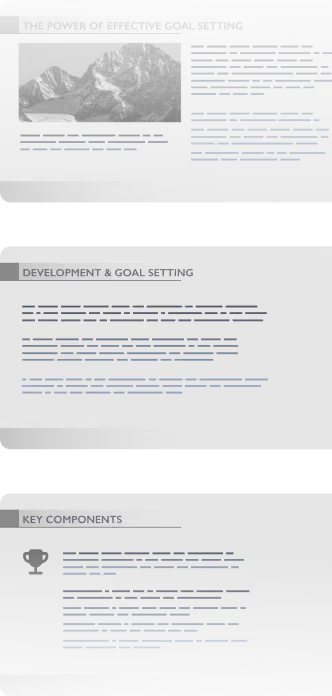
An image showing traditional slides deck.
A versus icon.

How Prezi beats PowerPoint

使用 Prezi 制作更快、更好的演示文稿

功能

AI 创作

icon checkmark green
情境化、可视化、完全自定义的呈现
icon warning yellow
基于模板的自动化
基于模板的自动化
有限的 AI 功能
有限的 AI 设计和格式
Only generate 1 slide at a time
Limited AI features, generic templates
Simple presentations only
有限的 AI 功能
Clunky AI features with limited customization
有限的 AI 功能
Low-quality boring generation

动画

icon checkmark green
缩放画布已被证明能更好地引起受众共鸣
icon warning yellow
静态幻灯片体验
静态幻灯片体验
静态幻灯片体验
静态幻灯片体验
静态幻灯片体验
静态幻灯片体验
静态幻灯片体验
静态幻灯片体验
静态幻灯片体验
静态幻灯片体验
Static slide experience

升级现有演示文稿

icon checkmark green
一键从提示词或文件生成演示文稿
icon warning yellow
-
有限的演示文稿转换
有限的演示文稿转换
有限的演示文稿转换
有限的演示文稿转换
Limited presentation conversions

实时适应性

icon checkmark green
在可缩放画布上自由切换主题
icon warning yellow
仅限线性模板
仅限线性模板
仅限线性模板
仅限无聊的线性模板
仅限无聊的线性模板
仅限线性模板
仅限无聊的线性模板
仅限线性模板
仅限线性模板
仅限无聊的线性模板
仅限线性模板

协作

icon checkmark green
实时协同编辑
icon warning yellow
有限的团队功能
有限的团队功能
有限的团队功能
有限的团队功能
有限的团队功能
有限的团队功能
有限的团队功能
有限的团队功能

分析

icon checkmark green
观众洞察&互动数据
icon warning yellow
最小指标
Limited
Limited
Limited

移动应用

icon checkmark green
使用我们的移动应用查看和控制演示文稿
icon warning yellow
仅基本编辑
仅基本编辑
仅基本编辑

定价

icon checkmark green
免费试用和 AI 积分
icon warning yellow
无免费试用
无免费 AI 功能
No free version

已经在使用 PowerPoint?切换很简单。Prezi AI 可帮助您在几秒钟内重建演示文稿。

进行切换

Build smarter. Deliver faster.

file bullet point icon

Custom presentations made quickly

使用 Prezi 很容易上手。上传现有演示文稿或直接在 Prezi AI 中输入您的想法。几秒钟内,您就能获得一个定制的演示文稿,既美观又有条理,随时可以让人印象深刻。无需模板,没有枯燥的内容。

checkmark bullet point icon

Effortless creation

一键即可完成演示文稿。Prezi AI 能够理解您要展示的内容并即时完成设计。减少制作时间,将更多精力投入到出色完成工作中。

checkmark bullet point icon

Scientifically proven engagement

Prezi 不仅仅是精美的幻灯片(我们也有这些)。我们关注的是结果。在一项由大学主导的盲测研究中,Prezi 被证明比静态演示文稿的效果高出 25%,说服力强 22%。这意味着人们会记住你所说的内容,并且会采取行动。

开始使用

Collaborate better. Present smarter.

brand bullet point icon

Real-time collaboration

使用 Prezi,团队协作不会拖慢您的速度。您的整个团队可以实时共同构建、编辑和审阅演示文稿。无需等待更新,没有文件混乱。

brand bullet point icon

品牌套件

每次演示都完美契合品牌形象。Prezi 的品牌工具包可锁定您的颜色、字体和徽标,因此您创建的每个演示文稿都看起来一致且专业,即使是由 Prezi AI 为您构建时也是如此。

brand bullet point icon

Storytelling in motion

静态幻灯片让观众昏昏欲睡。我们的动态布局能够吸引他们的注意力,让您在不同想法之间自然切换。在观众想看的时候,突出展示他们想看的内容。创建让人真正记得住的演示文稿。

开始使用

经过验证,呈现更出色的演示效果。全球信赖之选。

Prezi 不仅让幻灯片看起来更好。它让幻灯片效果更好。听听用户怎么说:

Icon representing engagement, showing a smiling face surrounded by dynamic lines to convey excitement and interaction.

5分中的4分

说 Prezi 更擅长吸引注意力

Icon symbolizing persuasion, featuring a speech bubble or dialog element with emphasis lines suggesting convincing communication.

91%

表示 Prezi 对他们的工作产生了积极影响

Time icon showing a stylized clock face, representing speed, efficiency, or time-saving.

160M+

全球用户信赖 Prezi 进行演示

*基于2025年7月对教育工作者和专业人士的调查。
  • Cisco logo
  • Autodesk logo
  • salesforce logo
  • airbus logo
  • staples logo
  • sony logo
  • bmw logo
  • fujitsu logo
  • discovery logo
  • Cisco logo
  • Autodesk logo
  • salesforce logo
  • airbus logo
  • staples logo
  • sony logo
  • bmw logo
  • fujitsu logo
  • discovery logo
  • Cisco logo
  • Autodesk logo
  • salesforce logo
  • airbus logo
  • staples logo
  • sony logo
  • bmw logo
  • fujitsu logo
  • discovery logo
  • Cisco logo
  • Autodesk logo
  • salesforce logo
  • airbus logo
  • staples logo
  • sony logo
  • bmw logo
  • fujitsu logo
  • discovery logo

为什么 PowerPoint 用户正在转向 Prezi

  • 我过去使用过许多演示工具,但 Prezi 是其中最出色的之一。它独特的缩放功能和动态布局使我的演示在视觉上引人入胜,比传统幻灯片更令人难忘。

    帕夫洛·马什塔勒
  • 当我向同事展示 Prezi AI 的功能时,他印象深刻。只需输入几个词,它就能设计出一整场演示。然后我还能返回编辑并添加更多内容。我计划更频繁地使用它来进行"有声有色"的教学!

    Diane S
  • 10年前我从PowerPoint转向了Prezi,从此再也没有回头!作为一名教师,Prezi一直是我课堂上不可或缺的工具,让课程变得更加生动有趣和互动性更强。

    Scott S

还在用 PowerPoint?你错过太多了。

别再浪费时间在模板和枯燥的幻灯片上了。Prezi AI 以无与伦比的速度和影响力为您创建、设计并帮助您进行演示。以科学为支撑,深受数百万用户信赖。

切换到 Prezi
*Offer valid for new paying BUS customers obtaining their first Prezi subscription. This offer is valid for Prezi BUS Plus and BUS Premium subscriptions only. To redeem this offer, 1) click on your exclusive link above and your offer will automatically be applied at checkout; and 2) complete full payment of annual subscription no later than midnight Pacific Time December 15, 2025. This offer is non-transferrable to other products, people, or accounts. Promotion applies only to standard-rate purchases and cannot be combined with other discounts or offers. Subscriptions purchased through this promotion are final and non-refundable, except where required by applicable law. Prezi may modify or cancel this offer at any time prior to redemption.

常见问题解答

  • 我可以将 PowerPoint 演示文稿导入和导出到 Prezi 吗?

    Yes! Upload any existing presentation as a PPTX, PDF, or DOCX file and Prezi AI will automatically rebuild your presentation with a fresh, dynamic design. You can export any presentation from Prezi as a PowerPoint file, too.

  • 哪个AI最适合制作PowerPoint演示文稿?

    Prezi AI is trained on the largest public presentation library available and refined by our team of presentation designers. That means an AI presentation maker that knows how to make great decks, even if you need them as a PowerPoint.

  • 有免费的 PowerPoint 生成器吗?

    Yes. With Prezi, you can make your presentation with all of our upgrades and then export your work as a PowerPoint file. That means all the benefits of Prezi, converted into the file type you need.

  • Prezi 比 PowerPoint 更适合我的课堂吗?

    Definitely. Educators around the world love Prezi because it does a better job keeping your students interested and makes complex ideas easy to follow. We’ve even got a special plan for educators like you.

  • 我可以与我的团队一起使用 Prezi 吗?

    Yes! Prezi is built for collaboration. You and your team can create, edit, and present together in real time from anywhere. It’s easy to add comments, make live updates, and stay in sync without needing to send endless presentation versions to each other.

Prezi AI 如何助力我创建演示文稿?

Prezi AI 在演示文稿创建的各个阶段均能提供帮助,包括:

  1. 提纲:利用 Prezi AI 辅助构建演示文稿的提纲结构。
  2. 设计:Prezi AI 可推荐设计元素、配色方案和布局。
  3. 内容:基于您的提纲,Prezi AI 可协助生成文本和视觉素材。
  4. 优化:对 AI 生成的内容进行审核和编辑,确保其符合您的目标。

AI 对演示文稿有哪些益处?

撰写清晰、简洁的 AI 提示词对于简化工作流程、利用 AI 演示文稿制作工具生成高质量演示文稿至关重要。使用 Prezi AI 创建演示文稿时,请考虑以下关键提示:

  1. 明确焦点:具体阐述演示文稿的核心主题。
  2. 定制以产生影响力:考虑受众特点,并相应调整提示词。
  3. 用文字描绘画面:描述您期望的视觉风格和基调。
  4. 关键词与基调:包含相关关键词,并指定期望的基调。
  5. 成本节约:通过自动化演示文稿创建和交付的各个环节,AI 演示文稿制作工具可帮助您降低与设计和手动内容调整相关的成本。

遵循这些提示,您可以有效地向 Prezi AI 传达您的愿景,并创建出与您目标相符的精彩演示文稿。请确保您的描述既具体又清晰,同时保证演示文稿简洁易懂。

什么是生成式 AI 演示文稿?

生成式 AI 演示文稿是指完全或部分利用人工智能创建的演示文稿。这包括生成创意、设计幻灯片和框架,或创建内容。

交付 AI 演示文稿的最佳方式是什么?

无论您是在商业主题还是教育概念上进行AI演示,请确保根据受众的知识和兴趣定制您的内容。使用清晰的语言,分解复杂概念,并使用视觉效果来提高理解。

同时,确保通过提问、鼓励参与和使演示互动来吸引您的受众。最后,练习您的演讲并寻求反馈。此外,您可以探索Prezi 模板示例以获取灵感。

有关如何有效进行演示的更多信息,请阅读 这篇文章。 

为何应选择 Prezi AI?

Prezi AI 可帮助您节省时间,让您专注于真正重要的工作。借助 AI,您可以自动化重复性任务,激发创造力并发现新创意,同时提升内容质量。Prezi AI 还在其他方面提供帮助,如增强受众参与度。快速根据受众偏好定制内容,让他们在整个演示过程中保持良好兴趣。

如何使用 AI 制作动画

Prezi AI 可帮助您将要点转化为动画幻灯片。只需输入要点,Prezi AI 便会自动生成具有视觉吸引力的动画幻灯片。您可以自定义幻灯片和整体风格,以符合您的偏好。

如何在 Prezi 中使用 AI 视觉素材和动画

借助 Prezi,您可以通过添加 AI 生成的视觉素材来提升演示文稿质量。只需上传您的 AI 视觉素材,并根据期望的效果定制演示文稿。 

此外,您还可以在 AI 的帮助下,将要点转化为视觉故事,使其生动起来。只需点击几下,您就可以将枯燥的要点转化为动态、动画的幻灯片。您可以自定义这些过渡效果,以符合您的风格,并最终创建出更具动态和影响力的演示文稿。