AI presentation templates

Create memorable decks with AI presentation templates

Start with a template. Finish with something unforgettable.

Browse all

Browse all. Choose your template and let Prezi AI do the heavy lifting. Your next great presentation is three steps away.

ตัวกรอง
Thank you! Your submission has been received!
Oops! Something went wrong while submitting the form.

How do Prezi AI templates work

ขั้นตอนที่ 1

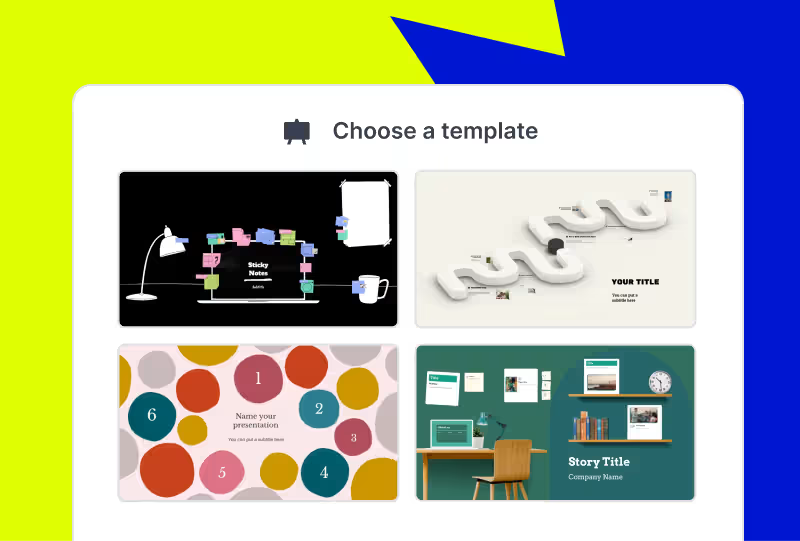
Choose your template

Browse categories to find the best AI-assisted presentation template for you.
Adjust the look and feel of your newly-made presentation. Pick your style, choose your images, and apply your branding with the click of a button.
ขั้นตอนที่ 2

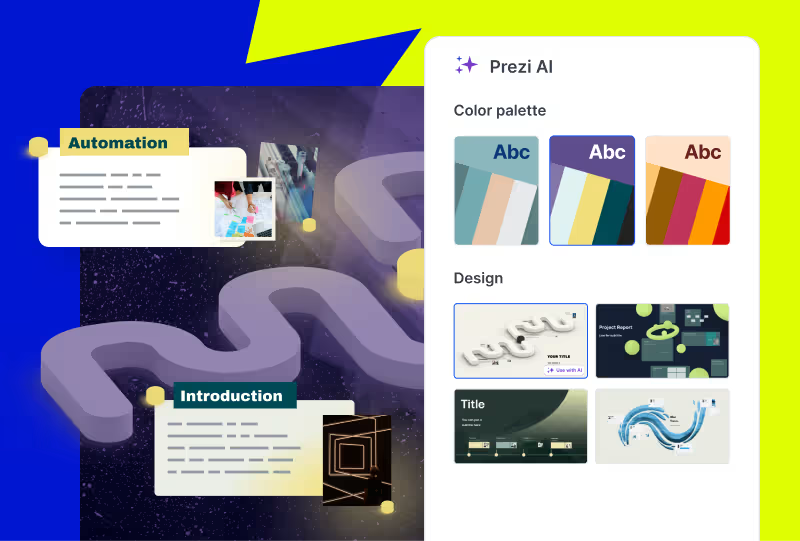
Make it yours

Adjust the look and feel of your newly-made presentation. Pick your style, choose your images, and apply your branding with the click of a button.

Adjust the look and feel of your newly-made presentation. Pick your style, choose your images, and apply your branding with the click of a button.
ขั้นตอนที่ 3

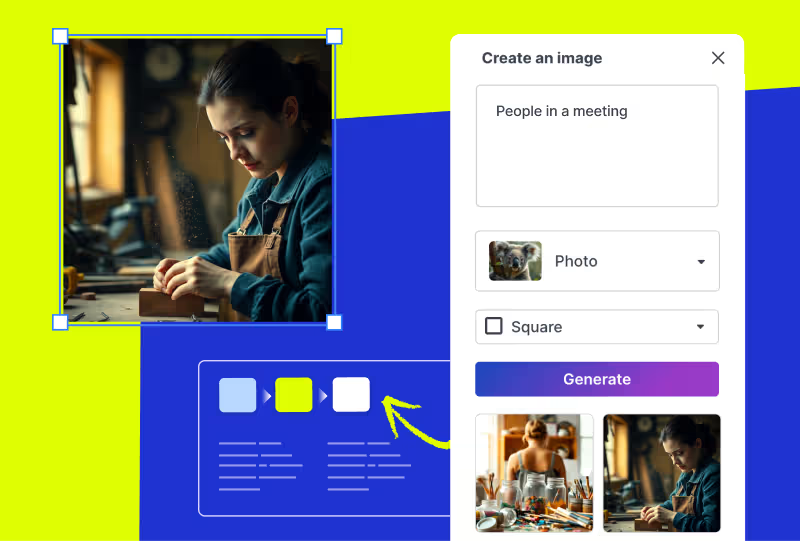
Edit your deck

Make any final customizations or additions to your generated presentation before it's ready to present.
Adjust the look and feel of your newly-made presentation. Pick your style, choose your images, and apply your branding with the click of a button.

ดึงดูดความสนใจด้วยงานนำเสนอที่ขับเคลื่อนด้วย AI

ทดลองใช้ฟรี

Frequently asked questions

  • What are Prezi presentation templates?

    Prezi presentation templates are professionally designed, ready-to-use layouts. They’re designed to give you a head start with presentation creation. Each template includes a clear presentation path, balanced visuals, and dynamic flow. This allows your presentation to move and guide your audience's attention. You can find a variety of templates for business, education, creative, and personal use cases. Just pick a template, add your content, and present with confidence.

  • How do Prezi templates work with Prezi AI?

    When you choose to use AI with one of the presentation templates, you will share some content about your presentation. It can be as short as a title or as long as an uploaded PDF outline. From there, Prezi AI will generate a presentation using your content and drop it into the template.

  • What if I’m not seeing the right presentation template for me?

    Prezi's prompt library gives you dozens of ready-made prompts from investor pitch decks to classroom lessons to creative portfolios. Just pick a prompt, and Prezi AI builds your presentation from scratch with layouts, visuals, and motion paths already in place. Want something even more specific? You can write your own custom prompt or upload a file, a document, outline, or brief, and Prezi AI will transform it into a dynamic, motion-based presentation in seconds.

  • Are Prezi templates free to use?

    Yes, all Prezi templates are free to use. If you want access to all advanced Ai features and Ai templates, you may need to upgrade to a paid subscription.

  • Can I customize a Prezi template after choosing one?

    Yes. Every Prezi template is customizable. You can edit text, swap images, adjust layouts, and move around slides.

  • Can I download Prezi presentation templates as PowerPoint files?

    Yes. Prezi lets you export your finished presentation as a PowerPoint (PPT) file, so you can download presentation templates and share them with anyone, even if they don't use Prezi. This makes Prezi a great alternative when you're searching for powerpoint presentation templates.

  • Can I create a presentation without using a template?

    Yes. With Prezi AI, you can create a presentation by selecting a prompt from the prompt library, writing your own custom prompt, or uploading a file such as a document, outline, or brief. Prezi AI will transform your input into a dynamic presentation.

Prezi AI ช่วยฉันสร้างงานนำเสนอได้อย่างไร

Prezi AI ช่วยในทุกขั้นตอนของการสร้างงานนำเสนอ รวมถึง:

  1. โครงร่าง: ใช้ Prezi AI เพื่อช่วยคุณจัดโครงสร้างโครงร่างสำหรับงานนำเสนอของคุณ
  2. การออกแบบ: Prezi AI สามารถแนะนำองค์ประกอบการออกแบบ ชุดสี และรูปแบบ
  3. เนื้อหา: Prezi AI สามารถช่วยสร้างข้อความและภาพตามโครงร่างของคุณ
  4. การปรับปรุง: ตรวจสอบและแก้ไขเนื้อหาที่สร้างโดย AI เพื่อให้แน่ใจว่าสอดคล้องกับเป้าหมายของคุณ

ประโยชน์ของ AI สำหรับงานนำเสนอมีอะไรบ้าง

การเขียนคำสั่ง AI ที่ชัดเจนและกระชับเป็นสิ่งสำคัญสำหรับการปรับปรุงขั้นตอนการทำงานของคุณและสร้างงานนำเสนอคุณภาพสูงโดยใช้เครื่องมือสร้างงานนำเสนอด้วย AI นี่คือเคล็ดลับสำคัญบางประการที่ควรพิจารณาเมื่อสร้างงานนำเสนอของคุณด้วย Prezi AI:

  1. กำหนดจุดเน้นของคุณ: เจาะจงหัวข้อหลักของงานนำเสนอของคุณ
  2. ปรับแต่งเพื่อสร้างผลกระทบ: พิจารณาผู้ชมของคุณและปรับคำสั่งให้เหมาะสม
  3. วาดภาพด้วยคำพูด: อธิบายรูปแบบภาพและน้ำเสียงที่คุณต้องการ
  4. คำสำคัญและ&น้ำเสียง: รวมคำสำคัญที่เกี่ยวข้องและระบุน้ำเสียงที่ต้องการ
  5. การประหยัดต้นทุน: ด้วยการทำงานอัตโนมัติในส่วนต่าง ๆ ของการสร้างและการนำเสนองาน เครื่องมือสร้างงานนำเสนอด้วย AI สามารถช่วยคุณลดต้นทุนที่เกี่ยวข้องกับการออกแบบและการปรับเนื้อหาด้วยตนเอง

การปฏิบัติตามเคล็ดลับเหล่านี้จะช่วยให้คุณสามารถสื่อสารวิสัยทัศน์ของคุณไปยัง Prezi AI ได้อย่างมีประสิทธิภาพ และสร้างงานนำเสนอที่สร้างผลกระทบที่สอดคล้องกับเป้าหมายของคุณ อย่าลืมระบุให้ชัดเจนและกระชับ และทำให้คำอธิบายงานนำเสนอของคุณสั้นและเข้าใจง่าย

งานนำเสนอ AI เชิงสร้างสรรค์คืออะไร

งานนำเสนอ AI เชิงสร้างสรรค์คือ งานที่ถูกสร้างขึ้นหรือสร้างขึ้นบางส่วนโดยใช้ปัญญาประดิษฐ์ ซึ่งอาจรวมถึงการสร้างแนวคิด การออกแบบสไลด์และเฟรม หรือการสร้างเนื้อหา

วิธีที่ดีที่สุดในการนำเสนองาน AI คืออะไร

ไม่ว่าคุณจะนำเสนอ AI ในหัวข้อธุรกิจหรือแนวคิดทางการศึกษา อย่าลืมปรับเนื้อหาให้เหมาะสมกับความรู้และความสนใจของผู้ฟัง ใช้ภาษาที่เข้าใจง่าย แบ่งเนื้อหาที่ซับซ้อนออกเป็นส่วนย่อย ๆ และใช้ภาพประกอบเพื่อช่วยให้เข้าใจได้ดีขึ้น

นอกจากนี้ ควรสร้างปฏิสัมพันธ์กับผู้ฟังด้วยการตั้งคำถาม กระตุ้นให้มีส่วนร่วม และทำให้การนำเสนอน่าสนใจยิ่งขึ้น สุดท้าย ฝึกซ้อมการพูดนำเสนอของคุณและขอรับข้อเสนอแนะเพิ่มเติม อีกทั้งคุณยังสามารถค้นหาแรงบันดาลใจได้จากแหล่งข้อมูล เช่น Prezi เทมเพลต หรือ ตัวอย่าง

หากต้องการข้อมูลเพิ่มเติมเกี่ยวกับวิธีการนำเสนออย่างมีประสิทธิภาพ สามารถอ่าน บทความนี้ 

ทำไมฉันถึงควรใช้ Prezi AI

Prezi AI ช่วยประหยัดเวลาของคุณและช่วยให้คุณมุ่งเน้นไปที่งานที่สำคัญจริง ๆ ด้วย AI คุณสามารถทำงานซ้ำ ๆ ให้เป็นอัตโนมัติ จุดประกายความคิดสร้างสรรค์และค้นหาแนวคิดใหม่ ๆ และปรับปรุงเนื้อหาของคุณ Prezi AI ยังช่วยในด้านอื่น ๆ ด้วย เช่น การดึงดูดผู้ชม ปรับแต่งเนื้อหาของคุณให้ตรงกับความต้องการของผู้ชมได้อย่างรวดเร็วและทำให้พวกเขาสนใจตลอดการนำเสนอของคุณ

วิธีการสร้างภาพเคลื่อนไหวด้วย AI

Prezi AI สามารถช่วยคุณสร้างสไลด์ภาพเคลื่อนไหวจากหัวข้อย่อย เพียงแค่ป้อนหัวข้อย่อยของคุณ และ Prezi AI จะเสนอให้สร้างสไลด์ที่น่าดึงดูดสายตาและมีภาพเคลื่อนไหวโดยอัตโนมัติ คุณสามารถปรับแต่งสไลด์และรูปแบบโดยรวมให้ตรงกับความต้องการของคุณได้

วิธีใช้ภาพและภาพเคลื่อนไหว AI ใน Prezi

ด้วย Prezi คุณสามารถปรับปรุงงานนำเสนอของคุณโดยการใส่ภาพที่สร้างโดย AI เพียงแค่อัปโหลดภาพ AI ของคุณและปรับแต่งงานนำเสนอของคุณให้ตรงกับผลลัพธ์ที่คุณต้องการ 

นอกจากนี้ คุณยังสามารถทำให้หัวข้อย่อยของคุณมีชีวิตชีวาด้วยการเปลี่ยนให้เป็นเรื่องราวภาพด้วยความช่วยเหลือของ AI คุณสามารถเปลี่ยนหัวข้อย่อยที่น่าเบื่อให้เป็นสไลด์ที่มีชีวิตชีวาและมีภาพเคลื่อนไหวได้ภายในไม่กี่คลิก คุณสามารถปรับแต่งการเปลี่ยนฉากเหล่านี้ให้เข้ากับสไตล์ของคุณและท้ายที่สุดก็สร้างงานนำเสนอที่มีพลวัตและสร้างผลกระทบมากขึ้น