AI presentation templates

Create memorable decks with AI presentation templates

Start with a template. Finish with something unforgettable.

Browse all

Browse all. Choose your template and let Prezi AI do the heavy lifting. Your next great presentation is three steps away.

Chuja
Thank you! Your submission has been received!
Oops! Something went wrong while submitting the form.

How do Prezi AI templates work

HATUA YA 1

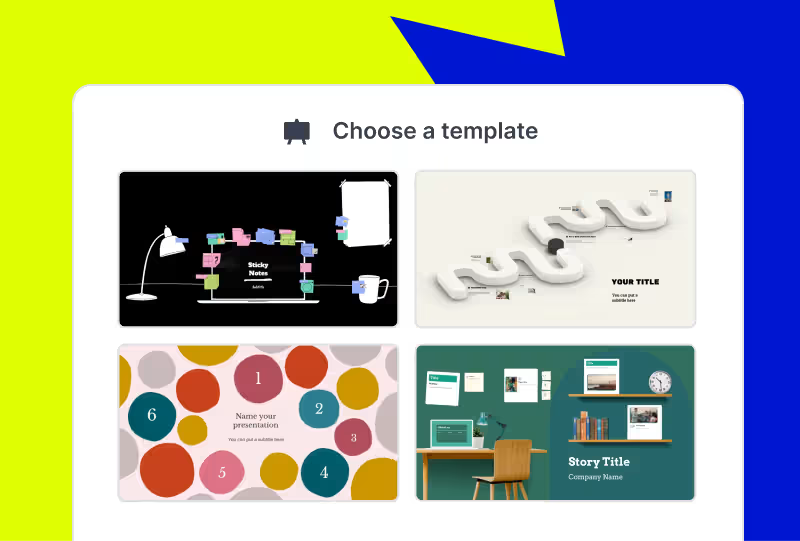
Choose your template

Browse categories to find the best AI-assisted presentation template for you.
Adjust the look and feel of your newly-made presentation. Pick your style, choose your images, and apply your branding with the click of a button.
HATUA YA 2

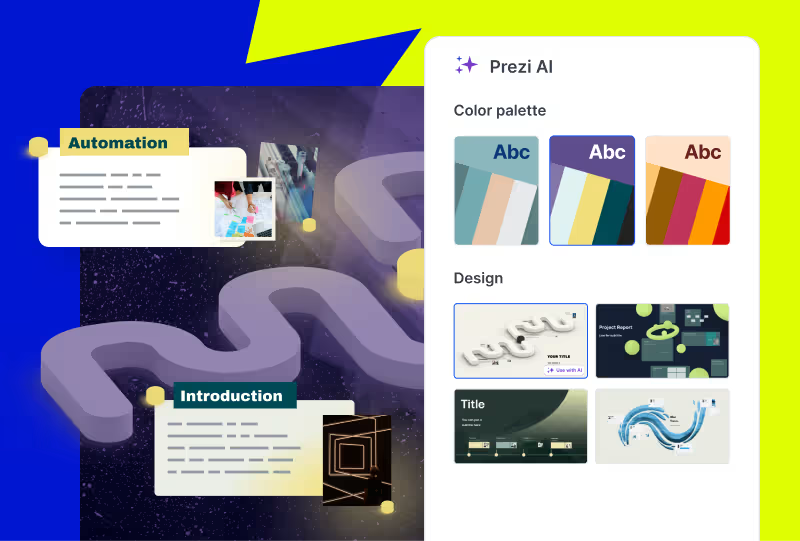
Make it yours

Adjust the look and feel of your newly-made presentation. Pick your style, choose your images, and apply your branding with the click of a button.

Adjust the look and feel of your newly-made presentation. Pick your style, choose your images, and apply your branding with the click of a button.
HATUA YA 3

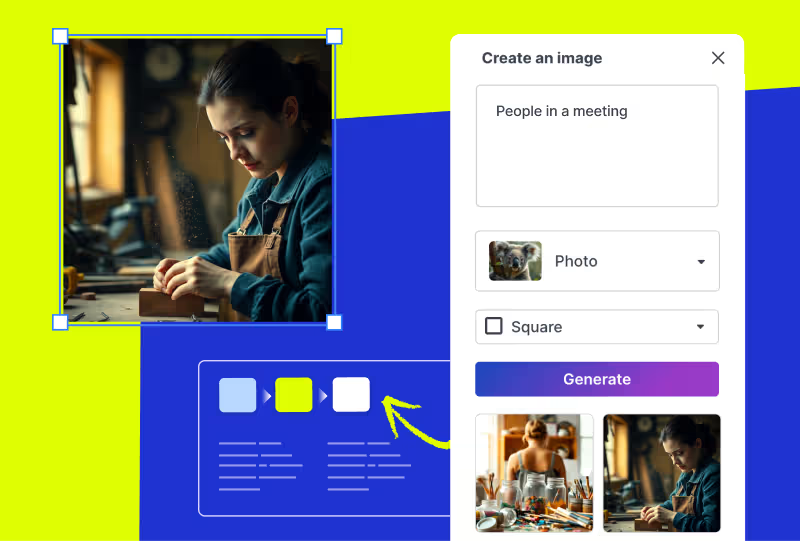
Edit your deck

Make any final customizations or additions to your generated presentation before it's ready to present.
Adjust the look and feel of your newly-made presentation. Pick your style, choose your images, and apply your branding with the click of a button.

Vutia hadhira kwa mawasilisho yanayoendeshwa na AI

Jaribu bila malipo

Frequently asked questions

  • What are Prezi presentation templates?

    Prezi presentation templates are professionally designed, ready-to-use layouts. They’re designed to give you a head start with presentation creation. Each template includes a clear presentation path, balanced visuals, and dynamic flow. This allows your presentation to move and guide your audience's attention. You can find a variety of templates for business, education, creative, and personal use cases. Just pick a template, add your content, and present with confidence.

  • How do Prezi templates work with Prezi AI?

    When you choose to use AI with one of the presentation templates, you will share some content about your presentation. It can be as short as a title or as long as an uploaded PDF outline. From there, Prezi AI will generate a presentation using your content and drop it into the template.

  • What if I’m not seeing the right presentation template for me?

    Prezi's prompt library gives you dozens of ready-made prompts from investor pitch decks to classroom lessons to creative portfolios. Just pick a prompt, and Prezi AI builds your presentation from scratch with layouts, visuals, and motion paths already in place. Want something even more specific? You can write your own custom prompt or upload a file, a document, outline, or brief, and Prezi AI will transform it into a dynamic, motion-based presentation in seconds.

  • Are Prezi templates free to use?

    Yes, all Prezi templates are free to use. If you want access to all advanced Ai features and Ai templates, you may need to upgrade to a paid subscription.

  • Can I customize a Prezi template after choosing one?

    Yes. Every Prezi template is customizable. You can edit text, swap images, adjust layouts, and move around slides.

  • Can I download Prezi presentation templates as PowerPoint files?

    Yes. Prezi lets you export your finished presentation as a PowerPoint (PPT) file, so you can download presentation templates and share them with anyone, even if they don't use Prezi. This makes Prezi a great alternative when you're searching for powerpoint presentation templates.

  • Can I create a presentation without using a template?

    Yes. With Prezi AI, you can create a presentation by selecting a prompt from the prompt library, writing your own custom prompt, or uploading a file such as a document, outline, or brief. Prezi AI will transform your input into a dynamic presentation.

Je, Prezi AI inanisaidiaje kuunda mawasilisho?

Prezi AI husaidia katika kila hatua ya uundaji wa wasilisho, ikiwa ni pamoja na:

  1. Muhtasari: Tumia Prezi AI kukusaidia kupanga muhtasari wa wasilisho lako.
  2. Ubunifu: Prezi AI inaweza kupendekeza vipengele vya ubunifu, paleti za rangi, na mipangilio.
  3. Maudhui: Prezi AI inaweza kusaidia kuunda maandishi na picha kulingana na muhtasari wako.
  4. Boresha: Kagua na hariri maudhui yaliyotolewa na AI ili kuhakikisha yanaendana na malengo yako.

Je, ni faida gani za AI kwa mawasilisho?

Kuandika maelekezo ya AI yaliyo wazi na mafupi ni muhimu kwa kurahisisha mtiririko wa kazi yako na kutengeneza mawasilisho ya hali ya juu kwa kutumia watengenezaji wa mawasilisho wa AI. Hapa kuna vidokezo muhimu vya kuzingatia unapotengeneza mawasilisho yako na Prezi AI:

  1. Bainisha lengo lako kuu: Eleza kwa uwazi mada kuu ya mawasilisho yako.
  2. Badilisha kwa athari: Fikiria hadhira yako na urekebishe maelekezo kulingana na hilo.
  3. Chora picha kwa maneno: Elezea mtindo wa kuona na mtazamo unaotaka.
  4. Maneno muhimu & mtazamo: Ongeza maneno muhimu yanayohusiana na eleza mtazamo unaotaka.
  5. Kuokoa gharama: Kwa kugeuza kiotomatiki vipengele mbalimbali vya utengenezaji na uwasilishaji wa mawasilisho, mtengenezaji wa mawasilisho wa AI anaweza kukusaidia kupunguza gharama zinazohusiana na usanifu na marekebisho ya maudhui kwa mkono.

Kwa kufuata vidokezo hivi, utaweza kuwasiliana vyema na Prezi AI na kutengeneza mawasilisho yenye athari yanayolingana na malengo yako. Kumbuka kuwa mahususi na wazi na weka maelezo ya mawasilisho yako mafupi na rahisi kueleweka.

Uwasilishaji wa AI wa kizazi ni nini?

Uwasilishaji wa AI ya kizazi ni ule ambao umeundwa au umeundwa kwa sehemu kwa kutumia akili bandia. Hii inaweza kujumuisha kuzalisha mawazo, kubuni slaidi na fremu, au kuunda maudhui.

Njia bora ya kuwasilisha wasilisho la AI ni ipi?

Iwe unawasilisha mada ya AI kuhusu biashara au dhana za kielimu, hakikisha unabadilisha maudhui yako kulingana na ujuzi na maslahi ya hadhira yako. Tumia lugha iliyo wazi, gawanya dhana ngumu, na tumia vielelezo ili kuboresha uelewa.

Pia, hakikisha unashirikisha hadhira yako kwa kuuliza maswali, kuhamasisha ushiriki, na kufanya wasilisho liwe la mwingiliano. Mwishowe, fanya mazoezi ya hotuba yako ya wasilisho na uombe mrejesho. Zaidi ya hayo, unaweza kuchunguza rasilimali kama vile templeti za Prezi au mifano kwa ajili ya kupata msukumo.

Kwa maelezo zaidi kuhusu jinsi ya kuwasilisha mada kwa ufanisi, soma makala hii. 

Kwanini nitumie Prezi AI?

Prezi AI inakusaidia kuokoa muda na kukuwezesha kuzingatia kazi muhimu zaidi. Kwa kutumia AI, unaweza kugeuza kazi zinazojirudia kuwa za kiotomatiki, kuchochea ubunifu na kupata mawazo mapya, na kuboresha maudhui yako. Prezi AI pia inasaidia kwa njia nyingine, kama vile kuongeza ushiriki wa hadhira. Badilisha maudhui yako haraka ili yaendane na mapendeleo ya hadhira yako na uwadumishe na hamasa katika uwasilishaji wako wote.

Jinsi ya kutengeneza uhuishaji kwa kutumia AI

Prezi AI inaweza kukusaidia kuunda slaidi zenye uhuishaji kutoka kwa nukta muhimu. Ingiza tu nukta zako muhimu, na Prezi AI itapendekeza kuunda slaidi zenye mvuto na uhuishaji kiotomatiki. Unaweza kubinafsisha slaidi na mtindo mzima ili uendane na mapendeleo yako.

Jinsi ya kutumia picha na uhuishaji wa AI katika Prezi

Kwa kutumia Prezi, unaweza kuboresha mawasilisho yako kwa kujumuisha picha zilizotengenezwa na AI. Pakia tu picha zako za AI na urekebishe wasilisho lako ili lilingane na matokeo unayotaka.

Pia, unaweza kufanya vidokezo vyako vya risasi viwe hai kwa kugeuza kuwa hadithi za kuona kwa msaada wa AI. Kwa mibofyo michache tu, unaweza kubadilisha vidokezo vya kawaida kuwa slaidi zenye uhai na uhuishaji. Unaweza kubinafsisha mabadiliko haya ili yaendane na mtindo wako na hatimaye kuunda wasilisho lenye mvuto na athari zaidi.