The best AI-powered alternative to Keynote
Create stunning presentations in seconds with Prezi AI, the AI presentation platform proven to capture attention better than Keynote.
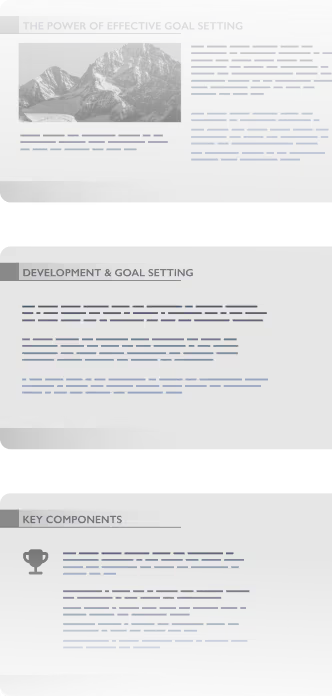


How Prezi beats Keynote
Prezi로 더 빠르고, 더 멋진 프레젠테이션
기능

AI 생성


프레젠테이션 중심
애니메이션
기존 프레젠테이션 업그레이드
실시간 적응력
동영상 감상하기
애널리틱스
협업
Already using Keynote? It’s easy to switch. Prezi AI helps you rebuild presentations in seconds.
Build smarter. Deliver faster.

Custom presentations made quickly
Prezi로 시작하는 것은 쉽습니다. 기존 프레젠테이션을 업로드하거나 Prezi AI에 아이디어를 입력하기만 하면 됩니다. 몇 초 만에 시각적이고, 체계적이며, 감동을 선사하는 맞춤형 프레젠테이션을 완성할 수 있습니다. 템플릿도 필요없으며 지루한 컨텐츠와 작별하세요.

Effortless creation
클릭 한 번으로 프레젠테이션을 완성할 수 있습니다. Prezi AI는 프레젠테이션 내용을 이해하고 즉시 디자인합니다. 이제 제작 시간을 줄이고 업무의 완성도를 높이는 데 더 많은 시간을 할애할 수 있습니다.

Scientifically proven engagement
Prezi는 단순히 멋지게 만드는 것에 그치지 않습니다(물론 시각적으로도 멋집니다). Prezi는 결과를 중시합니다. 대학에서 진행한 블라인드 스터디에서 Prezi는 정적인 프레젠테이션보다 25 % 더 효과적이고 22 % 더 설득력이 있는 것으로 나타났습니다. 즉, 사람들은 여러분의 말을 더욱 잘 기억할 것이고 이는 행동으로 이어질 것입니다.
Collaborate better. Present smarter.

Real-time collaboration
Prezi를 사용하면 팀원과 작업해도 속도가 줄지 않습니다. 팀 전체가 실시간으로 프레젠테이션을 함께 만들고, 편집하고, 검토할 수 있어 업데이트를 기다릴 필요도, 파일을 복잡하게 주고 받을 필요가 없습니다.

브랜드 키트
모든 프레젠테이션을 브랜드에 맞게 만드세요. Prezi의 브랜드 키트는 색상, 폰트, 로고를 고정해 두어, Prezi AI가 자동으로 제작하더라도 모든 프레젠테이션이 일관성 있고 전문적으로 보일 수 있도록 도와드립니다.

Storytelling in motion
정적인 슬라이드는 청중을 지루하게 만듭니다. 하지만 역동적인 레이아웃은 청중을 끌어들이고 자연스럽게 여러 아이디어를 넘나들 수 있도록 도와줍니다. 청중이 보고 싶어 하는 내용을 바로 보여주세요. 청중이 진정으로 기억하는 프레젠테이션을 만들어 보세요.

4 / 5
Prezi가 시선을 더욱 집중시킨다고 말합니다.

91%
Prezi가 업무에 긍정적인 영향을 미친다고 말합니다

170M+
전 세계 사용자들은 프레젠테이션에 Prezi를 신뢰합니다.


Why Keynote users are switching to Prezi
지금까지 여러 프레젠테이션 도구를 사용해 봤지만, Prezi는 단연 최고입니다. Prezi만의 독특한 확대/축소 기능과 역동적인 레이아웃 덕분에 프레젠테이션이 시각적으로 매력적이고 기존 슬라이드보다 훨씬 기억에 남습니다.
동료 선생님께 Prezi AI의 기능을 보여드렸을 때 정말 감동했어요. 몇 마디만 입력하면 쇼 전체를 디자인해 주더라고요. 수정이 필요한 부분만 편집하고 추가할 부분은 추가했어요. 더욱 인상 깊은 수업을 계획할 때 자주 사용할 생각입니다.
저는 모든 강연에서 Prezi를 활용하고 있어요. Prezi 덕분에 프레젠테이션을 더욱 시각적이고 기억에 남도록 만들 수 있었어요. 줌 화면에서도 눈에 잘 띄죠. 잘 보여주면 메시지는 더욱 잘 기억됩니다.
Still using Keynote? You’re missing out.
템플릿과 지루한 슬라이드에 시간 낭비하지 마세요. Prezi AI는 탁월한 속도와 효과로 프레젠테이션을 제작하고, 디자인하고, 발표할 수 있도록 도와드립니다. 과학적 근거를 바탕으로 수백만 명의 신뢰를 얻고 있습니다.


자주 묻는 질문
Is Prezi AI better than Keynote for presentations?
Absolutely. Prezi AI is built for the modern workplace with full AI-powered presentation creation—from prompt to polished deck in seconds. Keynote's AI features are limited to basic rewriting and image generation, while Prezi gives you complete, custom presentations designed to engage your audience better than traditional slides.
Can I download my Keynotes and import them into Prezi?
Yes! You can easily download your Keynote presentations and upload them to Prezi as a PDF, DOCX, or PPTX file. Prezi AI can transform your work and you’ll get all of the benefits of Prezi without needing to start from scratch.
Can my Windows teammates collaborate on Prezi?
Yes! Unlike Keynote, which creates friction for teams using Windows, Prezi works seamlessly across Mac, Windows, and web. Your entire team can collaborate in real-time, no matter what device they're on.
Do Keynote and Prezi offer free trials?
Yes! You can try all the features of Prezi AI for free, right now. Keynote is free for Apple users, but its limited AI capabilities mean you'll spend far more time manually building presentations than you would with Prezi's AI-powered approach.
Is Prezi harder to learn than Keynote?
Not at all. Thanks to Prezi AI, using Prezi is even easier than Keynote. You can just type your idea or upload a file and get a full presentation ready. No design skills, no new program to learn.