チームのプレゼンテーション方法を変える

Prezi AIを使って、コンテンツやアイデアを数分でインパクトのあるプレゼンテーションに変換しましょう。チームが必要とするコントロール、セキュリティ、サポートを備えて設計されています。

  • Cisco logo.
  • Autodesk logo
  • Salesforce logo
  • Airbus logo
  • Staples logo
  • Sony logo
  • BMW logo
  • Fujitsu logo
  • Discovery logo
Upload PPT and PDF files and transform your presentation with slides

チームと同様に働くプレゼンテーション

既存コンテンツを変換

ドキュメント、スライド、アウトラインを読み込んで、チームがすぐに使えるプロ仕様のプレゼンテーションに瞬時に変換します。

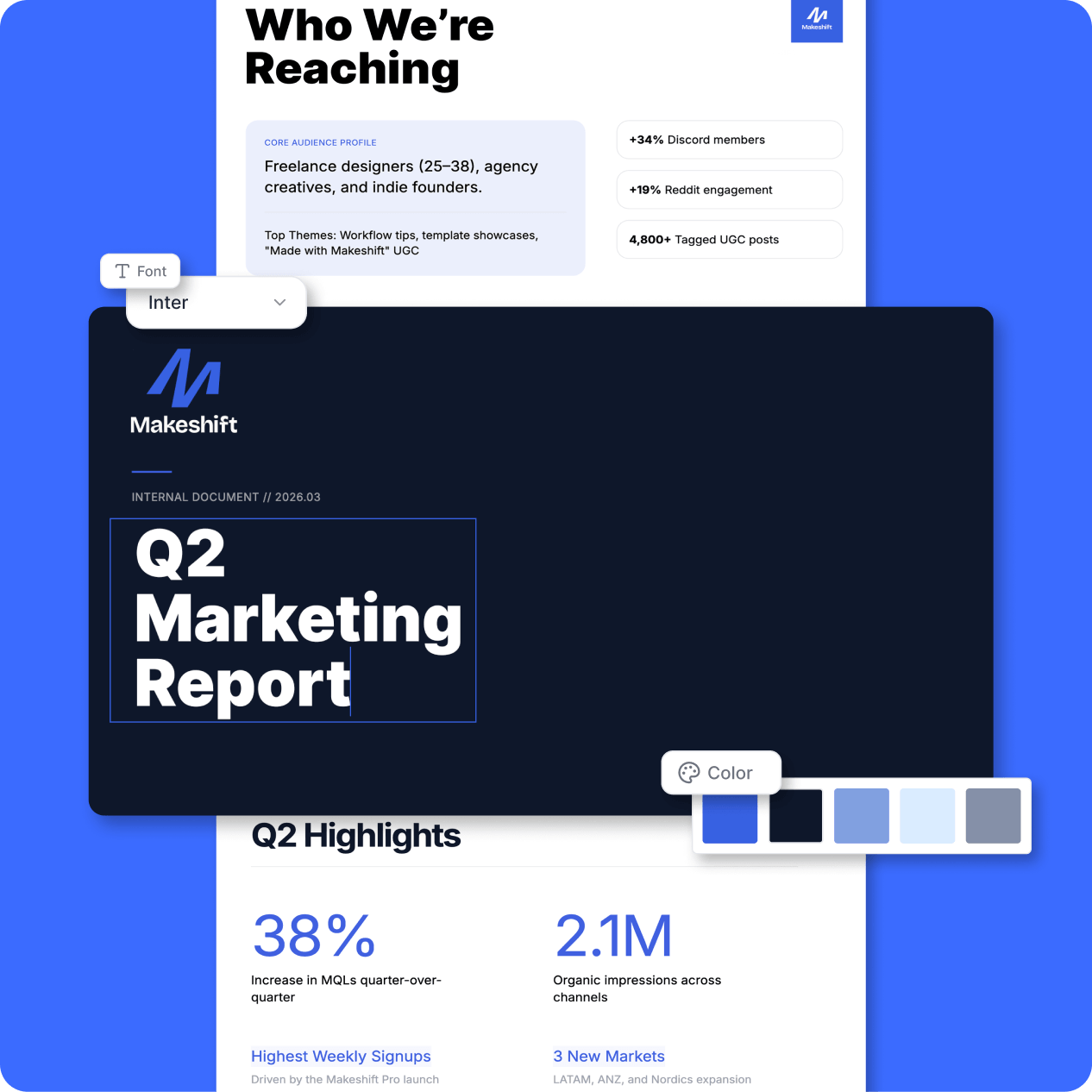
ブランドイメージを維持

フォント、色、テンプレートを固定して、すべてのプレゼンテーションで統一感を維持。余計な手間は一切不要です。

感心を維持する設計

5人中4人のユーザーが、Preziは従来のスライドよりも注目を集めやすいと答えています。*

*Preziを使用している専門家を対象に2026年3月~4月に実施した調査に基づく。

チームのブランドを統一

プレゼンテーションに御社のブランドを反映させます。

ブランドキット

ロゴ、色、フォントをアップロードしてください。チームのすべてのプレゼンテーションで、それらが自動的に適用されます。

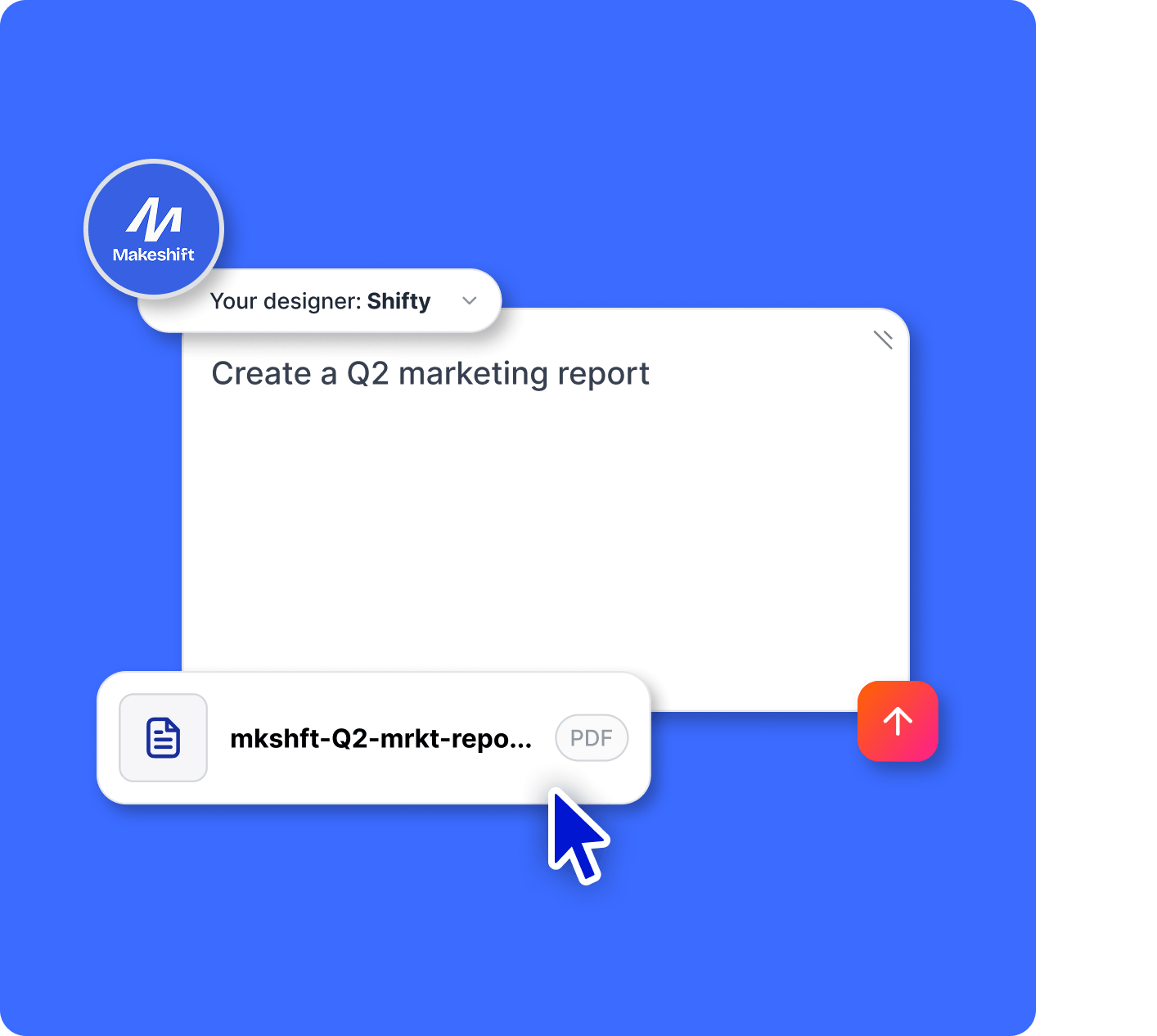
Your Designer

色、フォント、レイアウト、画像、ビジュアルなど、ブランド全体に基づいたカスタムAIデザイナーが、ブランドイメージに沿ったプレゼンテーションを自動的に作成します。

Custom branding on your presentations

An expert AI presentation designer, built for you

Prompt

Build a smart, engaging training session for remote teams with tools, trends, and actionable tips.

Prompt

Pitch my Mexican food truck concept with fresh food and fresher ideas. Include a clear growth plan and captivating visuals.

Prompt

Showcase a creative marketing strategy for a tech brand that highlights recent KPIs, market trends, and what’s next.

Prompt

Create a data-driven sales pitch for my finance company that highlights key wins, trends, and opportunities for new customers.

Prompt

Analyze performance metrics and strategies for a sound development business review. Forecast what’s next with bold visuals, charts, and clear takeaways.

チームの働き方に合わせて設計

The control, admin, and support a growing team needs.

Icon representing engagement, showing a smiling face surrounded by dynamic lines to convey excitement and interaction.

コンテンツの所有

誰かがチームを抜けた場合でも、コンテンツの管理を維持。

Icon representing analytics

ライセンスの管理

チーム メンバーの追加や削除、ライセンスの転送も簡単に行えます。

Icon representing share links

プライバシーコントロール

パブリッシングの設定と概要により、誰が何を見るかを管理できます。

Icon representing SOC2 ccompliant

MSI のインストール

リモートソフトウェア展開により、全員が最新バージョンを迅速に利用できます。

Icon representing privacy control

Customer support

カスタマーサポート専門家がお手伝いいたします。

Icon representing work offline

専属のサクセスマネージャー

専属ガイドがチームの立ち上げと運営をサポート。

チームにPreziを導入する準備はできていますか?

Prezi を無料で試す

あらゆる規模のチームから信頼されています

成長中のチームからグローバル企業まで、Preziはデータの安全性を確保し、組織の管理を徹底します。

Icon representing engagement, showing a smiling face surrounded by dynamic lines to convey excitement and interaction.

SOC 2 コンプライアンス

SOC2 条件に準拠し、常に最新の状態を維持します。

Icon symbolizing persuasion, featuring a speech bubble or dialog element with emphasis lines suggesting convincing communication.

定期的なモニタリング

インフラストラクチャとアプリケーションは、24時間体制でスキャンおよびテストが行われています。

Time icon showing a stylized clock face, representing speed, efficiency, or time-saving.

チーム間の統合

インフラから製品体験に至るまで、あらゆるレベルでセキュリティを重視して構築されています。

お客様に愛される理由

Preziは、数千件もの絶賛レビューに基づき、あらゆる業界において注目を集めるプレゼンテーションツールとしてトップの地位を確立しています。

start ratingstart ratingstart ratingstart ratingstart rating
4.6
2,010 レビュー
start ratingstart ratingstart ratingstart ratingstart rating
4.6
1,934 レビュー
G2 Top 50 office products awards 2023 badgeG2 leader fall 2023 badge
  • Preziを使うことで、より効果的にストーリーを伝えることができます。単なるPowerPointプレゼンではないので、より注意を引くことができるのです。

    Mike F
  • 自動車業界のクライアントへの提案で、Preziを活用しました。単にスライドを見せるのではなく、会場の雰囲気を掌握したのです。場の空気が一変しました。それが契約獲得につながったのです。

    Predrag P
  • Preziを使ってプレゼンを作成し、助成団体にクライアントの非営利団体を選んでもらうよう発表しました。結果は成功で、クライアントは1万ドルの助成金を受け取ることができました。

    Leonard R

チームでPreziを活用

ブランドイメージに沿ったプレゼンテーション、内臓されたセキュリティ機能など、チームの働き方に合わせて設計されています。

Prezi を無料で試す

よくある質問

  • 既存のプレゼンテーションや書類を Preziにインポートできますか?

    はい。PowerPoinファイルやPDFをアップロードする、または既存のコンテンツから始めても、Preziはより視覚的で魅力的なプレゼンテーションに変換します。ゼロから作成する必要はありません。

  • ブランドイメージに沿ってプレゼンテーションを作成できますか?

    はい。ブランドキットや担当デザイナー機能を活用すると、チームのフォント、色、ビジュアルスタイルが読み込まれるので、すべてのプレゼンテーションに自動的に統一感を持たせることができます。

  • Preziは簡単にチームに導入できますか?

    はい。Preziはデザインに詳しくない方でも直感的に操作できるため、チームですぐに使い始めることができます。必要に応じて、サポートや導入支援も利用可能です。

  • 複数人で同時にプレゼンテーションをできますか?

    はい。チームで共同でプレゼンテーションを作成、編集、共有できるため、連携を保ちながら作業を迅速に進めることができます。

  • 管理者はどのような権限を持っていますか?

    管理者は、ユーザーの管理、ライセンスの割り当てや譲渡、コンテンツへのアクセス制御、チーム全体のプライバシー設定の管理を行うことができます。

  • チーム向けの料金プランにはどのようなものがありますか?

    Preziでは、チームの規模やニーズに合わせて柔軟なプランをご用意しています。今すぐご利用を開始することも、営業担当に相談してカスタマイズされたプランをご検討いただくことも可能です。

How does Prezi AI help me create presentations?

Prezi AI helps with every stage of presentation creation, including:

  1. Outline: Use Prezi AI to help you structure the outline for your presentation.
  2. Design: Prezi AI can suggest design elements, color palettes, and layouts.
  3. Content: Prezi AI can help with generating text and visuals based on your outline.
  4. Refine: Review and edit the AI-generated content to ensure it aligns with your goals.

What are the benefits of AI for presentations?

Writing clear and concise AI prompts is essential for streamlining your workflow and generating high-quality presentations using AI presentation makers. Here are some key tips to consider when creating your presentation with Prezi AI:

  1. Define your focus: Be specific about the central topic of your presentation.
  2. Tailor for impact: Consider your audience and adjust the prompt accordingly.
  3. Paint a picture with words: Describe your desired visual style and tone.
  4. Keywords & tone: Include relevant keywords and specify the desired tone.
  5. Cost savings: By automating various aspects of presentation creation and delivery, the AI presentation maker can help you reduce costs associated with design and manual content adjustments.

By following these tips, you can effectively communicate your vision to Prezi AI and create impactful presentations that align with your goals. Remember to be specific and clear and keep your presentation description concise and easy-to-understand.

What is a generative AI presentation?

A generative AI presentation is one that is created or partially created using artificial intelligence. This can include generating ideas, designing slides and frames, or creating content.

What is the best way to deliver an AI presentation?

Whether you're delivering an AI presentation on business topics or educational concepts, make sure to tailor your content to your audience's knowledge and interests. Use clear language, break down complex concepts, and use visuals to improve understanding.

Also, make sure to engage your audience by asking questions, encouraging participation, and making the presentation interactive. Finally, practice your presentation speech and seek feedback. Furthermore, you can explore resources like Prezi templates or examples for inspiration.

For more information on how to effectively deliver presentations, read this article

Why should I use Prezi AI?

Prezi AI helps save you time and lets you focus on the work that really matters. With AI, you can automate repetitive tasks, spark creativity and find new ideas, and enhance your content. Prezi AI helps in other ways, too, like audience engagement. Quickly tailor your content to your audience’s preferences and keep them interested for your entire presentation.

How to make animations with AI

Prezi AI can help you create animated slides from bullet points. Simply enter your bullet points, and Prezi AI will offer to automatically generate visually appealing and animated slides. You can customize the slides and overall style to match your preferences.

How to use AI visuals and animations in Prezi

With Prezi, you can improve your presentations by incorporating AI-generated visuals. Simply upload your AI visuals and tailor your presentation to match your desired outcome. 

Also, you can bring your bullet points to life by turning them into visual stories with the help of AI. In a few clicks, you can turn dull bullet points into dynamic, animated slides. You can customize these transitions to fit your style and ultimately create a more dynamic and impactful presentation.