AI presentation templates

Create memorable decks with AI presentation templates

Start with a template. Finish with something unforgettable.

Browse all

Browse all. Choose your template and let Prezi AI do the heavy lifting. Your next great presentation is three steps away.

סינון
Thank you! Your submission has been received!
Oops! Something went wrong while submitting the form.

How do Prezi AI templates work

שלב 1

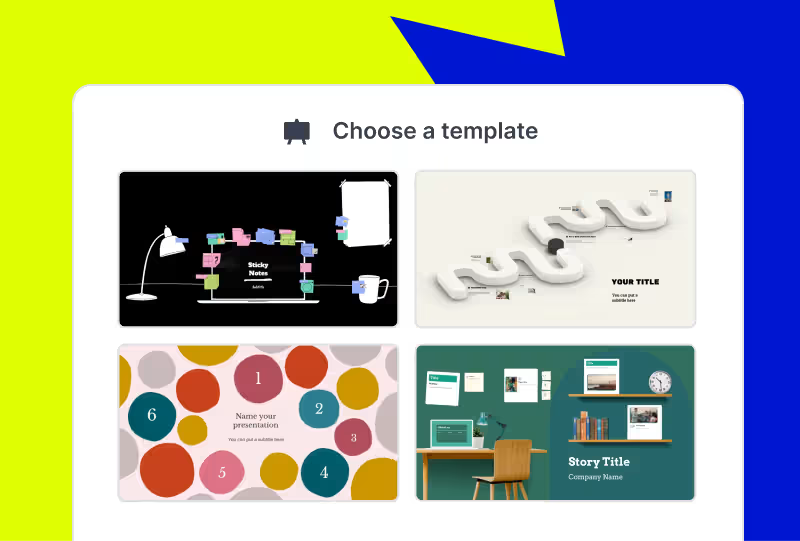
Choose your template

Browse categories to find the best AI-assisted presentation template for you.
Adjust the look and feel of your newly-made presentation. Pick your style, choose your images, and apply your branding with the click of a button.
שלב 2

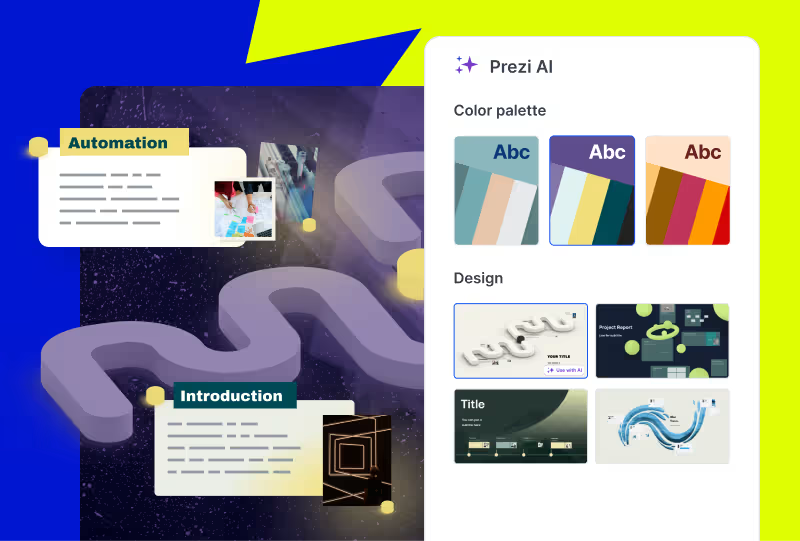
Make it yours

Adjust the look and feel of your newly-made presentation. Pick your style, choose your images, and apply your branding with the click of a button.

Adjust the look and feel of your newly-made presentation. Pick your style, choose your images, and apply your branding with the click of a button.
שלב 3

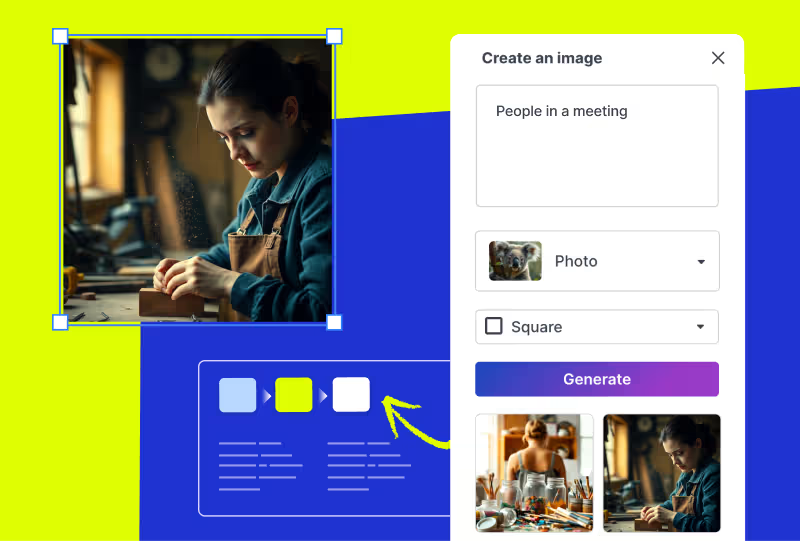
Edit your deck

Make any final customizations or additions to your generated presentation before it's ready to present.
Adjust the look and feel of your newly-made presentation. Pick your style, choose your images, and apply your branding with the click of a button.

משוך תשומת לב עם מצגות מונעות בינה מלאכותית

נסה בחינם

Frequently asked questions

  • What are Prezi presentation templates?

    Prezi presentation templates are professionally designed, ready-to-use layouts. They’re designed to give you a head start with presentation creation. Each template includes a clear presentation path, balanced visuals, and dynamic flow. This allows your presentation to move and guide your audience's attention. You can find a variety of templates for business, education, creative, and personal use cases. Just pick a template, add your content, and present with confidence.

  • How do Prezi templates work with Prezi AI?

    When you choose to use AI with one of the presentation templates, you will share some content about your presentation. It can be as short as a title or as long as an uploaded PDF outline. From there, Prezi AI will generate a presentation using your content and drop it into the template.

  • What if I’m not seeing the right presentation template for me?

    Prezi's prompt library gives you dozens of ready-made prompts from investor pitch decks to classroom lessons to creative portfolios. Just pick a prompt, and Prezi AI builds your presentation from scratch with layouts, visuals, and motion paths already in place. Want something even more specific? You can write your own custom prompt or upload a file, a document, outline, or brief, and Prezi AI will transform it into a dynamic, motion-based presentation in seconds.

  • Are Prezi templates free to use?

    Yes, all Prezi templates are free to use. If you want access to all advanced Ai features and Ai templates, you may need to upgrade to a paid subscription.

  • Can I customize a Prezi template after choosing one?

    Yes. Every Prezi template is customizable. You can edit text, swap images, adjust layouts, and move around slides.

  • Can I download Prezi presentation templates as PowerPoint files?

    Yes. Prezi lets you export your finished presentation as a PowerPoint (PPT) file, so you can download presentation templates and share them with anyone, even if they don't use Prezi. This makes Prezi a great alternative when you're searching for powerpoint presentation templates.

  • Can I create a presentation without using a template?

    Yes. With Prezi AI, you can create a presentation by selecting a prompt from the prompt library, writing your own custom prompt, or uploading a file such as a document, outline, or brief. Prezi AI will transform your input into a dynamic presentation.

כיצד Prezi AI עוזר לי ליצור מצגות?

Prezi AI מסייע בכל שלב בתהליך יצירת המצגת, כולל:

  1. מבנה: היעזרו ב-Prezi AI לתכנון מבנה המצגת שלכם.
  2. עיצוב: Prezi AI יכול להציע אלמנטים עיצוביים, פלטות צבעים וסידורים.
  3. תוכן: Prezi AI יכול לסייע ביצירת טקסט ואלמנטים ויזואליים על פי המבנה שלכם.
  4. שיפור: עברו וערכו את התוכן שנוצר על ידי הבינה המלאכותית כדי לוודא שהוא תואם למטרות שלכם.

מהם היתרונות של בינה מלאכותית עבור מצגות?

כתיבת הנחיות ברורות ותמציתיות ל-AI היא חלק חיוני ליצירת תהליך העבודה ומצגות איכותיות באמצעות יוצרי מצגות מבוססי AI. הנה כמה טיפים חשובים שכדאי לקחת בחשבון בעת יצירת המצגת שלכם עם Prezi AI:

  1. הגדירו את נקודת המיקוד שלכם: היו ספציפיים לגבי הנושא המרכזי של המצגת שלכם.
  2. התאימו את התוכן כך שישפיע: חשבו על הקהל שלכם והתאימו את ההנחיות בהתאם.
  3. ציירו תמונה במילים: תארו את הסגנון הוויזואלי והטון הרצויים לכם.
  4. מילות מפתח &וטון: הוסיפו מילות מפתח רלוונטיות וציין מהו הטון הרצוי.
  5. חיסכון בעלויות: יוצר המצגות מבוסס ה-AI מטמיע אוטומציה של היבטים שונים בתהליך יצירת והצגת המצגת, ובכך הוא עוזר להוזיל עלויות הקשורות לעיצוב ולהתאמות תוכן ידניות.

יישום של הטיפים הללו יאפשר לכם להעביר את החזון שלכם ל-Prezi AI וליצור מצגות מרשימות התואמות את מטרותיכם. זכרו שעליכם להיות ברורים וספציפיים ולהקפיד על תיאור תמציתי וקל להבנה של המצגת.

מהי מצגת בינה מלאכותית גנרטיבית?

מצגת בינה מלאכותית גנרטיבית היא מצגת שנוצרה או שנבנתה בחלקה באמצעות בינה מלאכותית. בך נכללים יצירת רעיונות, עיצוב שקופיות ומסגרות, או יצירת תוכן.

מהי הדרך הטובה ביותר להעביר מצגת בינה מלאכותית?

בין אם אתם מעבירים מצגת AI בנושאי עסקים או מושגים חינוכיים, ודאו שאתם מתאימים את התוכן שלכם לרמת הידע והעניין של הקהל. השתמשו בשפה ברורה, פשטו מושגים מורכבים והשתמשו בעזרים חזותיים לשיפור ההבנה.

בנוסף, דאגו לשתף את הקהל על ידי שאלת שאלות, עידוד השתתפות והפיכת המצגת לאינטראקטיבית. לבסוף, תרגלו את נאום המצגת שלכם ובקשו משוב. כמו כן, תוכלו להיעזר במשאבים כמו תבניות של Prezi templates או examples לקבלת השראה.

למידע נוסף על איך להעביר מצגות בצורה אפקטיבית, קראו את המאמר הזה. 

למה כדאי לי להשתמש ב-Prezi AI?

Prezi AI יחסוך לכם זמן ויאפשר לכם להתמקד בעבודה החשובה באמת. בעזרת בינה מלאכותית ניתן לבצע משימות חוזרות באופן אוטומטי, לעורר יצירתיות ולמצוא רעיונות חדשים, וכן לשפר את התוכן שלכם. Prezi AI מסייע גם בדרכים נוספות, כמו מעורבות הקהל. תוכלו להתאים במהירות את התוכן שלכם להעדפות הקהל ולשמור על עניין לאורך כל המצגת.

איך ליצור הנפשה עם בינה מלאכותית

Prezi AI יעזור לכם ליצור שקופיות מונפשות מתבליטים. כל שעליכם לעשות הוא להזין את הנקודות שלכם, ו-Prezi AI יציע ליצור עבורכם שקופיות מונפשות ואטרקטיביות באופן אוטומטי. תוכלו להתאים אישית את השקופיות ואת הסגנון הכללי כך שיתאימו להעדפותיכם.

שימוש באלמנטים ויזואליים ובאנימציות מבוססות בינה מלאכותית ב-Prezi

עם Prezi, תוכלו לשדרג את המצגות שלכם על ידי שילוב אלמנטים ויזואליים שנוצרו באמצעות בינה מלאכותית. כל שעליכם לעשות הוא להעלות את האלמנטים הוויזואליים שיצרתם בעזרת AI ולהתאים את המצגת שלכם לתוצאה הרצויה. 

בנוסף, תוכלו להחיות את התבליטים שלכם על ידי הפיכתם לסיפורים ויזואליים בעזרת AI. בכמה לחיצו תוכלו להפוך תבליטים משעממים לשקופיות דינמיות ומונפשות. ניתן להתאים את המעברים הללו לסגנון האישי שלכם וליצור מצגת דינמית ובעלת השפעה רבה יותר.