The best AI-powered alternative to Google Slides
Create stunning presentations in seconds with Prezi AI, the AI presentation platform proven to capture attention better than Google Slides.
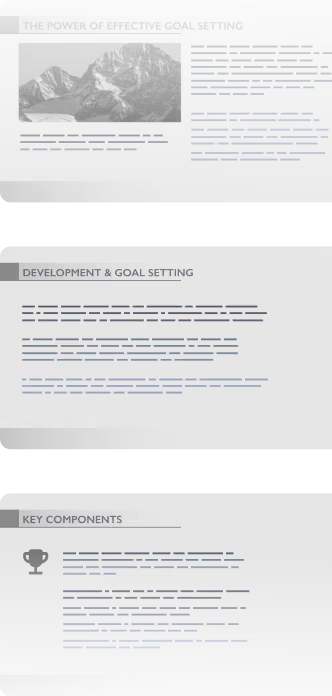


How Prezi beats Google Slides
Faster, better presentations with Prezi
Features


AI creation


Presentation focus
Animations
Upgrade existing presentations
Live adaptability
Video presenting
Analytics
Mobile app
Already using Google Slides? It’s easy to switch. Prezi AI helps you rebuild presentations in seconds.
Build smarter. Deliver faster.

Custom presentations made quickly
It’s easy to start with Prezi. Upload an existing presentation or just type your idea in Prezi AI. In seconds, you’ll get a custom-built presentation that’s visual, organized, and ready to impress. No templates and no boring content.

Effortless creation
One click means one finished presentation. Prezi AI understands what you’re presenting and designs it instantly. Spend less time building and more time nailing your job.

Scientifically proven engagement
Prezi’s not just about beautiful slides (we’ve got those, too). We’re about results. In a university-led blind study, Prezi was proven to be 25% more effective and 22% more persuasive than static presentations. That means people will remember what you said, and act on it too.
Collaborate better. Present smarter.

Real-time collaboration
Teamwork doesn’t slow you down with Prezi. Your entire team can build, edit, and review presentations together live. No waiting for updates, no file chaos.

Brand kit
Stay perfectly on brand for each presentation. Prezi’s brand kit locks in your colors, fonts, and logos so every presentation you create looks consistent and professional, even when Prezi AI builds it for you.

Storytelling in motion
Static slides put audiences to sleep. Our dynamic layout pulls them in and allows you to move between ideas naturally. Highlight what your audience wants to see, right when they want to see it. Create presentations people actually remember.

4 out of 5
Say Prezi is better at capturing attention

91%
Say Prezi positively impacts their work

160M+
Users around the world trust Prezi for their presentations


Why Google Slides users are switching to Prezi
I’ve used many presentation tools in the past, but Prezi stands out as one of the best. Its unique zooming feature and dynamic layouts make my presentations visually engaging and far more memorable than traditional slides.
I impressed my co-teacher when I showed him what Prezi AI could do. Just input a few words and it designs a whole SHOW. Then I was able to go back and edit and add more things. I plan to use this more often to teach with "pizz zazz"!
I use Prezi for every speaking engagement I do. It makes my presentations more visual and memorable. It helps me stand out, even on a Zoom screen. People remember your message when you present it well.
Still using Google Slides? You’re missing out.
Stop wasting time on templates and boring slides. Prezi AI creates, designs, and helps you present with unmatched speed and impact. Backed by science and trusted by millions.


Frequently asked questions
Can I download my Google Slides and import them into Prezi?
Yes! You can easily download your Google Slides presentations and upload them to Prezi as a PDF, DOCX, or PPTX file. Prezi AI can transform your work and you’ll get all of the benefits of Prezi without needing to start from scratch.
Does Prezi offer the same real-time collaboration and cloud access as Google Slides?
Absolutely! You can collaborate with anyone on any presentation, easily share links, and more. Everything is saved in the cloud, too, so you can access your presentations from any device, anywhere. It’s easy to work with your team.
How does Prezi integrate into my Google workspace?
Prezi works seamlessly with Google Workspace so you can keep everything connected and your workflow simple. Easily import any documents and presentations into Prezi for maximum productivity. Just like Google Slides, Prezi supports real-time collaboration and cloud storage. You and your team can co-edit, comment, and share presentations from anywhere, on any device, with everything saved automatically.
Is Prezi harder to learn than Google Slides?
Not at all. Thanks to Prezi AI, using Prezi is even easier than Google Slides. You can just type your idea or upload a file and get a full presentation ready. No design skills, no new program to learn.
Can I use Prezi with my team?
Yes! Prezi is built for collaboration. You and your team can create, edit, and present together in real time from anywhere. It’s easy to add comments, make live updates, and stay in sync without needing to send endless presentation versions to each other.