Transforma las presentaciones de tu equipo

Convierte contenido e ideas en presentaciones impactantes en cuestión de minutos con Prezi IA. Diseñada para equipos, con el control, la seguridad y la asistencia que necesitan.

  • Cisco logo.
  • Autodesk logo
  • Salesforce logo
  • Airbus logo
  • Staples logo
  • Sony logo
  • BMW logo
  • Fujitsu logo
  • Discovery logo
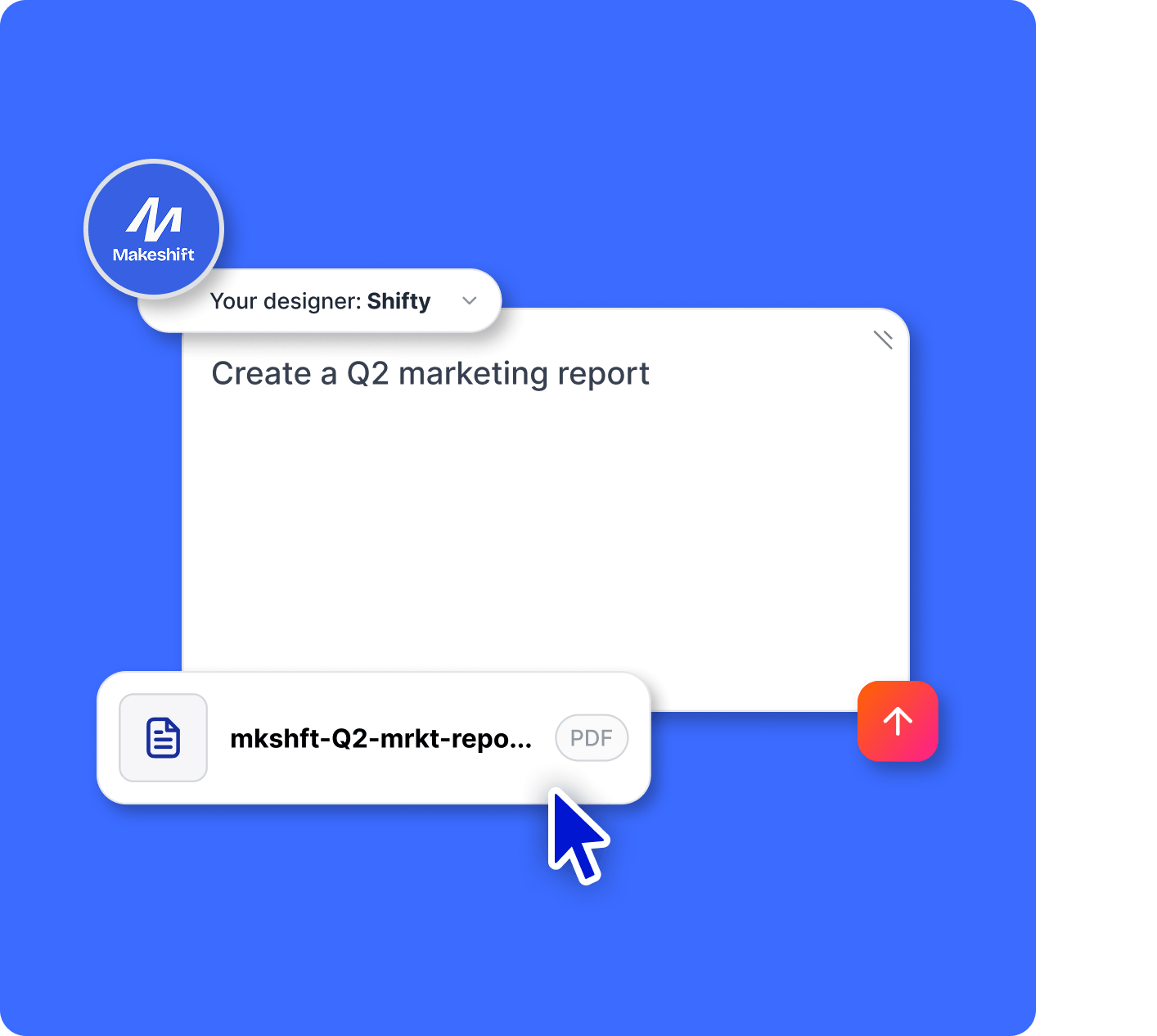
Upload PPT and PDF files and transform your presentation with slides

Presentaciones igual de eficaces que tu equipo

Transforma el contenido que tengas

Importa documentos, diapositivas o esquemas y conviértelos en presentaciones profesionales que tu equipo podrá usar al instante.

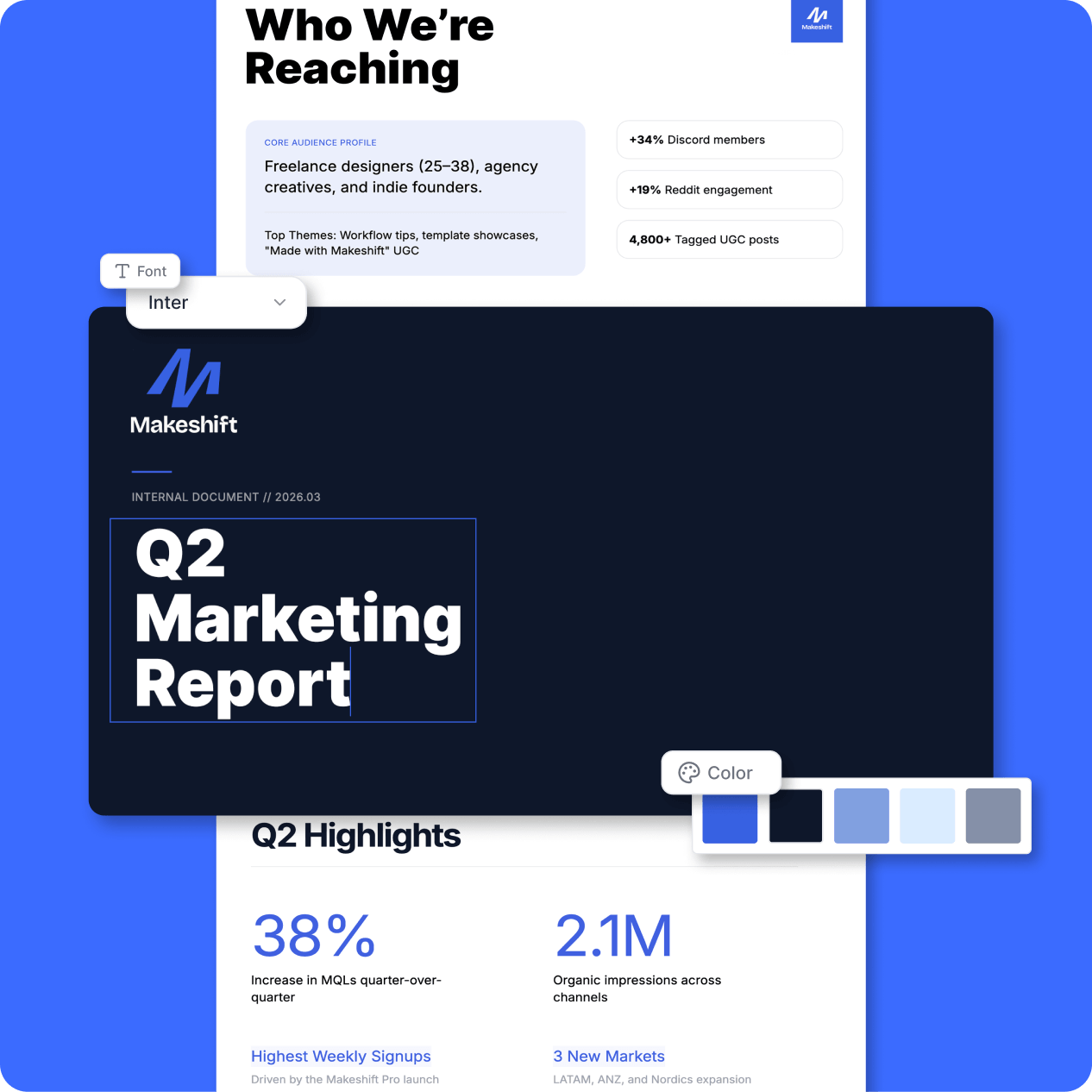
Siempre fiel a tu marca

Configura tus fuentes, colores y plantillas para que todas tus presentaciones tengan un estilo coherente. Y sin apenas esfuerzo.

Diseñado para captar la atención

4 de cada 5 usuarios dicen que Prezi capta más la atención que las diapositivas tradicionales.*

*Según una encuesta realizada en marzo/abril de 2026 entre profesionales que usan Prezi.

Mantente fiel a tu marca

Refleja tu identidad corporativa en tus presentaciones.

Kits de marca

Sube tus logotipos, colores y fuentes. Se aplicarán automáticamente en todas las presentaciones que cree tu equipo.

Your Designer

Un diseñador de IA personalizado, entrenado con toda tu identidad de marca, desde colores y fuentes hasta diseños, imágenes y lenguaje visual. Cada presentación se adapta automáticamente a tu marca.
Custom branding on your presentations

An expert AI presentation designer, built for you

Prompt

Build a smart, engaging training session for remote teams with tools, trends, and actionable tips.

Prompt

Pitch my Mexican food truck concept with fresh food and fresher ideas. Include a clear growth plan and captivating visuals.

Prompt

Showcase a creative marketing strategy for a tech brand that highlights recent KPIs, market trends, and what’s next.

Prompt

Create a data-driven sales pitch for my finance company that highlights key wins, trends, and opportunities for new customers.

Prompt

Analyze performance metrics and strategies for a sound development business review. Forecast what’s next with bold visuals, charts, and clear takeaways.

Diseñado para adaptarse a la forma de trabajar de los equipos

The control, admin, and support a growing team needs.

Icon representing engagement, showing a smiling face surrounded by dynamic lines to convey excitement and interaction.

Propiedad de contenidos

Controla el contenido de tu equipo, incluso cuando alguien se vaya.

Icon representing analytics

Gestión de licencias

Añade o elimina miembros del equipo y transfiere licencias fácilmente.

Icon representing share links

Controles de privacidad

Los ajustes de publicación y los resúmenes te permiten gestionar quién ve qué.

Icon representing SOC2 ccompliant

Instalación MSI

Con la implementación remota de software, todo el mundo accede a la última versión al momento.

Icon representing privacy control

Atención al cliente

Nuestros expertos en atención al cliente están preparados para ayudarte.

Icon representing work offline

Gestor especializado

Una guía personal para poner en marcha a tu equipo.

¿Quieres traer tu equipo a Prezi?

Prueba Prezi gratis

Con la confianza de equipos de todos los tamaños

Desde equipos en expansión hasta empresas internacionales, Prezi garantiza la seguridad de tus datos y permite que tu organización tenga el control.

Icon representing engagement, showing a smiling face surrounded by dynamic lines to convey excitement and interaction.

Cumplimiento SOC 2

Cumple y está al día con los requisitos de SOC2.

Icon symbolizing persuasion, featuring a speech bubble or dialog element with emphasis lines suggesting convincing communication.

Seguimiento continuo

La infraestructura y las aplicaciones se analizan y se prueban las 24 horas del día.

Time icon showing a stylized clock face, representing speed, efficiency, or time-saving.

Integración entre equipos

Diseñado pensando en la seguridad en todos los niveles, desde la infraestructura hasta la experiencia de usuario.

Descubre por qué nuestros clientes nos adoran

Prezi se posiciona como el líder en presentaciones que captan la atención en todos los sectores, según miles de opiniones muy positivas de los clientes.

start ratingstart ratingstart ratingstart ratingstart rating
4.6
2010 reseñas
start ratingstart ratingstart ratingstart ratingstart rating
4.6
1934 reseñas
G2 Top 50 office products awards 2023 badgeG2 leader fall 2023 badge
  • Prezi me permite contar una historia de forma más eficaz. La gente presta más atención porque se da cuenta de que NO es solo otra presentación de PowerPoint.

    Mike F
  • Usé Prezi en una presentación para un cliente del sector del automóvil. No me limité a mostrar unas diapositivas, sino que me hice con el control de la sala. Lo noté enseguida. Y así fue como gané el proyecto.

    Predrag P
  • Hicimos una presentación con Prezi para convencer a una organización que concede subvenciones de que eligiera la ONG de nuestro cliente. Funcionó. Nuestro cliente consiguió los 10 000 dólares.

    Leonard R

Trae tu equipo a Prezi

Presentaciones con la imagen de tu marca, seguridad integrada y asistencia técnica que se ajusta a tus necesidades. Diseñado para adaptarse a la forma de trabajar de tu equipo.

Prueba Prezi gratis

Preguntas frecuentes

  • ¿Puedo importar presentaciones o documentos que ya tenga a Prezi?

    Sí. Sube archivos de PowerPoint o PDF, o parte de contenido que ya tengas, y Prezi te ayuda a convertirlos en presentaciones más visuales y atractivas sin tener que empezar desde cero.

  • ¿Mis presentaciones reflejarán la imagen de marca?

    Sí. Con los kits de marca y Tu diseñador, las fuentes, los colores y el estilo visual de tu equipo ya están integrados, así que todas las presentaciones siempre tienen un estilo coherente de forma automática.

  • ¿Es fácil para un equipo comenzar a usar Prezi?

    Sí. Prezi es tan intuitivo que incluso un equipo sin conocimientos de diseño puede ponerse en marcha enseguida. Si lo necesitas, tienes a tu disposición asistencia técnica y ayuda para la incorporación.

  • ¿Pueden varias personas trabajar juntas en una presentación?

    Sí. Los equipos pueden crear, editar y compartir presentaciones entre ellos, lo que facilita la coordinación y permite avanzar mucho más rápido.

  • ¿Qué tipo de control tienen los administradores?

    Los administradores pueden gestionar usuarios, asignar o transferir licencias, controlar el acceso al contenido y supervisar la configuración de privacidad de todo el equipo.

  • ¿Qué opciones de precios hay disponibles para los equipos?

    Prezi ofrece planes flexibles que se adaptan al tamaño y las necesidades de tu equipo. Puedes comenzar de inmediato o hablar con ventas para que te hagan un plan a medida.

How does Prezi AI help me create presentations?

Prezi AI helps with every stage of presentation creation, including:

  1. Outline: Use Prezi AI to help you structure the outline for your presentation.
  2. Design: Prezi AI can suggest design elements, color palettes, and layouts.
  3. Content: Prezi AI can help with generating text and visuals based on your outline.
  4. Refine: Review and edit the AI-generated content to ensure it aligns with your goals.

What are the benefits of AI for presentations?

Writing clear and concise AI prompts is essential for streamlining your workflow and generating high-quality presentations using AI presentation makers. Here are some key tips to consider when creating your presentation with Prezi AI:

  1. Define your focus: Be specific about the central topic of your presentation.
  2. Tailor for impact: Consider your audience and adjust the prompt accordingly.
  3. Paint a picture with words: Describe your desired visual style and tone.
  4. Keywords & tone: Include relevant keywords and specify the desired tone.
  5. Cost savings: By automating various aspects of presentation creation and delivery, the AI presentation maker can help you reduce costs associated with design and manual content adjustments.

By following these tips, you can effectively communicate your vision to Prezi AI and create impactful presentations that align with your goals. Remember to be specific and clear and keep your presentation description concise and easy-to-understand.

What is a generative AI presentation?

A generative AI presentation is one that is created or partially created using artificial intelligence. This can include generating ideas, designing slides and frames, or creating content.

What is the best way to deliver an AI presentation?

Whether you're delivering an AI presentation on business topics or educational concepts, make sure to tailor your content to your audience's knowledge and interests. Use clear language, break down complex concepts, and use visuals to improve understanding.

Also, make sure to engage your audience by asking questions, encouraging participation, and making the presentation interactive. Finally, practice your presentation speech and seek feedback. Furthermore, you can explore resources like Prezi templates or examples for inspiration.

For more information on how to effectively deliver presentations, read this article

Why should I use Prezi AI?

Prezi AI helps save you time and lets you focus on the work that really matters. With AI, you can automate repetitive tasks, spark creativity and find new ideas, and enhance your content. Prezi AI helps in other ways, too, like audience engagement. Quickly tailor your content to your audience’s preferences and keep them interested for your entire presentation.

How to make animations with AI

Prezi AI can help you create animated slides from bullet points. Simply enter your bullet points, and Prezi AI will offer to automatically generate visually appealing and animated slides. You can customize the slides and overall style to match your preferences.

How to use AI visuals and animations in Prezi

With Prezi, you can improve your presentations by incorporating AI-generated visuals. Simply upload your AI visuals and tailor your presentation to match your desired outcome. 

Also, you can bring your bullet points to life by turning them into visual stories with the help of AI. In a few clicks, you can turn dull bullet points into dynamic, animated slides. You can customize these transitions to fit your style and ultimately create a more dynamic and impactful presentation.