Better presentations, faster with AI

Standout presentations that engage your audience in minutes.

This helps AI to better understand your intent.
  • Business

    Tailored for professional tone and clear objectives.

  • University

    Suits academic audiences with in-depth analysis.

  • School

    Engaging and easy-to-follow for students.

  • Other

    Specify custom audience in the prompt above.

Try creating
  • Cisco logo.
  • Autodesk logo
  • Salesforce logo
  • Airbus logo
  • Staples logo
  • Sony logo
  • BMW logo
  • Fujitsu logo
  • Discovery logo
Create with AI

Prezi has set the standard for amazing presentations for 15 years. Now, we’re redefining the future of presenting with AI.

Learn more
Curved thread design with a gradient transitioning from yellow to orange to pink on a black background.
Create with AI

Prezi has set the standard for amazing presentations for 15 years. Now, we’re redefining the future of presenting with AI.

Learn more

From idea to presentation, effortlessly

Present bold ideas, create attention-grabbing visuals, and bring any idea to life with Prezi AI.
Get started
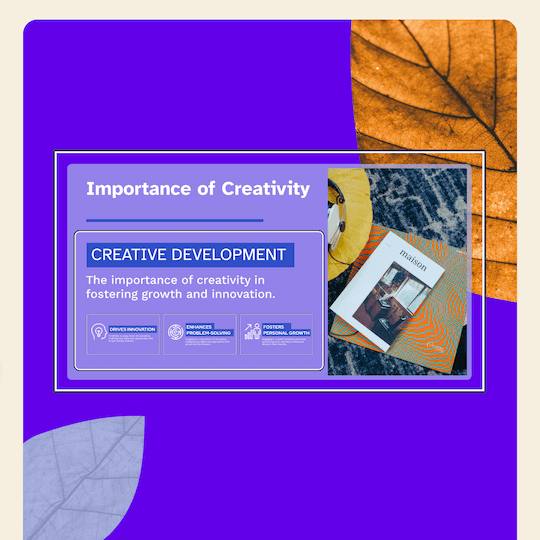
Using AskAI features to enhance a text paragraph by selecting it and adding icons to improve the layout composition.
Icon representing a computer

Design with AI

Enter a prompt and get a full presentation.

Icon representing expert advice

Expert advice

Personalized recommendations from AI each step of the way.

Icon representing visualization with an eye

Visualize anything

AI customized templates give you the perfect start.

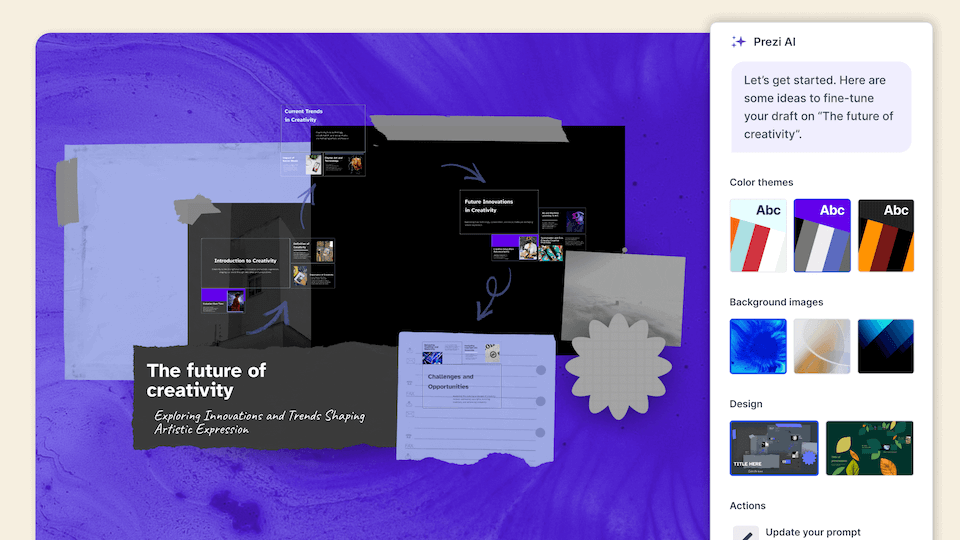
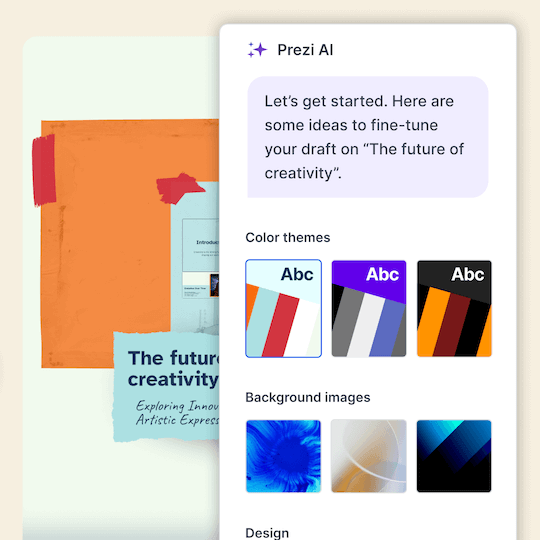
Demonstration of changing color palettes, adding a background image, and selecting a different template.

Everything you need to create what you want

Make amazing presentations with layouts, assets, and AI-assistance that make creating easier than ever.
Get started
Demonstration of changing color palettes, adding a background image, and selecting a different template.
Icon representing engagement, showing a smiling face surrounded by dynamic lines to convey excitement and interaction.

Transform content

Enter your prompt and get a full presentation.

Icon representing engagement, showing a smiling face surrounded by dynamic lines to convey excitement and interaction.

Show it perfectly

1M+ images, GIFs, and more to visualize any idea.

Icon representing engagement, showing a smiling face surrounded by dynamic lines to convey excitement and interaction.

Design beautifully

Frame designs that look beautiful and make presenting easy.

Demonstration of changing color palettes, adding a background image, and selecting a different template.

Stand out from the crowd

Leave boring slides behind and wow your audience with Prezi’s unique open canvas and dynamic movement.

Get started
Using AskAI features to enhance a text paragraph by selecting it and adding icons to improve the layout composition.
Icon representing engagement, showing a smiling face surrounded by dynamic lines to convey excitement and interaction.

Engage audiences

Prezi is 25% more effective than traditional slides.*

Icon representing engagement, showing a smiling face surrounded by dynamic lines to convey excitement and interaction.

Move in any order

Navigate straight to what your audience wants to see.

Icon representing engagement, showing a smiling face surrounded by dynamic lines to convey excitement and interaction.

Present anywhere

Prezi Video puts you and your content, together on screen.

Video of a prompt being edited, changing a template and going to present mode

The specialists on visual storytelling since 2009

From TED talks to classrooms. In every country across the world. Prezi has been a trusted presentation partner for over 15 years.

180+

countries

160,000,000+

People who ❤ ️Prezi

25%

more effective than slides*

40%

more memorable*

*independent university study of Prezi vs. PowerPoint

See why our customers love us

Prezi ranks as the attention-grabbing presentation leader across industries based on hundreds of glowing customer reviews.

start ratingstart ratingstart ratingstart ratingstart rating
4.6
2,010 Reviews
start ratingstart ratingstart ratingstart ratingstart rating
4.6
1,934 Reviews
G2 Top 50 office products awards 2023 badgeG2 leader fall 2023 badge

See why our customers love us

Prezi ranks as the attention-grabbing presentation leader across industries based on hundreds of glowing customer reviews.

  • start ratingstart ratingstart ratingstart ratingstart rating
    4.6
    2,010 Reviews
  • start ratingstart ratingstart ratingstart ratingstart rating
    4.6
    1,934 Reviews

The future of AI-first presentations is here.

Try Prezi for free

Frequently asked questions

  • What is Prezi’s AI presentation maker?

    Prezi AI is an AI presentation maker that helps you create a complete, polished presentation from a prompt or uploaded file, like a PDF, PPT, or DOC. It generates a structured draft with suggested slide titles, key points, and design theme so you can move from idea to presentation faster.

  • How does Prezi's AI presentation designer work?

    Prezi's AI presentation designer turns your ideas into polished presentations effortlessly. After entering a prompt or uploading an existing file like a PDF or Word document, Prezi AI generates a complete presentation with customized layouts, frame designs, and visual elements. You can then make final tweaks with our AI image generator and text editor before presenting.

  • Can Prezi create a PowerPoint (PPT) with AI?

    Yes. If you want an AI PowerPoint presentation maker workflow, you can use Prezi AI to draft your presentation quickly and then export or share it in the format your team needs, like exporting to a PowerPoint.

  • Can I turn an existing document into a presentation with AI?

    Yes. Prezi AI can help you create a presentation with AI from existing content. Add a prompt or upload content, and Prezi AI generates an outline and slide-by-slide draft with layouts and visuals you can refine. You stay in control and can edit text, reorder slides, and adjust design before presenting.

  •  Is Prezi a free AI presentation tool?

    Yes, Prezi is available as a free presentation software with AI-powered features included. If you want unlimited access to Prezi AI, you can try a free trial or upgrade to a paid subscription. No matter which subscription you choose, you will be able to present with Prezi's unique format that makes content more engaging and memorable.

  • How is Prezi different from other AI presentation generators?

    While most AI presentation tools force your content into generic templates, Prezi AI takes a smarter approach. Based on your unique content, Prezi AI generates a presentation with custom design, colors, and images specifically tailored to your message, no templates required. Your content provides all the direction needed to create a truly personalized presentation.

  • What types of presentations can I create with Prezi AI?

    With Prezi AI, you can create presentations for work, school, and personal projects, including pitch decks, reports, lessons, and slide presentations. If you are looking to make a presentation with AI for work or school, Prezi AI can help you draft faster and present more effectively.

  • Does Prezi AI help with slide structure and talking points?

    Yes. Prezi AI helps with the parts that take the most time, like organizing ideas into a logical flow and creating a consistent design.

  • Can I edit the AI-generated presentation?

    Absolutely. Prezi AI creates a draft, but you can fully edit it. Update the text, rearrange slides, and tailor the visuals so the final result matches your brand, audience, and goals.

  • Is Prezi good for creating slide decks with AI for teams?

     Yes. Prezi works well for collaborative workflows where multiple people need to review, refine, and align on messaging. If you’re looking for an AI presentation software that keeps presentations consistent across your organization with shared collaboration features and team-friendly controls, Prezi for Teams is an ideal solution.

  • What should I include in a prompt for the best AI presentation results?

    .For the best results, include your audience, goal, topic, tone, and any must-have points. Example: “Create a 10-slide deck for mid-market HR leaders about onboarding software, highlight three benefits, include a comparison slide, and a strong CTA.” For even more prompt examples, you can explore our AI prompt library to get inspired.

  • Is Prezi AI suitable for beginners who are new to presentation design?

    Yes. Prezi AI is built to help beginners get a high-quality first draft quickly, with suggested structure and slide content. It reduces the time spent figuring out what to say and how to organize it, so you can focus on accuracy and delivery.

How does Prezi AI help me create presentations?

Prezi AI helps with every stage of presentation creation, including:

  1. Outline: Use Prezi AI to help you structure the outline for your presentation.
  2. Design: Prezi AI can suggest design elements, color palettes, and layouts.
  3. Content: Prezi AI can help with generating text and visuals based on your outline.
  4. Refine: Review and edit the AI-generated content to ensure it aligns with your goals.

What are the benefits of AI for presentations?

Writing clear and concise AI prompts is essential for streamlining your workflow and generating high-quality presentations using AI presentation makers. Here are some key tips to consider when creating your presentation with Prezi AI:

  1. Define your focus: Be specific about the central topic of your presentation.
  2. Tailor for impact: Consider your audience and adjust the prompt accordingly.
  3. Paint a picture with words: Describe your desired visual style and tone.
  4. Keywords & tone: Include relevant keywords and specify the desired tone.
  5. Cost savings: By automating various aspects of presentation creation and delivery, the AI presentation maker can help you reduce costs associated with design and manual content adjustments.

By following these tips, you can effectively communicate your vision to Prezi AI and create impactful presentations that align with your goals. Remember to be specific and clear and keep your presentation description concise and easy-to-understand.

What is a generative AI presentation?

A generative AI presentation is one that is created or partially created using artificial intelligence. This can include generating ideas, designing slides and frames, or creating content.

What is the best way to deliver an AI presentation?

Whether you're delivering an AI presentation on business topics or educational concepts, make sure to tailor your content to your audience's knowledge and interests. Use clear language, break down complex concepts, and use visuals to improve understanding.

Also, make sure to engage your audience by asking questions, encouraging participation, and making the presentation interactive. Finally, practice your presentation speech and seek feedback. Furthermore, you can explore resources like Prezi templates or examples for inspiration.

For more information on how to effectively deliver presentations, read this article

Why should I use Prezi AI?

Prezi AI helps save you time and lets you focus on the work that really matters. With AI, you can automate repetitive tasks, spark creativity and find new ideas, and enhance your content. Prezi AI helps in other ways, too, like audience engagement. Quickly tailor your content to your audience’s preferences and keep them interested for your entire presentation.

How to make animations with AI

Prezi AI can help you create animated slides from bullet points. Simply enter your bullet points, and Prezi AI will offer to automatically generate visually appealing and animated slides. You can customize the slides and overall style to match your preferences.

How to use AI visuals and animations in Prezi

With Prezi, you can improve your presentations by incorporating AI-generated visuals. Simply upload your AI visuals and tailor your presentation to match your desired outcome. 

Also, you can bring your bullet points to life by turning them into visual stories with the help of AI. In a few clicks, you can turn dull bullet points into dynamic, animated slides. You can customize these transitions to fit your style and ultimately create a more dynamic and impactful presentation.